# 产品简介

{% hint style="success" %}
&#x20;                                                [**Easy Dataset**](https://github.com/ConardLi/easy-dataset) **是一个强大的大模型数据集创建工具。**
{% endhint %}

<figure><img src="https://544849060-files.gitbook.io/~/files/v0/b/gitbook-x-prod.appspot.com/o/spaces%2FDgZmZsLiavwvoXVnDBQ5%2Fuploads%2FY4Lxnc6CRtuvLc8K82kd%2Fbg2.png?alt=media&#x26;token=13163c9c-ec8d-4fdf-b372-197adb9d592e" alt=""><figcaption></figcaption></figure>

### 为什么会有这个工具？

目前各行各业都在积极探索微调自己行业的大模型，其实微调的过程不是难事，目前市面上也有比较多成熟的工具，比较难的是前期的数据集准备的环节，数据集的质量直接决定了模型微调后的效果，高质量领域数据集的构建始终面临多重挑战，大家在构建数据集的过程中可能会普遍遇到以下问题：

{% hint style="danger" %}

* 完全不知道怎么做，目前就在纯人工去做，想提高效率
* 直接将文档丢给 AI ，但是 AI 对于大文件生成的 QA 对效果比较差
* AI 本身有上下文的限制，一次不能生成太多的问题，分批生成后面又会生成重复的问题
* 已经有整理出来的数据集了，想有一个批量管理数据集的地方，可以进行标注和验证
* 对于数据集有细分领域的需求，不知道如何去构建领域标签
* 想要微调推理模型，但是不知道推理微调数据集中的 COT 怎么构造
* 想从一个格式的数据集转换成另一个格式的数据集，不知道怎么转换
  {% endhint %}

为了解决这些问题，**Easy DataSet 应运而生**，通过系统性解决方案实现从文献解析到数据集构造、标注、导出、评估的全流程闭环，以下是工具预期要解决的问题：

{% hint style="success" %}

* 能够支持多种文献处理，将各种格式的文献处理为模型可理解的格式
* 能够做到基于 AI 辅助生成数据集，而且不丢失准确性
* 能够解决由于模型上下文限制导致的截断问题
* 能够批量构造数据集，能生成 COT，而且不生成重复的数据集，
* 能够构建领域标签，并且按照领域树组织数据集
* 能够合理的管理数据集，方便对数据集进行质量校验等操作
* 能够方便的对生成的数据集进行格式转换，比如 Alpaca 和 ShareGPT 格式
* 能够基于数据集对模型进行有效评估
  {% endhint %}

### 设计思路

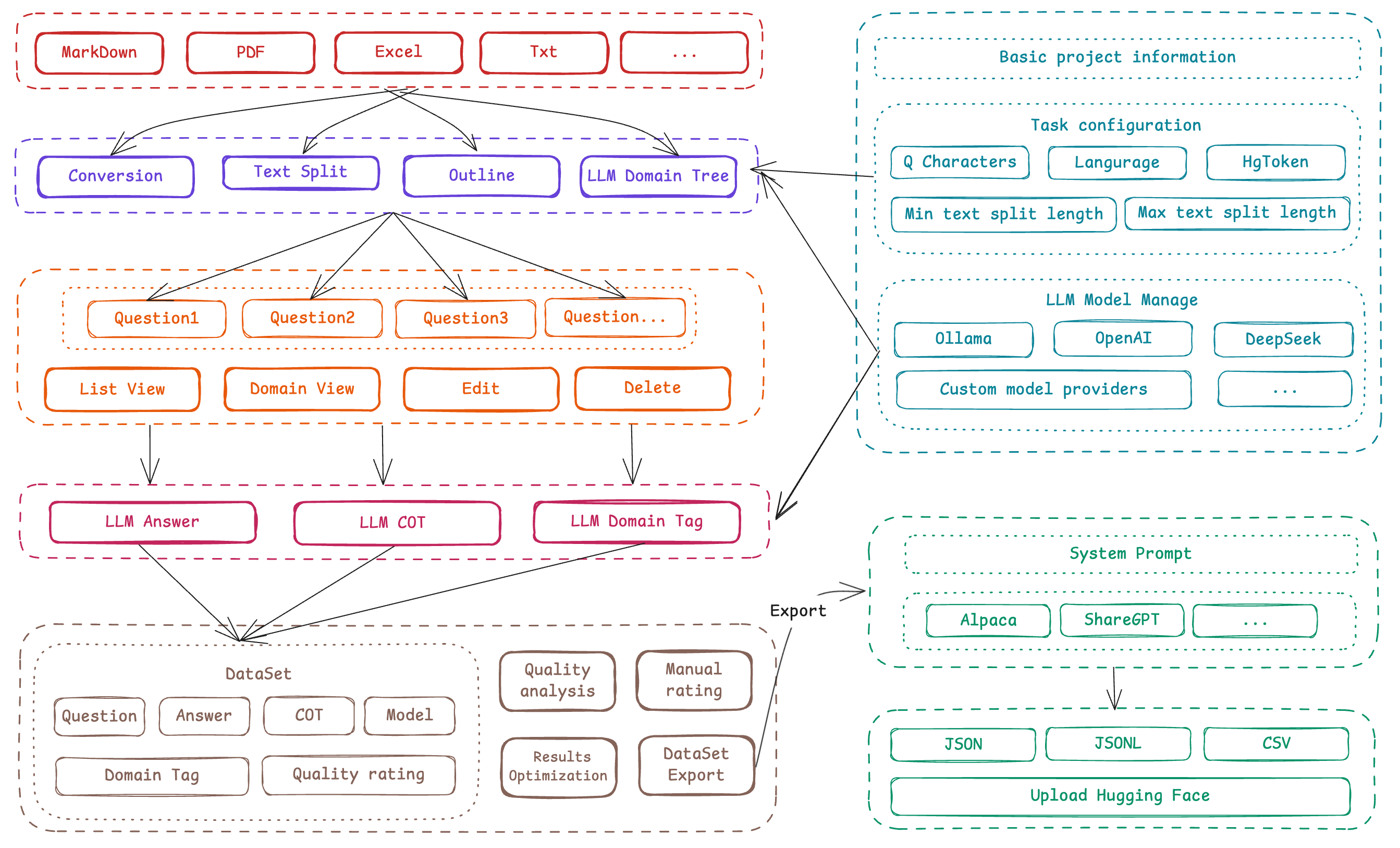
Easy DataSet 以 **项目制** 为核心单元，贯穿 「文献处理-问题生成-答案构建-标签管理-数据导出」 全链路：

<figure><img src="https://544849060-files.gitbook.io/~/files/v0/b/gitbook-x-prod.appspot.com/o/spaces%2FDgZmZsLiavwvoXVnDBQ5%2Fuploads%2F6nGSW5HomE278g9xIrUd%2Fimage.png?alt=media&#x26;token=9d0eccb1-3ee7-4e96-9e65-a660908a4254" alt=""><figcaption></figcaption></figure>

### 核心模块

* **模型配置中心**：支持 OpenAI 格式 API（如 OpenAI、DeepSeek、各种三方模型提供商）及本地模型（Ollama），内置模型测试 Playground，支持多模型对比。
* **智能文献处理**：采用  「章节感知递归分块」 算法，基于 Markdown 结构实现语义级分割，确保单块内容完整（最小/最大长度可配），附带大纲提取与摘要生成。
* **领域标签体系**：AI 自动生成二级领域树（如 「体育-足球」 ），支持手动修正，为每个 QA 对绑定精准标签，降低重复率。
* **智能数据生成**：从领域信息中提取问题，基于问题 + 领域信息智能构造数据，并支持多维度数据标注、多格式数据导出。

***

### 数据引擎

* **问题批量生成**：基于文本块语义，按字符密度动态生成问题（可配置），支持批量创建与中断恢复。
* **答案智能构建**：关联原始文本块生成答案，支持推理模型（如DeepSeek-R1）生成带思维链（COT）的答案。
* **质量校验机制**：提供问题/答案的批量删除、手动编辑及AI优化（输入指令自动润色），确保数据可用。

***

### 格式生态

* **多格式导出**：支持 Alpaca、ShareGPT 标准格式，自定义字段映射，包含领域标签与 COT 信息。
* **数据集广场**：聚合 HuggingFace、Kaggle 等多平台数据源，支持关键字一键检索，解决 「数据从哪来」 的初始难题。


# 安装和使用

目前 Easy Dataset 支持客户端、NPM、Docker 三种启动方式，所有启动方式均**完全在本地处理数据**，无需担心数据隐私问题。

### 客户端启动（适合新手）

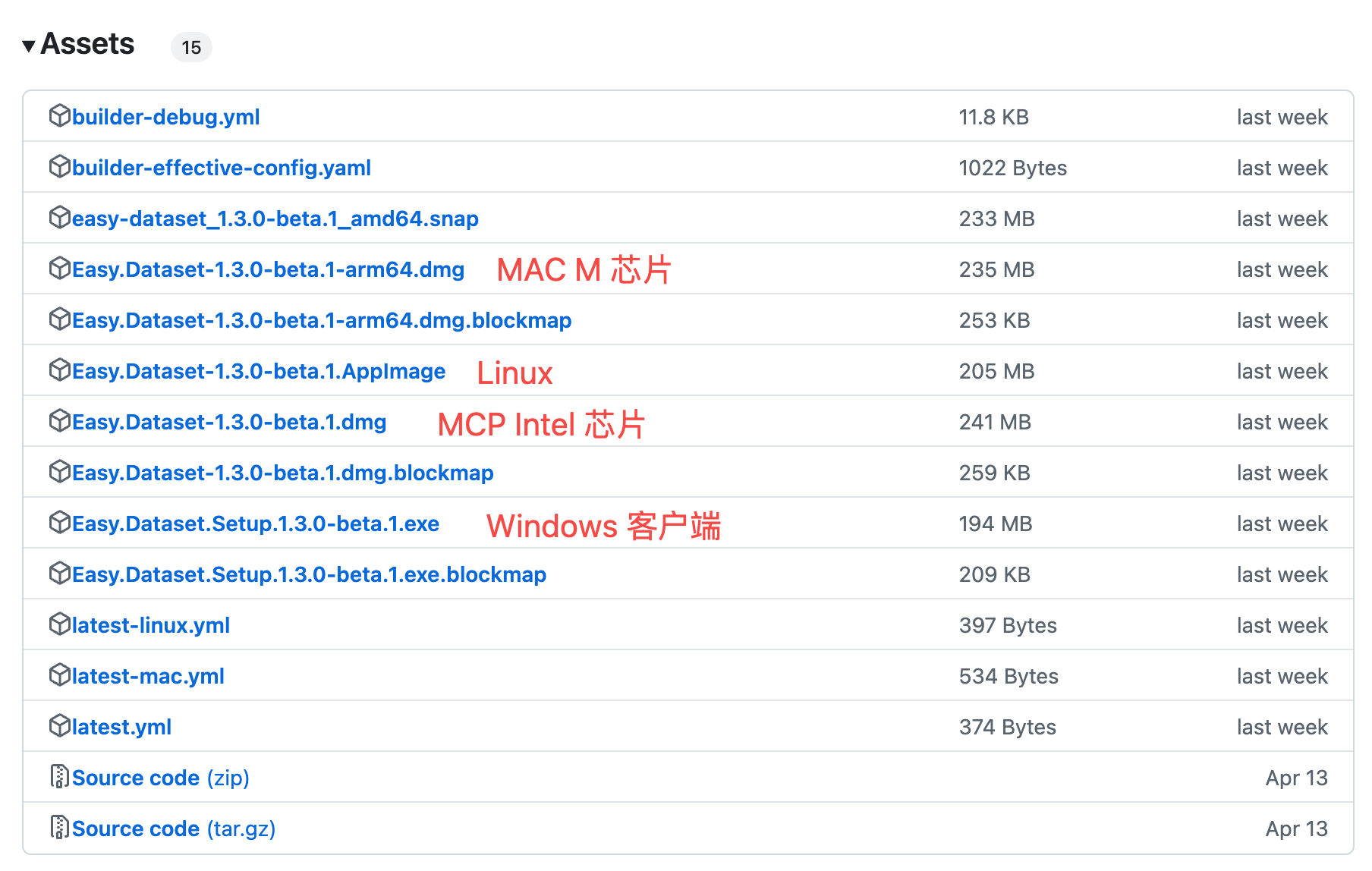
为了解决各种本地部署的环境问题，可以直接用客户端启动，支持以下平台：

<figure><img src="https://544849060-files.gitbook.io/~/files/v0/b/gitbook-x-prod.appspot.com/o/spaces%2FDgZmZsLiavwvoXVnDBQ5%2Fuploads%2Flm50mjLJyezNzofwrHVC%2Fimage.png?alt=media&#x26;token=a8d84007-e8a1-4673-bd0c-4ba91ac7fd26" alt=""><figcaption></figcaption></figure>

可以直接到 <https://github.com/ConardLi/easy-dataset/releases> 下载适合自己系统的安装包：

如果遇到 Github 下载较慢，可以使用网盘下载：<https://pan.quark.cn/s/ef8d0ef3785a>&#x20;

<figure><img src="https://544849060-files.gitbook.io/~/files/v0/b/gitbook-x-prod.appspot.com/o/spaces%2FDgZmZsLiavwvoXVnDBQ5%2Fuploads%2FrqMjLhCbxxP4eny87U6t%2Fimage.png?alt=media&#x26;token=45655c8f-aac7-4ef1-b502-804b10b51ab3" alt=""><figcaption></figcaption></figure>

***

### NPM 启动（适合开发者）

本项目基于 Next 构建，所以本地只要有 Node 环境就可以通过 NPM 直接启动，适合开发者，需要调试项目的同学：

1. 克隆仓库：

```bash
   git clone https://github.com/ConardLi/easy-dataset.git
   cd easy-dataset
```

2. 安装依赖：

```bash
   npm install
```

3. 启动服务器：

```bash
   npm run build
   npm run start
```

{% hint style="warning" %}
注意：使用 NPM 启动的情况下，当系统发布新版本后，需要重新执行 `git pull` 拉取最新代码，并且重新执行 `npm install`、`npm run build`、`npm run start` 三个步骤。
{% endhint %}

***

### Docker 启动 - 使用官方 Docker 镜像（适合私有部署）

1. 克隆仓库：

```bash
git clone https://github.com/ConardLi/easy-dataset.git
cd easy-dataset
```

2. 更改 `docker-compose.yml` 文件：

```yml
services:
  easy-dataset:
    image: ghcr.io/conardli/easy-dataset
    container_name: easy-dataset
    ports:
      - '1717:1717'
    volumes:
      - ./local-db:/app/local-db
      # - ./prisma:/app/prisma 如果需要挂载请先手动初始化数据库文件
    restart: unless-stopped
```

> **注意：** 请将 `{YOUR_LOCAL_DB_PATH}`、`{LOCAL_PRISMA_PATH}` 替换为你希望存储本地数据库的实际路径，建议直接使用当前代码仓库目录下的 `local-db` 和 `prisma` 文件夹，这样可以和 NPM 启动时的数据库路径保持一致。

> **注意：** 如果需要挂载数据库文件（PRISMA），需要提前执行 `npm run db:push` 初始化数据库文件。

3. 使用 docker-compose 启动

```bash
docker-compose up -d
```

4. 打开浏览器并访问 `http://localhost:1717`

***

### Docker 启动 - 手动打包（适合私有部署）

如果你想自行构建镜像，可以使用项目根目录中的 Dockerfile：

1. 克隆仓库：

```bash
git clone https://github.com/ConardLi/easy-dataset.git
cd easy-dataset
```

2. 构建 Docker 镜像：

```bash
docker build -t easy-dataset .
```

3. 运行容器：

```bash
docker run -d \
  -p 1717:1717 \
  -v {YOUR_LOCAL_DB_PATH}:/app/local-db \
  -v {LOCAL_PRISMA_PATH}:/app/prisma \
  --name easy-dataset \
  easy-dataset
```

> **注意：** 请将 `{YOUR_LOCAL_DB_PATH}`、`{LOCAL_PRISMA_PATH}` 替换为你希望存储本地数据库的实际路径，建议直接使用当前代码仓库目录下的 `local-db` 和 `prisma` 文件夹，这样可以和 NPM 启动时的数据库路径保持一致。

4. 打开浏览器，访问 `http://localhost:1717`


# 项目

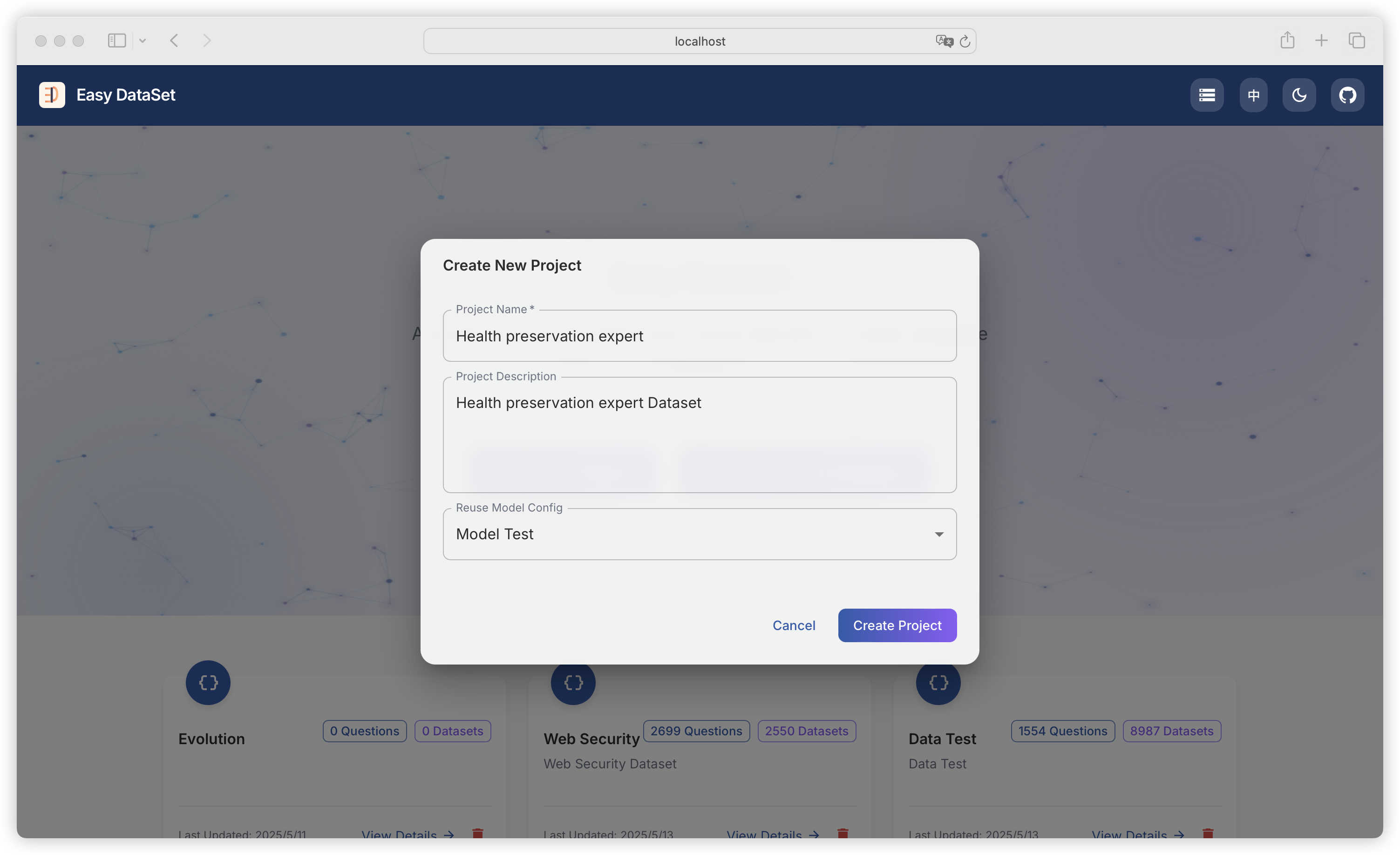
项目是 `Easy DataSet` 中的一个最小工作单元，一个项目下有一份独立的配置（包括数据集生成任务配置、模型配置等等），可以处理一批文献并且管理基于这批文献生成的所有问题和数据集。

<figure><img src="https://544849060-files.gitbook.io/~/files/v0/b/gitbook-x-prod.appspot.com/o/spaces%2FDgZmZsLiavwvoXVnDBQ5%2Fuploads%2FiaNqlvpppkhGhWkziI8I%2Fimage.png?alt=media&#x26;token=3c939dbc-680a-45b9-933c-152e76f810c4" alt=""><figcaption></figcaption></figure>

创建新项目，只需要输入项目名称和描述，可复用其他项目的模型配置。

> 名称和描述只用于记录和查看，不会影响后续的数据集生成任务。


# 任务配置

{% hint style="info" %}
任务配置模块用于对文本处理、问题生成、任务并发等相关参数进行设置，以满足不同的任务需求。合理配置各项参数，能够有效提升任务执行效率和质量。
{% endhint %}

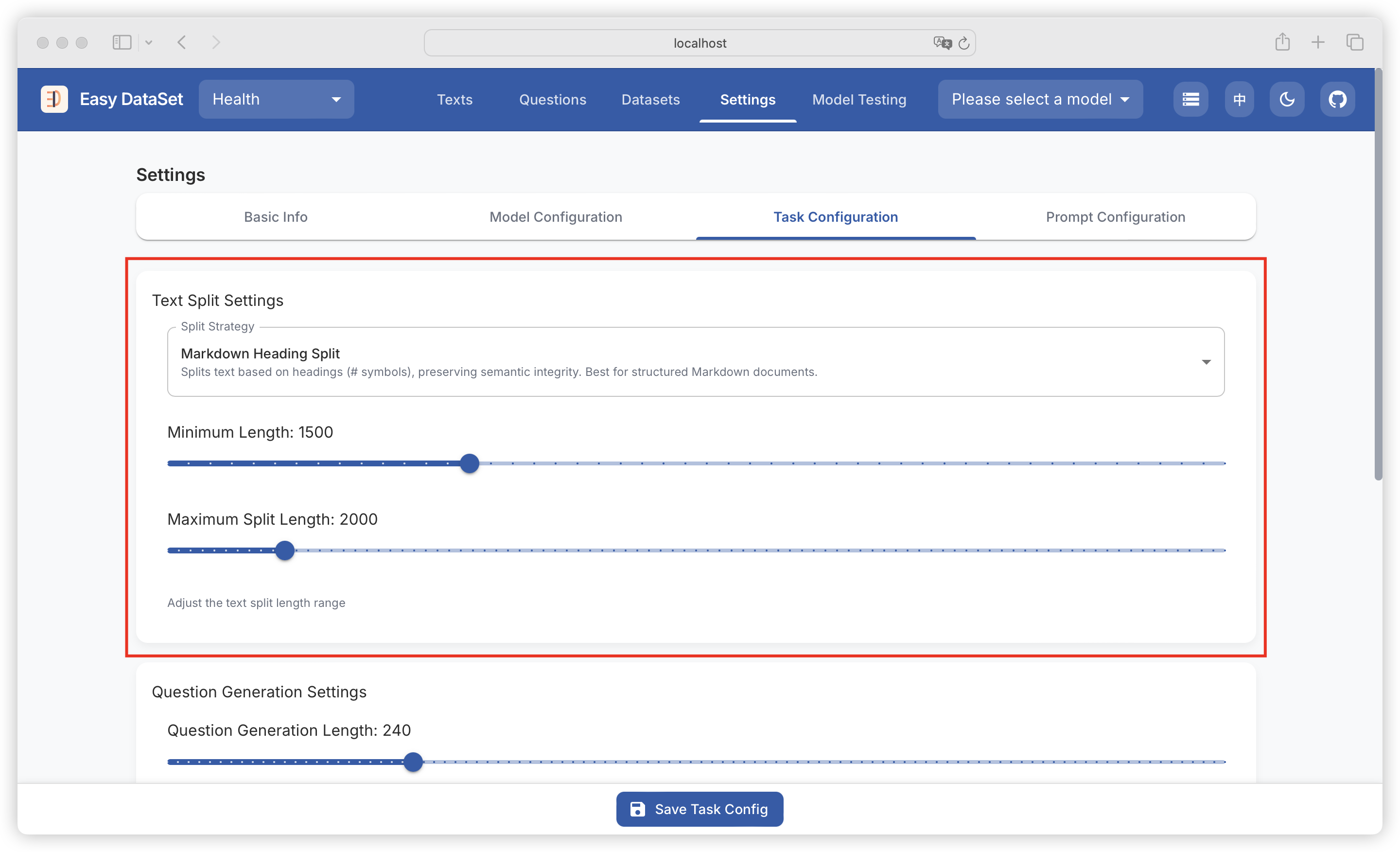
### 文本分割设置

<figure><img src="https://544849060-files.gitbook.io/~/files/v0/b/gitbook-x-prod.appspot.com/o/spaces%2FDgZmZsLiavwvoXVnDBQ5%2Fuploads%2FW46F9LQILFaqdtDXnfnt%2Fimage.png?alt=media&#x26;token=e58ea85e-611a-4982-9462-671871f379ef" alt=""><figcaption></figcaption></figure>

#### 1. 分割策略（Split Strategy）

文本分割基于设置的长度范围进行操作，将输入文本按照规则分割成合适的段落，以便后续处理。

#### 2. 最小长度（Minimum Length）

* 功能：设定分割后每个文本片段的最小字符长度，当前默认值为 1500。若某段文本长度小于该值，会与相邻文本段合并，直至满足最小长度要求。
* 设置方法：在 “Minimum Length” 后的输入框中输入期望的数值（需为正整数）。

{% hint style="warning" %}
数值不宜过大，否则可能导致文本片段数量过少，影响后续处理的灵活性；也不宜过小，避免文本片段过于零碎。
{% endhint %}

#### 3. 最大分割长度（Maximum Split Length）

* 功能：限制分割后每个文本片段的最大字符长度，当前默认值为 2000。超过该长度的文本会被分割成多个片段。
* 设置方法：在 “Maximum Split Length” 后的输入框中输入合适的数值（需为正整数且大于最小长度值）。

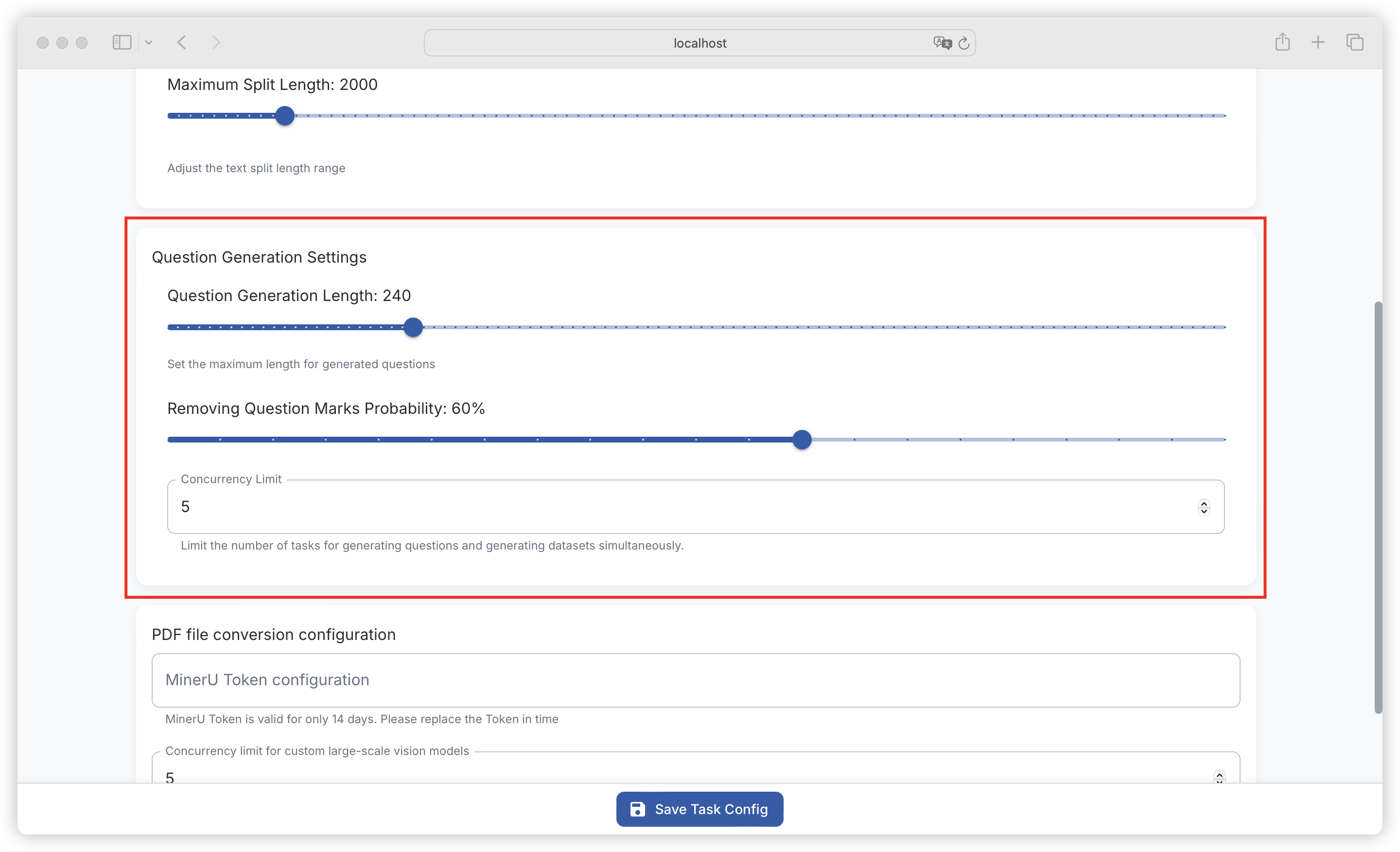
### 问题生成设置

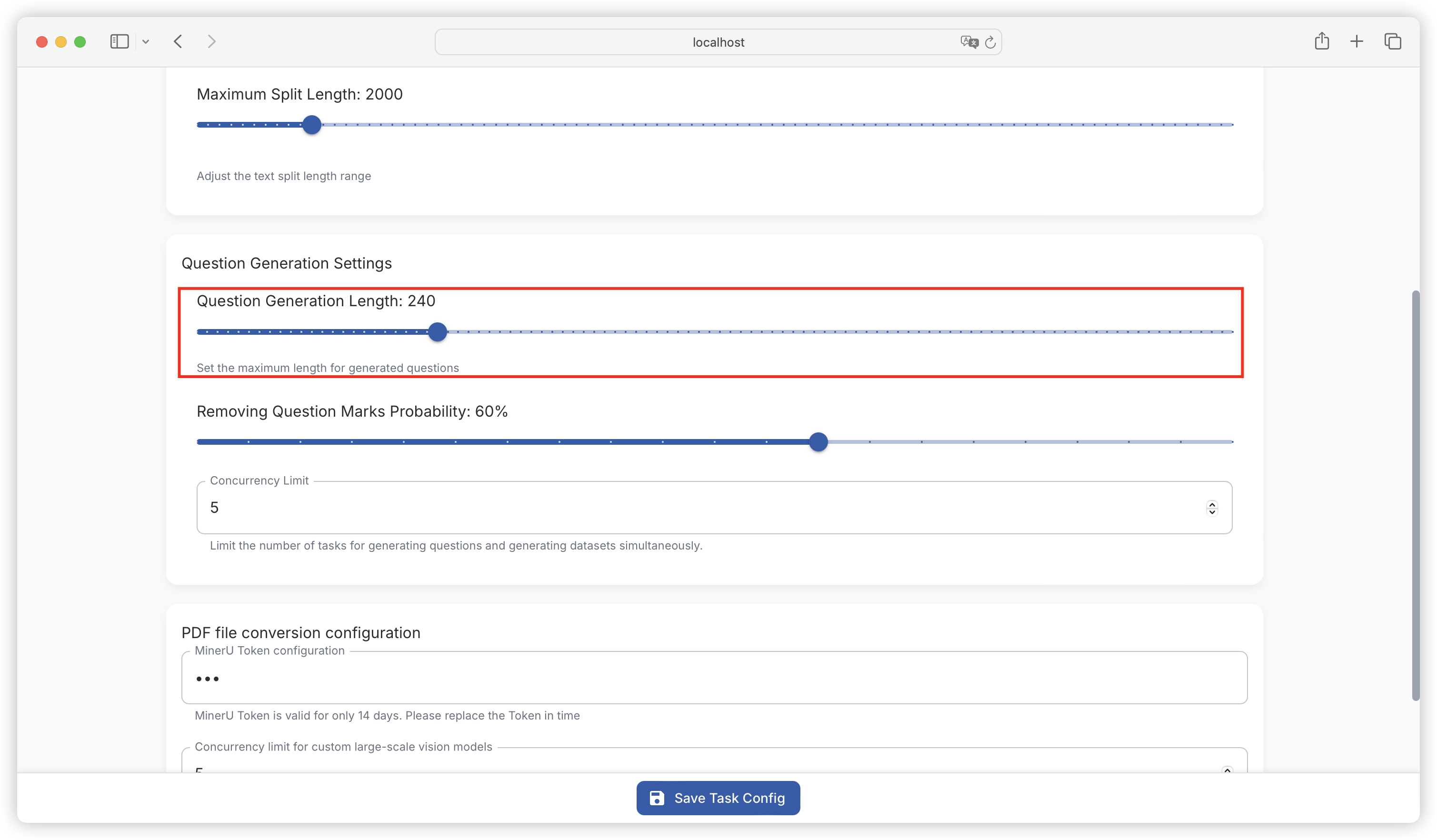
<figure><img src="https://544849060-files.gitbook.io/~/files/v0/b/gitbook-x-prod.appspot.com/o/spaces%2FDgZmZsLiavwvoXVnDBQ5%2Fuploads%2FrWiCjhECcPrXB3EcgpB2%2Fimage.png?alt=media&#x26;token=df889f8d-d65d-4983-9f99-01a8a5d579d2" alt=""><figcaption></figcaption></figure>

#### 1. 问题生成长度（Question Generation Length）

* 功能：设定生成问题的最大字符长度，当前默认值为 240。确保生成的问题在合理长度范围内，便于阅读和理解。
* 设置方法：在 “Question Generation Length” 后的输入框中输入期望的数值（需为正整数）。

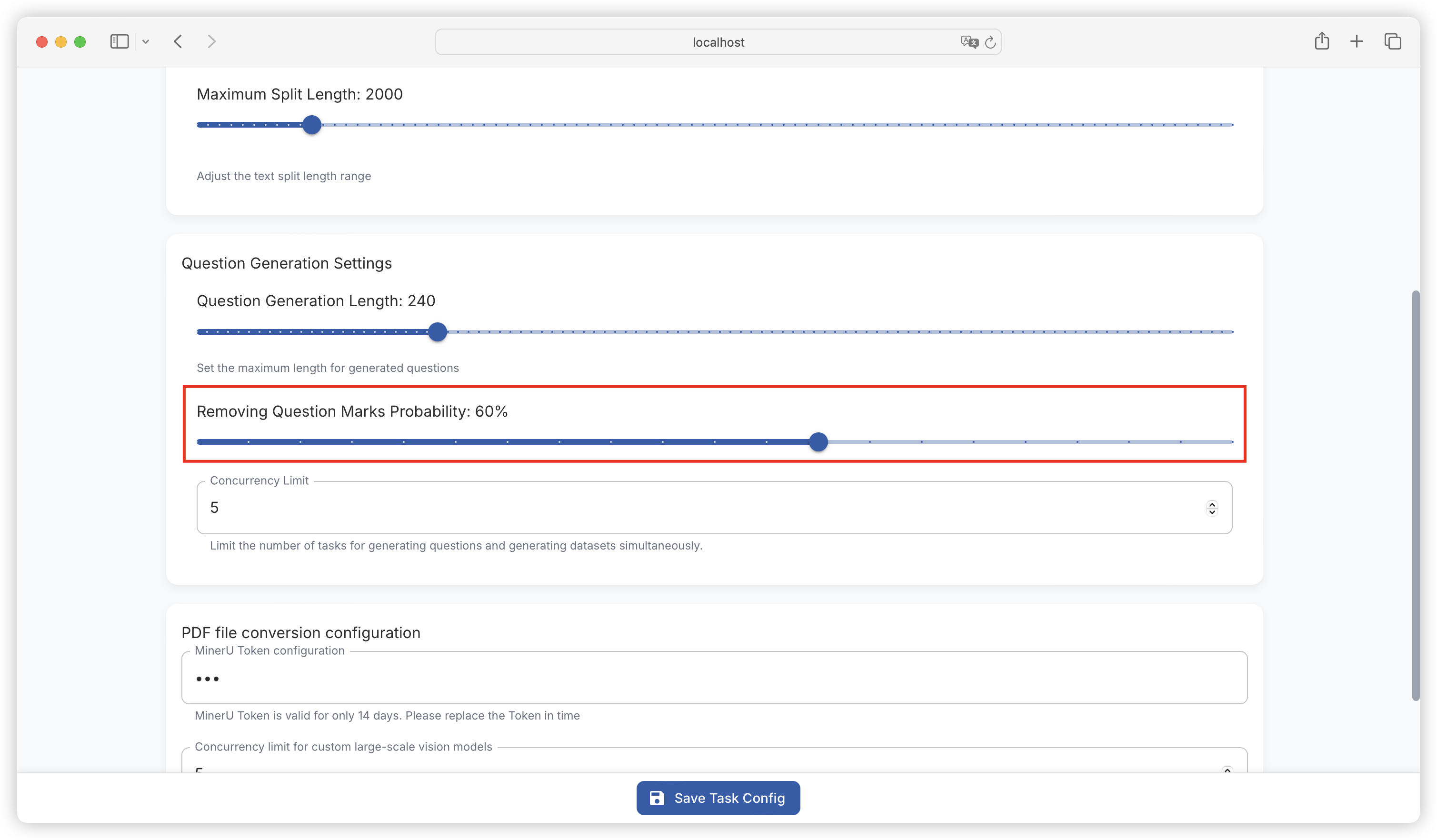
#### 2. 移除问号概率（Removing Question Marks Probability）

* 功能：设置生成问题时移除问号的概率，当前默认值为 60%。可根据具体需求调整问题格式。
* 设置方法：在 “Removing Question Marks Probability” 后的输入框中输入 0 - 100 之间的整数（代表百分比概率）。

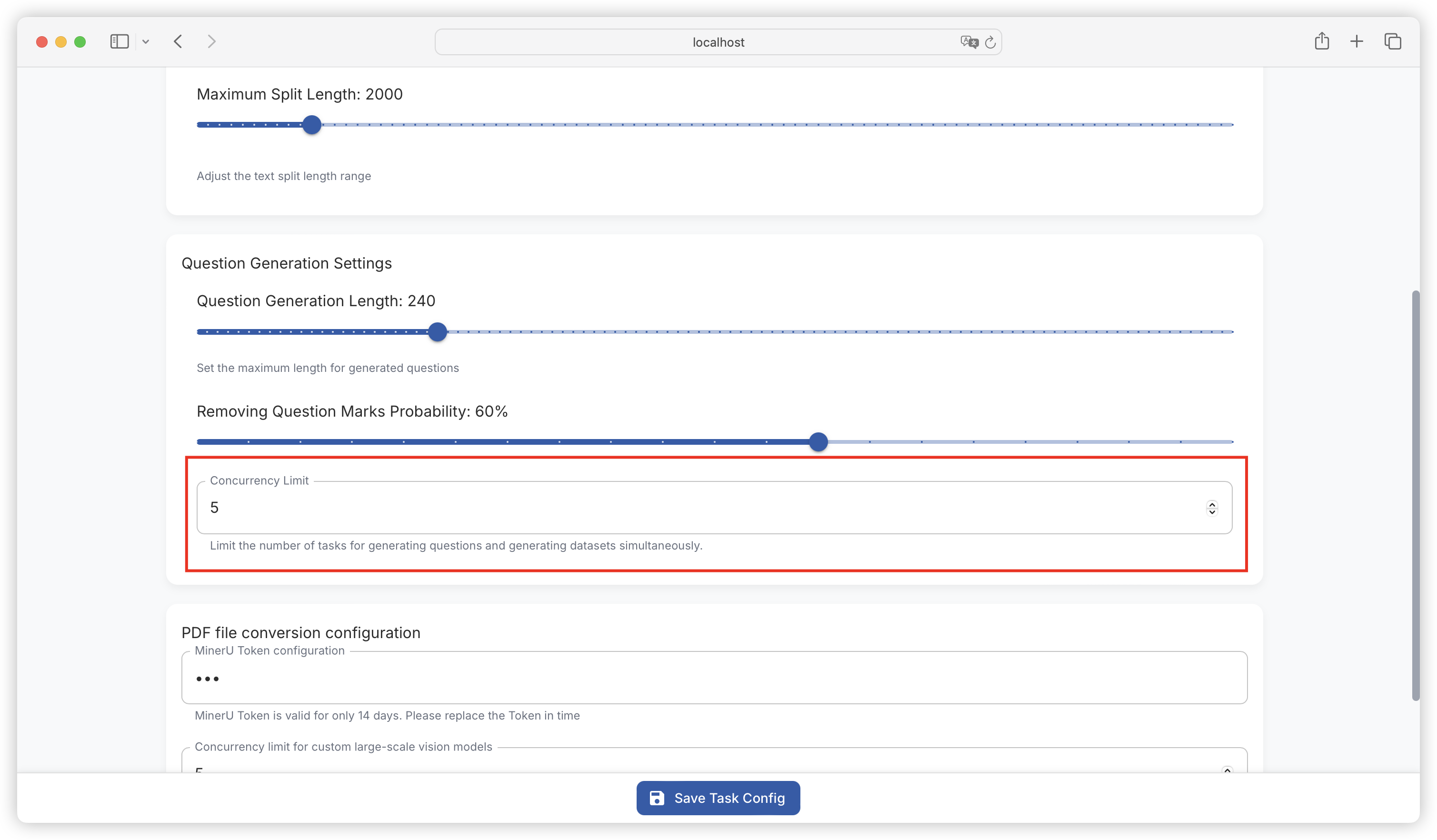
#### 3. 并发限制（Concurrency Limit）

* 功能：用于限制同时生成问题和生成数据集的任务数量，避免因任务过多占用过多系统资源，导致系统性能下降或任务失败。
* 设置方法：根据系统资源情况和任务需求，设置合适的并发任务数量上限。具体操作可能需在相关设置界面找到对应的输入框或滑块进行调整（若存在）。

{% hint style="warning" %}
设置时需考虑服务器的硬件性能、网络带宽等因素，若并发任务过多，可能导致任务排队等待时间过长，甚至出现任务超时失败的情况。另外，此处可能会受浏览器的最大并发数量限制影响，可以手动扩大本地浏览器的最大并发数量，参考：<https://github.com/ConardLi/easy-dataset/issues/306>
{% endhint %}

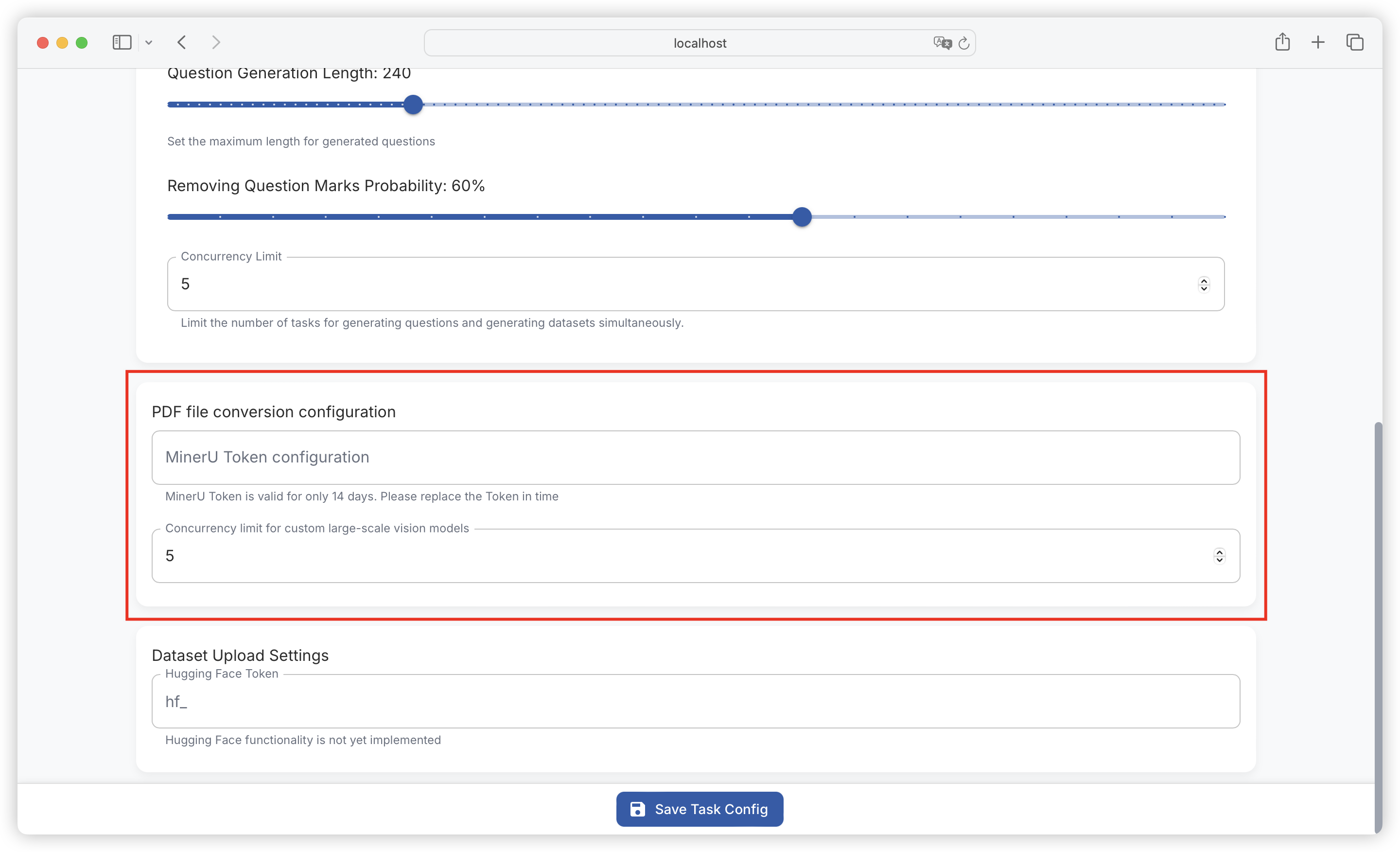
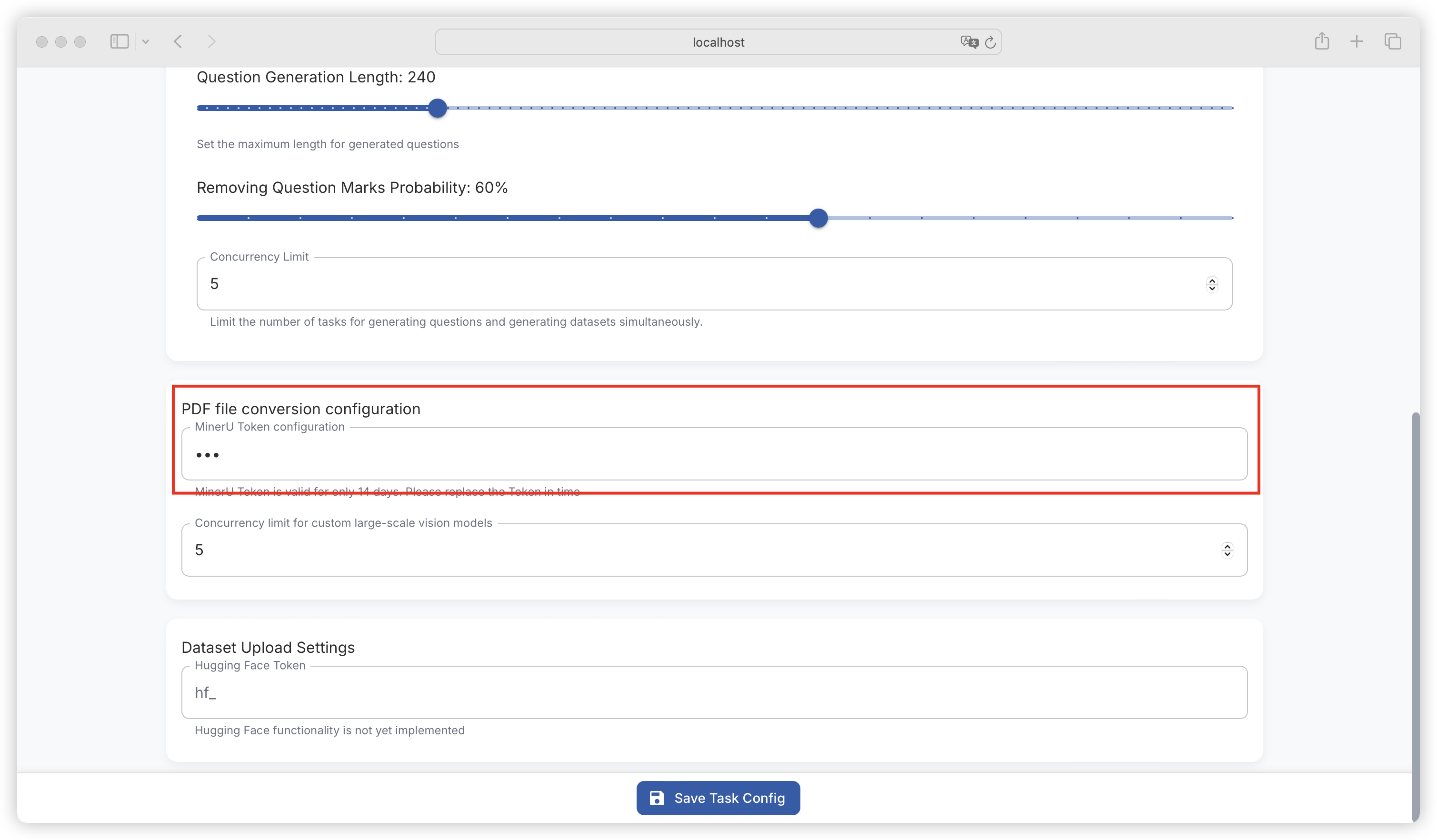
### PDF 转换配置

<figure><img src="https://544849060-files.gitbook.io/~/files/v0/b/gitbook-x-prod.appspot.com/o/spaces%2FDgZmZsLiavwvoXVnDBQ5%2Fuploads%2FZutVvg0vxNoaNpmCdQQ9%2Fimage.png?alt=media&#x26;token=0f3d807c-3a4f-4e1b-a5b3-87e58e72084e" alt=""><figcaption></figcaption></figure>

#### 1. **MinerU Token 配置**

* 功能：MinerU Token 用于基于 MinerU AIP 转换 PDF 的身份验证和授权。
* 设置方法：在对应的输入框中输入有效的 MinerU Token。需注意，MinerU Token 有效期仅为 14 天，过期后需及时更换新的 Token 以保证功能正常使用。

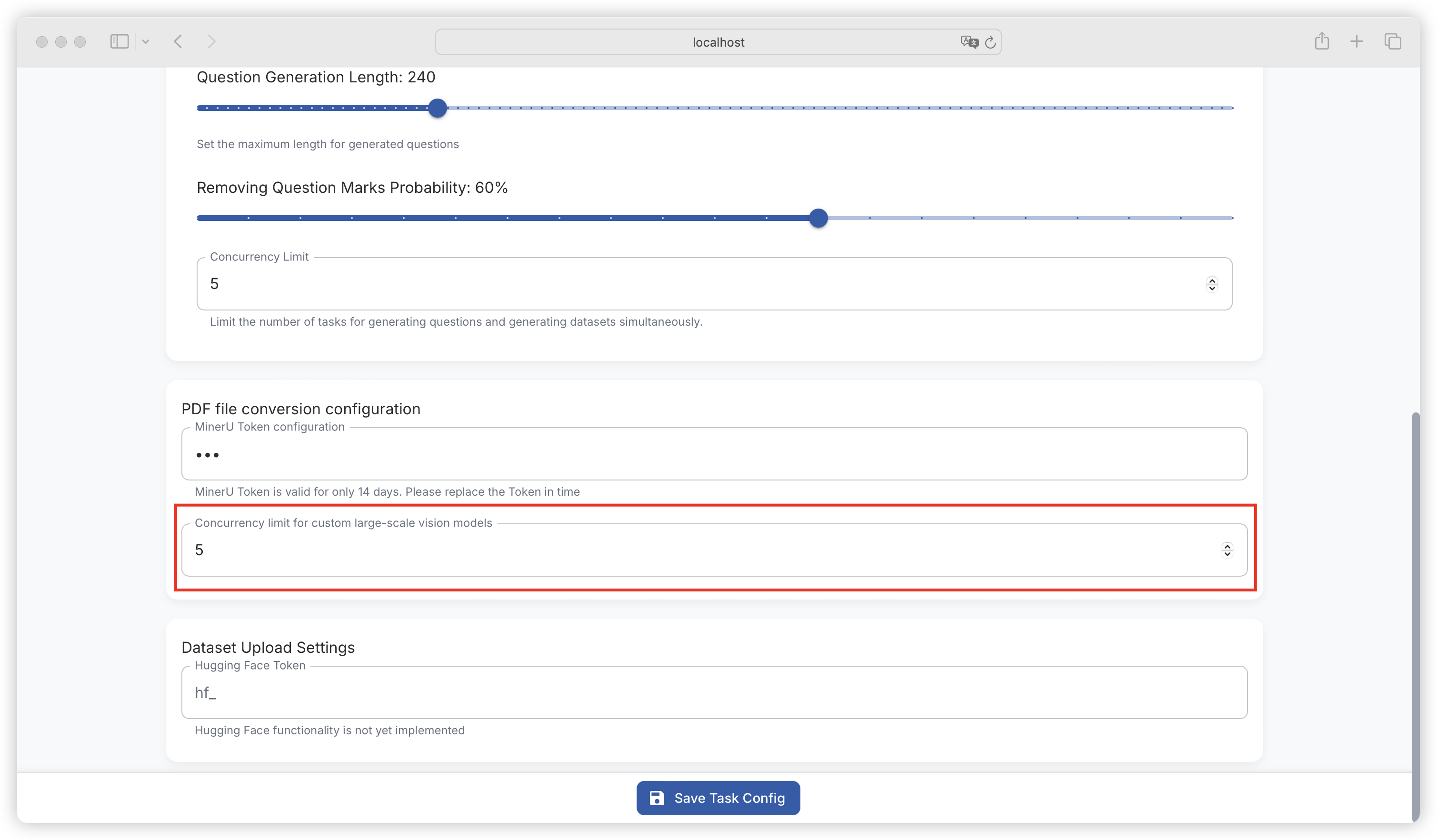
#### 2. 自定义大规模视觉模型并发限制

* 功能：限制自定义大规模视觉模型相关任务的并发数量，合理分配系统资源，保障模型处理任务的稳定性和效率。
* 设置方法：根据模型的计算复杂度和系统资源情况，谨慎设置并发限制，过高可能导致系统负载过大，过低则可能无法充分利用系统资源。

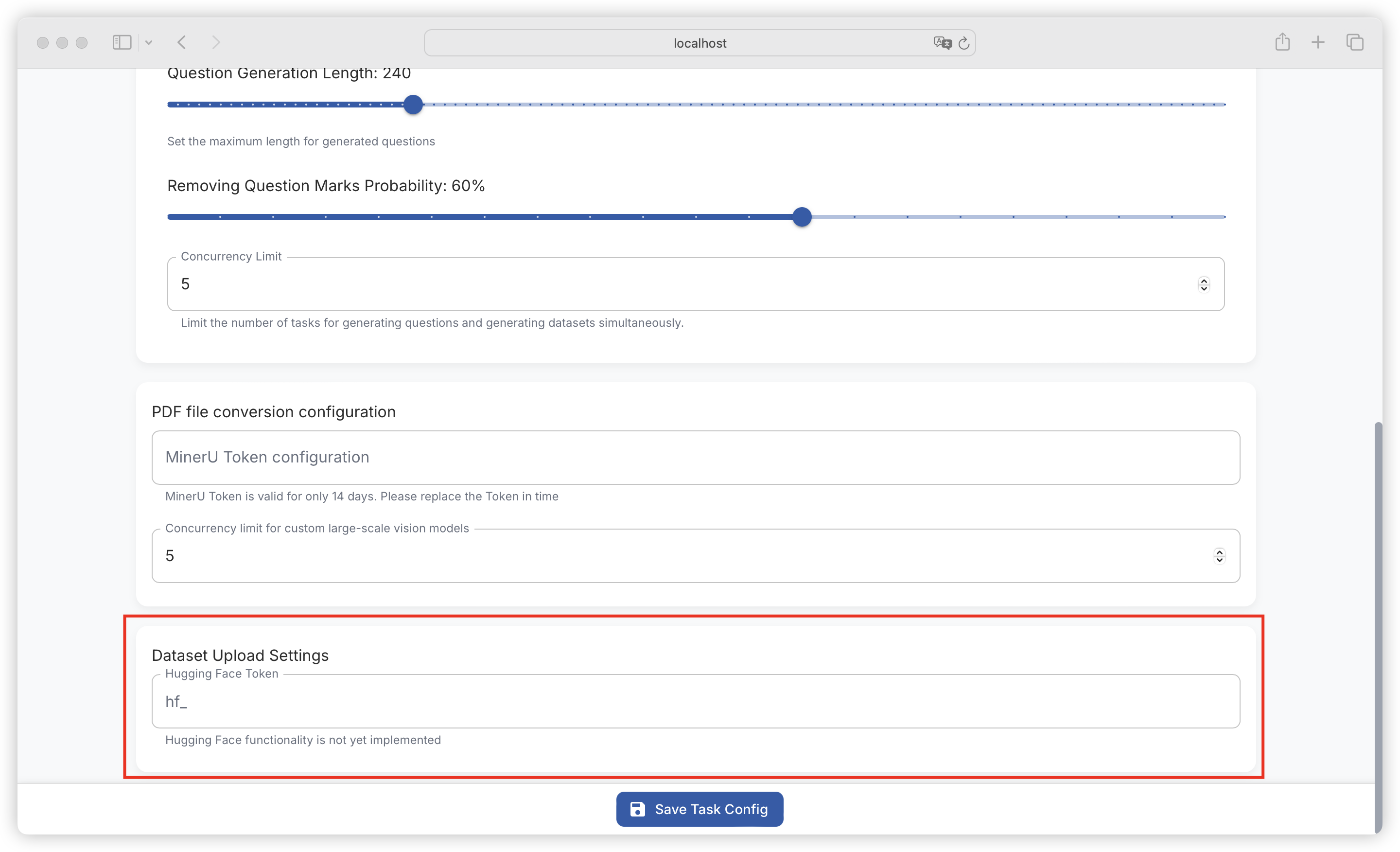
### 数据集上传设置

<figure><img src="https://544849060-files.gitbook.io/~/files/v0/b/gitbook-x-prod.appspot.com/o/spaces%2FDgZmZsLiavwvoXVnDBQ5%2Fuploads%2FIhx4EjJHDJByQPJXrUBw%2Fimage.png?alt=media&#x26;token=dd35fe91-994b-43c0-a7cf-b027a412632e" alt=""><figcaption></figcaption></figure>

#### 1. Hugging Face Token

* 功能：Hugging Face Token 用于在与 Hugging Face 平台交互时进行身份验证，实现数据集上传等功能（目前 Hugging Face 功能尚未实现，此 Token 设置暂时仅为预留）。
* 设置方法：在 “hf\_” 后的输入框中输入 Hugging Face 平台生成的 Token。


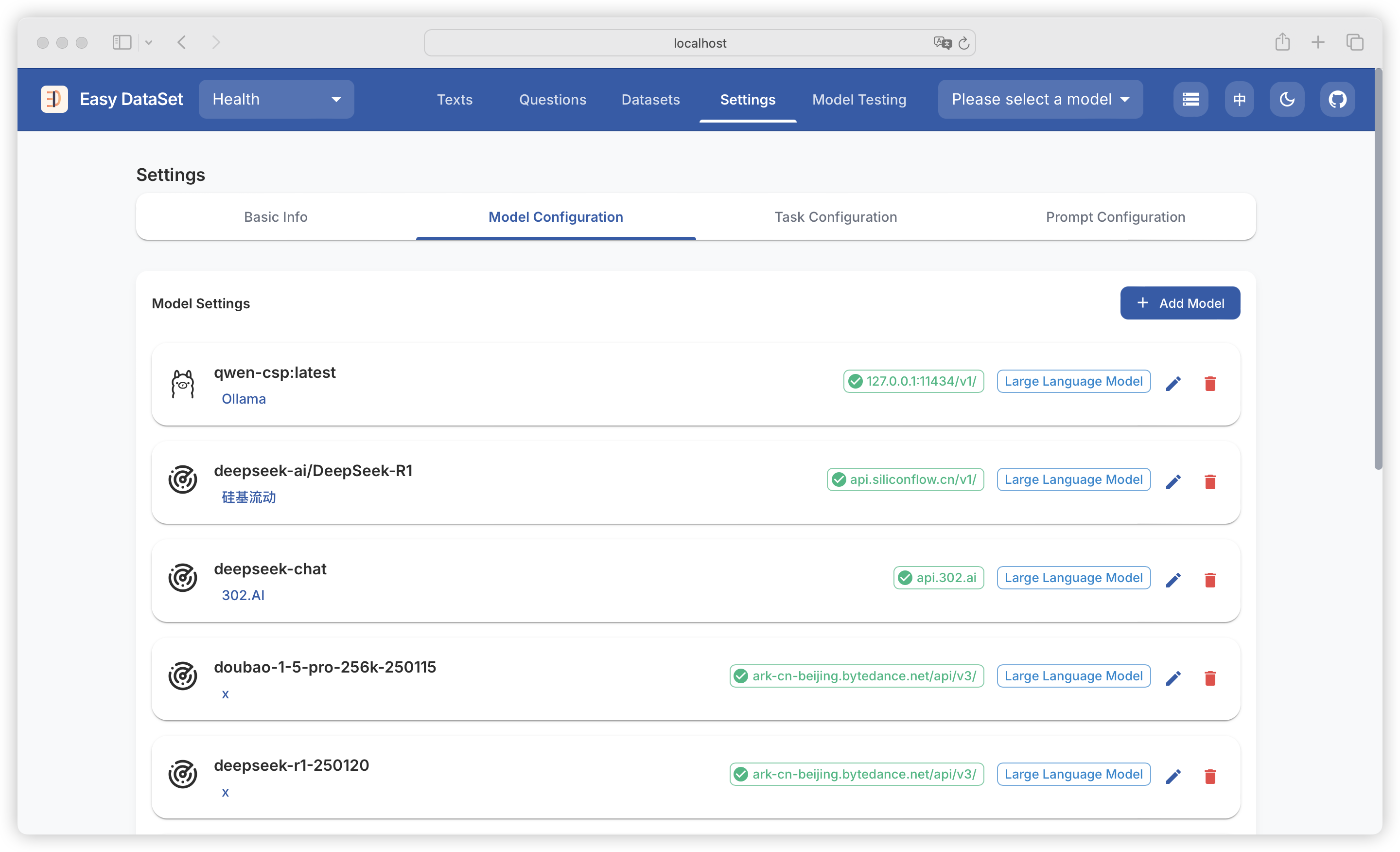
# 模型配置

{% hint style="info" %}
&#x20;此模块用于配置后续文献处理、构造数据集等功能需要调用的大模块，包括文本模型和视觉模型。
{% endhint %}

<figure><img src="https://544849060-files.gitbook.io/~/files/v0/b/gitbook-x-prod.appspot.com/o/spaces%2FDgZmZsLiavwvoXVnDBQ5%2Fuploads%2F4g5KLWBA4seOutn6XhGg%2Fimage.png?alt=media&#x26;token=adb28bc4-99e0-4e63-8096-cb8b960a5e1c" alt=""><figcaption></figcaption></figure>

目前平台已默认内置了部分模型提供商，仅需要填入模型提供商对应的密钥即可：

<table><thead><tr><th width="139.87890625">ProviderId</th><th width="136.83203125">Name</th><th>API URL</th></tr></thead><tbody><tr><td>ollama</td><td>Ollama</td><td>http://127.0.0.1:11434/api</td></tr><tr><td>openai</td><td>OpenAI</td><td>https://api.openai.com/v1/</td></tr><tr><td>siliconcloud</td><td>硅基流动</td><td>https://api.ap.siliconflow.com/v1/</td></tr><tr><td>deepseek</td><td>DeepSeek</td><td>https://api.deepseek.com/v1/</td></tr><tr><td>302ai</td><td>302.AI</td><td>https://api.302.ai/v1/</td></tr><tr><td>zhipu</td><td>智谱AI</td><td>https://open.bigmodel.cn/api/paas/v4/</td></tr><tr><td>Doubao</td><td>火山引擎</td><td>https://ark.cn-beijing.volces.com/api/v3/</td></tr><tr><td>groq</td><td>Groq</td><td>https://api.groq.com/openai</td></tr><tr><td>grok</td><td>Grok</td><td>https://api.x.ai</td></tr><tr><td>openRouter</td><td>OpenRouter</td><td>https://openrouter.ai/api/v1/</td></tr><tr><td>alibailian</td><td>阿里云百炼</td><td>https://dashscope.aliyuncs.com/compatible-mode/v1</td></tr></tbody></table>

{% hint style="success" %}
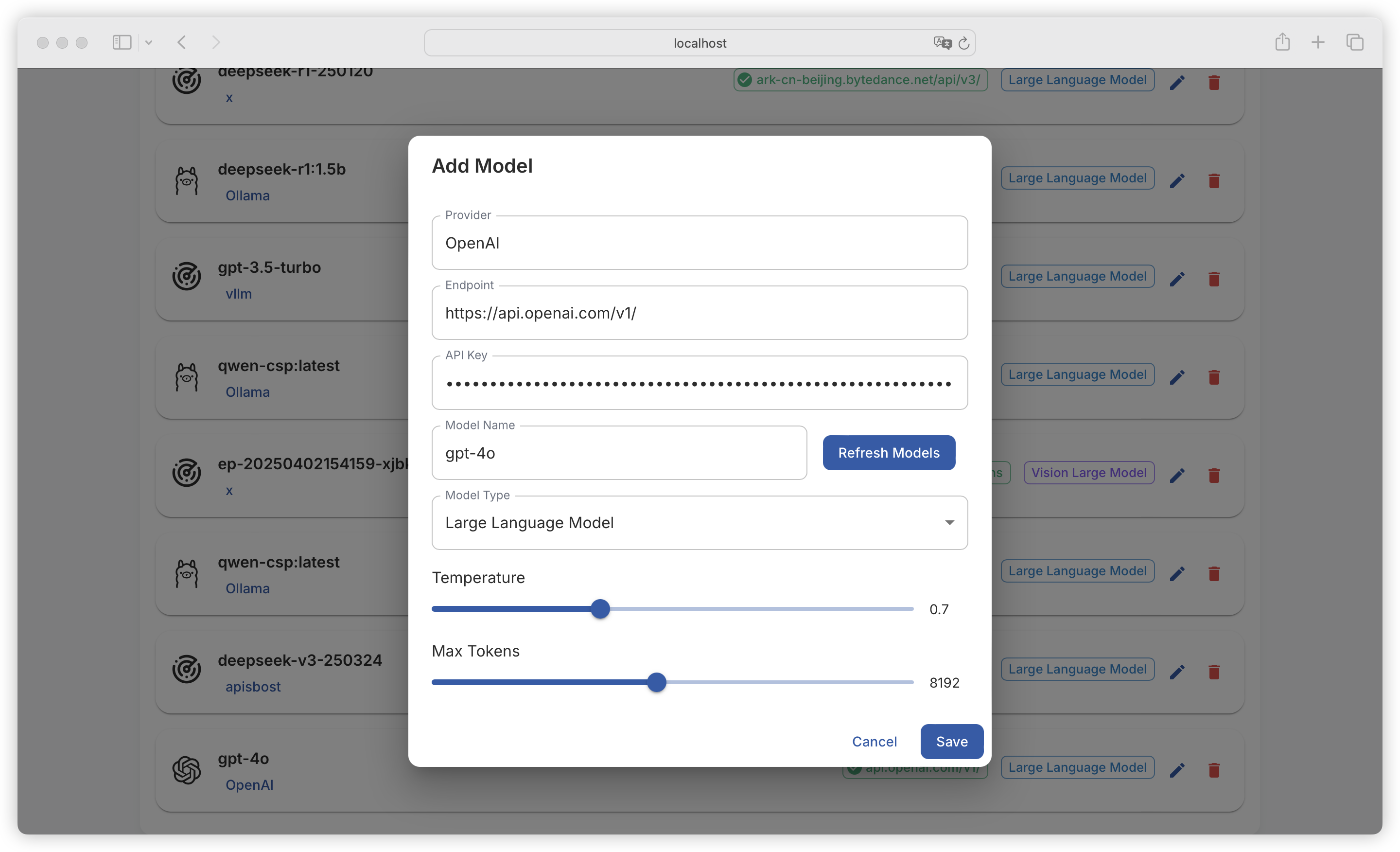
注意：不在以上列表的模型提供商也是支持配置的，模型提供商、API 接口地址、API Key、模型名称这些信息都是支持自定义输入的，只要是符合 OPEN AI 格式的 API，平台均可兼容。
{% endhint %}

<figure><img src="https://544849060-files.gitbook.io/~/files/v0/b/gitbook-x-prod.appspot.com/o/spaces%2FDgZmZsLiavwvoXVnDBQ5%2Fuploads%2FRX2D8NIan8tLeCoAhL7G%2Fimage.png?alt=media&#x26;token=46e36b28-f2b6-4d0d-946d-cfd2c70c49c9" alt=""><figcaption></figcaption></figure>

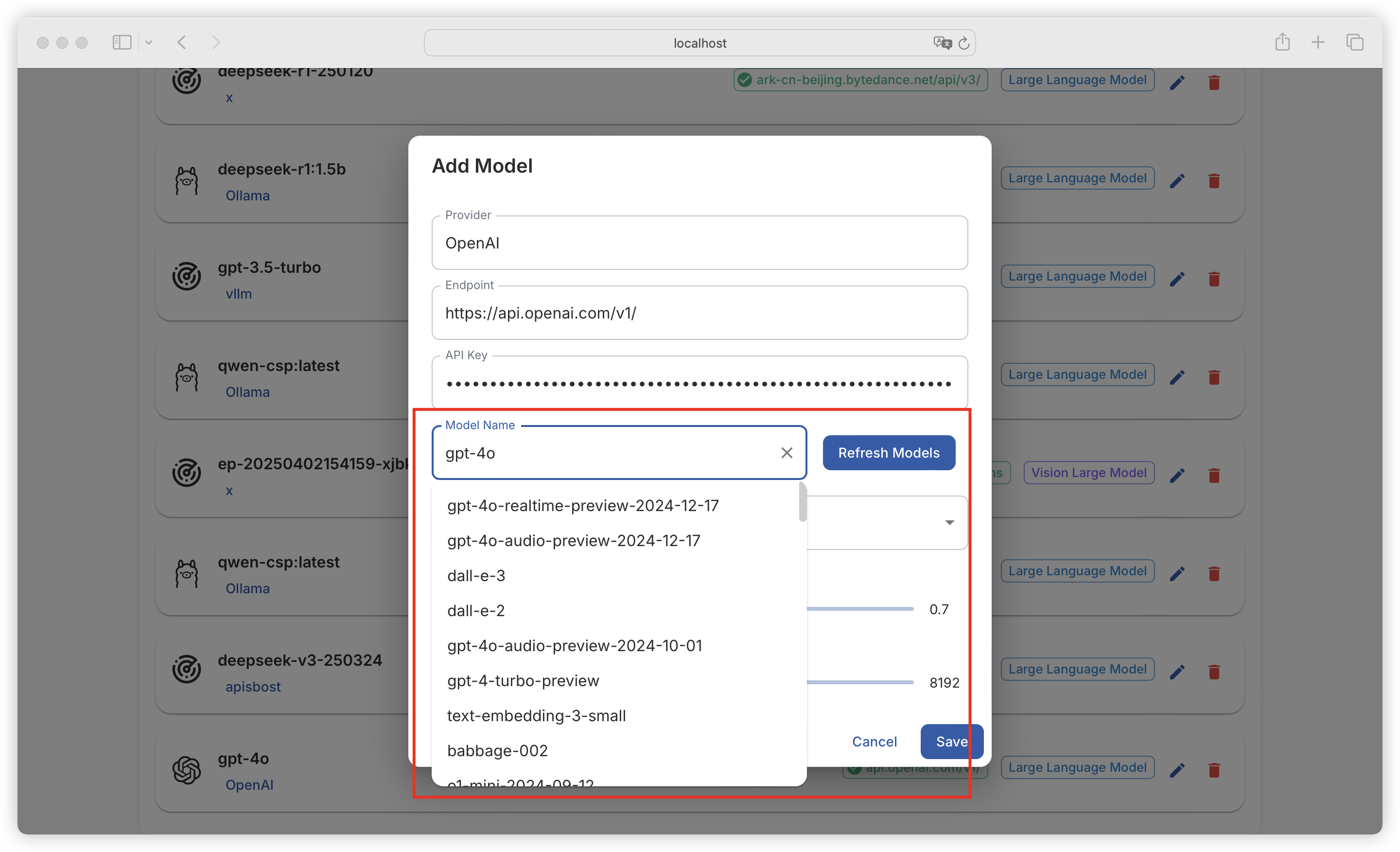
点击**刷新模型列表**，可查看该提供商提供的所有模型（这里也可以手动输入模型名称）：

<figure><img src="https://544849060-files.gitbook.io/~/files/v0/b/gitbook-x-prod.appspot.com/o/spaces%2FDgZmZsLiavwvoXVnDBQ5%2Fuploads%2FKM3bufs1eJvVaxRL9qOS%2Fimage.png?alt=media&#x26;token=60ed6a5d-b90c-4c1f-81db-f57f7b25de81" alt=""><figcaption></figcaption></figure>

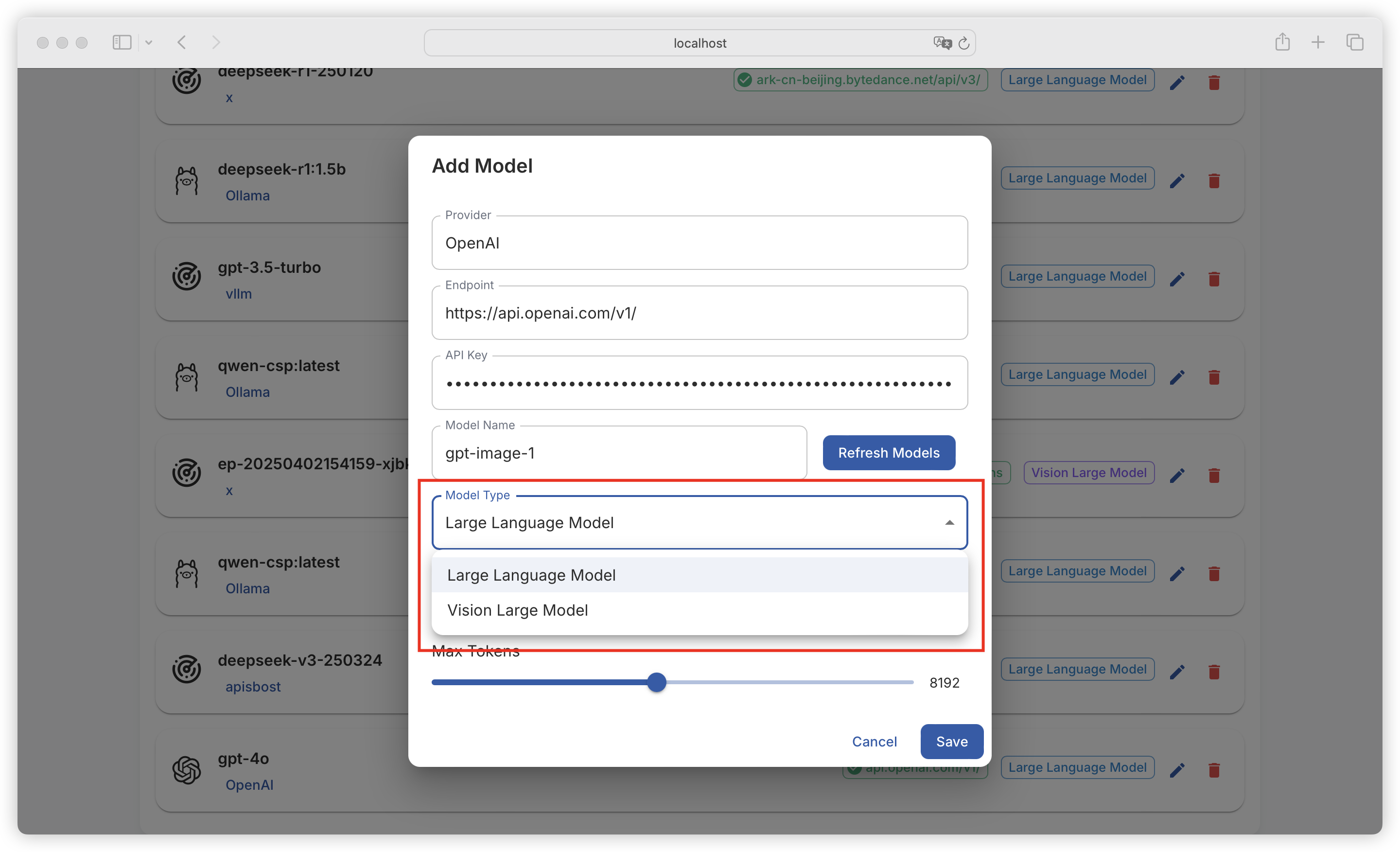
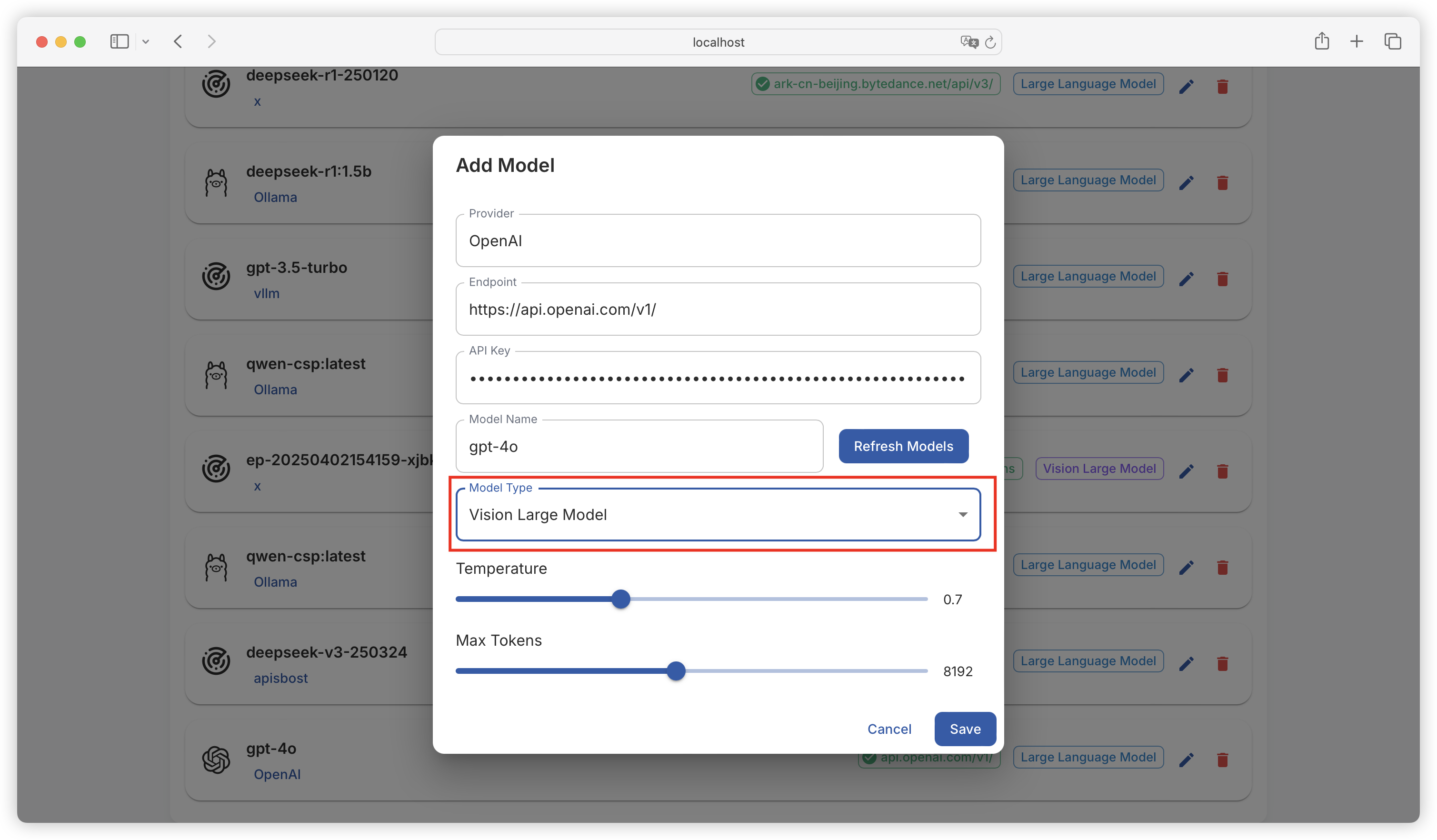
支持配置语言模型（用于完成文本生成任务）和视觉模型（用于完成视觉分析任务）：

<figure><img src="https://544849060-files.gitbook.io/~/files/v0/b/gitbook-x-prod.appspot.com/o/spaces%2FDgZmZsLiavwvoXVnDBQ5%2Fuploads%2FMSVCXLYVEhJ7HvnFer3T%2Fimage.png?alt=media&#x26;token=103b3de6-f75a-4f8c-8ec0-9eb7c7a34ddc" alt=""><figcaption></figcaption></figure>

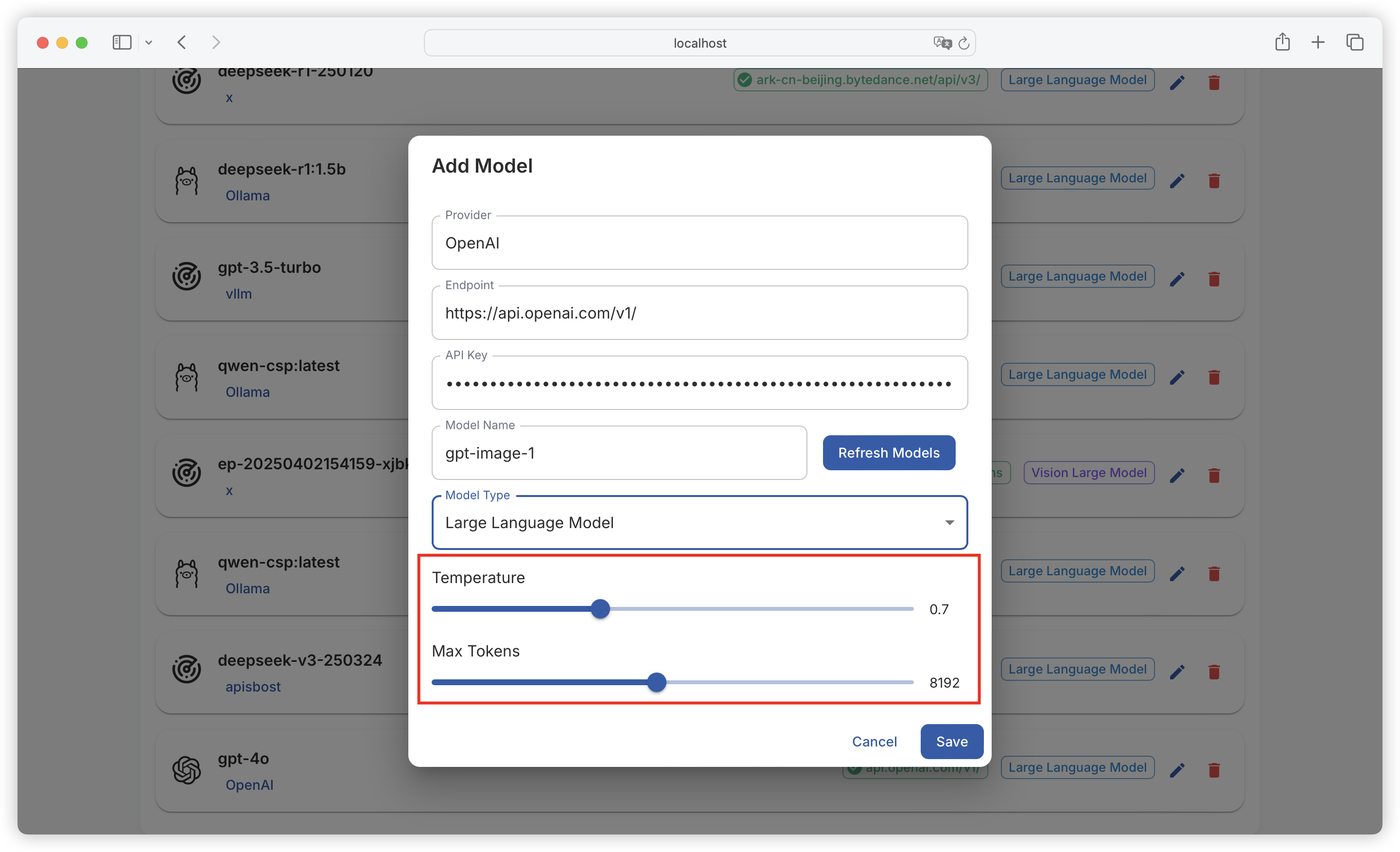
另外也支持配置模型的温度和最大输出 Token：

<figure><img src="https://544849060-files.gitbook.io/~/files/v0/b/gitbook-x-prod.appspot.com/o/spaces%2FDgZmZsLiavwvoXVnDBQ5%2Fuploads%2FR7p9wluc9eBv6Is5Wr5q%2Fimage.png?alt=media&#x26;token=e73cbc67-1138-484e-a395-e0583d473ecd" alt=""><figcaption></figcaption></figure>

* **Temperature**：控制生成文本的随机性，温度越高，结果越随机多样，反之越稳定保守。
* **Max Token**：限制模型生成文本的长度，以 Token 为单位，防止输出过长。

***

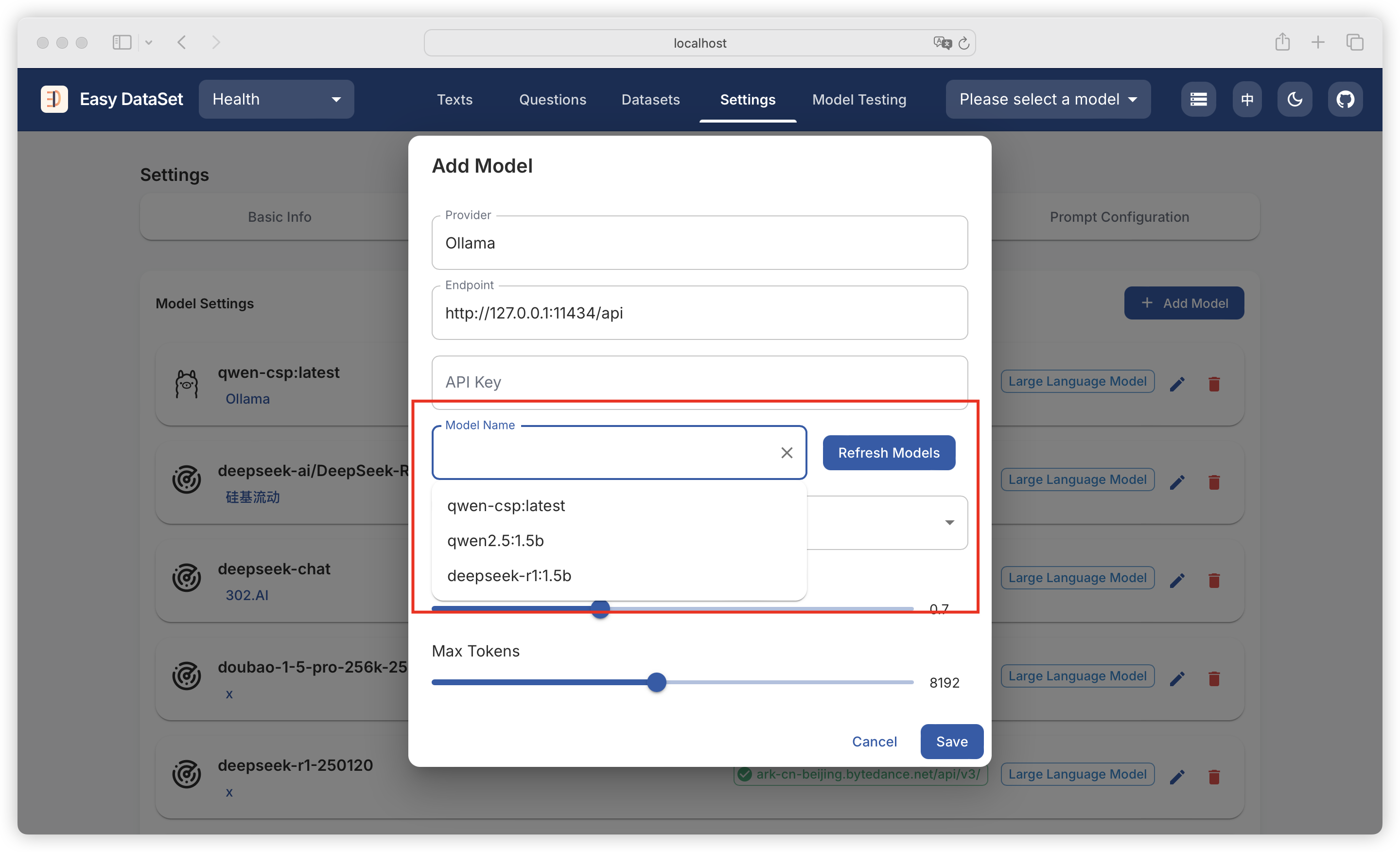
支持 Ollama ，可自动拉取本地已经部署的模型列表：

<figure><img src="https://544849060-files.gitbook.io/~/files/v0/b/gitbook-x-prod.appspot.com/o/spaces%2FDgZmZsLiavwvoXVnDBQ5%2Fuploads%2FEROqg5KudbS1hHS2spep%2Fimage.png?alt=media&#x26;token=e4416c50-69d4-4ee2-9bce-028f3590f9bc" alt=""><figcaption></figcaption></figure>

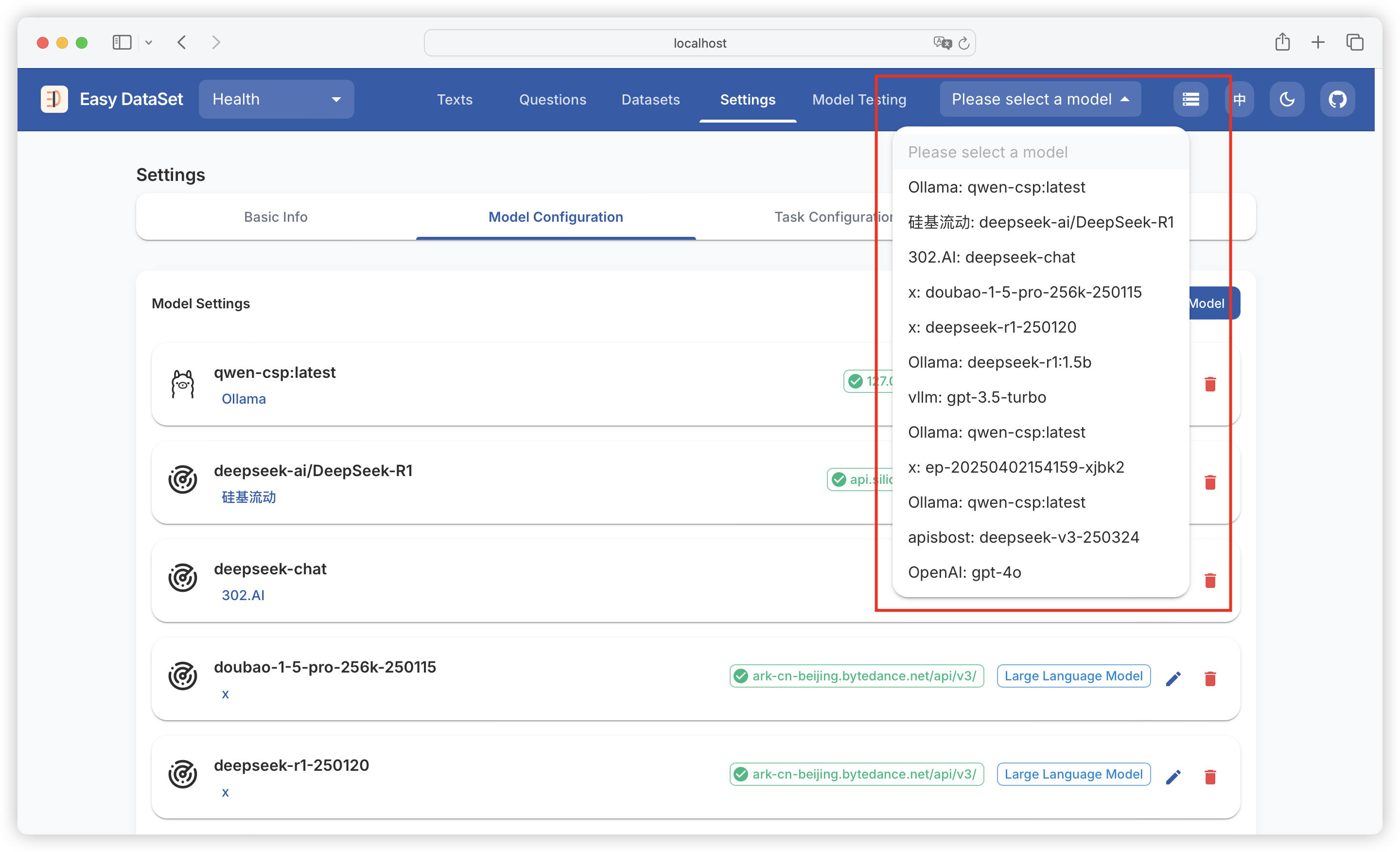
支持配置多个模型，可通过右上角模型下拉框切换模型：

<figure><img src="https://544849060-files.gitbook.io/~/files/v0/b/gitbook-x-prod.appspot.com/o/spaces%2FDgZmZsLiavwvoXVnDBQ5%2Fuploads%2F6tIUU4gCy4Y3MnuHpoET%2Fimage.png?alt=media&#x26;token=00deaffc-0e57-45f5-ad0c-46293e8883a2" alt=""><figcaption></figcaption></figure>


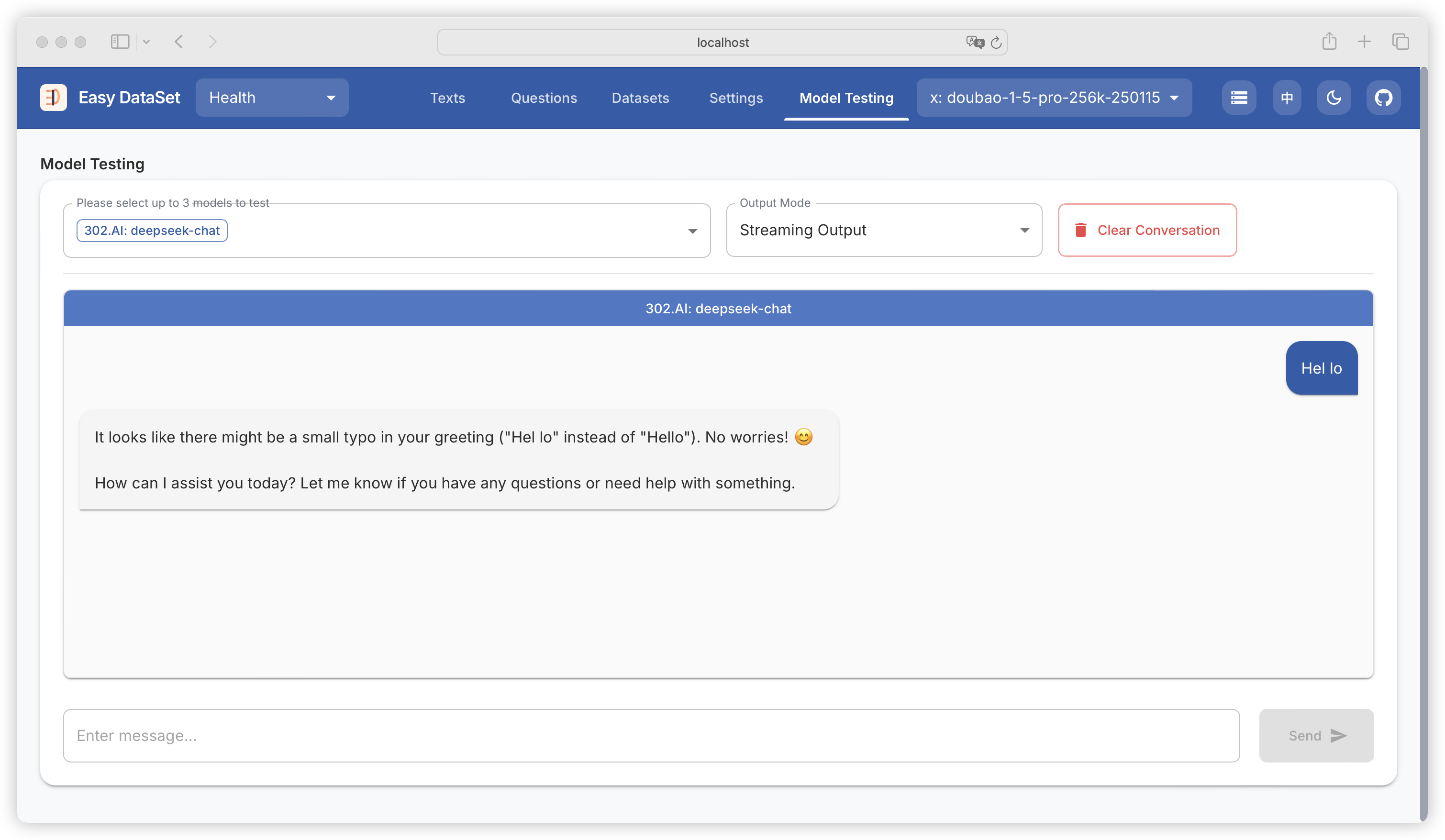
# 模型测试

{% hint style="info" %}
此模块用于测试模型配置的准确性，选择模型后，如果这里能够输出成功，则配置正常。
{% endhint %}

<figure><img src="https://544849060-files.gitbook.io/~/files/v0/b/gitbook-x-prod.appspot.com/o/spaces%2FDgZmZsLiavwvoXVnDBQ5%2Fuploads%2FSXCuf5VNITOprx9a870N%2Fimage.png?alt=media&#x26;token=0eccad01-86ed-489e-b155-b0fe2e0f788c" alt=""><figcaption></figcaption></figure>

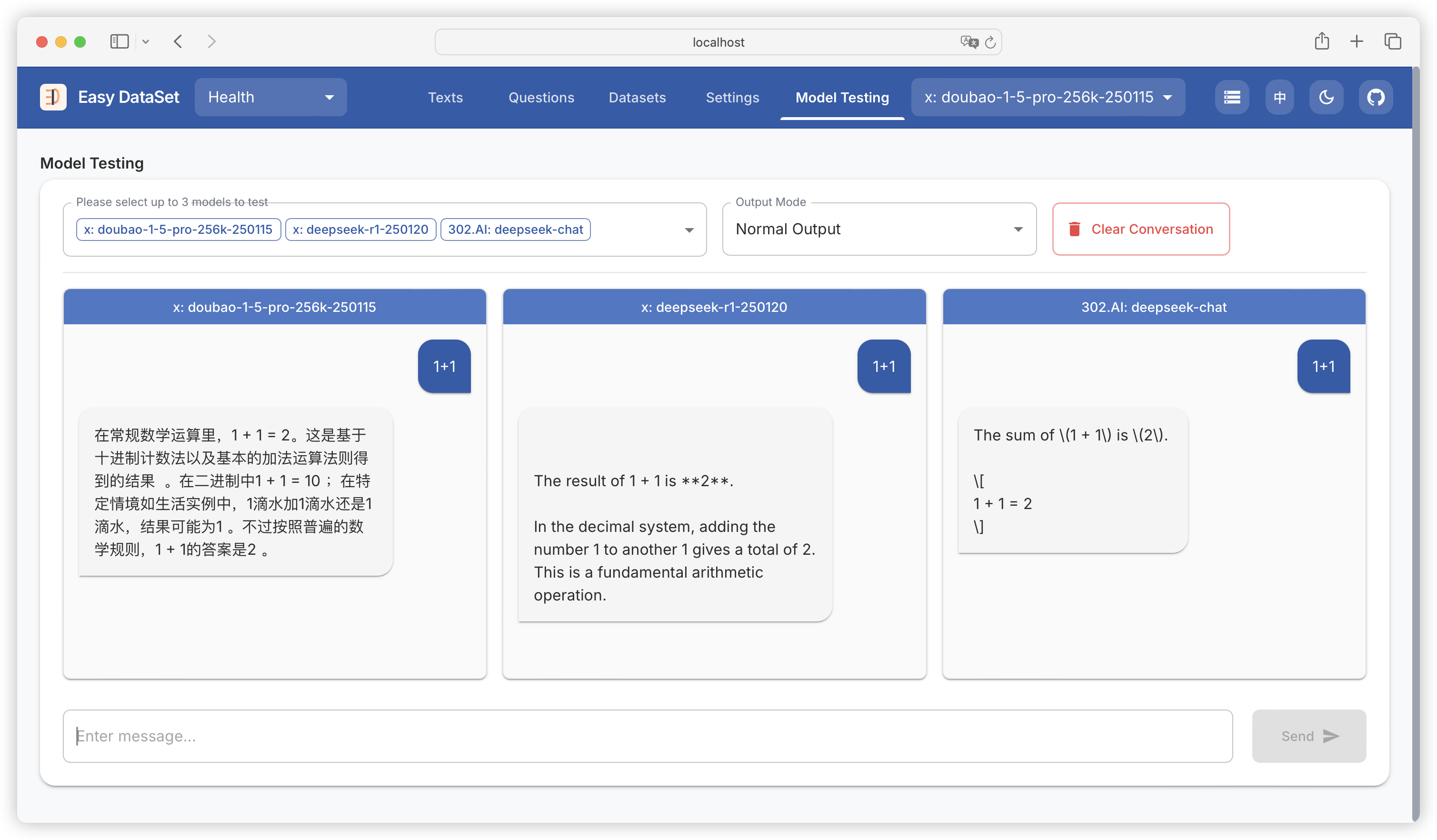
支持同时选择多个模型（最多三个）进行模型回答效果的对比，可以方便大家测试在不同的任务场景下，哪个模型的效果更好：

<figure><img src="https://544849060-files.gitbook.io/~/files/v0/b/gitbook-x-prod.appspot.com/o/spaces%2FDgZmZsLiavwvoXVnDBQ5%2Fuploads%2F7VvP1m6WJ0aVYGQSUrlh%2Fimage.png?alt=media&#x26;token=18b74551-55a5-4978-8929-cf422cf83f83" alt=""><figcaption></figcaption></figure>

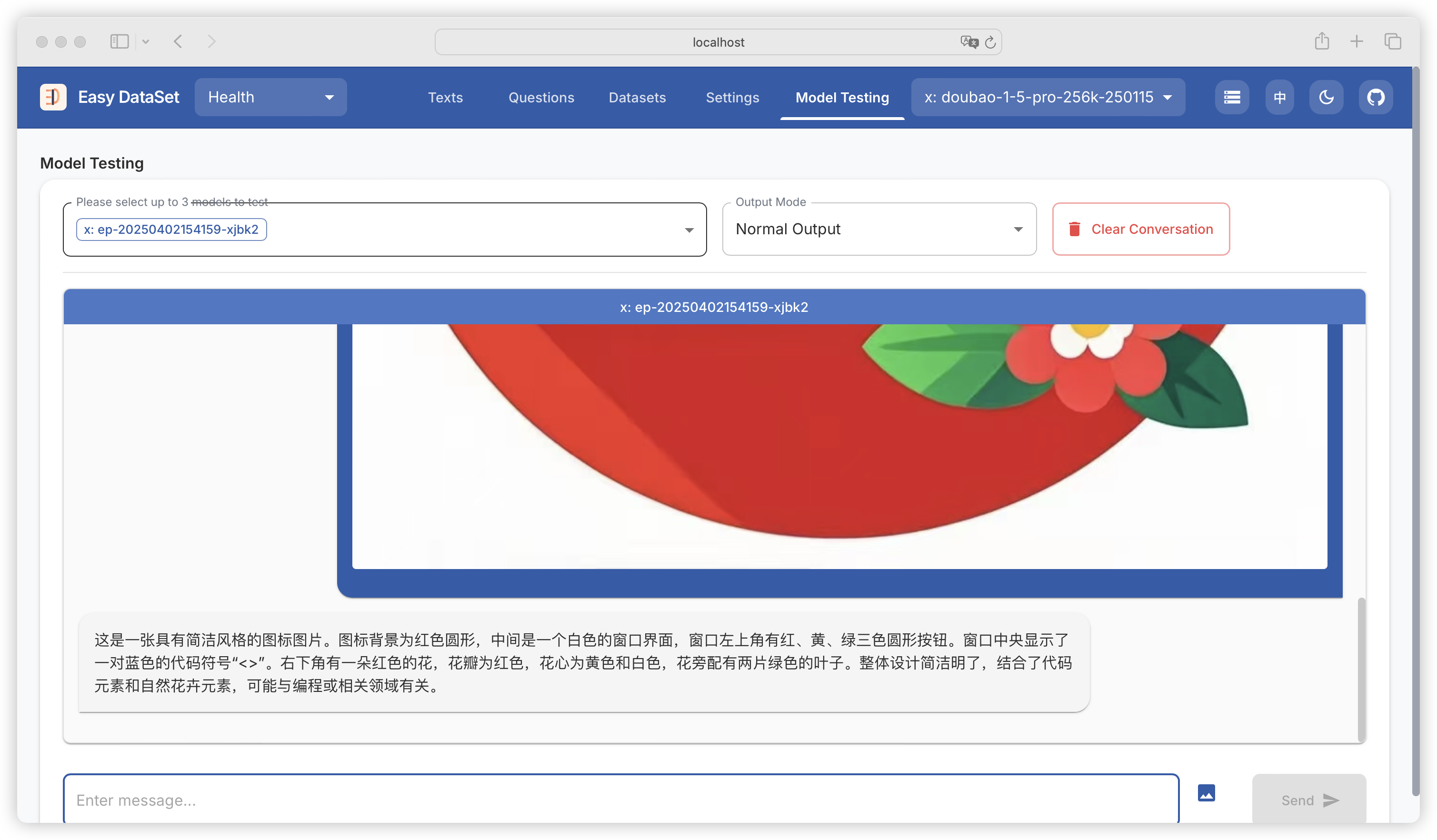
支持测试视觉模型：

<figure><img src="https://544849060-files.gitbook.io/~/files/v0/b/gitbook-x-prod.appspot.com/o/spaces%2FDgZmZsLiavwvoXVnDBQ5%2Fuploads%2FW8zHoMKNuMESyDnbCRRE%2Fimage.png?alt=media&#x26;token=1ba8e42f-b624-4fcb-ac2d-d5c42aa9c0e3" alt=""><figcaption></figcaption></figure>


# 文献


# 文献处理

{% hint style="info" %}
此模块用于将多种格式的领域文献，处理为可供模型理解的数据结构。
{% endhint %}

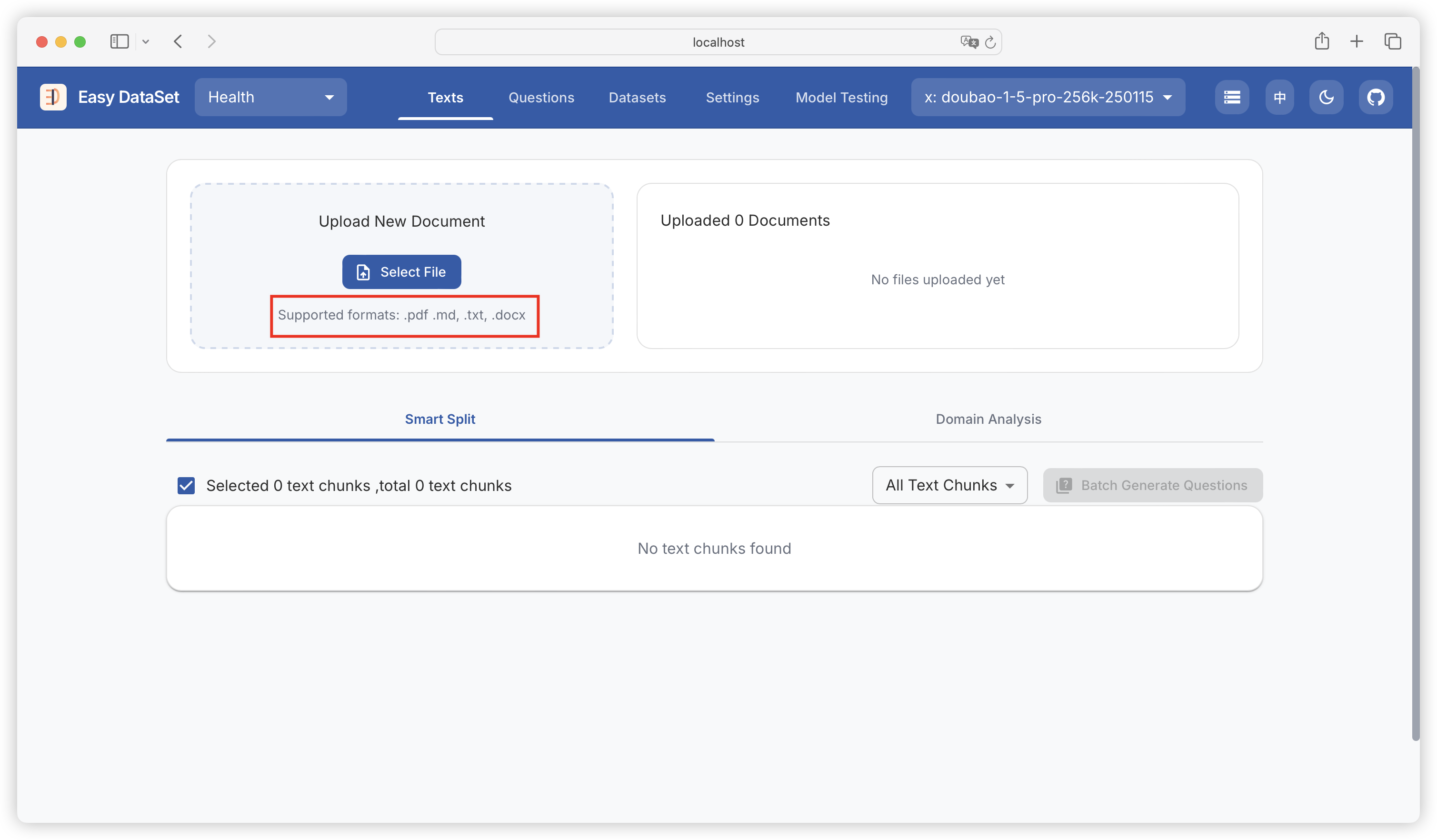
### 文件类型

目前平台支持 **Markdwon、PDF、DOCX、TXT** 四种格式的文献处理：

<figure><img src="https://544849060-files.gitbook.io/~/files/v0/b/gitbook-x-prod.appspot.com/o/spaces%2FDgZmZsLiavwvoXVnDBQ5%2Fuploads%2FgfsM9BbtEPzxlD3OlWYb%2Fimage.png?alt=media&#x26;token=34730cab-f2c6-4069-98ab-3b0a0cae9d73" alt=""><figcaption></figcaption></figure>

{% hint style="success" %}
模型对于具备良好结构划分的 Markdown 文献理解效果最好，建议大家优先上传 Markdwon 文件。
{% endhint %}

### PDF 处理

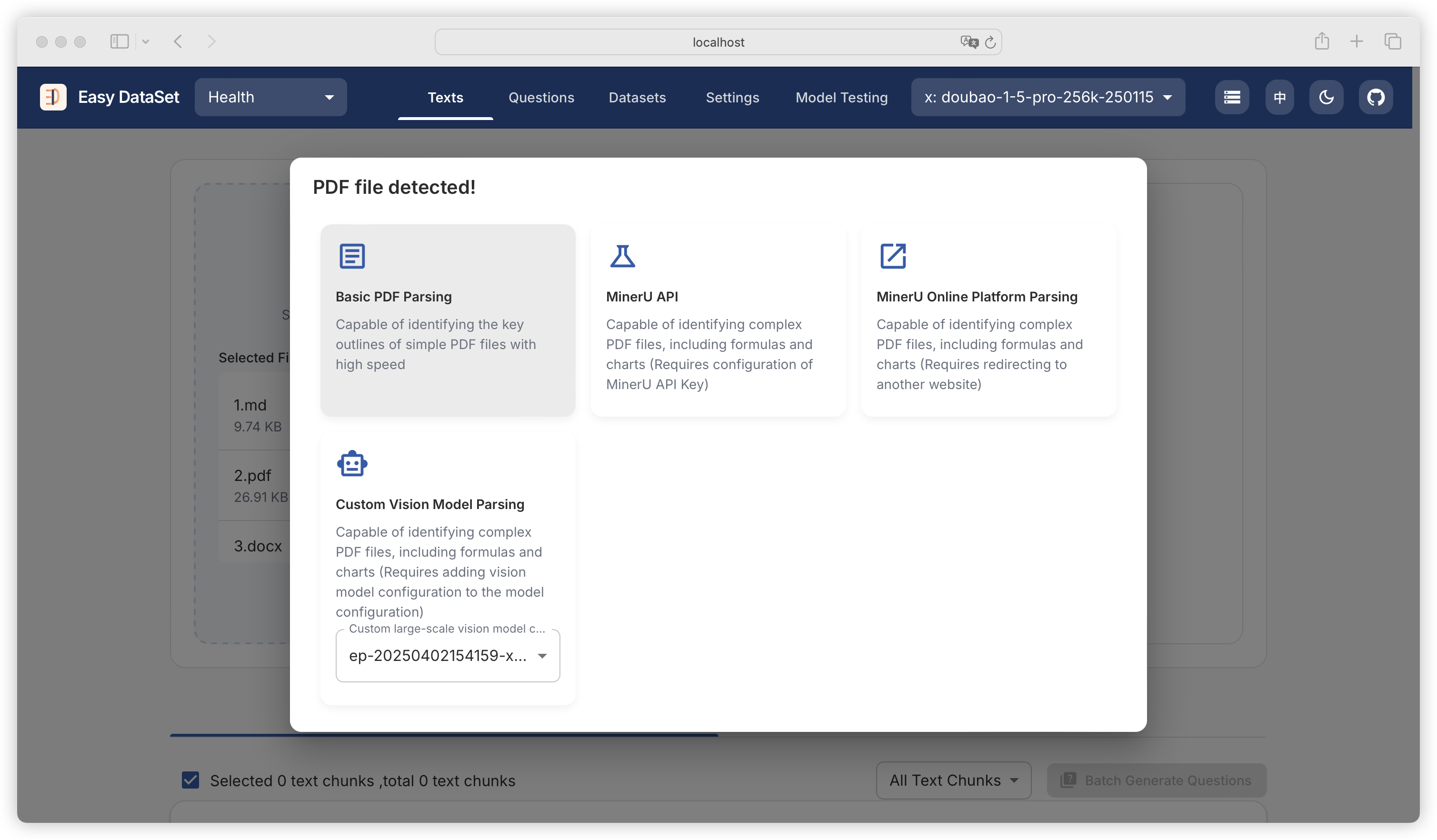
由于 PDF 格式相对特殊，平台针对不同场景支持了五种不同的 PDF 处理方式，当上传的文献中含有 PDF 格式的文献时，会触发弹框：

<figure><img src="https://544849060-files.gitbook.io/~/files/v0/b/gitbook-x-prod.appspot.com/o/spaces%2FDgZmZsLiavwvoXVnDBQ5%2Fuploads%2FSBLRYBXDTwzreoJovfYn%2Fimage.png?alt=media&#x26;token=574cb1c5-87f1-44ec-8750-001fafc058c7" alt=""><figcaption></figcaption></figure>

#### 基础解析

专注于快速识别简单 PDF 文件的关键轮廓，处理规整纯文本报告、简单说明文档等效率高，但无法精准解析含大量公式、图表等复杂内容的文件。

#### MinerU API 解析

可通过 「设置 - 任务设置」 配置 MinerU API Key，调用 MinerU API 进行解析，可深度解析含公式、图表的复杂 PDF 文件，适用于学术论文、技术报告等场景，文件越复杂处理速度越慢。可以通过 <https://mineru.net/apiManage/token> 申请 MinerU API Key（注意有效期为 14 天，过期需重新申配置）。

<figure><img src="https://544849060-files.gitbook.io/~/files/v0/b/gitbook-x-prod.appspot.com/o/spaces%2FDgZmZsLiavwvoXVnDBQ5%2Fuploads%2FcuQdtatEQIEbYNw37jCm%2Fimage.png?alt=media&#x26;token=1778aea7-72d9-482c-ab4c-2c24ef5b9e25" alt=""><figcaption></figcaption></figure>

#### MinerU 在线平台解析

跳转至 MinerU 平台：<https://mineru.net/OpenSourceTools/Extractor> ，用户可在此平台解析 PDF，并下载 Markdwon 文件，再回平台重新上传。

<figure><img src="https://544849060-files.gitbook.io/~/files/v0/b/gitbook-x-prod.appspot.com/o/spaces%2FDgZmZsLiavwvoXVnDBQ5%2Fuploads%2FUqoHTPr8oehbL7DHcE1S%2Fimage.png?alt=media&#x26;token=ee542f6a-1f9f-4fde-8f4a-04dbca748b3f" alt=""><figcaption></figcaption></figure>

#### MinerU 私有化部署解析

首先根据 MinerU 官方文档:<https://opendatalab.github.io/MinerU/zh/quick_start/> 在本地部署MinerU。

本地部署成功后使用命令 `mineru-api --host 0.0.0.0 --port 8000` 启动 MinerU 的Web服务。

通过 「设置 - 任务设置」 配置 MinerU Local URL，调用本地 MinerU 进行解析，可深度解析含公式、图表的复杂 PDF 文件，适用于学术论文、技术报告等场景，文件越复杂处理速度越慢。

> 因为官方API接口的原因，这种方式无法实时展示处理进度。若想查看文件处理进度请在 MinerU 运行终端查看。

![image](https://github.com/user-attachments/assets/cfece487-bfa8-4f25-9223-77220c90a420)

#### 自定义视觉模型解析

可以识别复杂的 PDF 文件，包括公式和图表。该方式要求在模型配置中添加视觉模型配置，通过自定义的视觉模型来实现对 PDF 文件的解析。可以根据具体需求定制解析规则和模型参数，以适应不同类型的复杂 PDF 文件。

<figure><img src="https://544849060-files.gitbook.io/~/files/v0/b/gitbook-x-prod.appspot.com/o/spaces%2FDgZmZsLiavwvoXVnDBQ5%2Fuploads%2FFYbdDaHEgloHqgMPRCID%2Fimage.png?alt=media&#x26;token=3afc8d84-2a97-4346-a6fb-d0e6c45eb455" alt=""><figcaption></figcaption></figure>

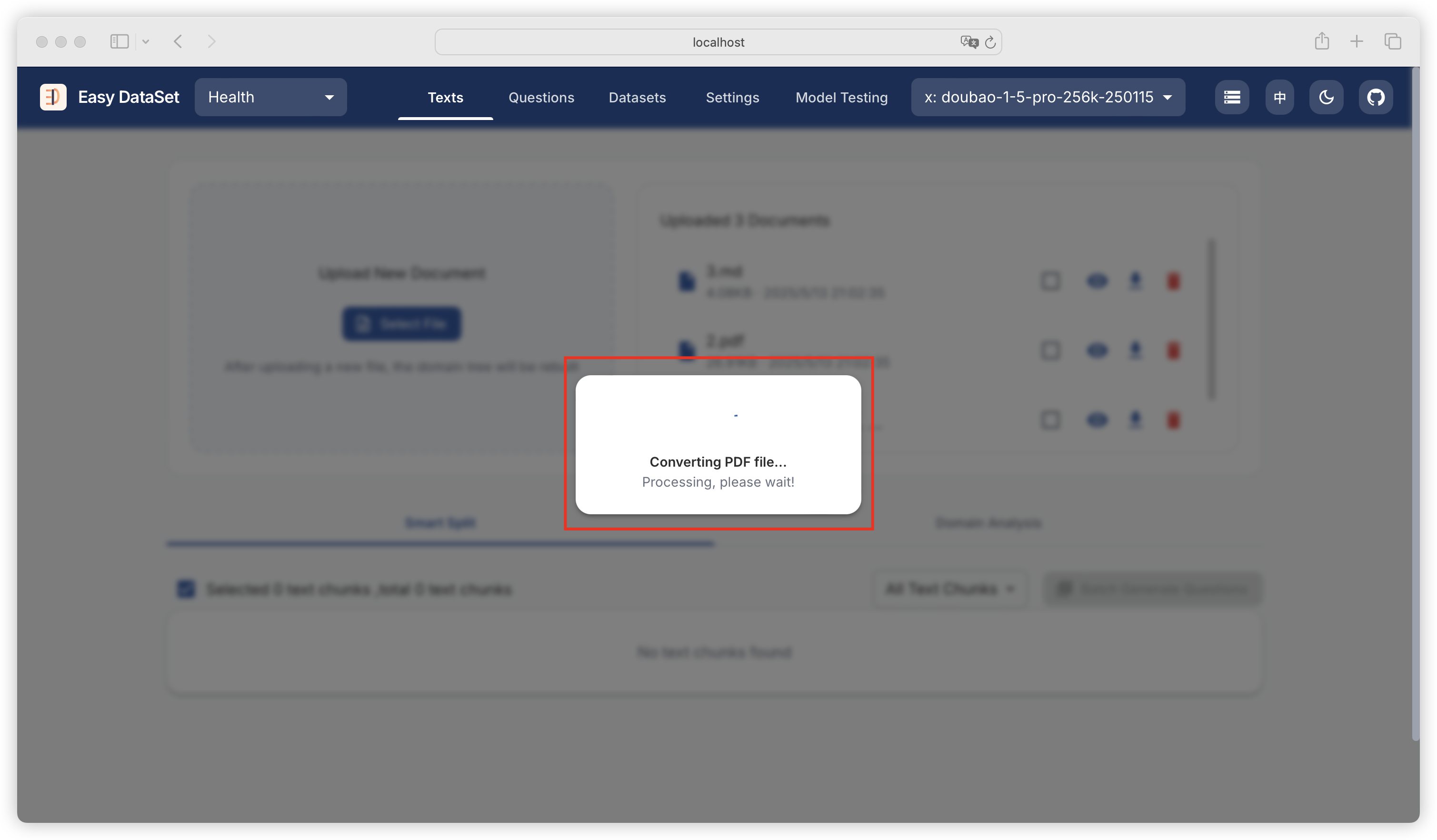
当选择 MinerU API 解析、自定义视觉模型解析时，PDF 处理时间可能较长，请耐心等待：

<figure><img src="https://544849060-files.gitbook.io/~/files/v0/b/gitbook-x-prod.appspot.com/o/spaces%2FDgZmZsLiavwvoXVnDBQ5%2Fuploads%2FNAFoe8ZNL97wPtqXzwt6%2Fimage.png?alt=media&#x26;token=081a3112-fa10-43c8-a758-73be40a88382" alt=""><figcaption><p><br></p></figcaption></figure>

可通过 「设置-任务设置」 配置自定义视觉模型的最大并发数量，及最多同时处理多少页 PDF，并发数量越大，处理速度也快，注意考虑模型提供商的并发量限制。

<figure><img src="https://544849060-files.gitbook.io/~/files/v0/b/gitbook-x-prod.appspot.com/o/spaces%2FDgZmZsLiavwvoXVnDBQ5%2Fuploads%2F9n1Zw7rqpv9P44F2ClrV%2Fimage.png?alt=media&#x26;token=46e9fdd5-abe0-41aa-9ddc-8b48c44196dc" alt=""><figcaption></figcaption></figure>

### 文本分块

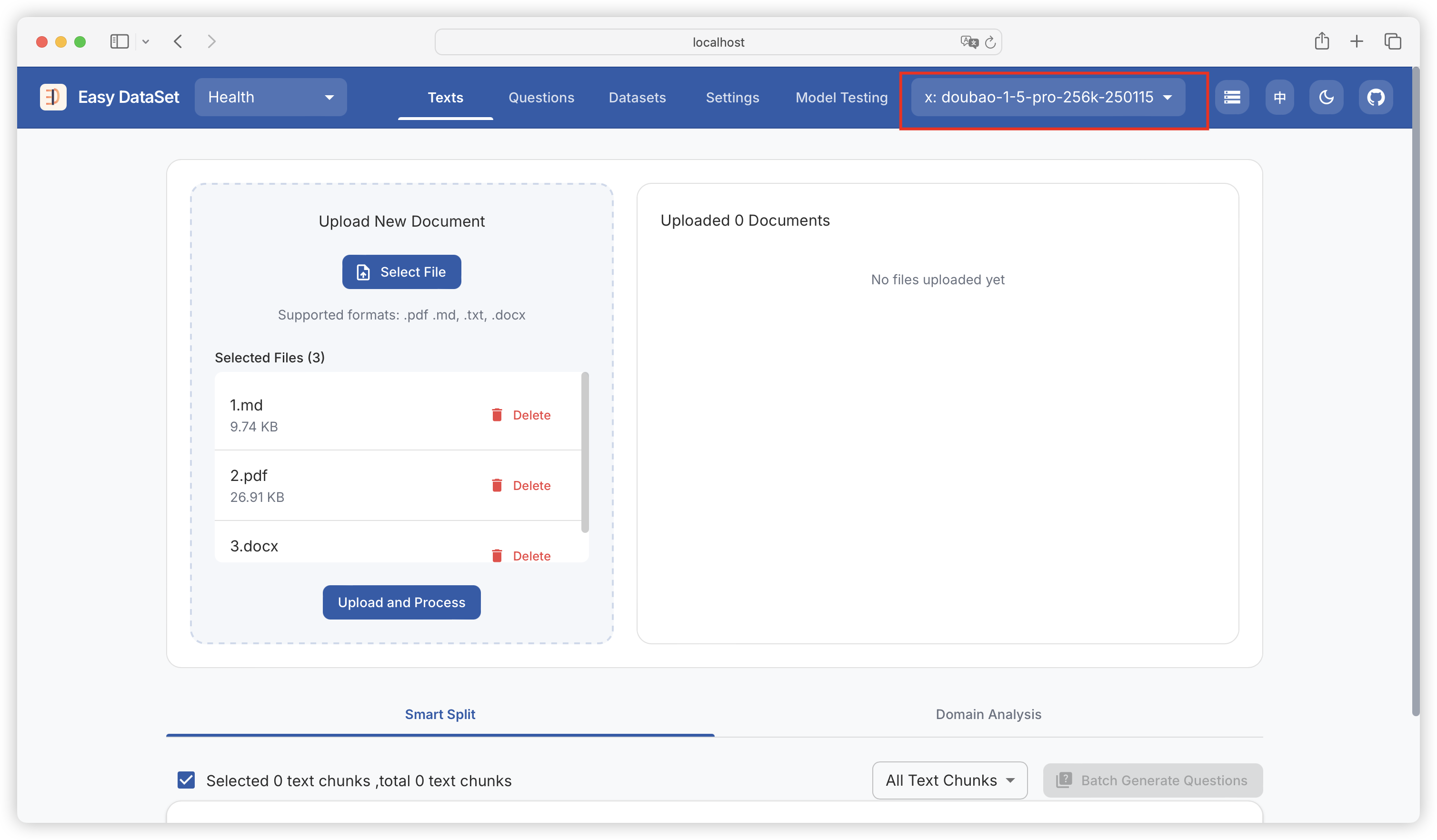
在选择好文件和处理方式，点击上传前，注意一定要提前在右上角选择模型，否则会导致处理失败：

<figure><img src="https://544849060-files.gitbook.io/~/files/v0/b/gitbook-x-prod.appspot.com/o/spaces%2FDgZmZsLiavwvoXVnDBQ5%2Fuploads%2FTpr08ECrtSaZHCu5GypA%2Fimage.png?alt=media&#x26;token=f2ccfad5-0d07-49a5-a34e-4b2ff8dd6b11" alt=""><figcaption></figcaption></figure>

{% hint style="warning" %}
注意，这一步大家没必要选推理模型（比如 DeepSeek-R1），选择一个普通的问答模型比如豆包、千问都可以，在这一步推理模型并不会起到优势，而且会拖慢处理速度。
{% endhint %}

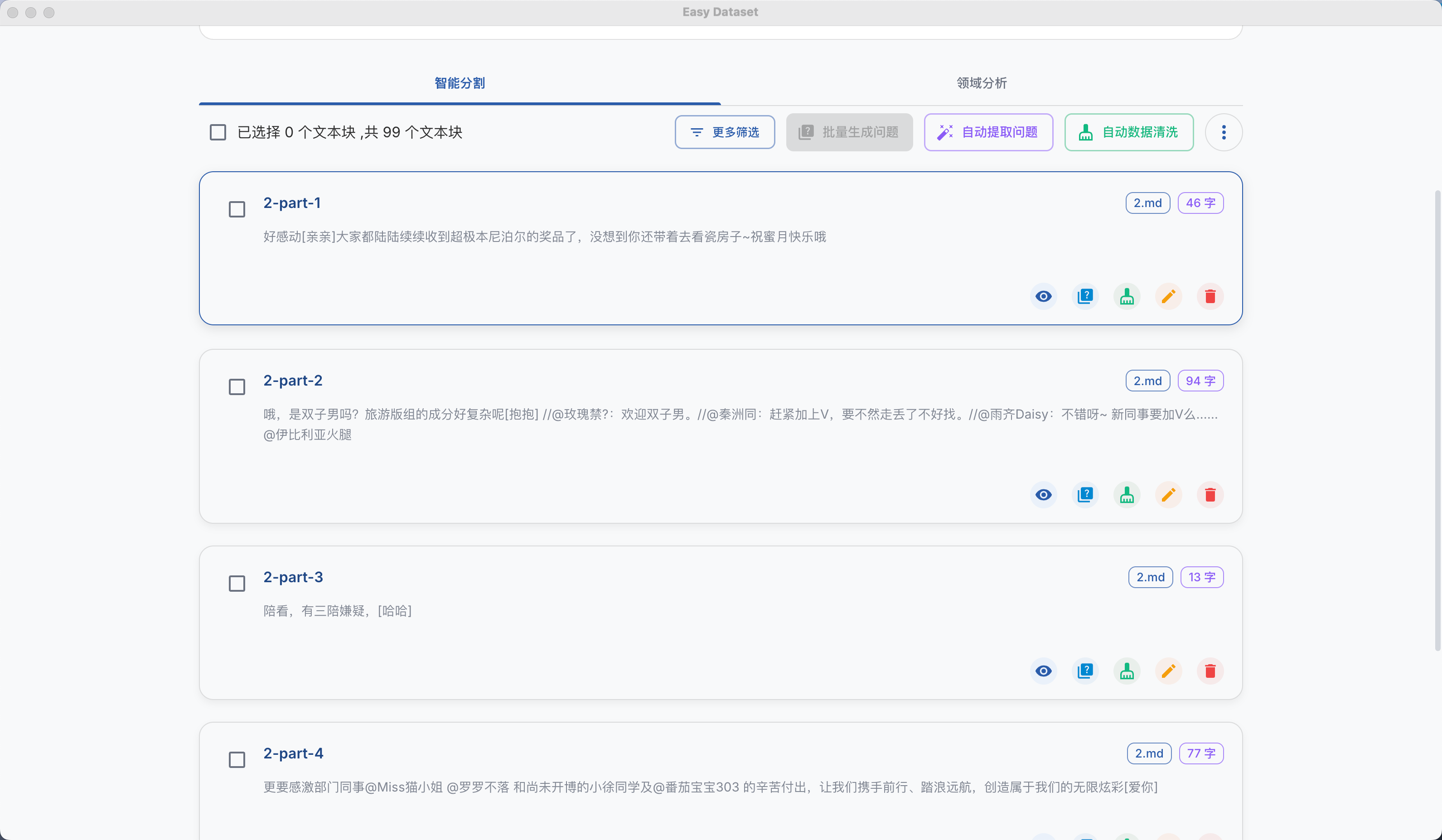
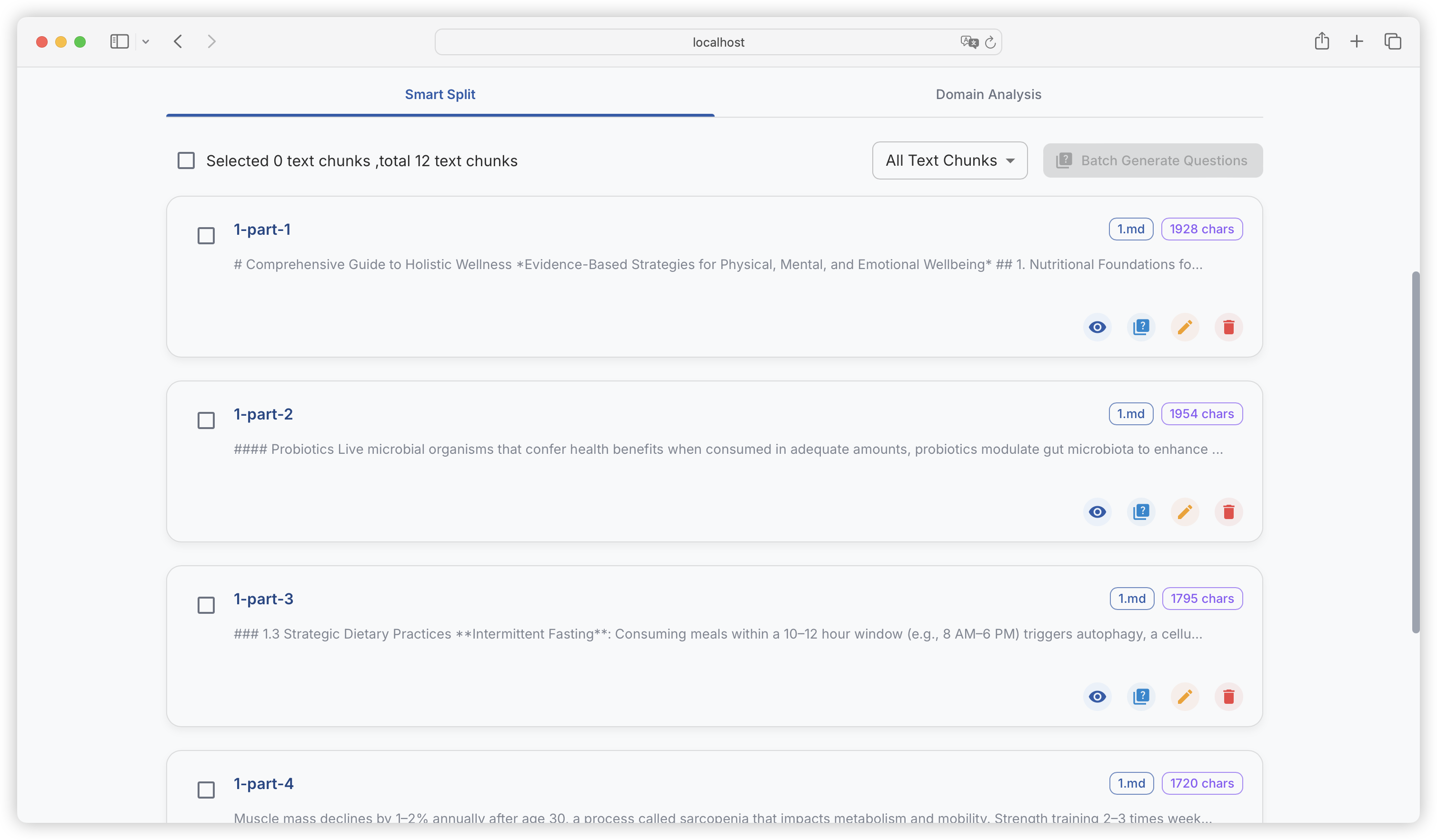
点击上传后，会将传入的文献进行了智能的文本分割，我们可以在分割列表里看到被拆分好的文本块，以及每个文本块的字数：

<figure><img src="https://544849060-files.gitbook.io/~/files/v0/b/gitbook-x-prod.appspot.com/o/spaces%2FDgZmZsLiavwvoXVnDBQ5%2Fuploads%2FjZ9T5wJosStf2S2KUoYN%2Fimage.png?alt=media&#x26;token=898ddd61-d47e-46e5-b089-dce7e05365b9" alt=""><figcaption></figcaption></figure>

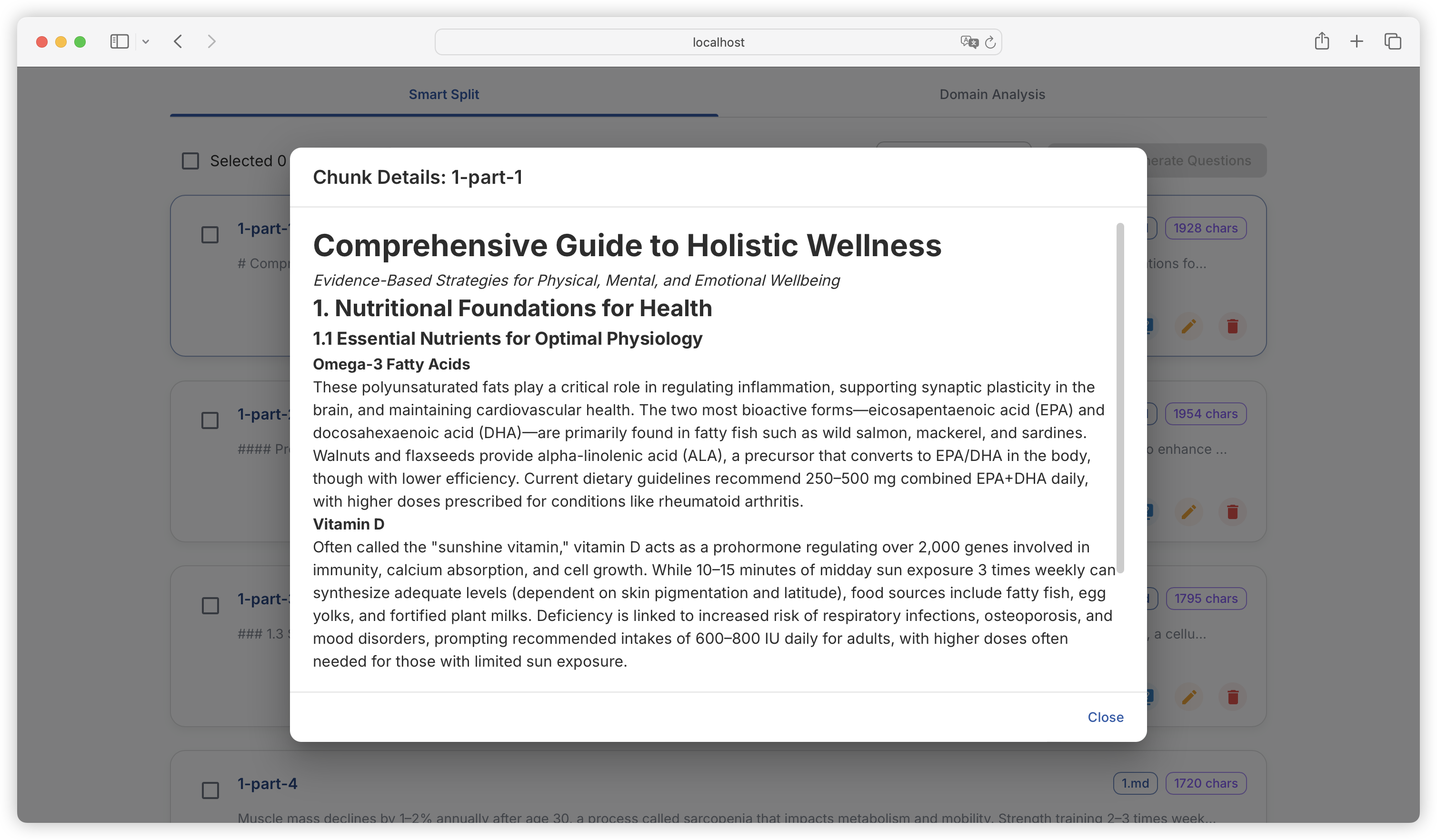
可以查看每个文本块的详情：

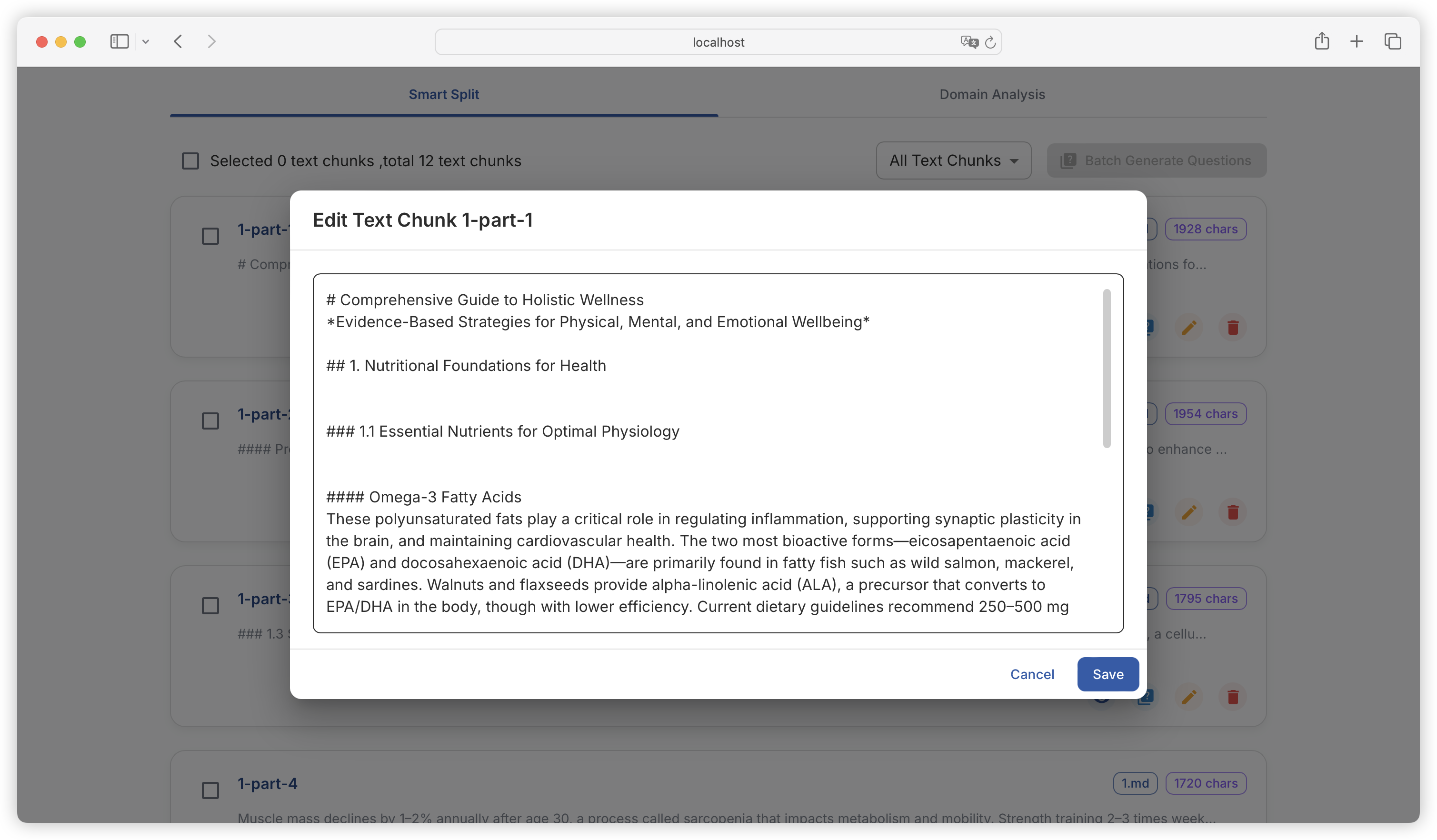
<figure><img src="https://544849060-files.gitbook.io/~/files/v0/b/gitbook-x-prod.appspot.com/o/spaces%2FDgZmZsLiavwvoXVnDBQ5%2Fuploads%2FxtS7BPEV5SUiijhi4zuW%2Fimage.png?alt=media&#x26;token=72eb1a5e-dc53-4c02-8d69-a7410422e994" alt=""><figcaption></figcaption></figure>

可以对每个文本块进行编辑：

<figure><img src="https://544849060-files.gitbook.io/~/files/v0/b/gitbook-x-prod.appspot.com/o/spaces%2FDgZmZsLiavwvoXVnDBQ5%2Fuploads%2Fc7za1mX24xFLK2oHyWe3%2Fimage.png?alt=media&#x26;token=74075ee4-466a-458d-93f8-b3823bd60f01" alt=""><figcaption></figcaption></figure>

关于文本分块的原理，以及想自定义分块规则以适应不同的文献结构，可查看：《[自定义分块](https://docs.easy-dataset.com/ed/jin-jie-shi-yong/editor)》 章节。

### 文献管理

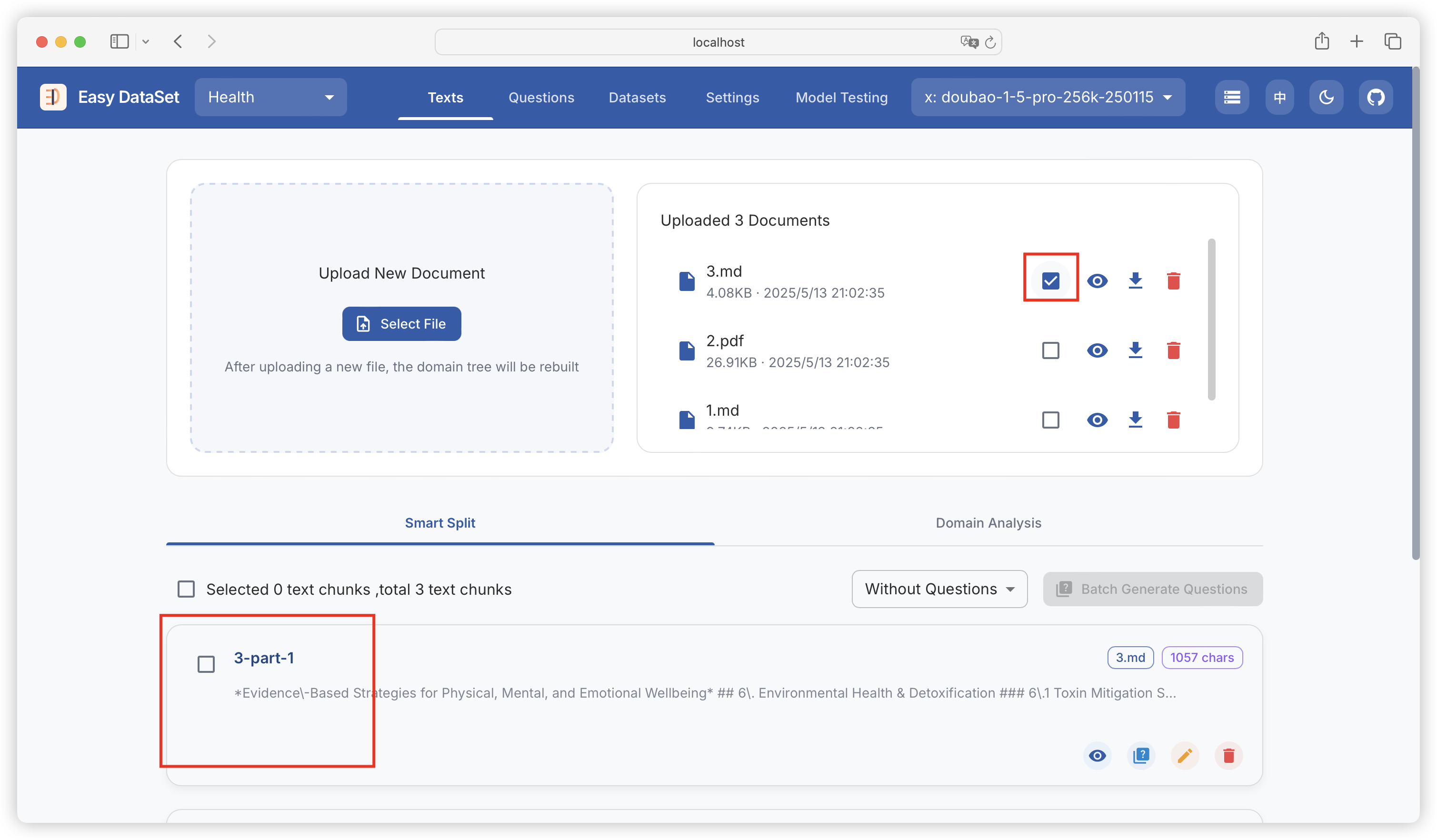
可以筛选指定文献已经生成的文本块：

<figure><img src="https://544849060-files.gitbook.io/~/files/v0/b/gitbook-x-prod.appspot.com/o/spaces%2FDgZmZsLiavwvoXVnDBQ5%2Fuploads%2FUknI3b87wE6bduhprXjl%2Fimage.png?alt=media&#x26;token=fa250f3c-470e-46de-9804-e073be2acfd7" alt=""><figcaption></figcaption></figure>

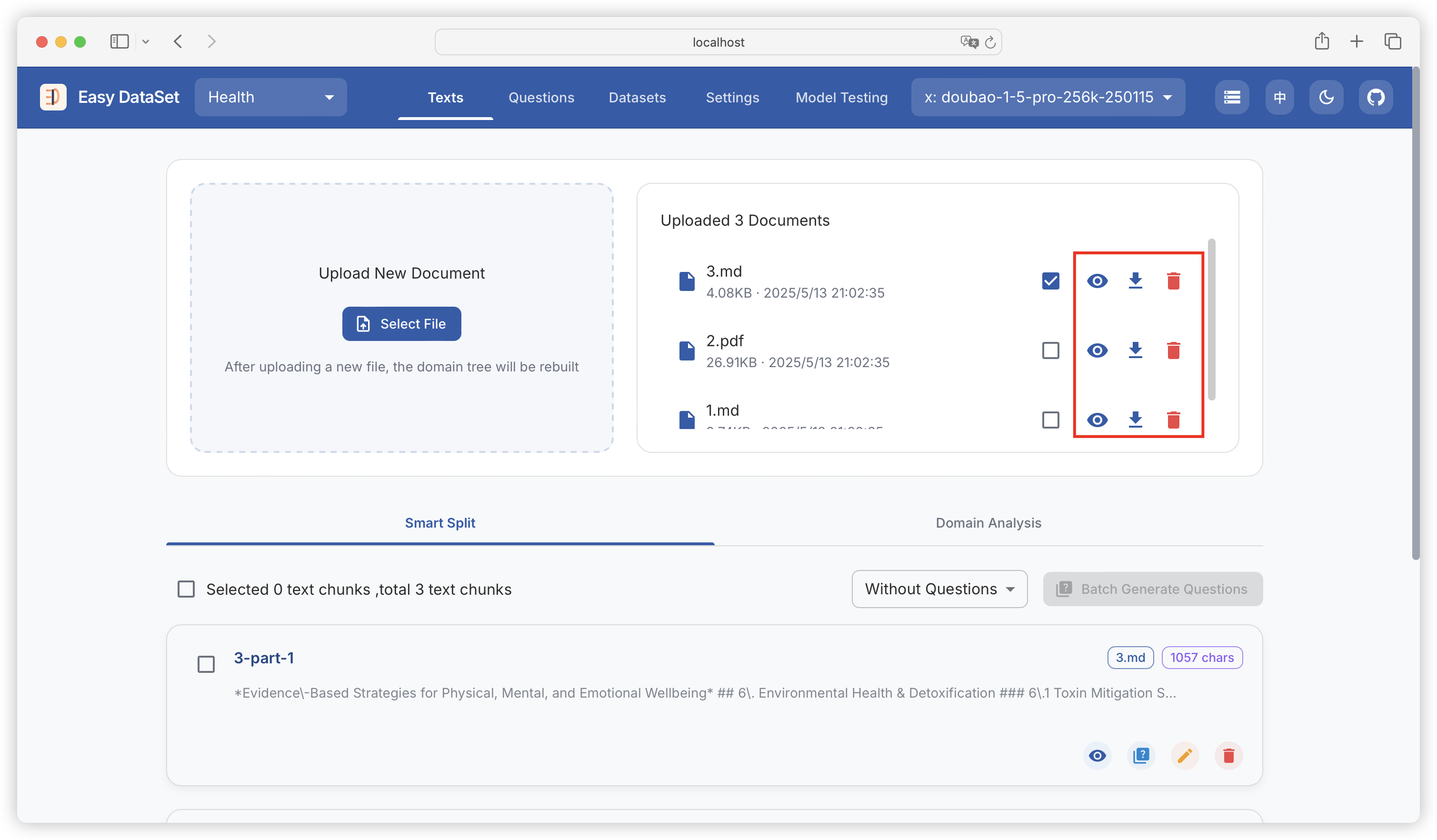
可预览文献详情（转换为 Markdown），下载文献（Markdown），删除文献：

<figure><img src="https://544849060-files.gitbook.io/~/files/v0/b/gitbook-x-prod.appspot.com/o/spaces%2FDgZmZsLiavwvoXVnDBQ5%2Fuploads%2Fm037oQpYqklBotK4WBNV%2Fimage.png?alt=media&#x26;token=3c6eb68d-48eb-4284-a35c-292371a95b56" alt=""><figcaption></figcaption></figure>

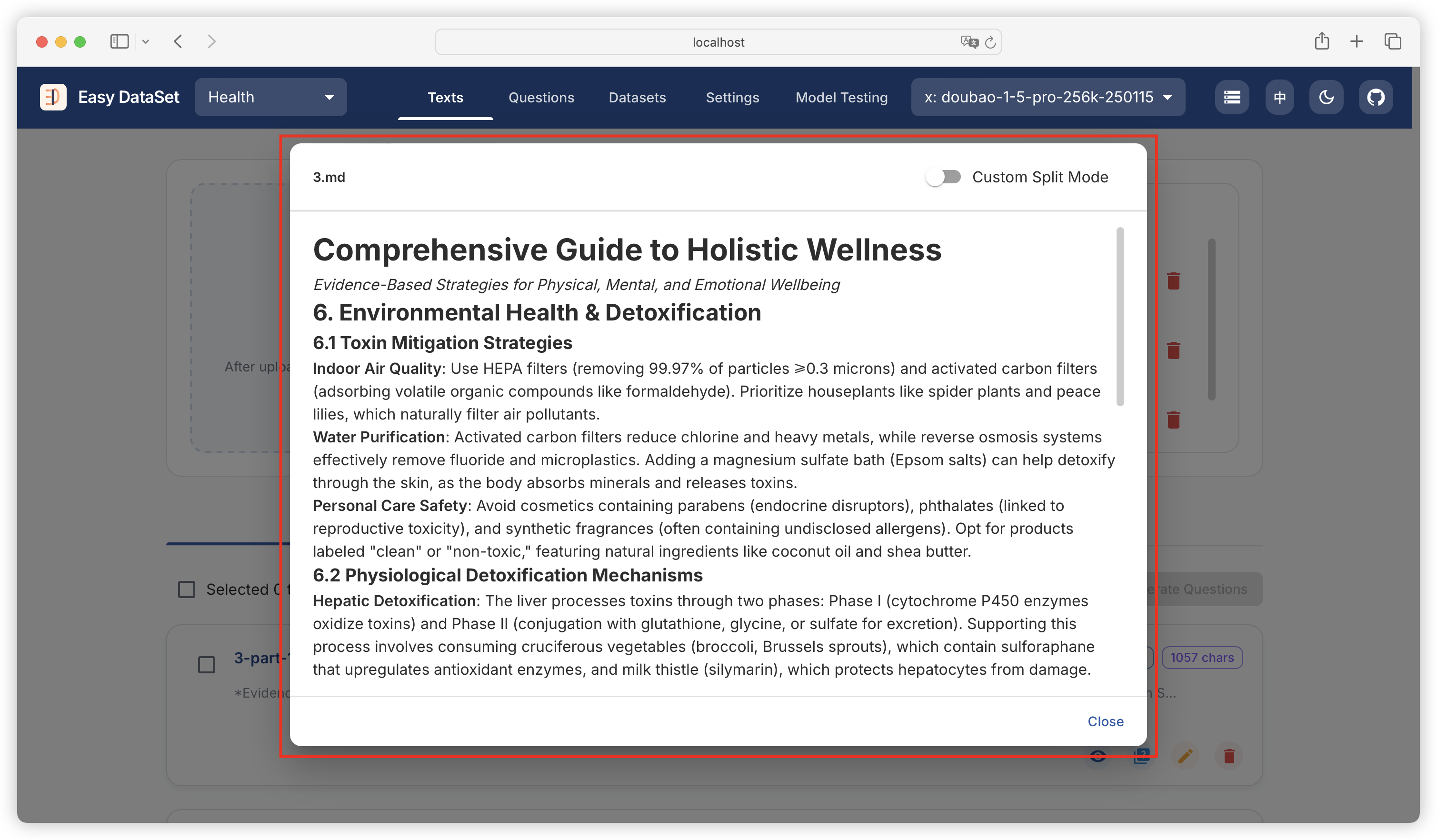
预览文献：

<figure><img src="https://544849060-files.gitbook.io/~/files/v0/b/gitbook-x-prod.appspot.com/o/spaces%2FDgZmZsLiavwvoXVnDBQ5%2Fuploads%2FEM10gUE0M1iSMkoA06Dk%2Fimage.png?alt=media&#x26;token=2844a72b-b4a5-4ec2-a889-0ebb7a53f845" alt=""><figcaption></figcaption></figure>

### 数据清洗

你可以对已经生成好的文本块进行数据清洗，此操作将对原始文本块中的无意义信息进行清理，提升后续数据集生成质量。

<figure><img src="https://544849060-files.gitbook.io/~/files/v0/b/gitbook-x-prod.appspot.com/o/spaces%2FDgZmZsLiavwvoXVnDBQ5%2Fuploads%2F56dpzsqa2fM2idzsS6oG%2Fimage.png?alt=media&#x26;token=caa0a8f4-7ccc-4223-a420-e7c8e31ce42e" alt=""><figcaption></figcaption></figure>


# 领域标签

{% hint style="info" %}
文本分块完成后，平台会调用大模型自动基于文献数据建立领域标签树。
{% endhint %}

<figure><img src="https://544849060-files.gitbook.io/~/files/v0/b/gitbook-x-prod.appspot.com/o/spaces%2FDgZmZsLiavwvoXVnDBQ5%2Fuploads%2Fs2CDNJ7HLaHFeGiqNK8s%2Fimage.png?alt=media&#x26;token=435be1d4-f571-4f6d-be4b-e66fcc334313" alt=""><figcaption></figcaption></figure>

### 查看原始目录

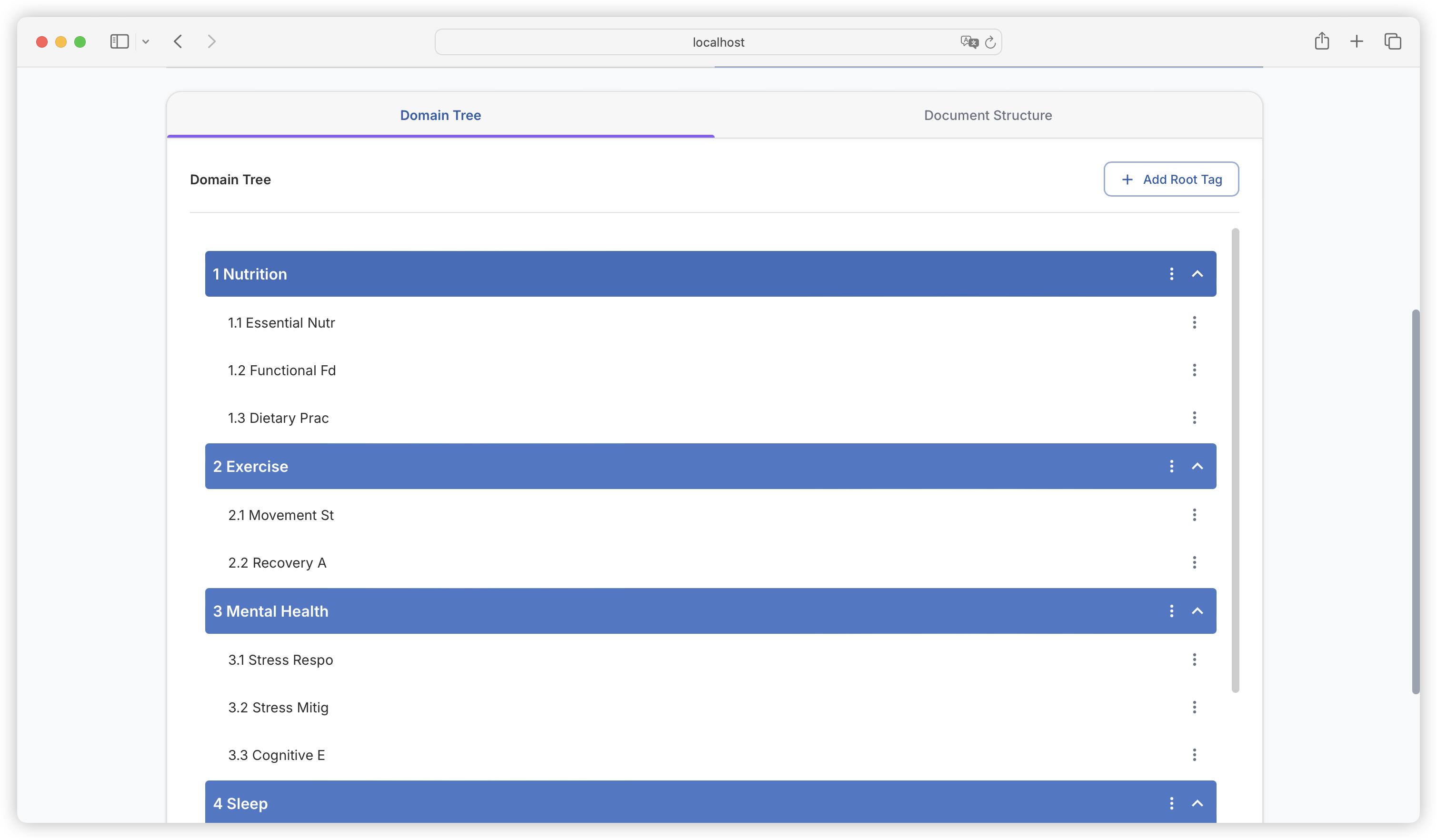
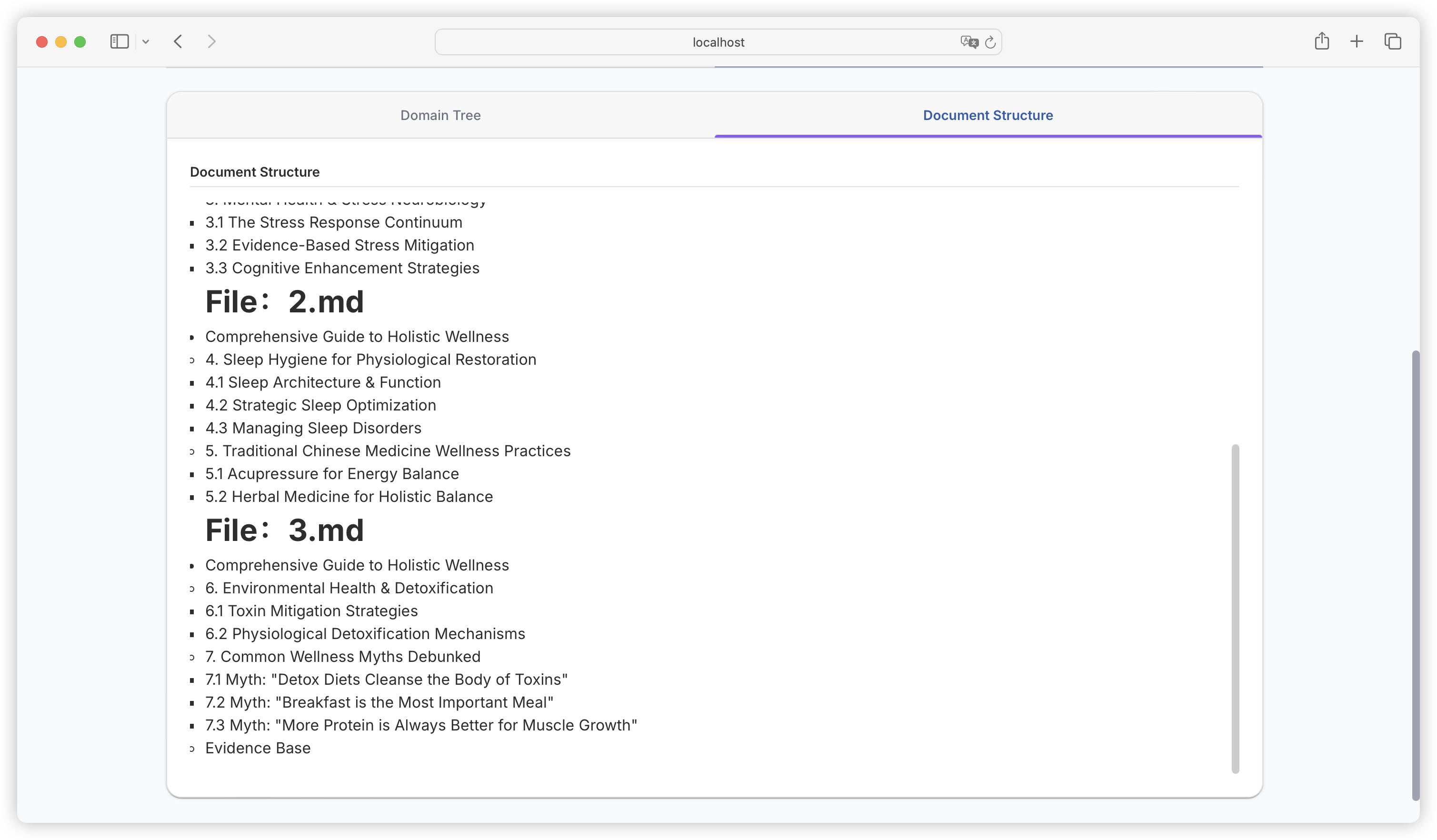
切换至领域树 Tab，我们可以看到基于 AI 智能分析出的文献的领域树，以及从文献提取的原始目录：

<figure><img src="https://544849060-files.gitbook.io/~/files/v0/b/gitbook-x-prod.appspot.com/o/spaces%2FDgZmZsLiavwvoXVnDBQ5%2Fuploads%2Fl5lVVZ1NxEtZPfESszXX%2Fimage.png?alt=media&#x26;token=e2046cef-64b3-4e81-93eb-2f3903c1cbee" alt=""><figcaption></figcaption></figure>

在后续生成问题以及数据集的任务中，平台会基于这个领域树去构建，并且把生成的问题和数据集映射到每个领域标签上。领域树可以让每条数据集具备全局理解的能力，并且减少生成重复数据集的可能性。

<figure><img src="https://544849060-files.gitbook.io/~/files/v0/b/gitbook-x-prod.appspot.com/o/spaces%2FDgZmZsLiavwvoXVnDBQ5%2Fuploads%2FRLwboBfONxdqsfTlAZ4d%2Fimage.png?alt=media&#x26;token=f8d6a427-1855-42b5-939f-68249109d908" alt=""><figcaption></figcaption></figure>

### 编辑领域树

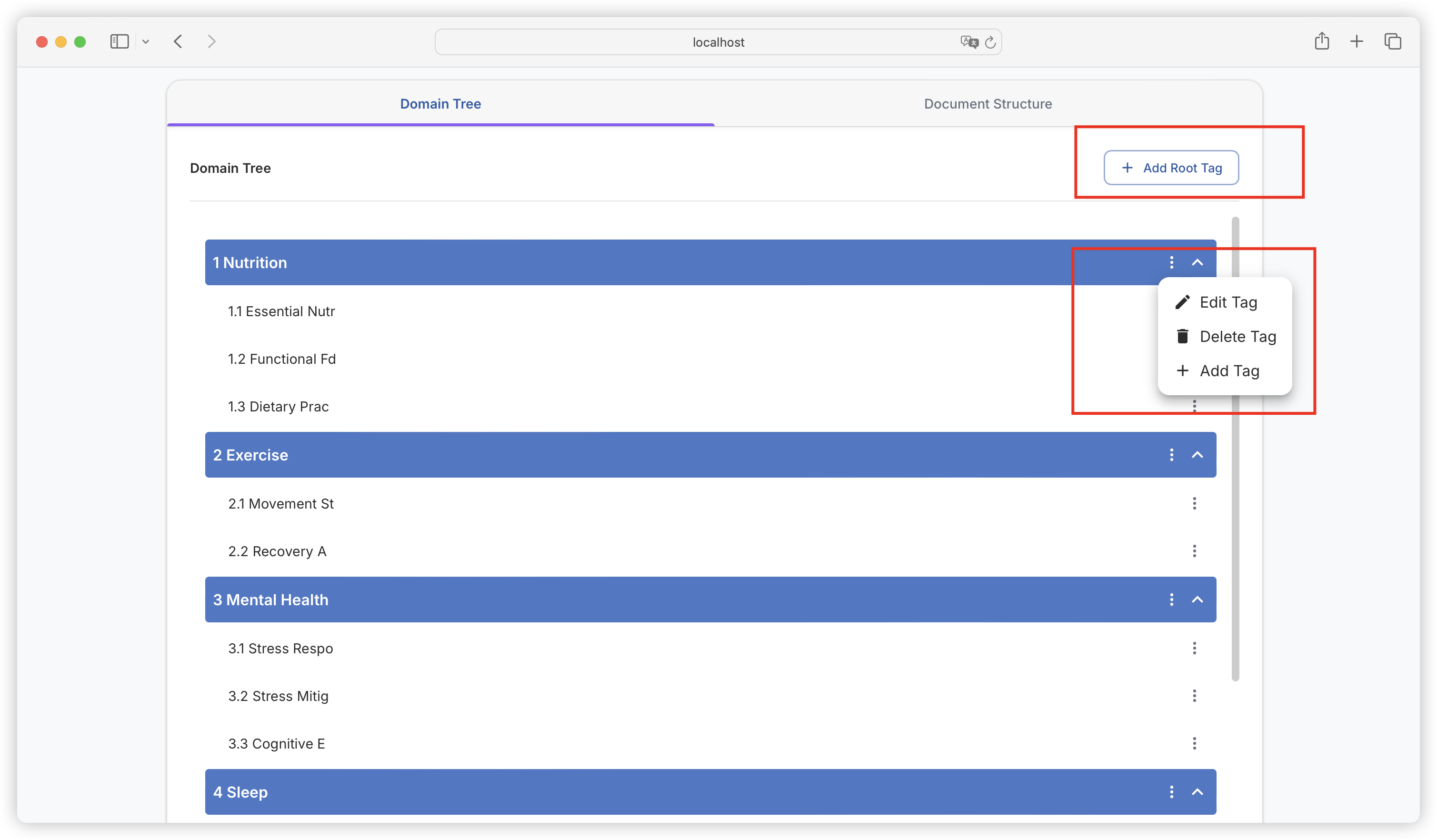
如果你觉得 AI 生成的领域树，有哪些不准确或者不完善的地方，也可以直接手动添加或者更改和删除标签，建议把领域树的划分确认的更准确后，再去生成问题。

<figure><img src="https://544849060-files.gitbook.io/~/files/v0/b/gitbook-x-prod.appspot.com/o/spaces%2FDgZmZsLiavwvoXVnDBQ5%2Fuploads%2FAeeIV9h3vroAJdgMoYaM%2Fimage.png?alt=media&#x26;token=88d24372-896c-4512-9c44-94d2e6ca2cfd" alt=""><figcaption></figcaption></figure>

### 修订标签树

当删除、新增一个新的文献时，会提供三种模式：

* 修改领域树：根据新增或删除的文档修改当前领域树，仅影响发生变更的部分
* 重建领域树：基于所有文档内容生成全新的领域树
* 保持不变：保持当前领域树结构不变，不进行任何修改保持当前领域树不变

<figure><img src="https://544849060-files.gitbook.io/~/files/v0/b/gitbook-x-prod.appspot.com/o/spaces%2FDgZmZsLiavwvoXVnDBQ5%2Fuploads%2FTSwtgKH8LH1n148PYW2c%2Fimage.png?alt=media&#x26;token=73e48693-026e-43c5-b5d7-3da236f8d8f8" alt=""><figcaption></figcaption></figure>


# 问题


# 问题生成

{% hint style="info" %}
从分割好的文本块中提取问题，并为问题建立领域标签。
{% endhint %}

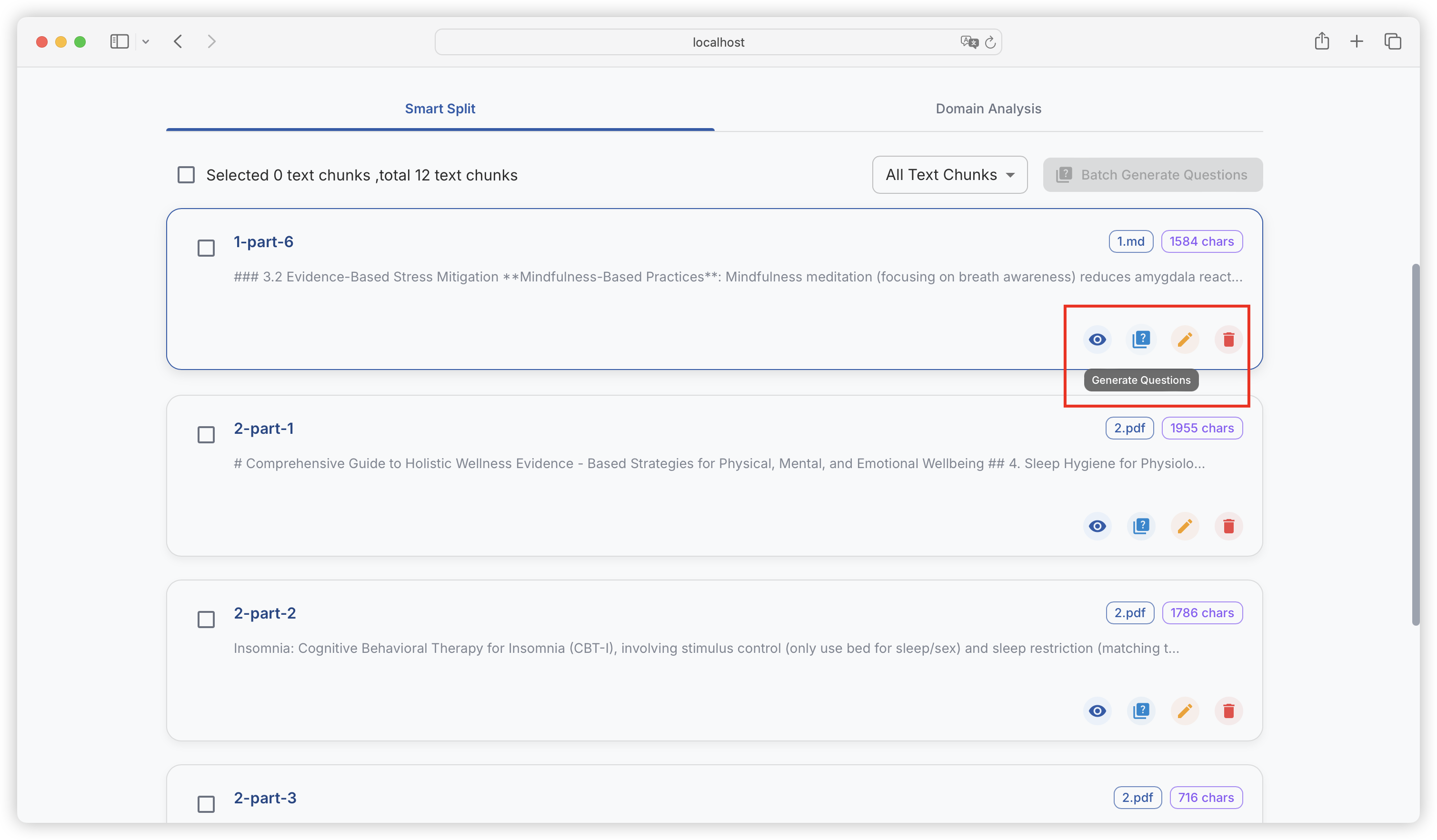
### 单个文本块生成问题

<figure><img src="https://544849060-files.gitbook.io/~/files/v0/b/gitbook-x-prod.appspot.com/o/spaces%2FDgZmZsLiavwvoXVnDBQ5%2Fuploads%2Frg7kXQVLxXFVJWfdKaJQ%2Fimage.png?alt=media&#x26;token=ea13cd00-b51a-4978-802b-5f21e4253761" alt=""><figcaption></figcaption></figure>

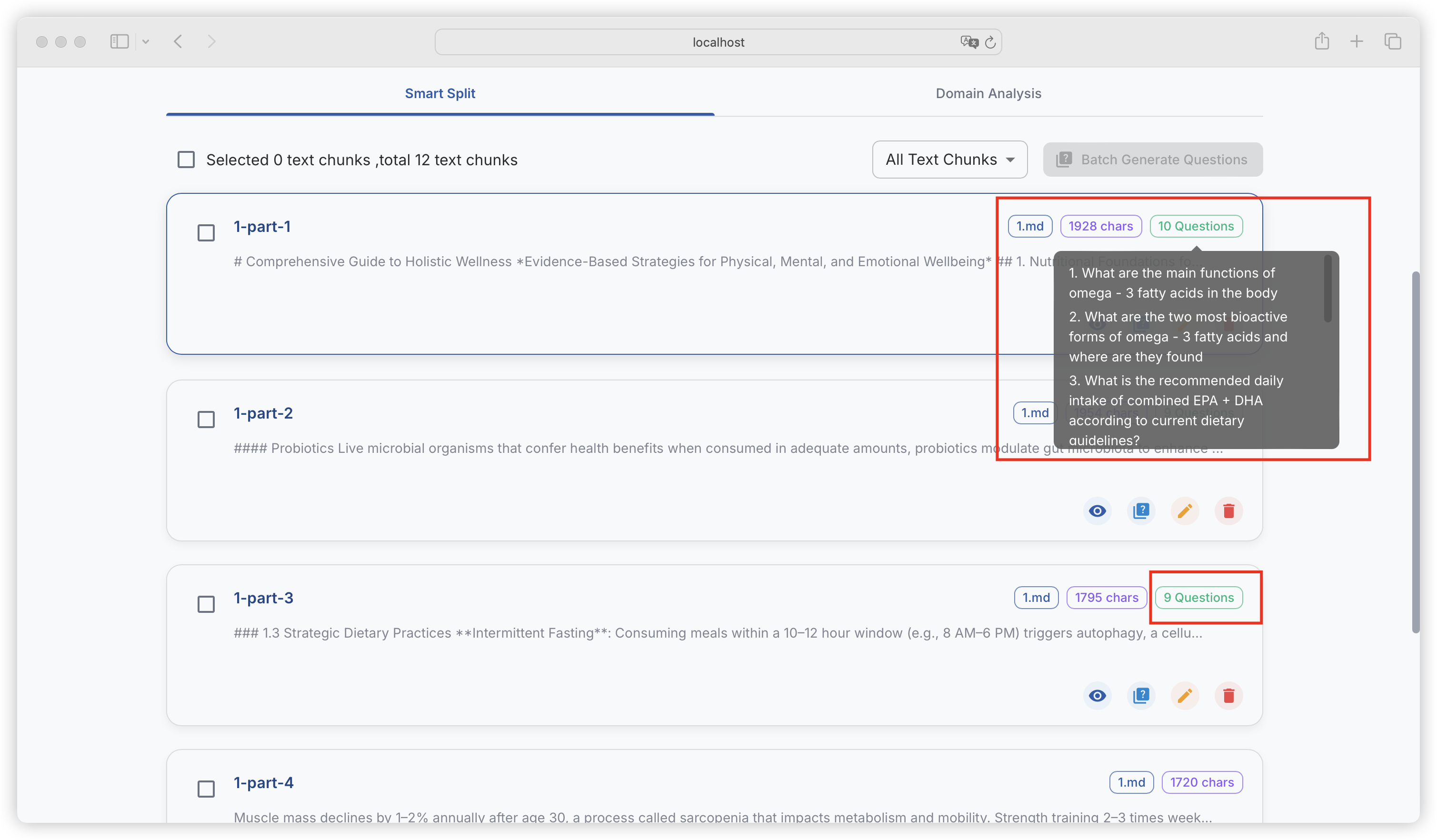
任务完成后，可在文本块中查看已经生成好的问题。

<figure><img src="https://544849060-files.gitbook.io/~/files/v0/b/gitbook-x-prod.appspot.com/o/spaces%2FDgZmZsLiavwvoXVnDBQ5%2Fuploads%2Fn7k8xPzB12D9BBqtGYzU%2Fimage.png?alt=media&#x26;token=e059ac5c-ded8-4ddc-a0b7-db4eb7e94b29" alt=""><figcaption></figcaption></figure>

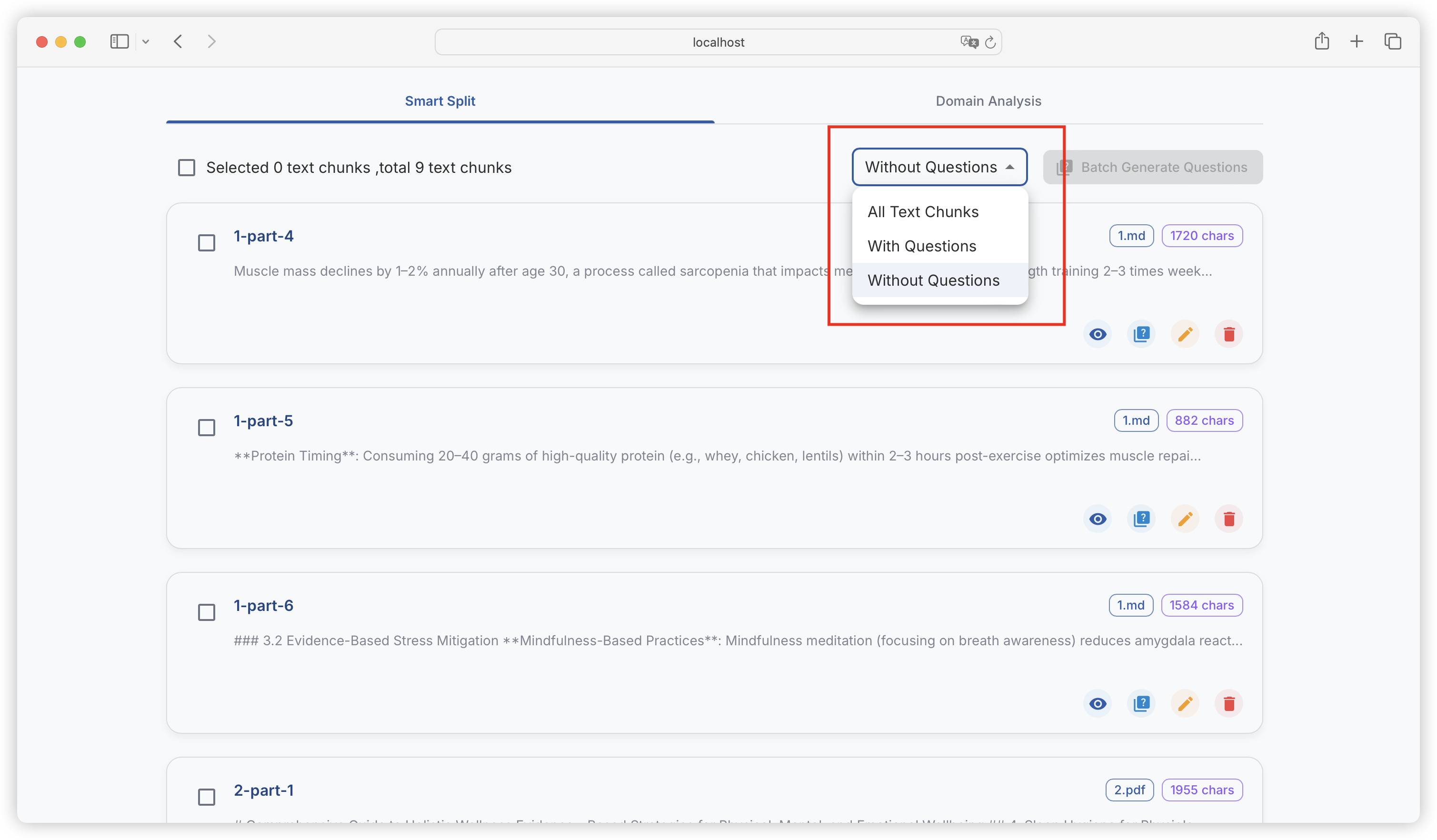
可对已生成问题的文本块、未生成问题的文本块进行筛选：

<figure><img src="https://544849060-files.gitbook.io/~/files/v0/b/gitbook-x-prod.appspot.com/o/spaces%2FDgZmZsLiavwvoXVnDBQ5%2Fuploads%2Fdkn4hva8s983RmyUakCK%2Fimage.png?alt=media&#x26;token=63bab40e-90ad-4848-9848-1c297344e5fc" alt=""><figcaption></figcaption></figure>

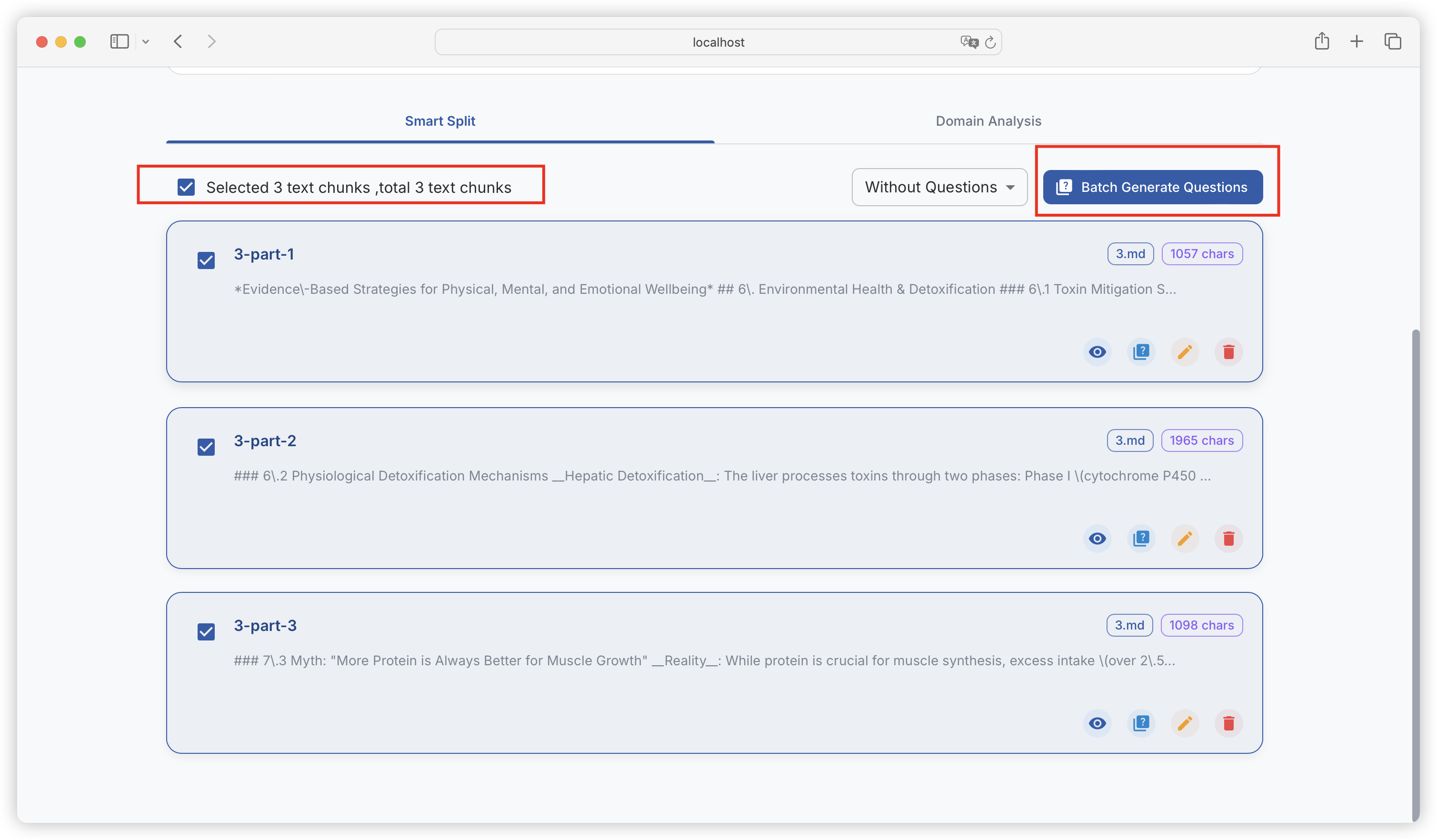
### 批量生成问题

可批量、全选文本块，并批量构造问题：

<figure><img src="https://544849060-files.gitbook.io/~/files/v0/b/gitbook-x-prod.appspot.com/o/spaces%2FDgZmZsLiavwvoXVnDBQ5%2Fuploads%2FlUk65xI9Qu6oMelFWQ0C%2Fimage.png?alt=media&#x26;token=d6ca7a8f-d231-417c-8fdb-35923059bd33" alt=""><figcaption></figcaption></figure>

可以实时查看批量任务的进度：

<figure><img src="https://544849060-files.gitbook.io/~/files/v0/b/gitbook-x-prod.appspot.com/o/spaces%2FDgZmZsLiavwvoXVnDBQ5%2Fuploads%2FZ5EeZ3CCP1J2M8e4kLDg%2Fimage.png?alt=media&#x26;token=6cd818b2-12b6-4deb-a5dd-e90517f097d6" alt=""><figcaption></figcaption></figure>

{% hint style="info" %}
当批量任务进行中，关闭、刷新当前页面都会中断任务，可以开一个新页面到问题管理查看已经生成的问题。
{% endhint %}

### 问题生成配置

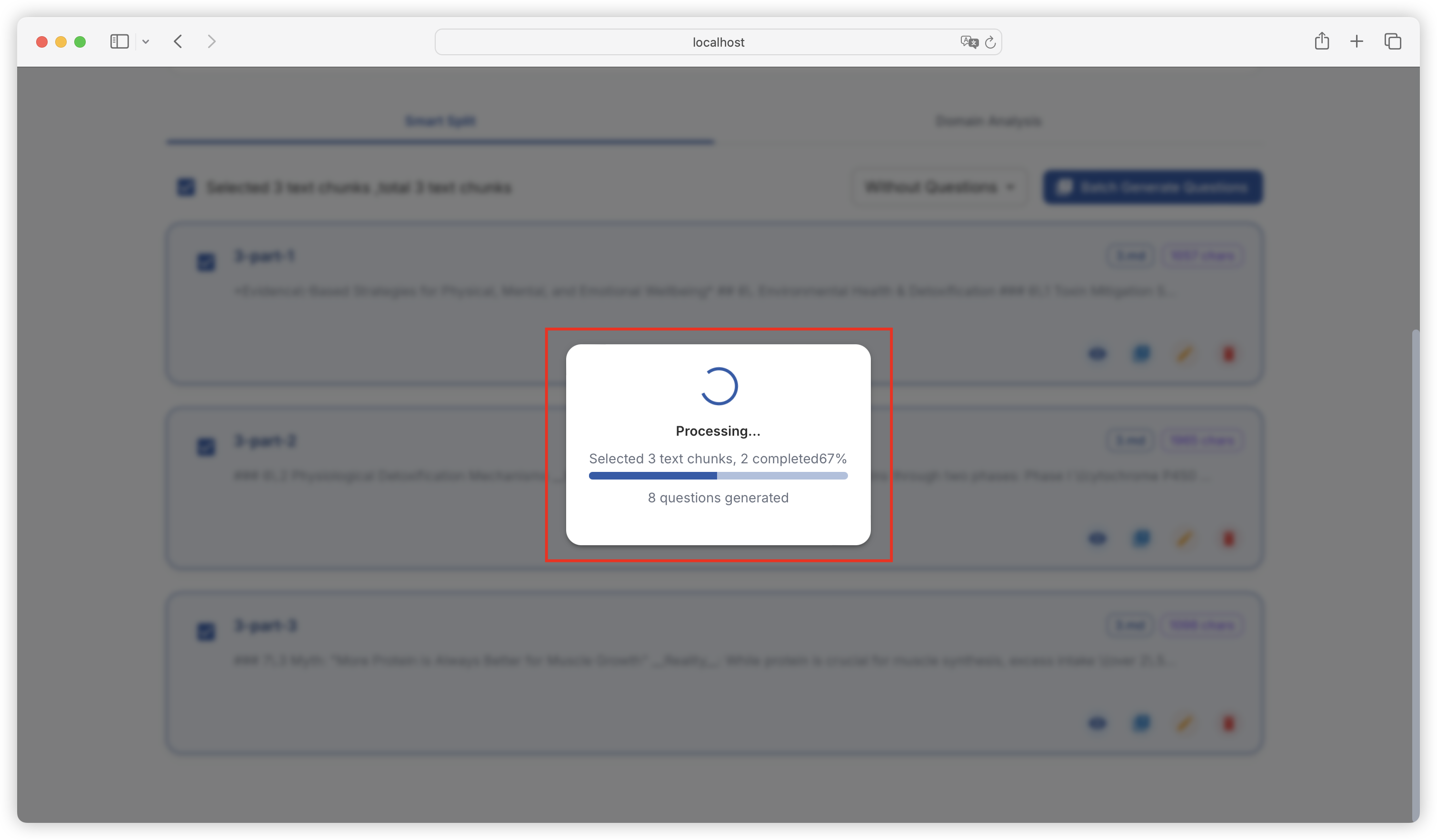
每个文本块生成多少问题，是由 「项目设置 - 任务设置」 里的生成问题的最大长度决定的，默认设置是每 240 个字符生成一个问题，大家 2000 字符左右的文本块生成了 8 个问题，大家可以根据自己文献的信息密度来灵活调整：

<figure><img src="https://544849060-files.gitbook.io/~/files/v0/b/gitbook-x-prod.appspot.com/o/spaces%2FDgZmZsLiavwvoXVnDBQ5%2Fuploads%2FhI5yVSwhbAlcspuaJz1Q%2Fimage.png?alt=media&#x26;token=c1c8652d-3478-4a8d-ad71-e11b4d3b068a" alt=""><figcaption></figcaption></figure>

还可以控制生成的问题中消除 ？的比例（默认将消除 60%）。

<figure><img src="https://544849060-files.gitbook.io/~/files/v0/b/gitbook-x-prod.appspot.com/o/spaces%2FDgZmZsLiavwvoXVnDBQ5%2Fuploads%2FmFfDpSwMloYC8ROu2BnS%2Fimage.png?alt=media&#x26;token=d0c92370-c094-4d62-8958-677b9bea9d35" alt=""><figcaption></figcaption></figure>

{% hint style="success" %}
在实际问答任务中，用户的问题并不总是会携带 ？消除一定比例的 ？ 有助于提升微调效果
{% endhint %}

可以控制批量任务中的最大并发数量，（默认最大并发 5 个任务）。

<figure><img src="https://544849060-files.gitbook.io/~/files/v0/b/gitbook-x-prod.appspot.com/o/spaces%2FDgZmZsLiavwvoXVnDBQ5%2Fuploads%2Fpfu890YnNqs2ld0dEDxq%2Fimage.png?alt=media&#x26;token=fbb48491-a6f2-4ce0-aab5-f937d2f40294" alt=""><figcaption></figcaption></figure>

{% hint style="danger" %}
注意，部分模型提供商会对最大并发数量进行限制，调整过大的值可能导致批量任务失败，建议灵活测试调整。
{% endhint %}


# 问题管理

{% hint style="info" %}
问题构造完成后，可对问题进行过滤和修订，可提升后续数据集的生成质量。
{% endhint %}

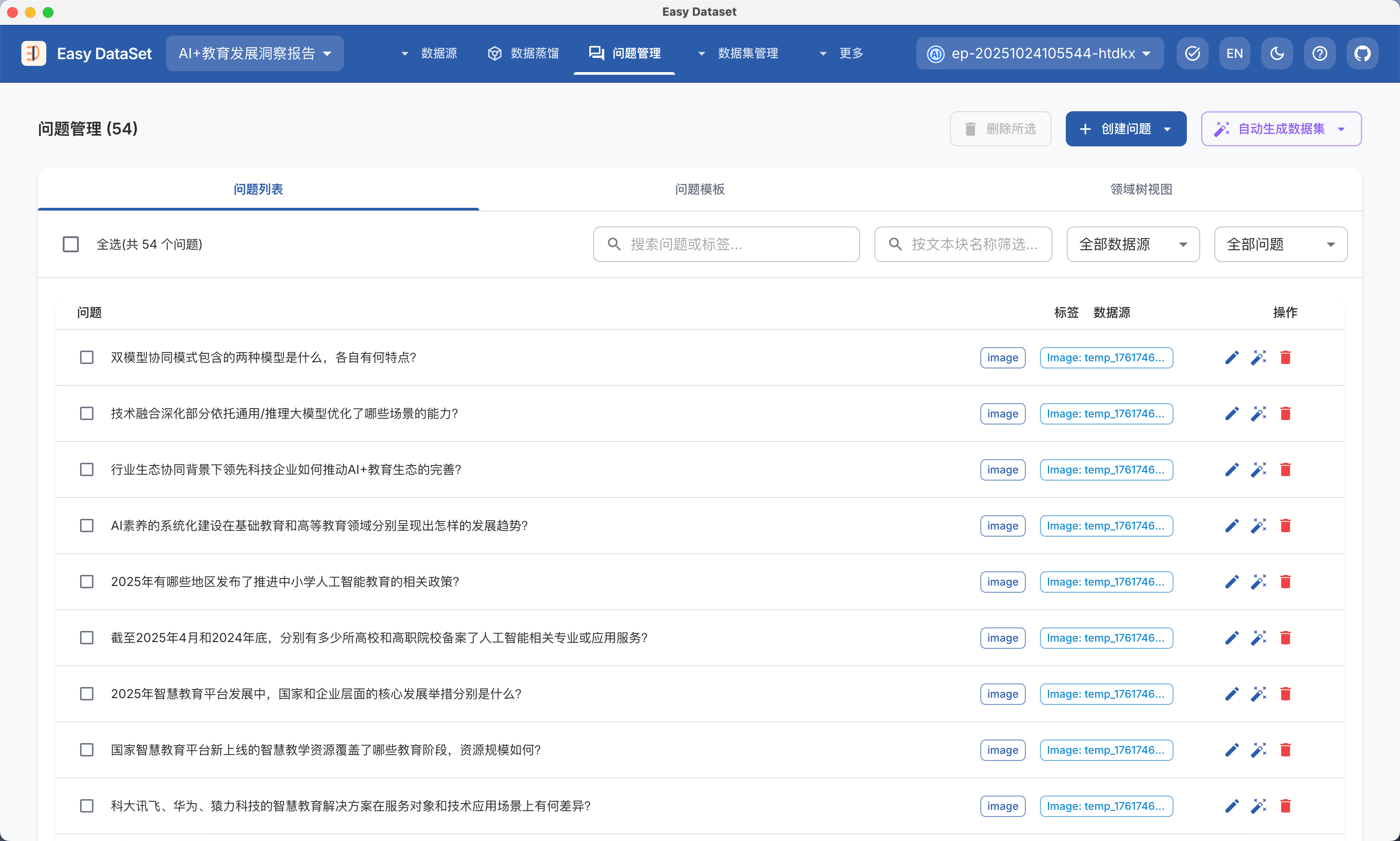
### 列表视图

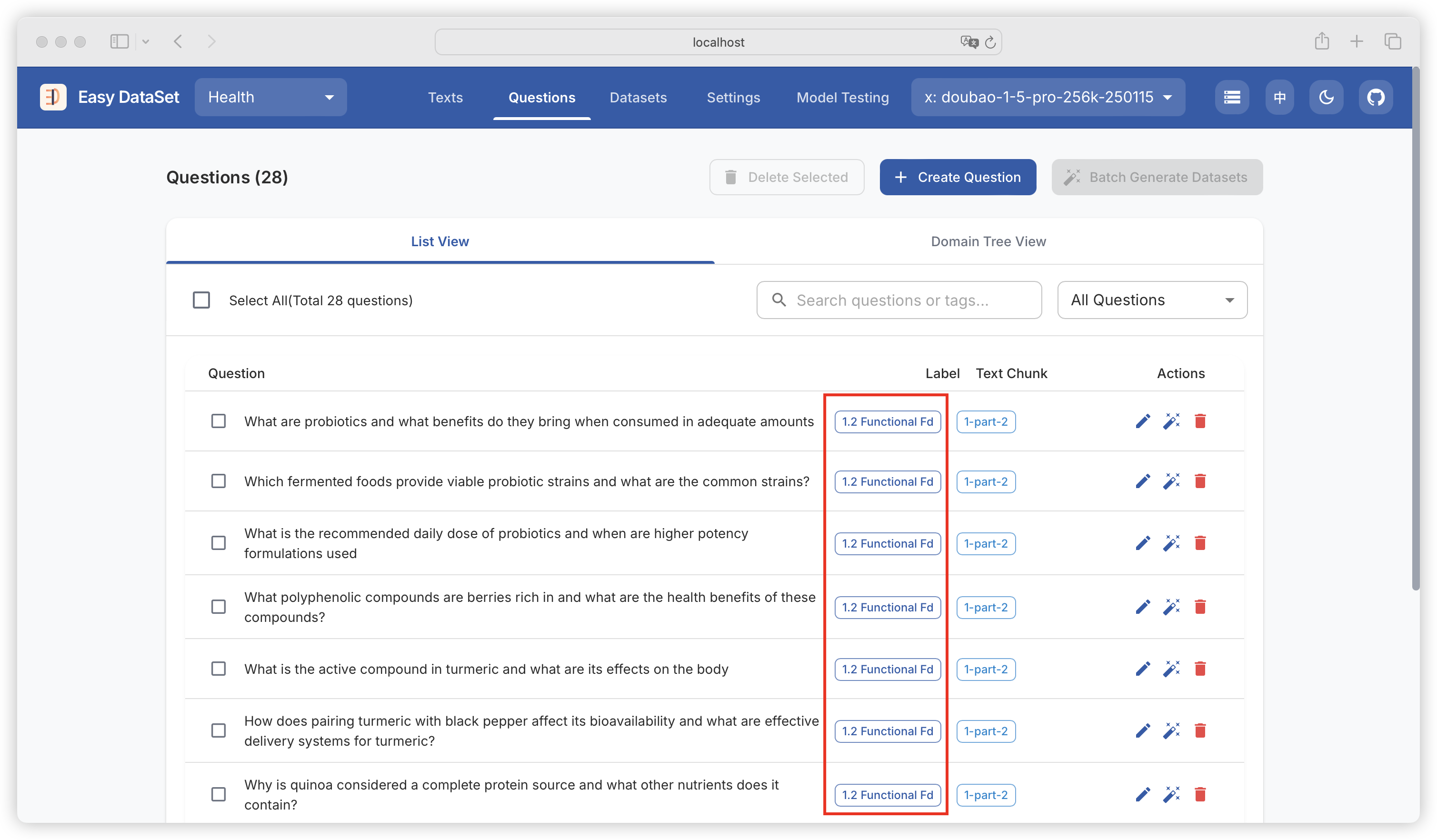
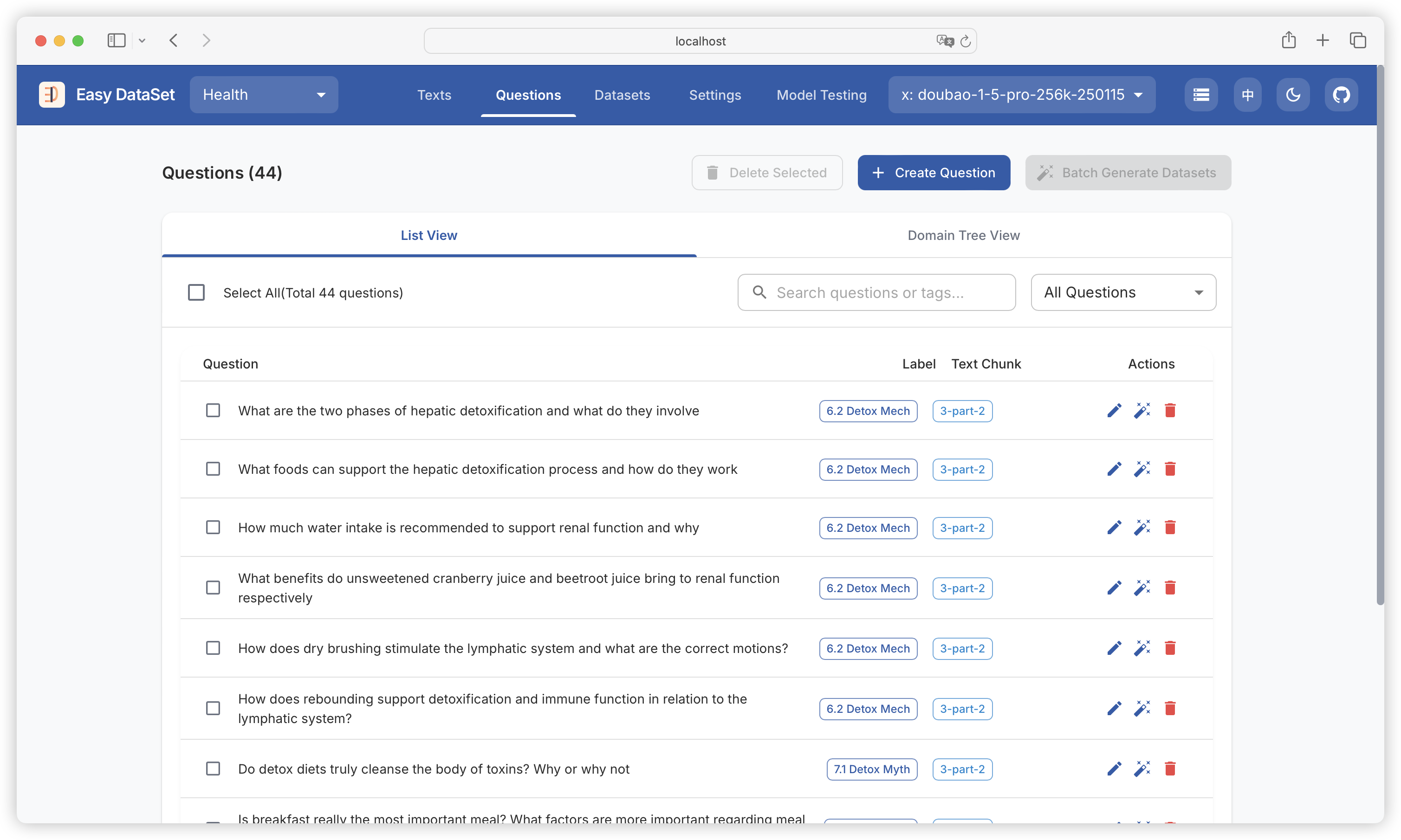
可查看问题名称、问题关联的领域标签、问题所属的文本块，可根据问题、标签名称筛选：

<figure><img src="https://544849060-files.gitbook.io/~/files/v0/b/gitbook-x-prod.appspot.com/o/spaces%2FDgZmZsLiavwvoXVnDBQ5%2Fuploads%2FbGWurZKxIXK5VrXdlZHI%2Fimage.png?alt=media&#x26;token=a86f136d-59bd-4b33-b7b0-c93b5475ea49" alt=""><figcaption></figcaption></figure>

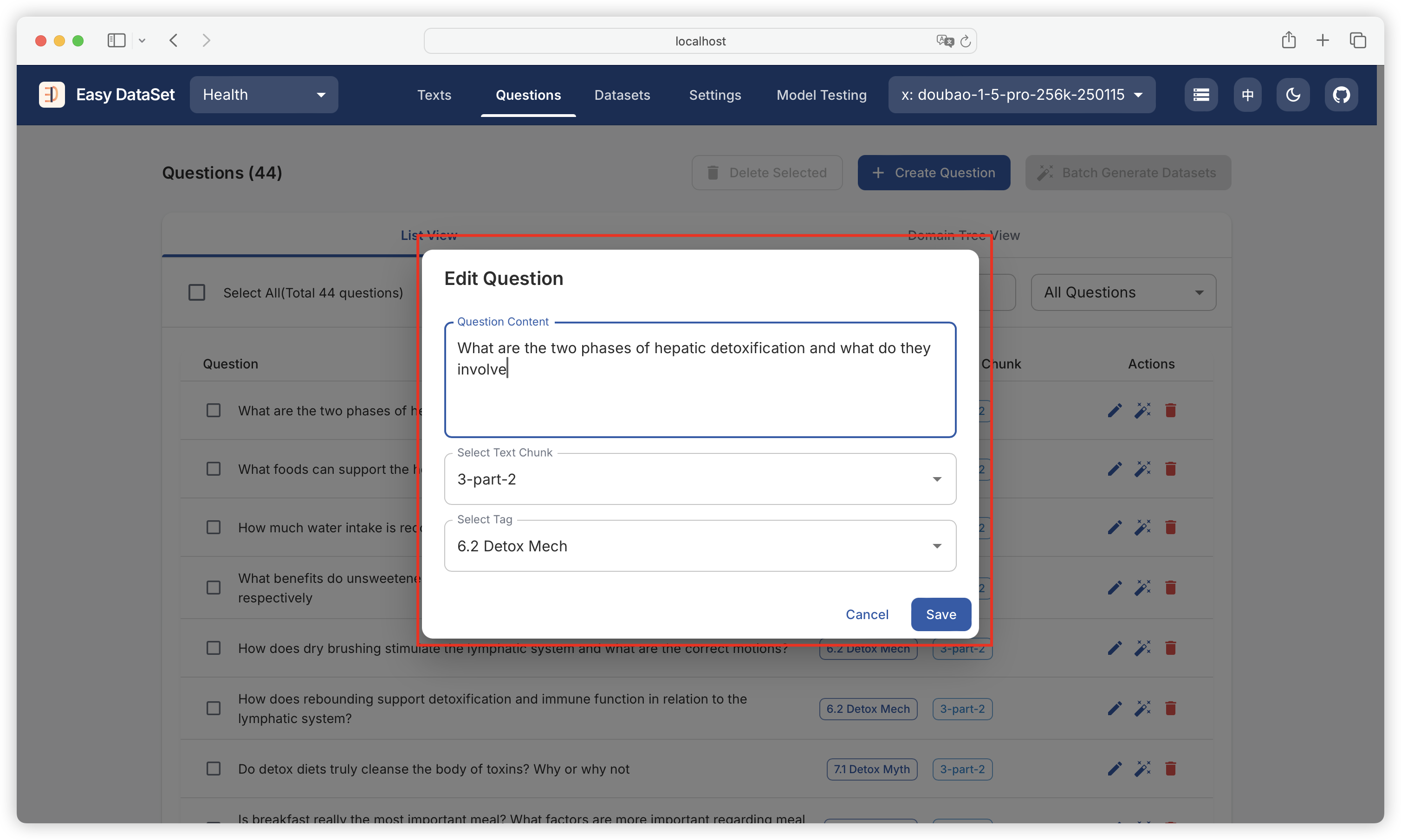
支持编辑现有问题、新增自定义问题：

<figure><img src="https://544849060-files.gitbook.io/~/files/v0/b/gitbook-x-prod.appspot.com/o/spaces%2FDgZmZsLiavwvoXVnDBQ5%2Fuploads%2FODzmROReOs443PsKLKIr%2Fimage.png?alt=media&#x26;token=2282e316-b4a1-498f-b25d-34c834a18884" alt=""><figcaption></figcaption></figure>

### 领域树视图

可以领域树视图查看每个领域标签下构造出的问题：

<figure><img src="https://544849060-files.gitbook.io/~/files/v0/b/gitbook-x-prod.appspot.com/o/spaces%2FDgZmZsLiavwvoXVnDBQ5%2Fuploads%2Fbag5z9nbUiT90ClHT5pR%2Fimage.png?alt=media&#x26;token=af17d2cd-c550-4553-bf9e-645cc90c135e" alt=""><figcaption></figcaption></figure>

{% hint style="info" %}
建议在这个模块删除质量较低的问题（比如跟文献的作者、标注等不相关的问题），避免后续构造出一些质量较低的数据集，并自定义添加好缺失的问题。
{% endhint %}


# 数据集


# 数据集生成

### 生成单个数据集

点击单个问题上的魔法棒🪄图标，为单个问题生成答案（构造数据集）：

<figure><img src="https://544849060-files.gitbook.io/~/files/v0/b/gitbook-x-prod.appspot.com/o/spaces%2FDgZmZsLiavwvoXVnDBQ5%2Fuploads%2F0lsquSYnomQz3ABWP4u9%2Fimage.png?alt=media&#x26;token=85d2d98d-669b-4a59-8e8e-b99fbe48c4b7" alt=""><figcaption></figcaption></figure>

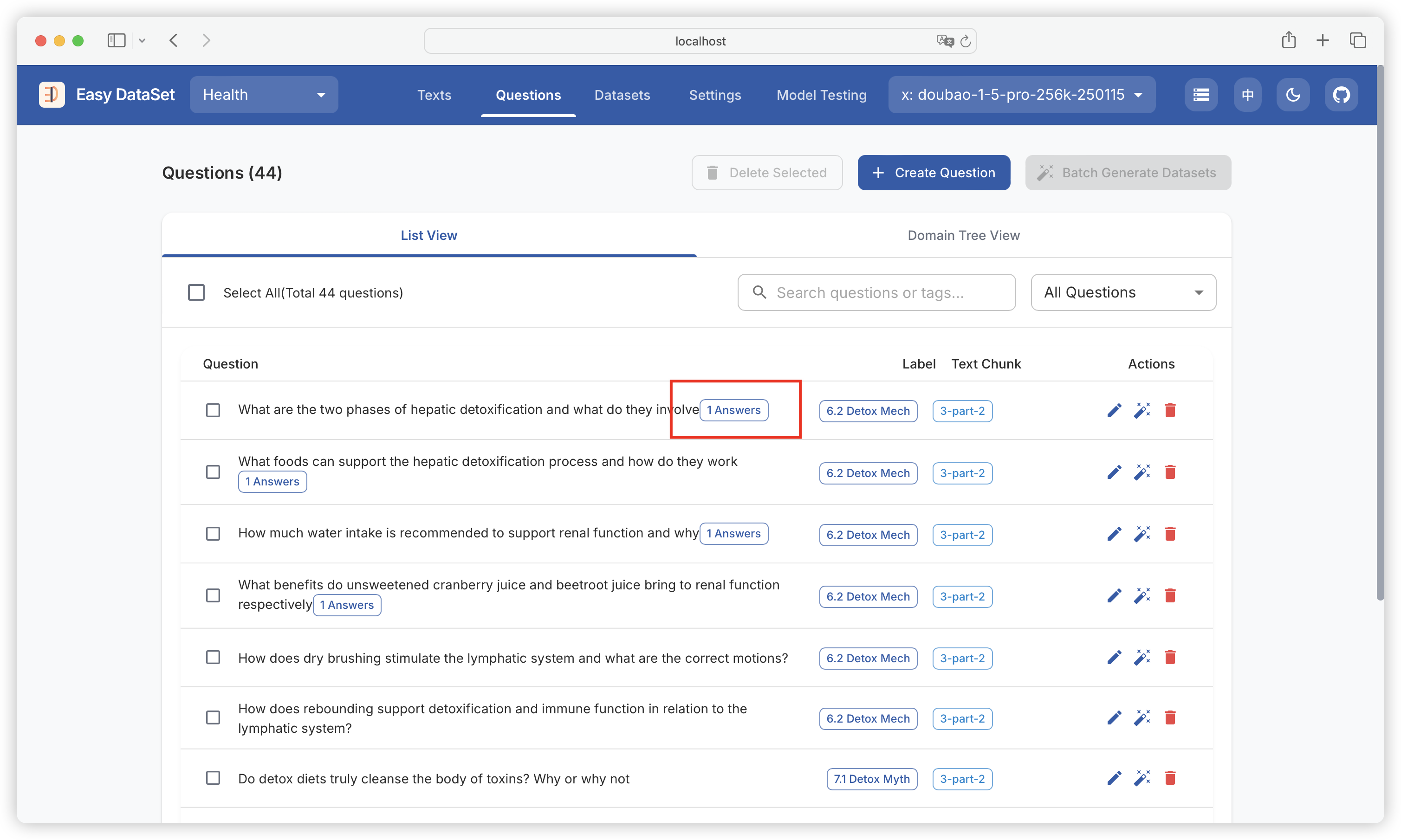
问题生成答案后，将在右侧展示已经生成答案的数量（单个问题可以生成多个答案）：

<figure><img src="https://544849060-files.gitbook.io/~/files/v0/b/gitbook-x-prod.appspot.com/o/spaces%2FDgZmZsLiavwvoXVnDBQ5%2Fuploads%2F5yY0aSucxr2vrndj2EQl%2Fimage.png?alt=media&#x26;token=df99502d-1840-4d9f-b9ef-230176d3dd07" alt=""><figcaption></figcaption></figure>

{% hint style="info" %}
Easy DataSet 会根据问题 + 问题对应的文本块 + 领域标签来一起生成答案，来保障答案和文献本身的相关性。
{% endhint %}

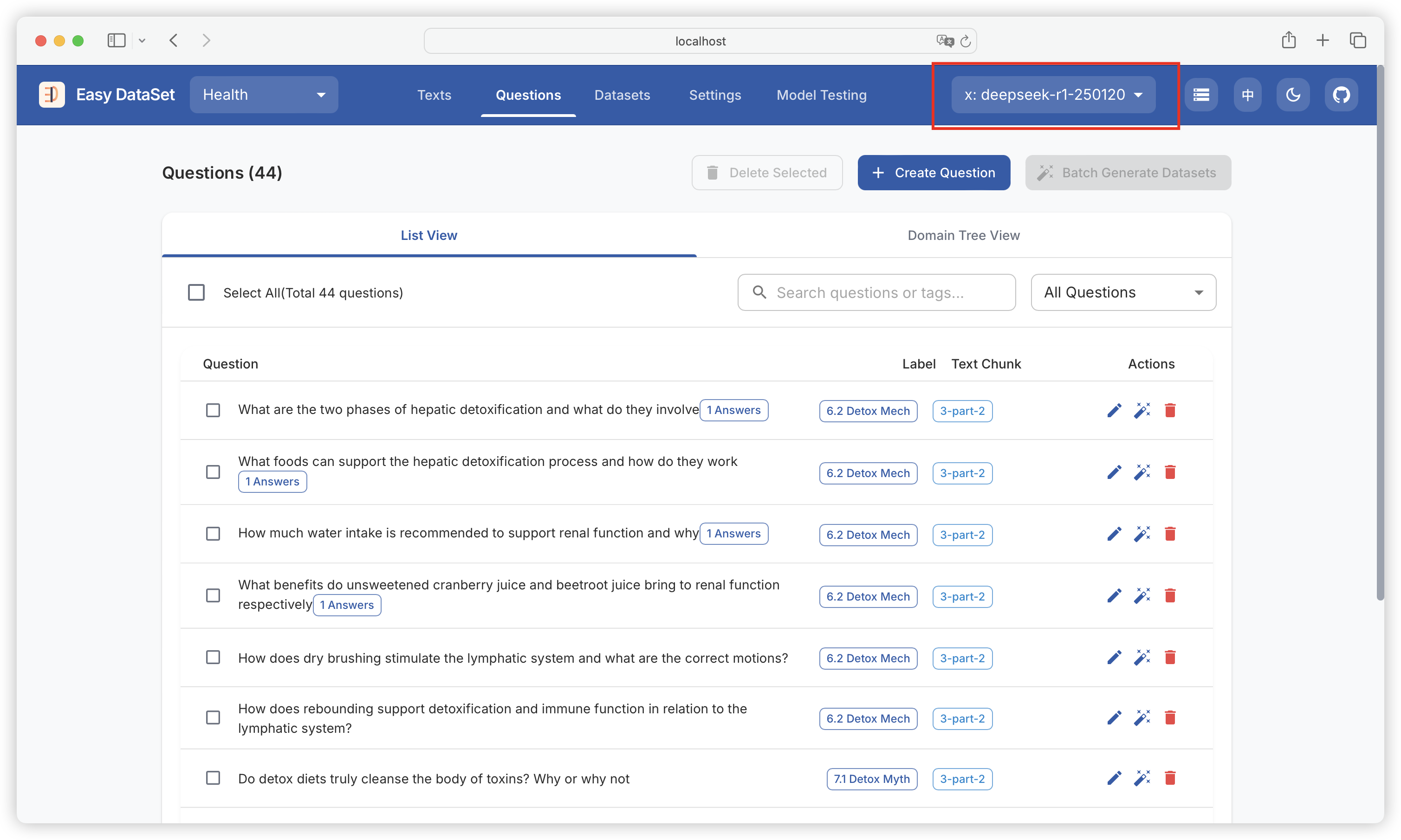
当右上角选择的是推理模型时，将保留模型推理过程中的思维链（COT）：

<figure><img src="https://544849060-files.gitbook.io/~/files/v0/b/gitbook-x-prod.appspot.com/o/spaces%2FDgZmZsLiavwvoXVnDBQ5%2Fuploads%2Fw20vKJefm4rleEWySe7K%2Fimage.png?alt=media&#x26;token=153599a3-0a54-404a-80a8-0ead0f441479" alt=""><figcaption></figcaption></figure>

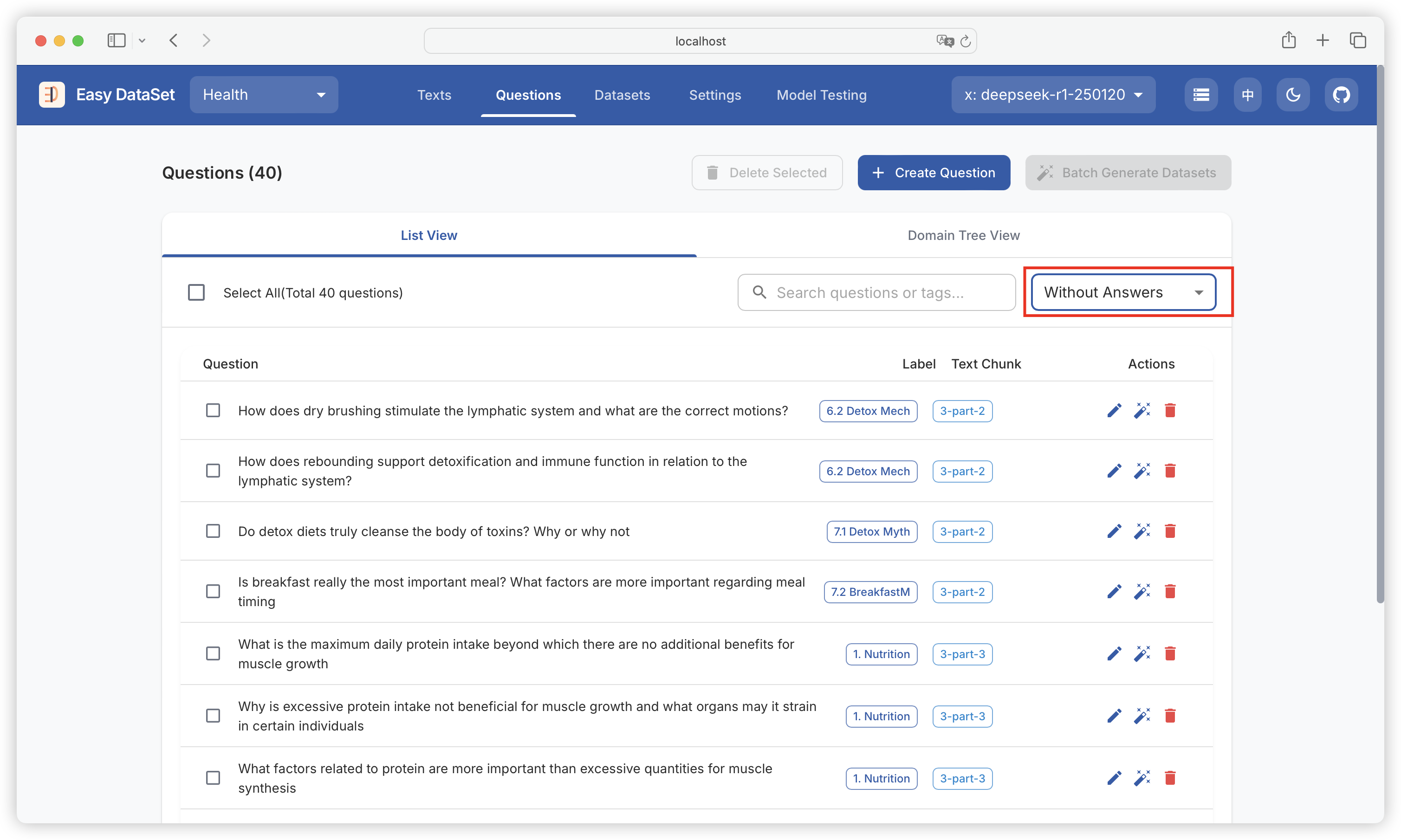
可以筛选已生成答案、未生成答案的问题：

<figure><img src="https://544849060-files.gitbook.io/~/files/v0/b/gitbook-x-prod.appspot.com/o/spaces%2FDgZmZsLiavwvoXVnDBQ5%2Fuploads%2FnLiHdLuaTYZ83Yohj5iv%2Fimage.png?alt=media&#x26;token=31420bd9-ea71-4fd4-9ce4-a14e94f780c3" alt=""><figcaption></figcaption></figure>

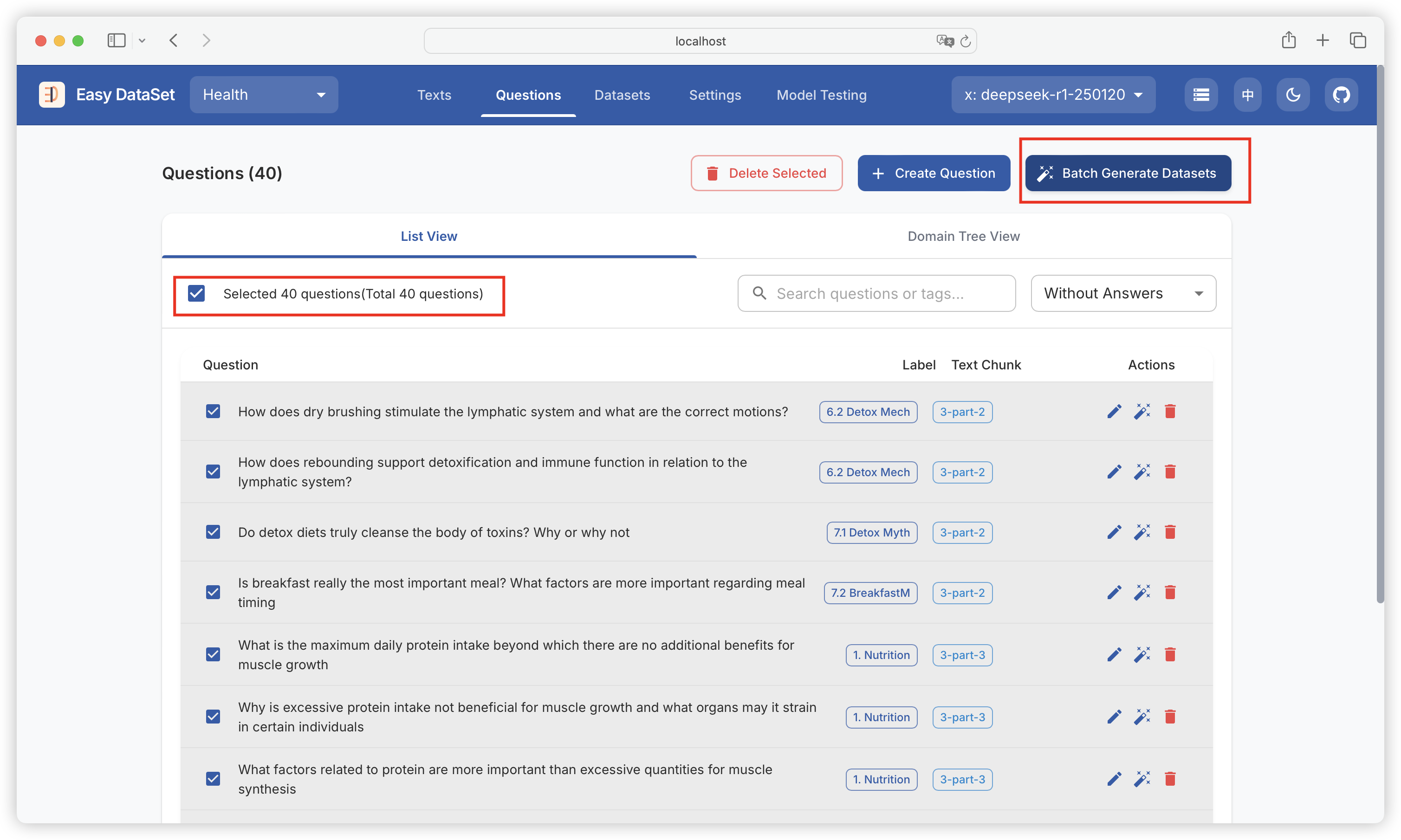
### 批量生成数据集

可以多选、全选问题，批量生产答案：

<figure><img src="https://544849060-files.gitbook.io/~/files/v0/b/gitbook-x-prod.appspot.com/o/spaces%2FDgZmZsLiavwvoXVnDBQ5%2Fuploads%2FK9aPlXM5gr7p6GffxGrJ%2Fimage.png?alt=media&#x26;token=747a0ebc-aaf9-4f94-a88a-2a9f9ccd6e9d" alt=""><figcaption></figcaption></figure>

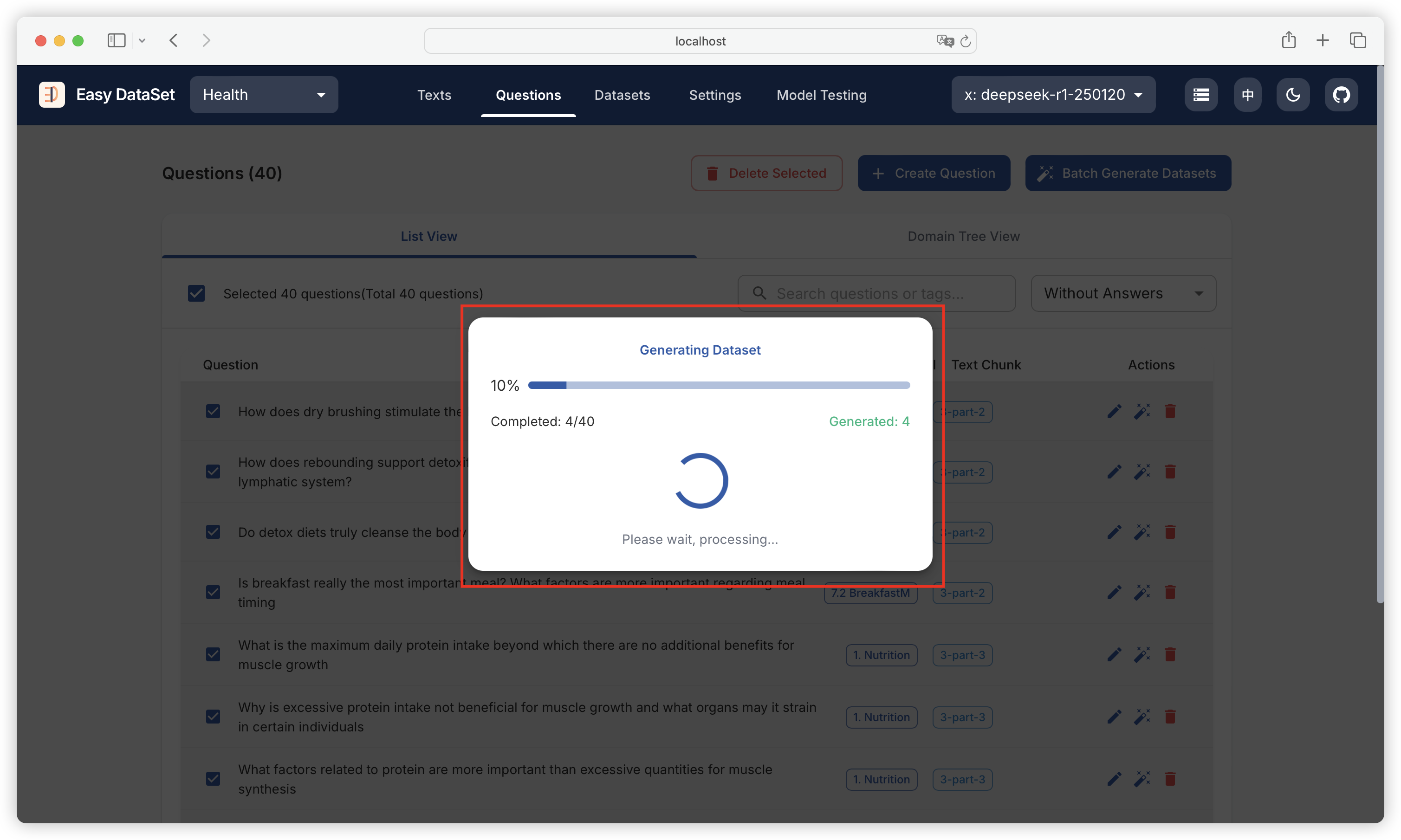
可以查看批量任务的进度：

<figure><img src="https://544849060-files.gitbook.io/~/files/v0/b/gitbook-x-prod.appspot.com/o/spaces%2FDgZmZsLiavwvoXVnDBQ5%2Fuploads%2FUJenNrTtX0JT0AdC6qXI%2Fimage.png?alt=media&#x26;token=9d80acb7-d42d-4cdc-abf5-85d617522803" alt=""><figcaption></figcaption></figure>

{% hint style="info" %}
当批量任务进行中，关闭、刷新当前页面都会中断任务，可以开一个新页面到数据集管理查看已经生成的答案。
{% endhint %}

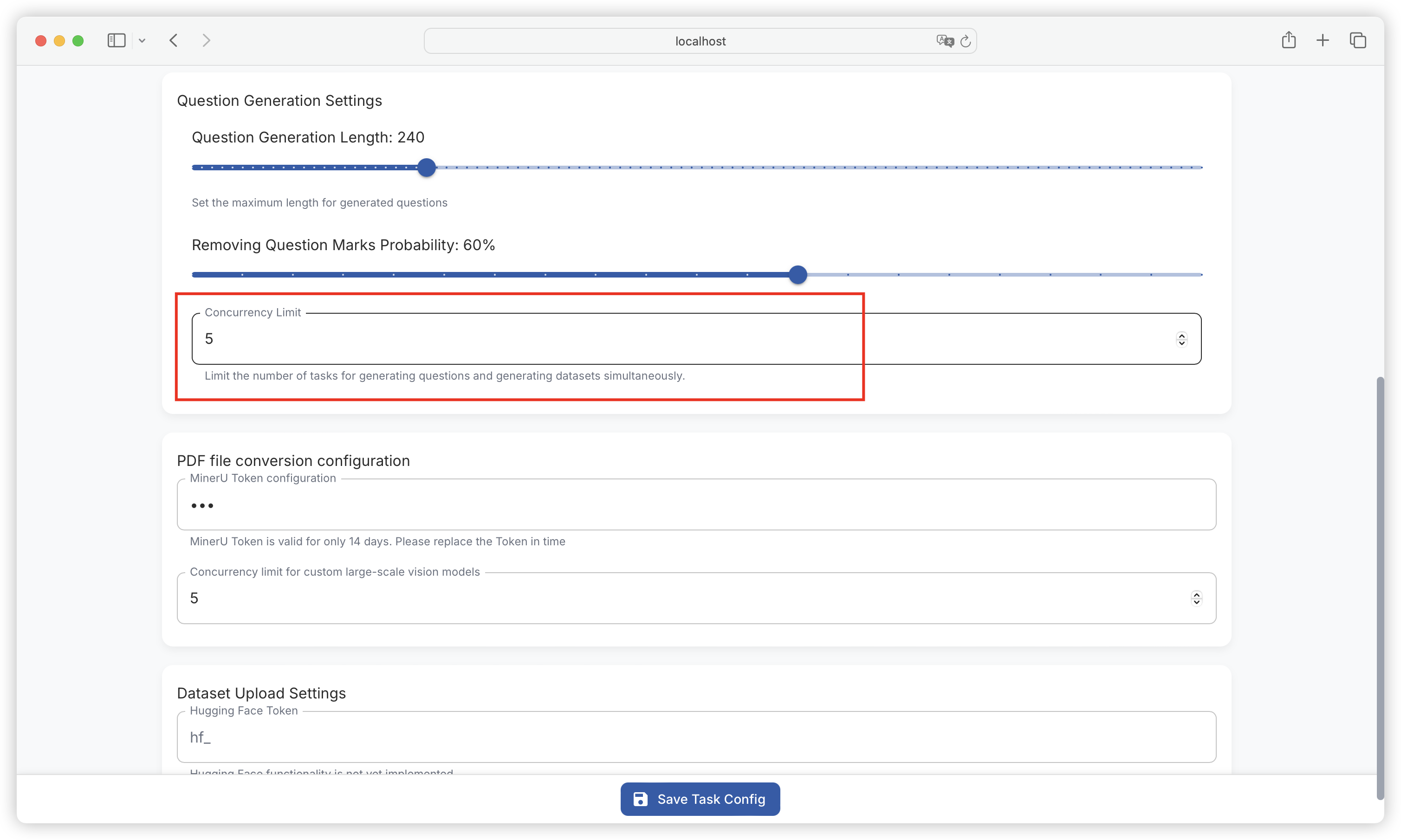
### 数据集生成配置

在任务设置 - 问题生成设置中的并发任务数量，依然可以控制批量生成数据集的最大并发数量：

<figure><img src="https://544849060-files.gitbook.io/~/files/v0/b/gitbook-x-prod.appspot.com/o/spaces%2FDgZmZsLiavwvoXVnDBQ5%2Fuploads%2F7BVtC9p7gpNJj6FLyLQx%2Fimage.png?alt=media&#x26;token=04f24f8b-3d17-4324-bffc-06663328cbbe" alt=""><figcaption></figcaption></figure>

{% hint style="info" %}
最大并发数量越大，数据集生成任务越快，反之越慢，注意模型提供商最大并发限制。
{% endhint %}


# 数据集管理

{% hint style="info" %}
对已生成的数据集进行确认、过滤、修订、优化，保障最终导出符合需求的高质量数据集。
{% endhint %}

### 数据集列表

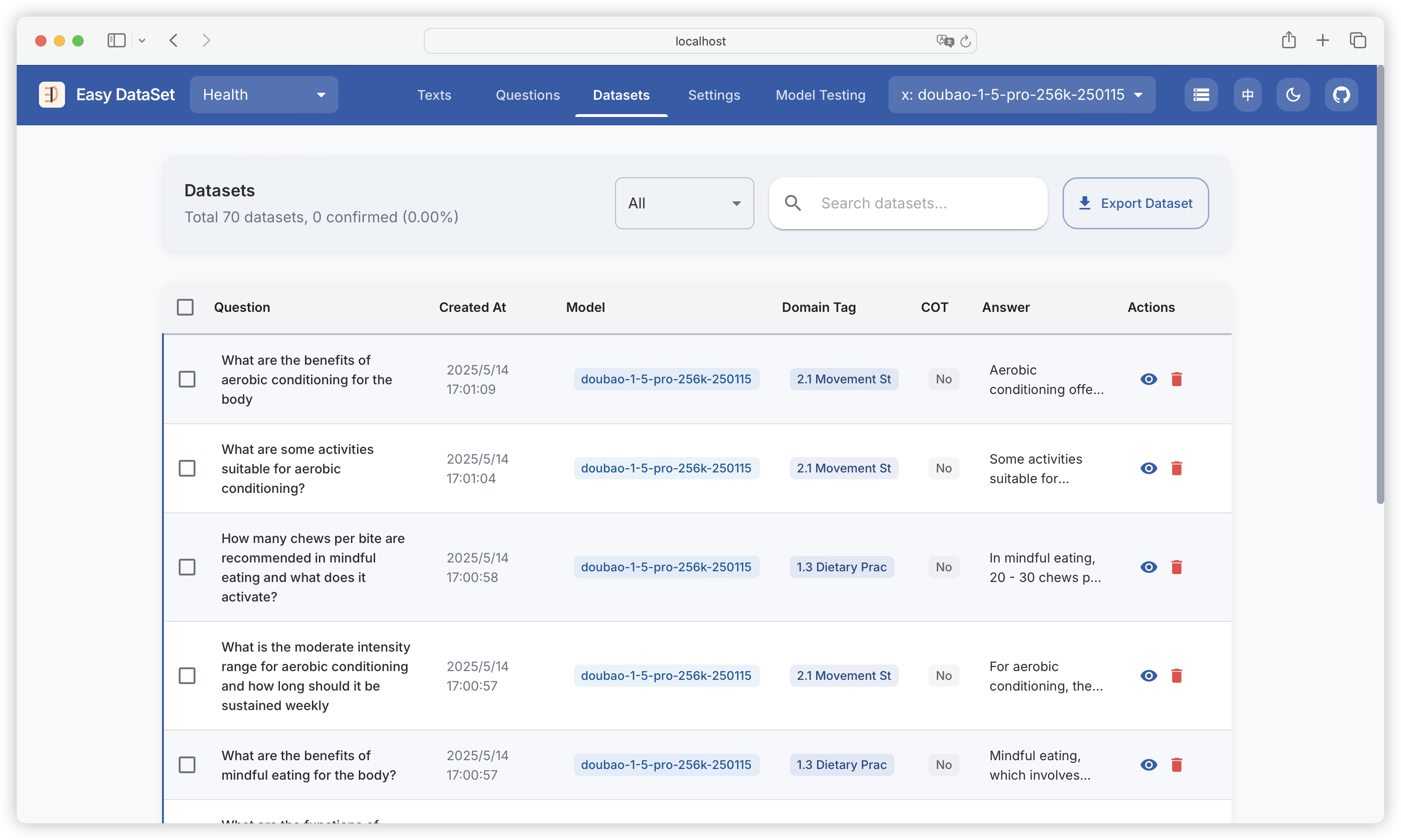
查看所有已经生成的数据集，包括原始问题、创建时间、使用的模型、领域标签、是否含有思维链（COT）、答案摘要：

<figure><img src="https://544849060-files.gitbook.io/~/files/v0/b/gitbook-x-prod.appspot.com/o/spaces%2FDgZmZsLiavwvoXVnDBQ5%2Fuploads%2FaPD9qJuEw9k4R8OUASNp%2Fimage.png?alt=media&#x26;token=2346a3df-0dbe-4399-add9-fa4ef43e7fd9" alt=""><figcaption></figcaption></figure>

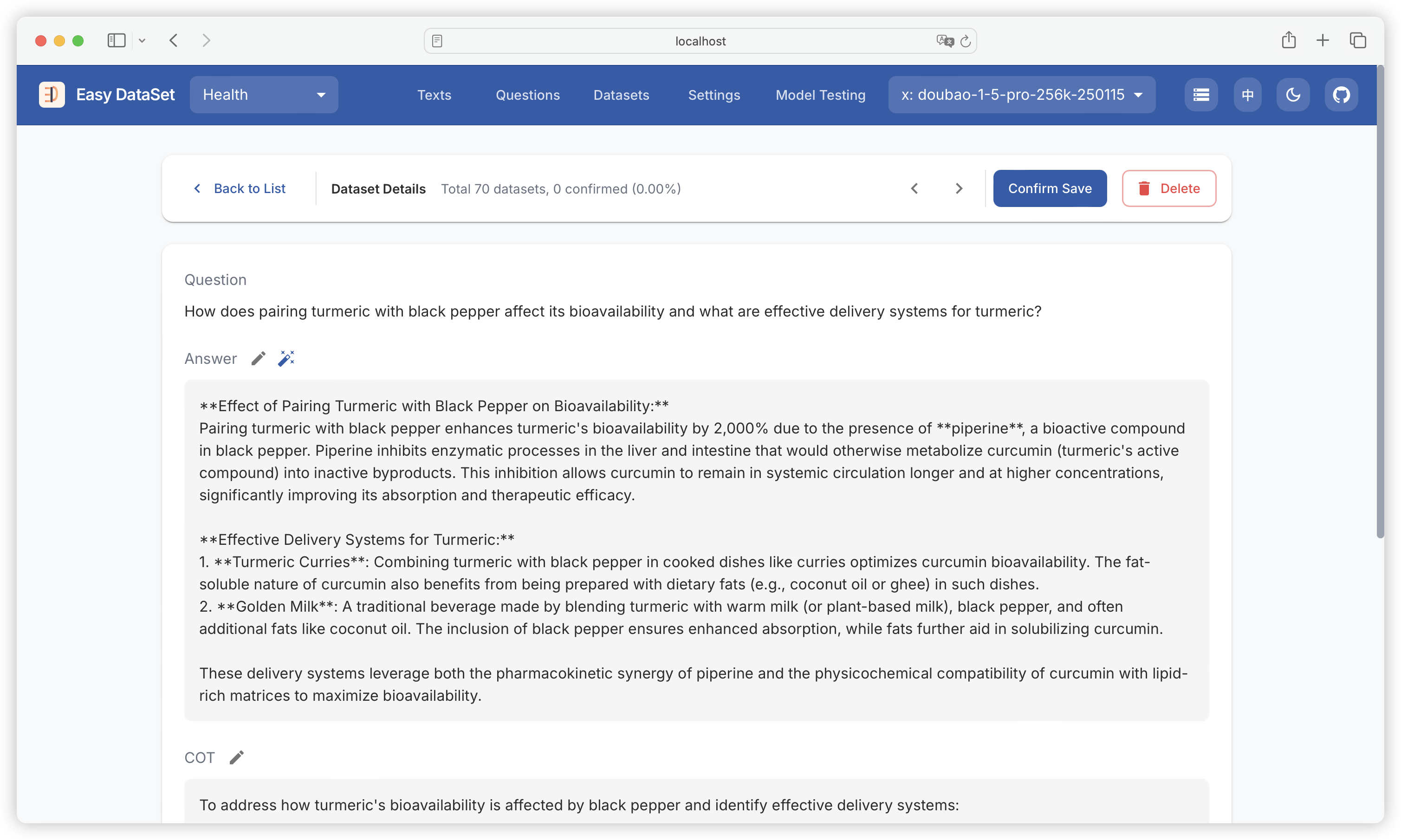
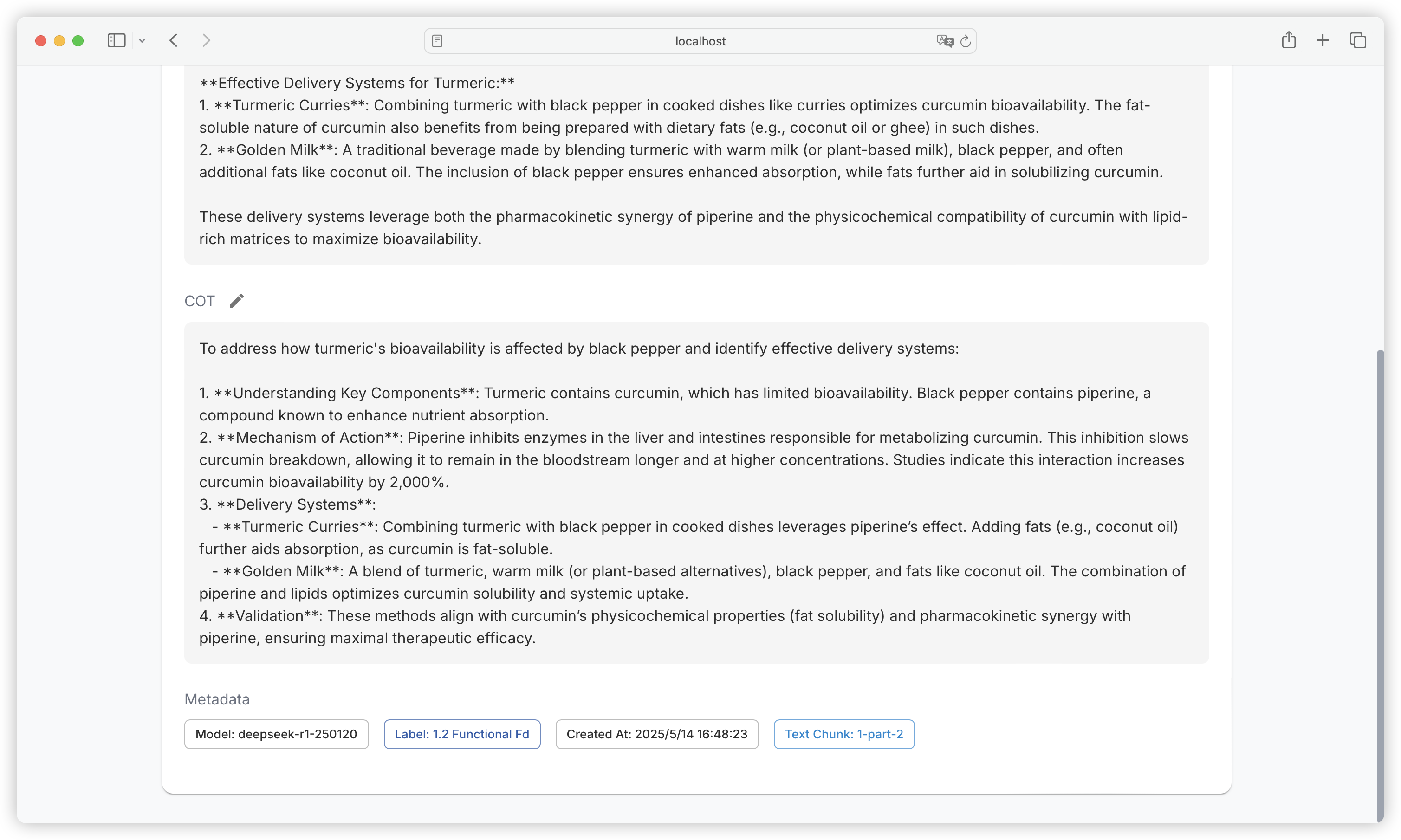
### 数据集详情

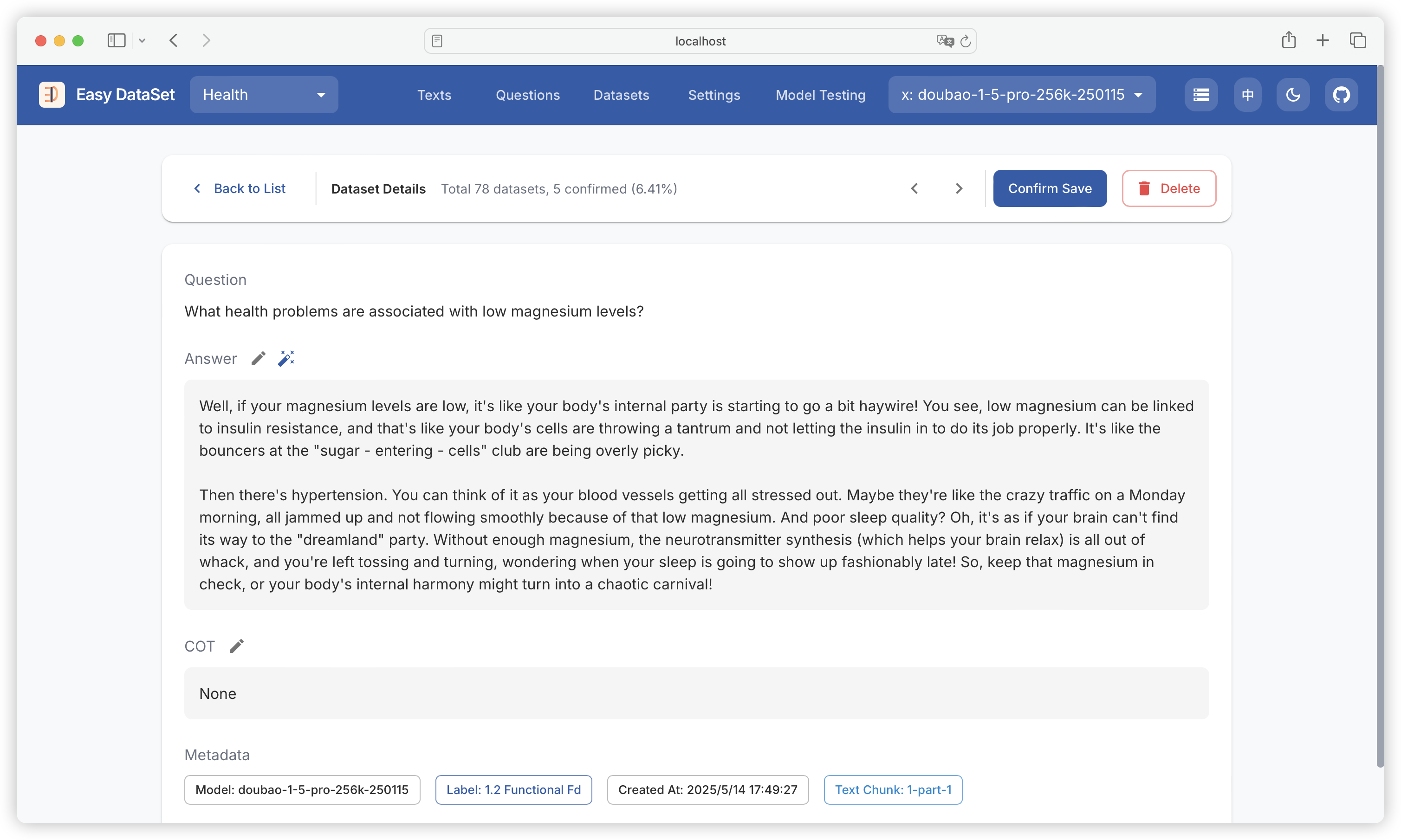
点击单条数据集，可查看数据集详情，包含问题、答案、思维链、使用模型、领域标签、创建时间、文本块：

<figure><img src="https://544849060-files.gitbook.io/~/files/v0/b/gitbook-x-prod.appspot.com/o/spaces%2FDgZmZsLiavwvoXVnDBQ5%2Fuploads%2FGFtKPdvIr0qNALaYGPit%2Fimage.png?alt=media&#x26;token=d5db191f-6bbf-4af9-ba4c-35e7ff5b6367" alt=""><figcaption></figcaption></figure>

<figure><img src="https://544849060-files.gitbook.io/~/files/v0/b/gitbook-x-prod.appspot.com/o/spaces%2FDgZmZsLiavwvoXVnDBQ5%2Fuploads%2FRzDTVcLI6OmQiw4IFWZc%2Fimage.png?alt=media&#x26;token=31edd6f4-0f36-438c-a87c-77734dc2b8af" alt=""><figcaption></figcaption></figure>

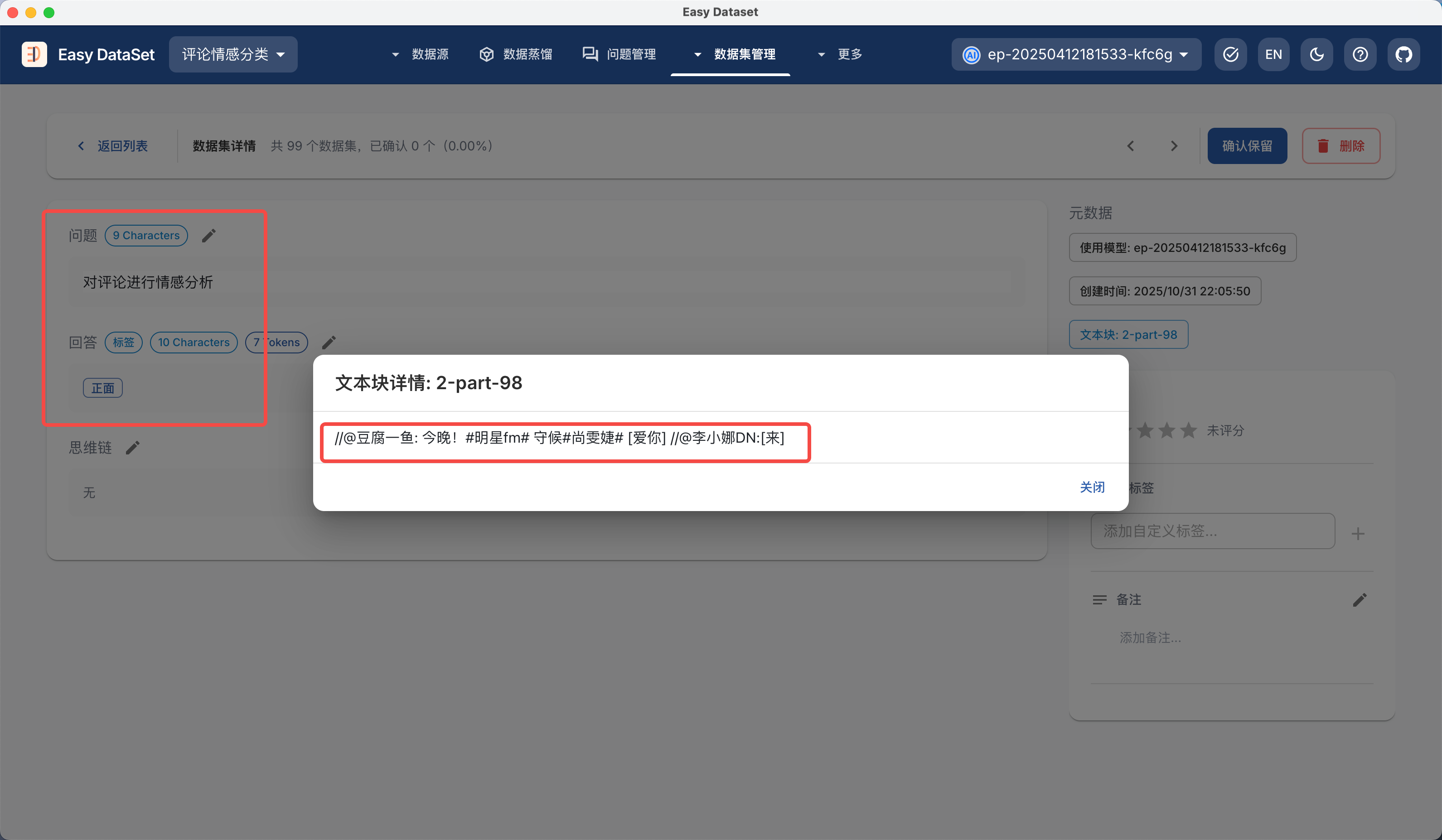
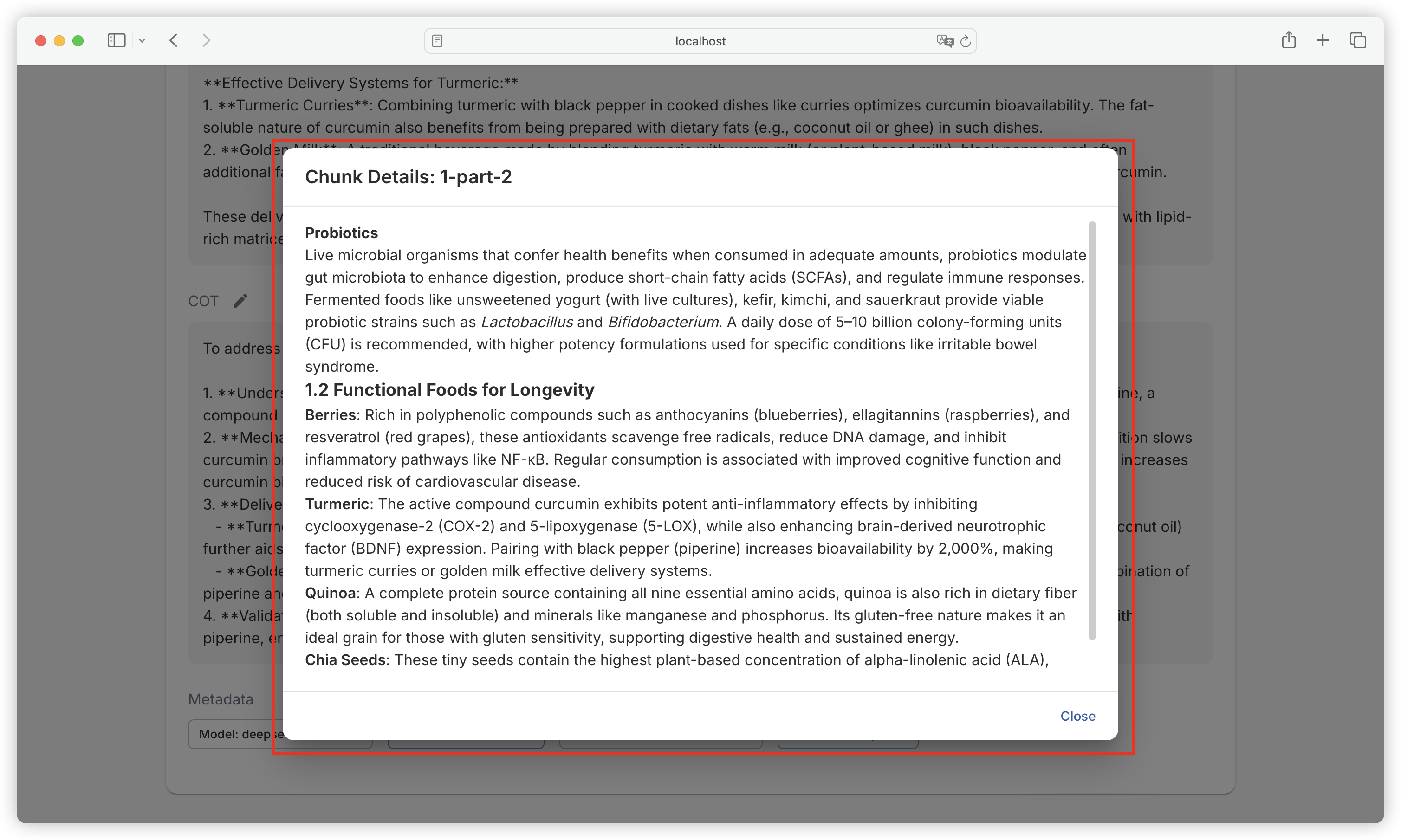
点击文本块名称，可查看原始文本块详情，方便对比原始内容和答案的差距：

<figure><img src="https://544849060-files.gitbook.io/~/files/v0/b/gitbook-x-prod.appspot.com/o/spaces%2FDgZmZsLiavwvoXVnDBQ5%2Fuploads%2Fc8KHN8N6KpWAQUWKFyOy%2Fimage.png?alt=media&#x26;token=6c996c7b-9d32-4f5e-90c7-aa8b76f52fb6" alt=""><figcaption></figcaption></figure>

### 数据集修订

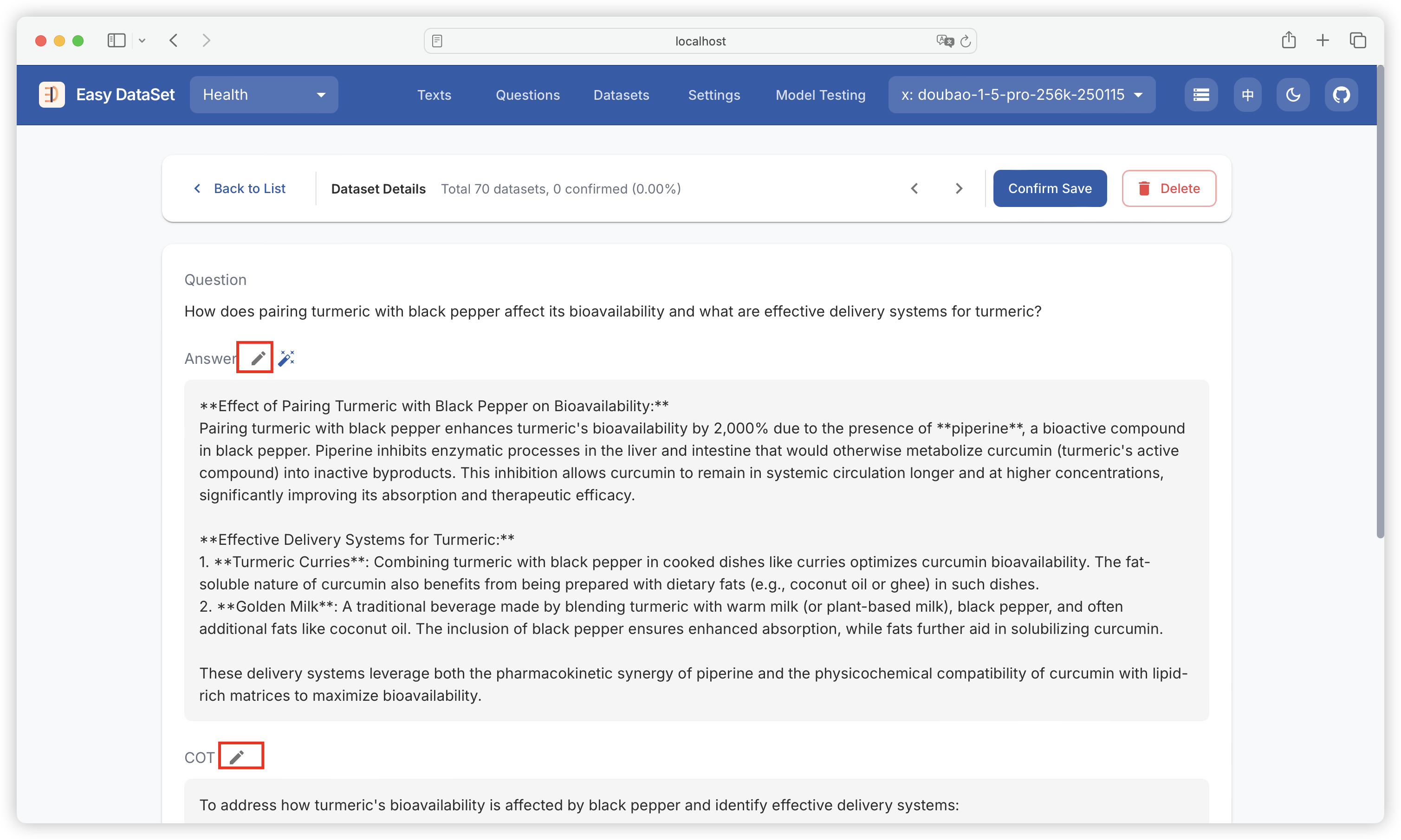
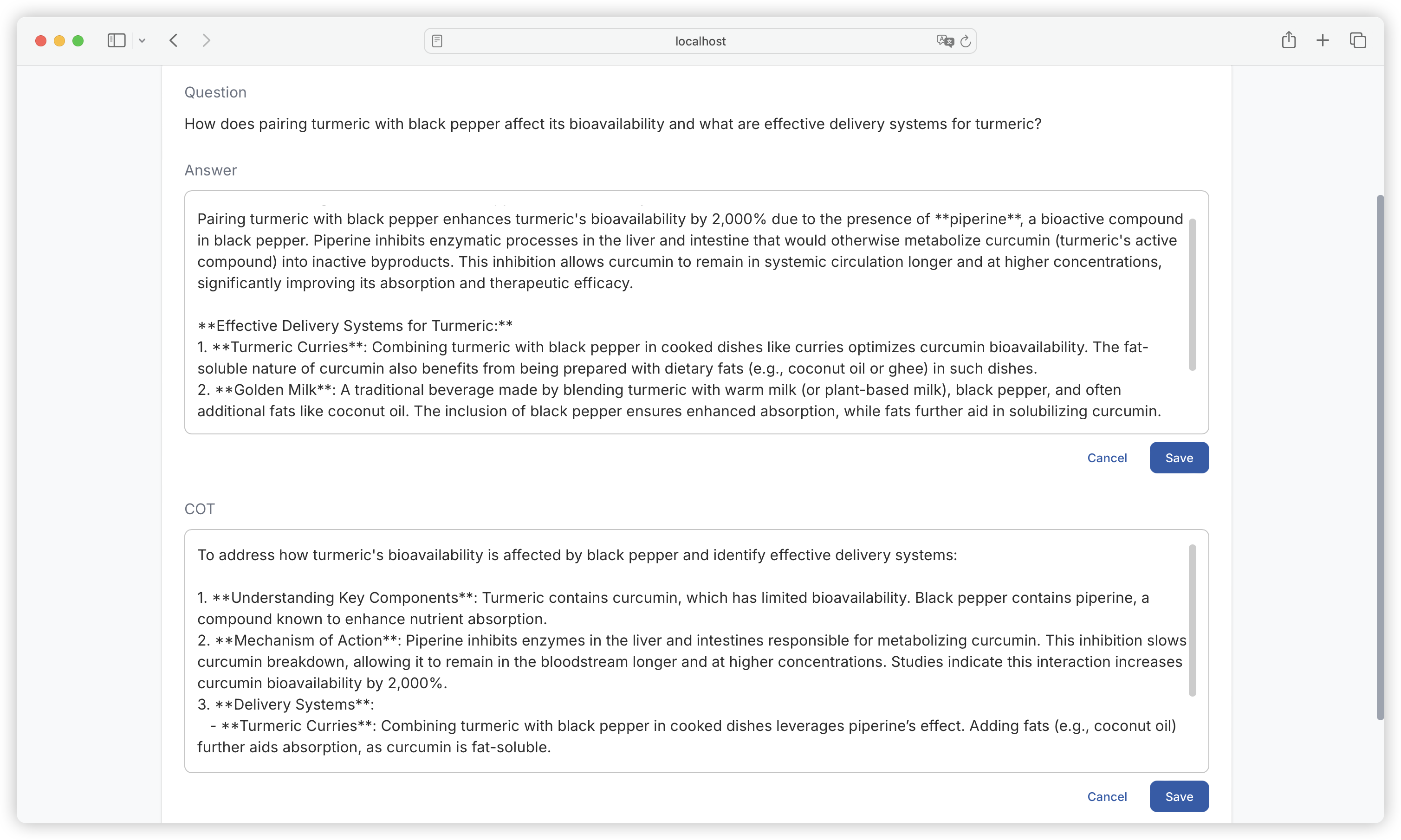
若对于生成的答案、思维链不满意，可点击编辑按钮手动修改：

<figure><img src="https://544849060-files.gitbook.io/~/files/v0/b/gitbook-x-prod.appspot.com/o/spaces%2FDgZmZsLiavwvoXVnDBQ5%2Fuploads%2Fo77FC0JLdVwJPHB0xYhS%2Fimage.png?alt=media&#x26;token=5c3d8a1f-1013-4423-bbf2-b49dff4f7f50" alt=""><figcaption></figcaption></figure>

<figure><img src="https://544849060-files.gitbook.io/~/files/v0/b/gitbook-x-prod.appspot.com/o/spaces%2FDgZmZsLiavwvoXVnDBQ5%2Fuploads%2FUKhGlMPStI6w86FSYq6W%2Fimage.png?alt=media&#x26;token=8ed43b53-67bc-482a-bfc7-c8cdce955ef9" alt=""><figcaption></figcaption></figure>

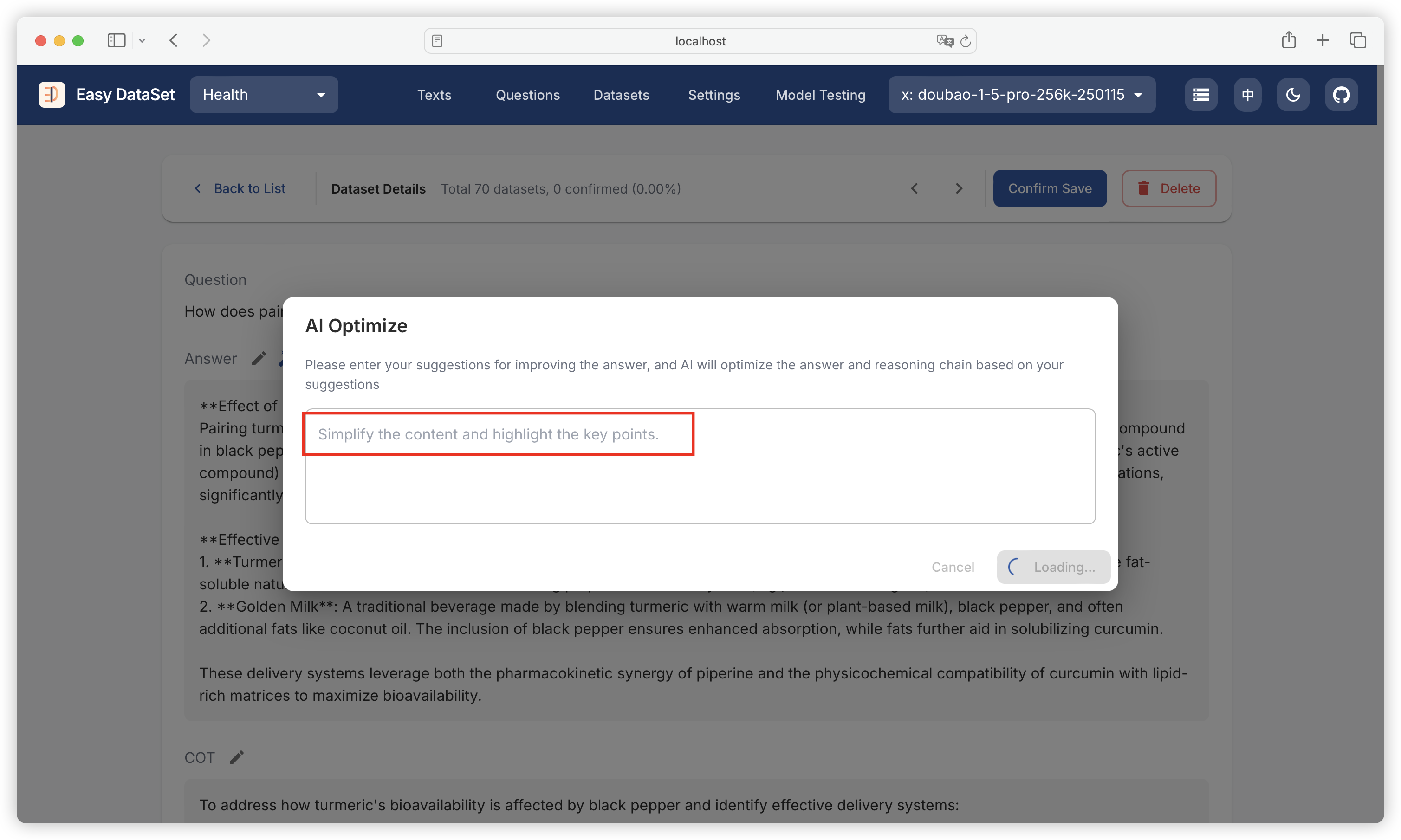
点击魔法棒图标，可向 AI 提供优化建议，基于 AI 进行优化：

<figure><img src="https://544849060-files.gitbook.io/~/files/v0/b/gitbook-x-prod.appspot.com/o/spaces%2FDgZmZsLiavwvoXVnDBQ5%2Fuploads%2FLJ2BlIQazvDbUsqb5Bl9%2Fimage.png?alt=media&#x26;token=0a9bdd39-98e5-41c2-8b6d-634314cd9c33" alt=""><figcaption></figcaption></figure>

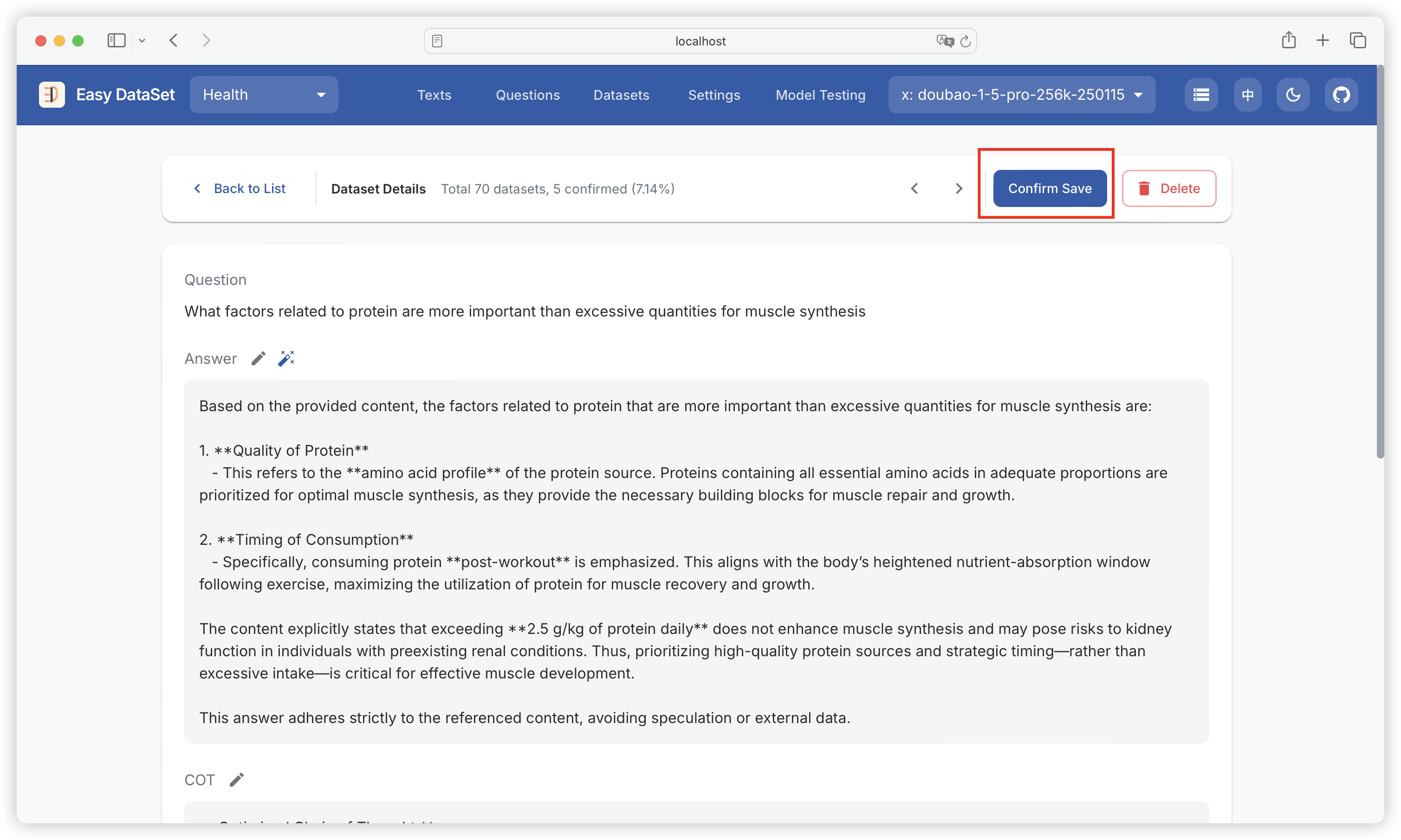
### 数据集确认

确认数据集无问题，可点击确认保留：

<figure><img src="https://544849060-files.gitbook.io/~/files/v0/b/gitbook-x-prod.appspot.com/o/spaces%2FDgZmZsLiavwvoXVnDBQ5%2Fuploads%2FNCRBzVB9LHxQtdoRF5iw%2Fimage.png?alt=media&#x26;token=a5833545-7e2c-4f63-a311-f87df60b3d13" alt=""><figcaption></figcaption></figure>

已确认的数据集将会被打上标签：

<figure><img src="https://544849060-files.gitbook.io/~/files/v0/b/gitbook-x-prod.appspot.com/o/spaces%2FDgZmZsLiavwvoXVnDBQ5%2Fuploads%2FtWkUfdiDEfwX4yOhVZZy%2Fimage.png?alt=media&#x26;token=bea3d26d-d8e7-4588-b9f0-6b9b40fcfe6c" alt=""><figcaption></figcaption></figure>

{% hint style="warning" %}
注意：确认数据集不是必备操作，仅用于平台记录已确认的情况，不影响后续导出（**未确认的数据集也能导出**）。
{% endhint %}

### 数据集标注

为了满足更灵活的数据集标注需求，在数据集详情中，你可以对数据集添加自定义标签、备注以及评分：

![](https://files.mdnice.com/user/6267/d5aaeb76-c9e6-403b-9ac5-ecad9c129e45.jpg)

并且在筛选中可以根据这些条件进行筛选：

![](https://files.mdnice.com/user/6267/495cc75a-c5fe-47a9-96f0-899d70645ef4.png)

### 数据集评估

你可以使用 AI 对已有数据集进行质量评估，可对单条数据集发起评估，以及后台批量评估：

![](https://files.mdnice.com/user/6267/4e4d58b5-fc89-4798-a94c-ffb9c1d43fda.png)

AI 质量评估完成后，将自动对数据集进行打分，以及添加 AI 评估备注：

![](https://files.mdnice.com/user/6267/b2872875-2f4b-4e9b-b945-1e0cadaa1a0c.jpg)

同样的，你可以到 **项目配置 - 提示词配置 - 质量评估** 自由更改自动质量评估的提示词，以满足定制化的评估需求：

![](https://files.mdnice.com/user/6267/65bb9f66-4ab4-4a1d-84c0-311bf2f64be6.png)


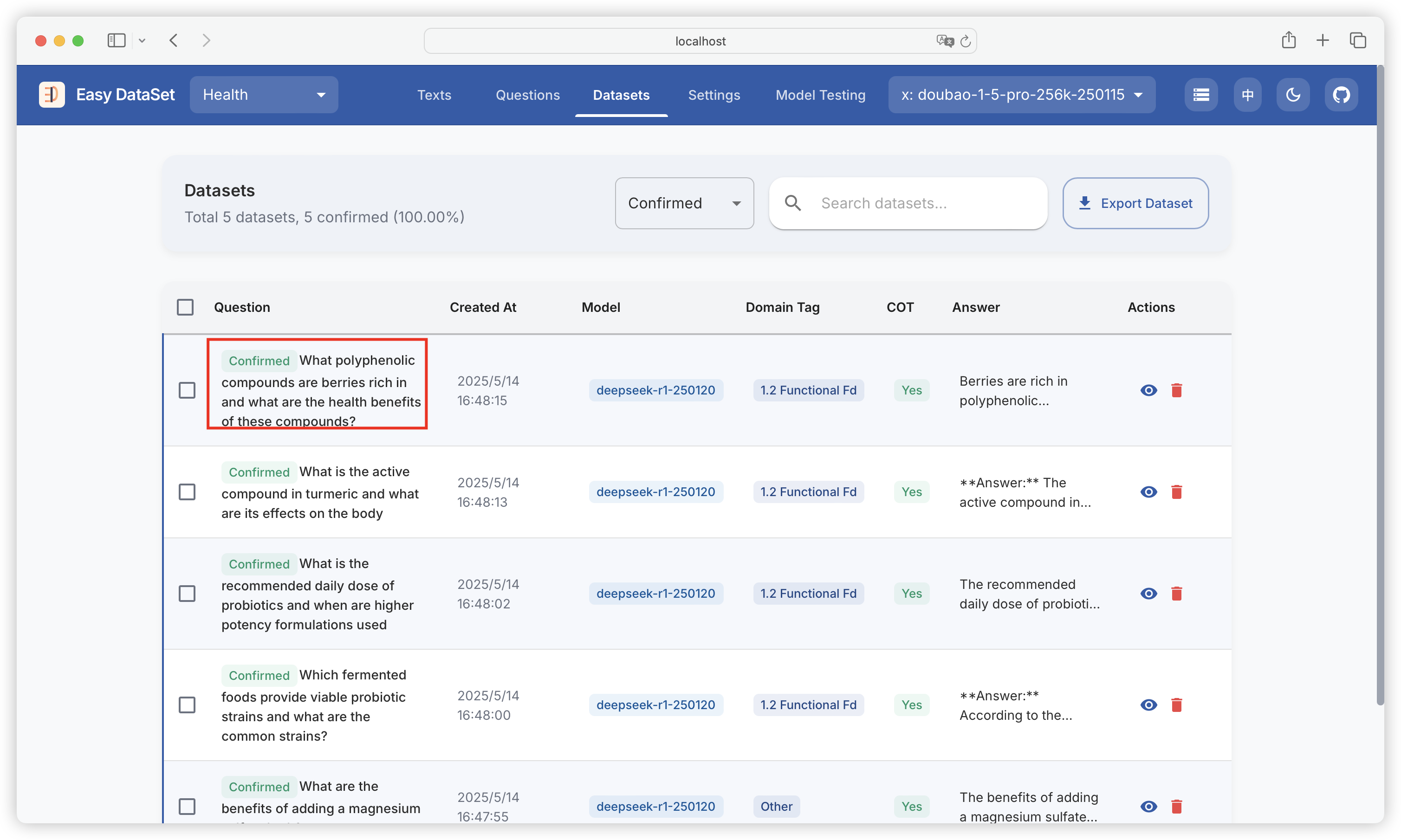
# 数据集导出

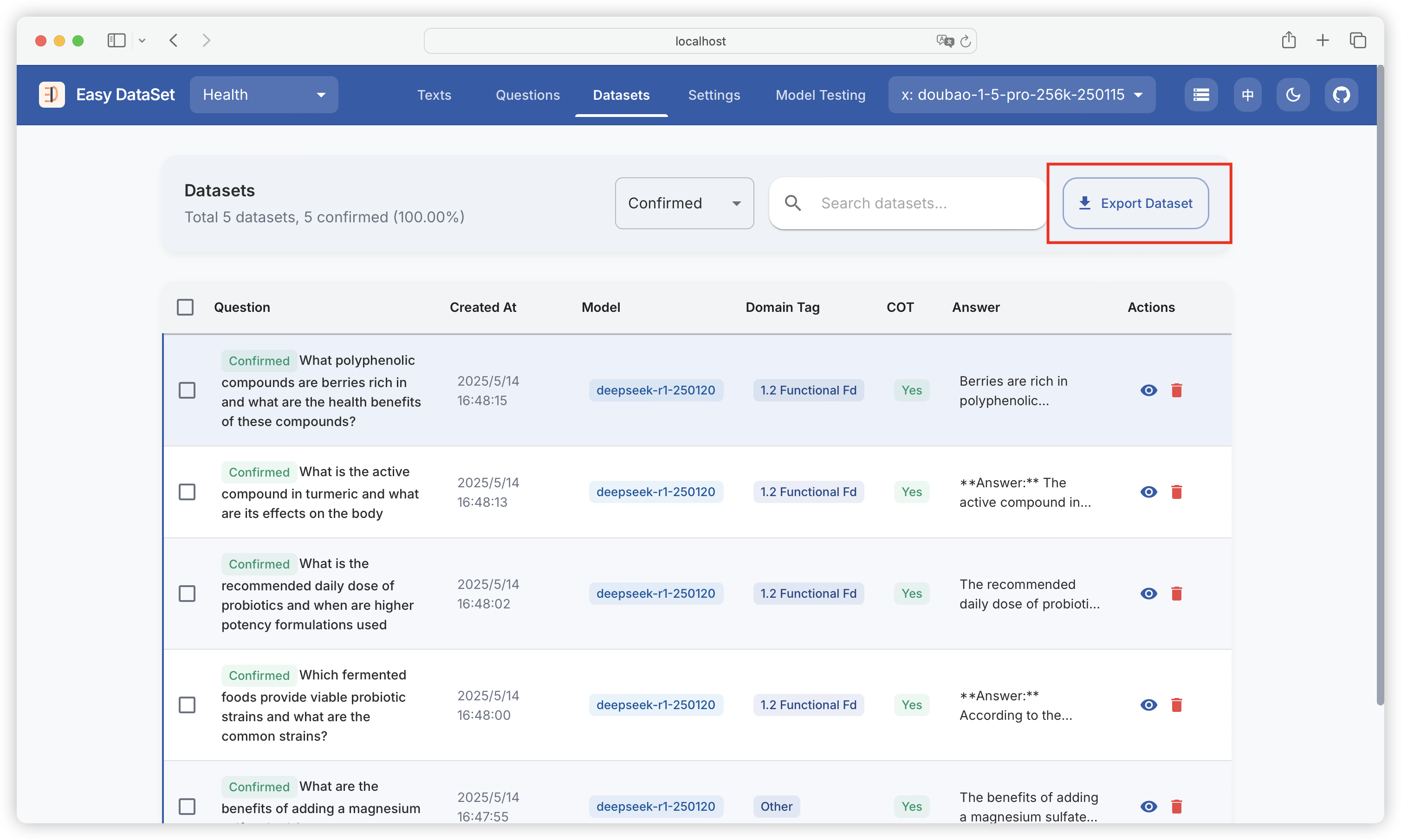
{% hint style="info" %}
数据集确认完成后，可回到列表，点击导出数据集，支持导出到本地、一键生成 LLaMA Factory 配置、一键上传 Hugging Face 三种方式。
{% endhint %}

<figure><img src="https://544849060-files.gitbook.io/~/files/v0/b/gitbook-x-prod.appspot.com/o/spaces%2FDgZmZsLiavwvoXVnDBQ5%2Fuploads%2FyUadHFHH2esBfzQB1F0U%2Fimage.png?alt=media&#x26;token=2cf68343-7e7d-4dff-9802-6eaad3079174" alt=""><figcaption></figcaption></figure>

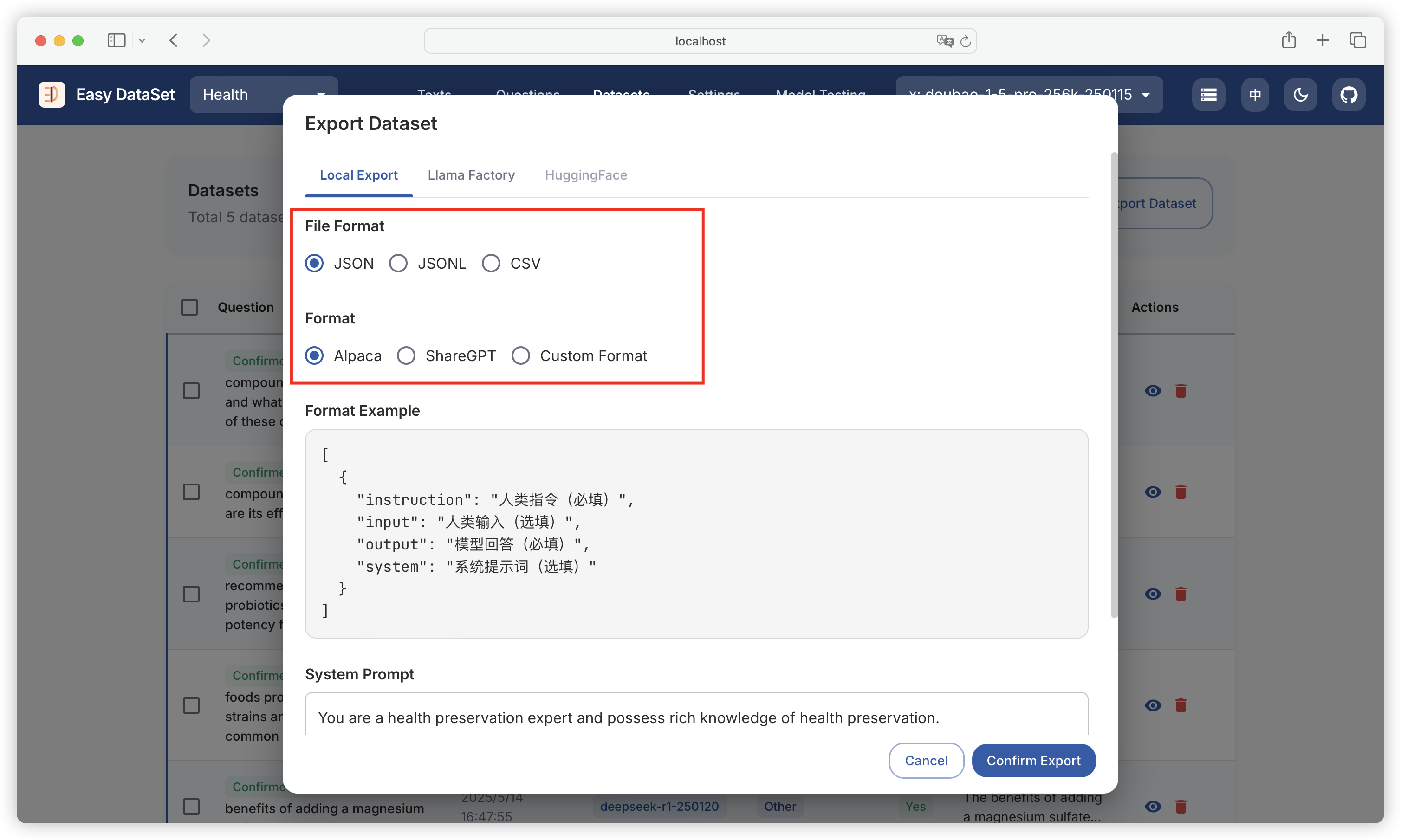
### 导出到本地

* 选择文件格式：支持 JSON、JSONL、Excel  三种格式
* 选择数据集风格：固定风格支持 Alpaca、ShareGPT&#x20;

<figure><img src="https://544849060-files.gitbook.io/~/files/v0/b/gitbook-x-prod.appspot.com/o/spaces%2FDgZmZsLiavwvoXVnDBQ5%2Fuploads%2FpHjT84EE8dU6YCe6mYsQ%2Fimage.png?alt=media&#x26;token=2113e684-719c-44e5-a56f-7ee3d633b88b" alt=""><figcaption></figcaption></figure>

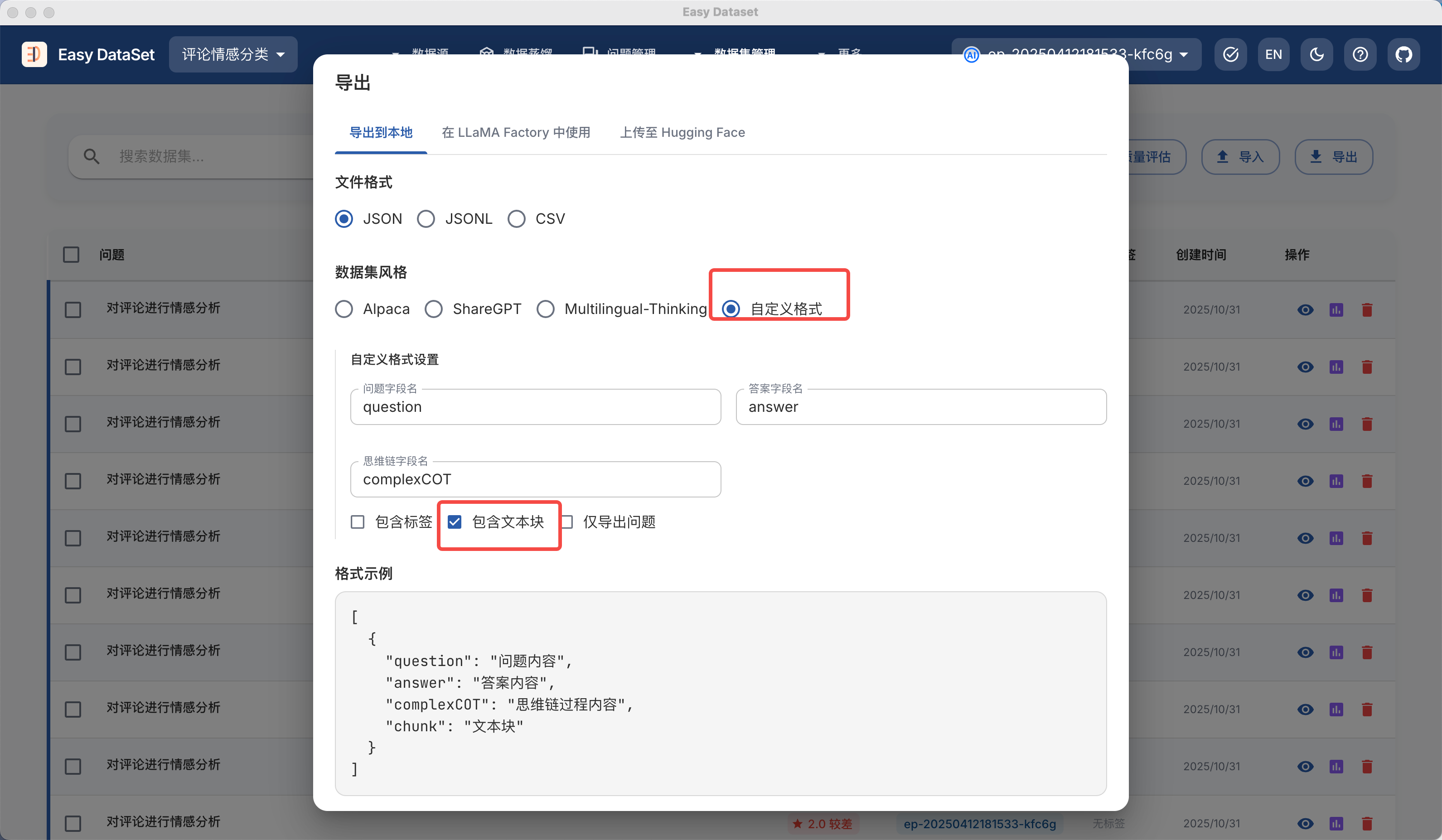
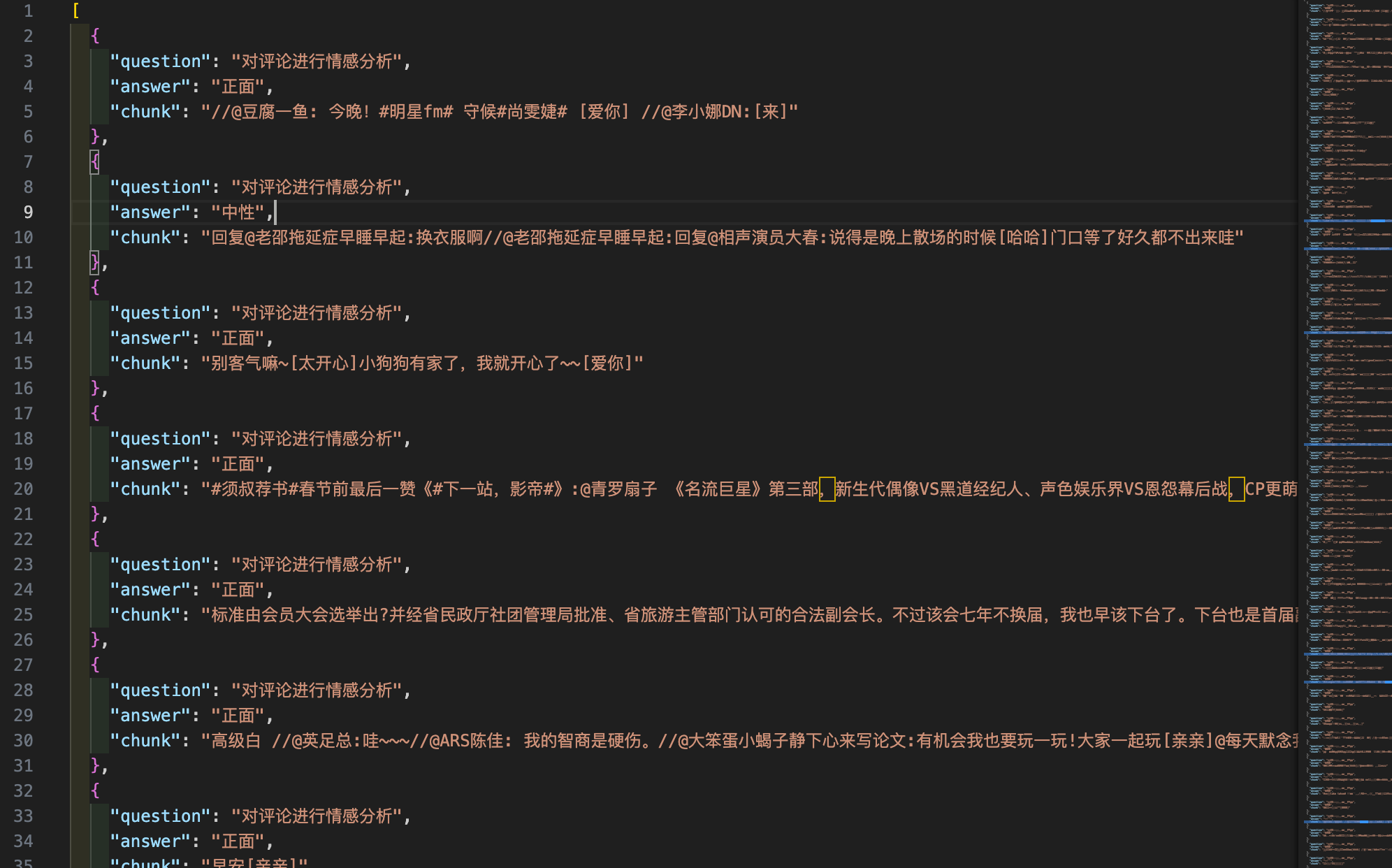
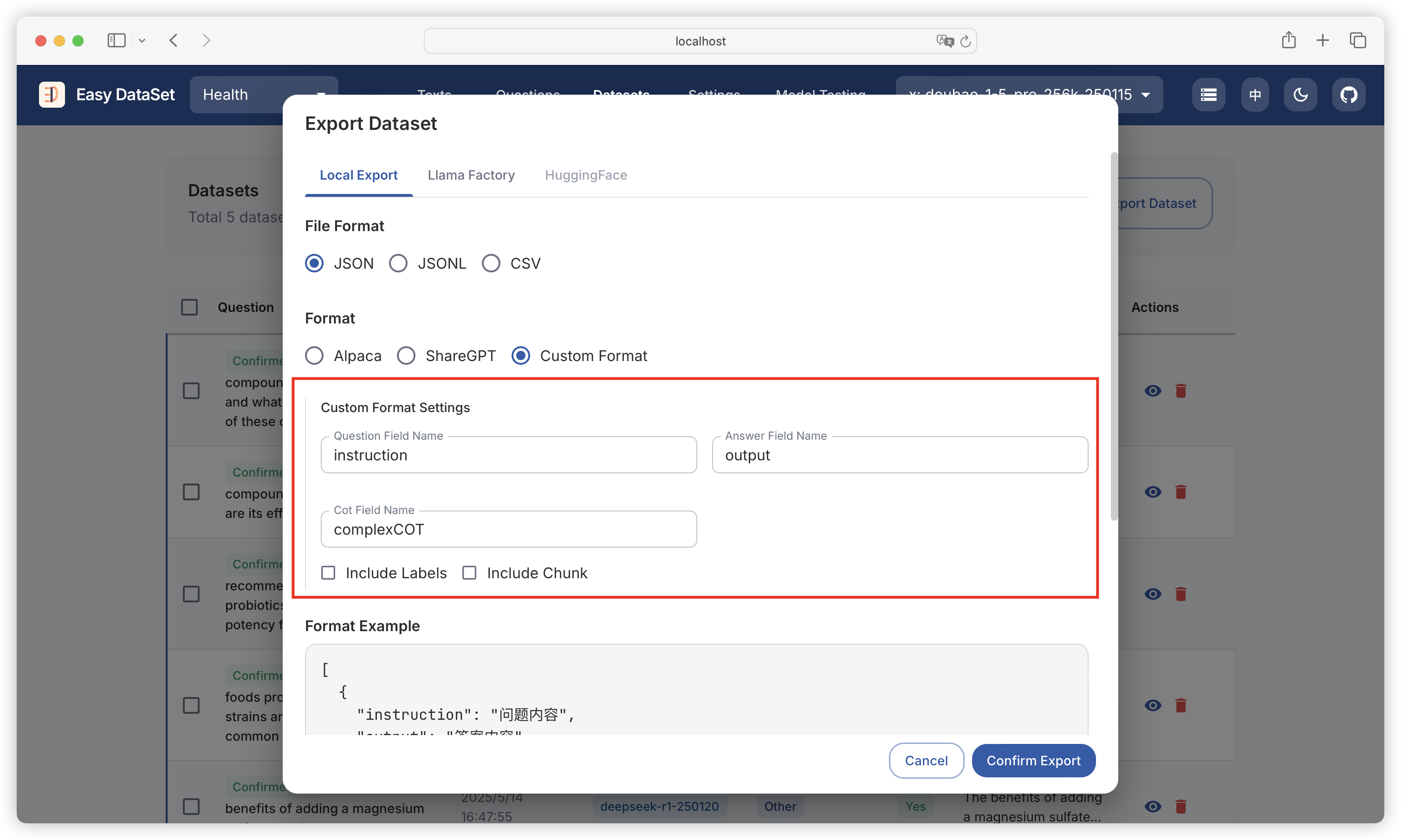
* 支持自定义风格，可以配置问题、回答、思维链对应的字段格式以及是否包含领域标签：

<figure><img src="https://544849060-files.gitbook.io/~/files/v0/b/gitbook-x-prod.appspot.com/o/spaces%2FDgZmZsLiavwvoXVnDBQ5%2Fuploads%2FiQyMZiHLIb5nZgBBW88b%2Fimage.png?alt=media&#x26;token=997050d0-2154-4a85-9250-1f91f2656a7c" alt=""><figcaption></figcaption></figure>

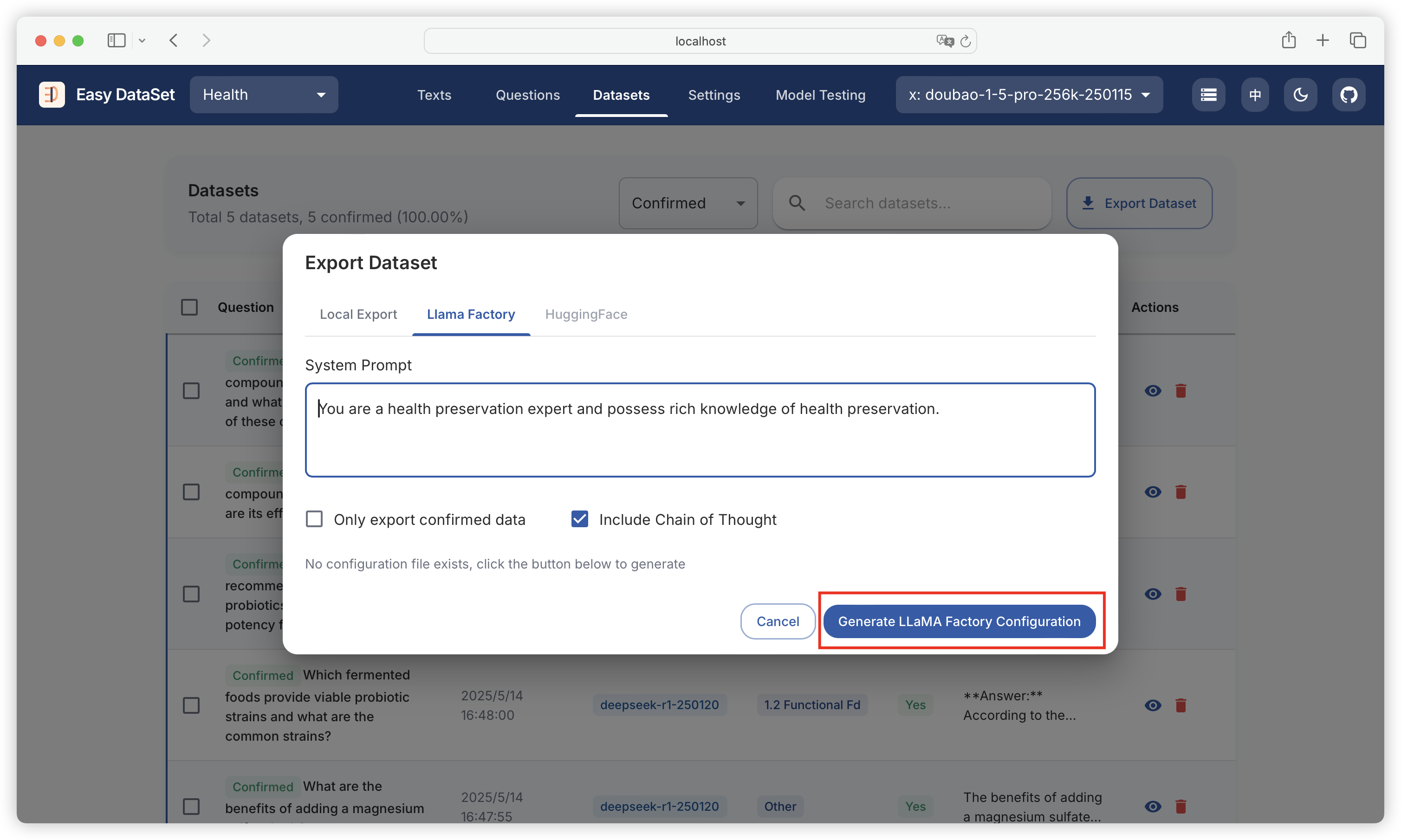
### 在 LLaMA Factory 中使用

<figure><img src="https://544849060-files.gitbook.io/~/files/v0/b/gitbook-x-prod.appspot.com/o/spaces%2FDgZmZsLiavwvoXVnDBQ5%2Fuploads%2FmOIjBRTpFPTgZx4Rfine%2Fimage.png?alt=media&#x26;token=6aee4c3d-3a53-4dd8-844e-221396b374d2" alt=""><figcaption></figcaption></figure>

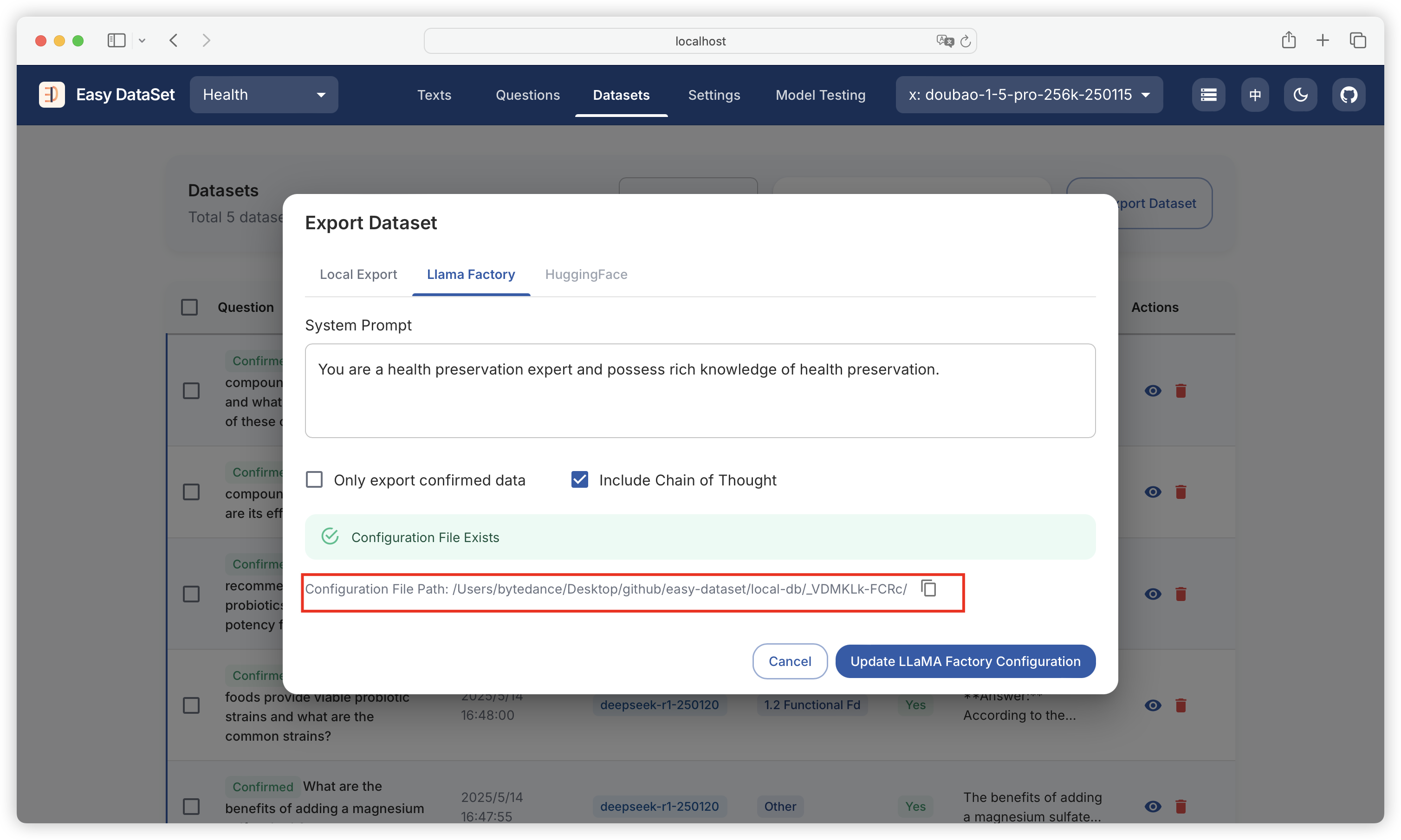
生成后，点击一键复制配置文件路径：

<figure><img src="https://544849060-files.gitbook.io/~/files/v0/b/gitbook-x-prod.appspot.com/o/spaces%2FDgZmZsLiavwvoXVnDBQ5%2Fuploads%2FeycoKQ4as8er01PSBbZc%2Fimage.png?alt=media&#x26;token=304774b5-291b-41f1-9e6d-907e49e6adb4" alt=""><figcaption></figcaption></figure>

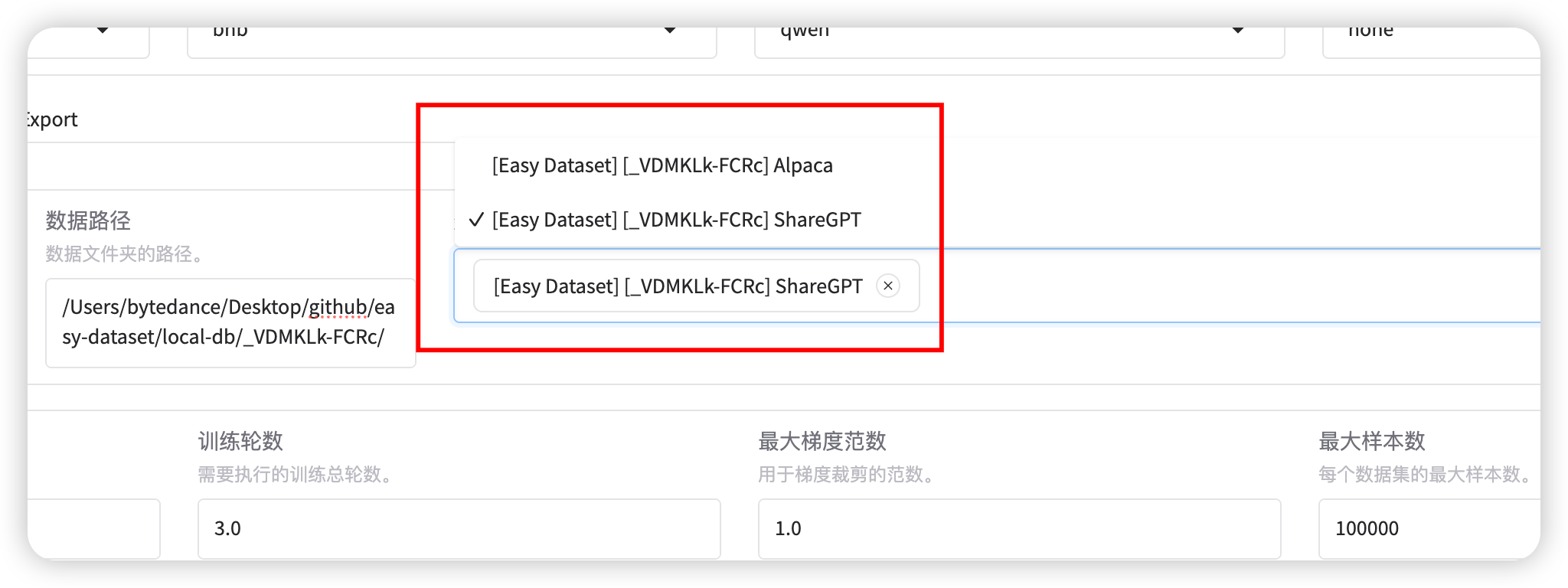
然后将路径粘贴至 LLaMA Factory：

<figure><img src="https://544849060-files.gitbook.io/~/files/v0/b/gitbook-x-prod.appspot.com/o/spaces%2FDgZmZsLiavwvoXVnDBQ5%2Fuploads%2Fw2AEIGVZyVGz6vU9uGWk%2Fimage.png?alt=media&#x26;token=ea2df682-0187-4df7-b27c-a656c0b59b43" alt=""><figcaption></figcaption></figure>

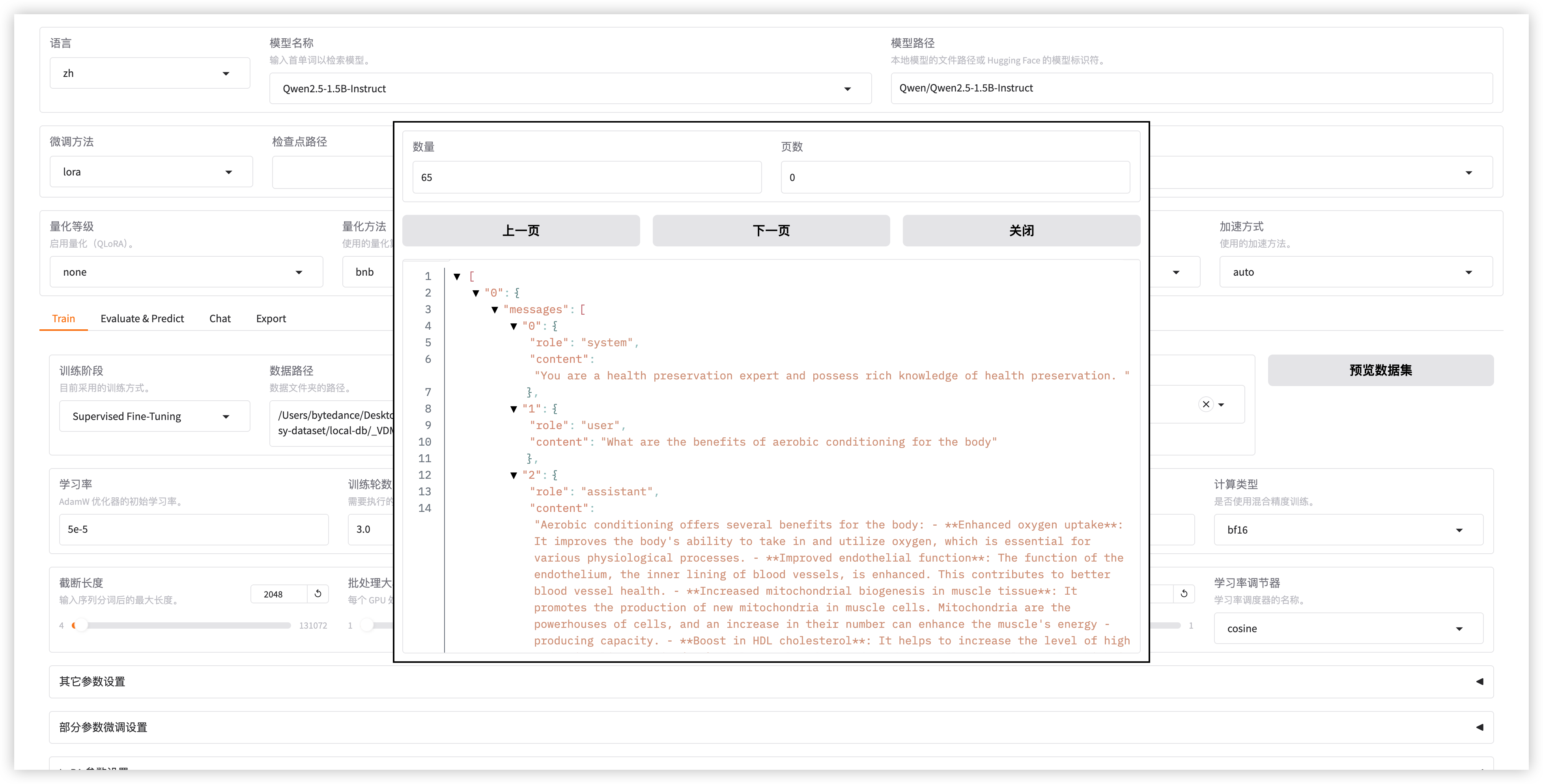
点击预览数据集，能够加载到数据集，说明配置成功：<br>

<figure><img src="https://544849060-files.gitbook.io/~/files/v0/b/gitbook-x-prod.appspot.com/o/spaces%2FDgZmZsLiavwvoXVnDBQ5%2Fuploads%2FQL6Y6Wm5CZ8PGBUIjIkY%2Fimage.png?alt=media&#x26;token=6f194e79-b0e7-4958-b8f4-0dc8313c17e2" alt=""><figcaption></figcaption></figure>

### 上传至 HuggingFace

{% hint style="info" %}
即将支持...
{% endhint %}


# 数据集广场

{% hint style="info" %}
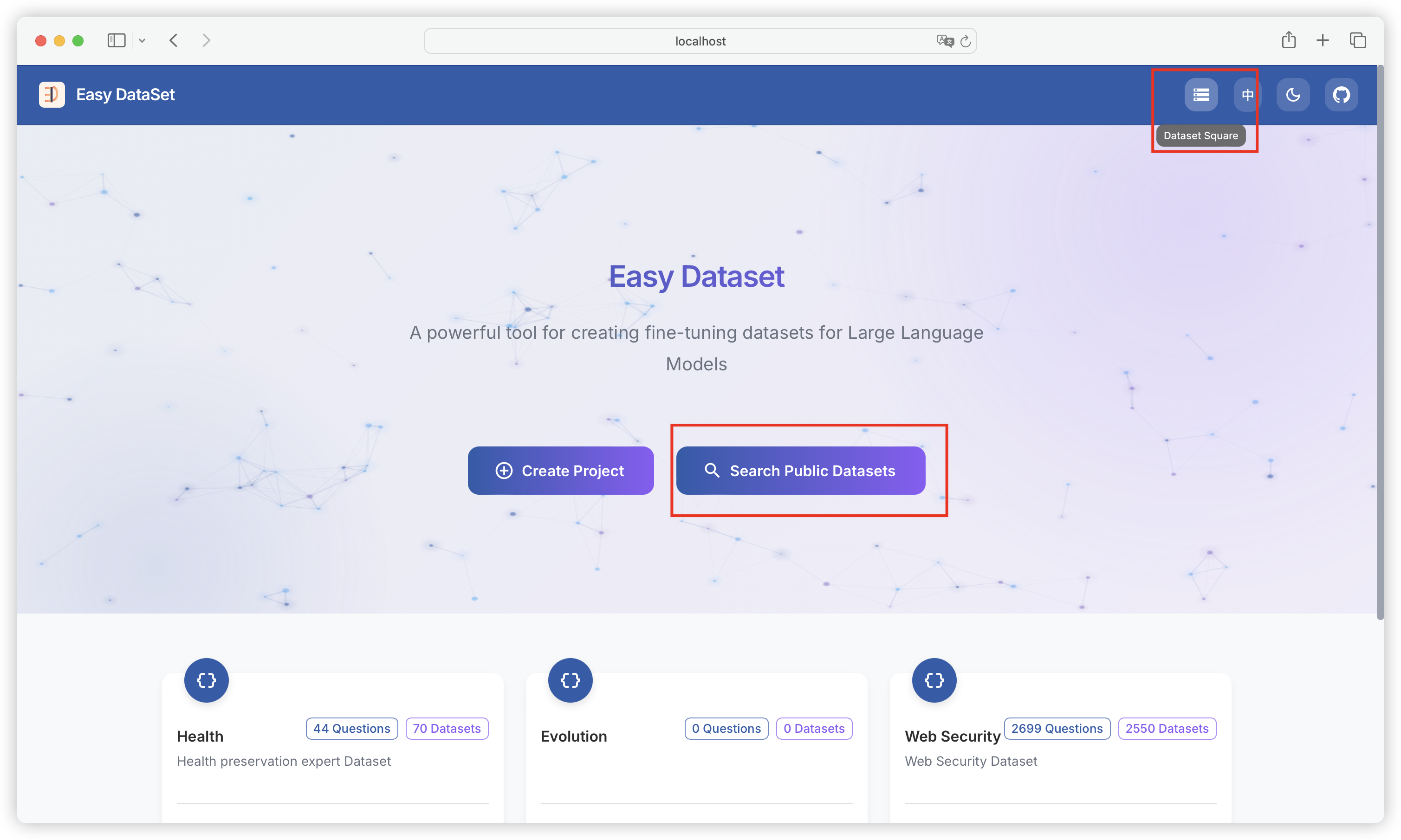
数据集广场内置了大量公开获取数据集的途径，并支持一键多平台搜索数据集。
{% endhint %}

<figure><img src="https://544849060-files.gitbook.io/~/files/v0/b/gitbook-x-prod.appspot.com/o/spaces%2FDgZmZsLiavwvoXVnDBQ5%2Fuploads%2FYyGuyGuH4KaIqFazoOdY%2Fimage.png?alt=media&#x26;token=76dcdcca-ce1b-4db6-8514-3f149b6ddccb" alt=""><figcaption></figcaption></figure>

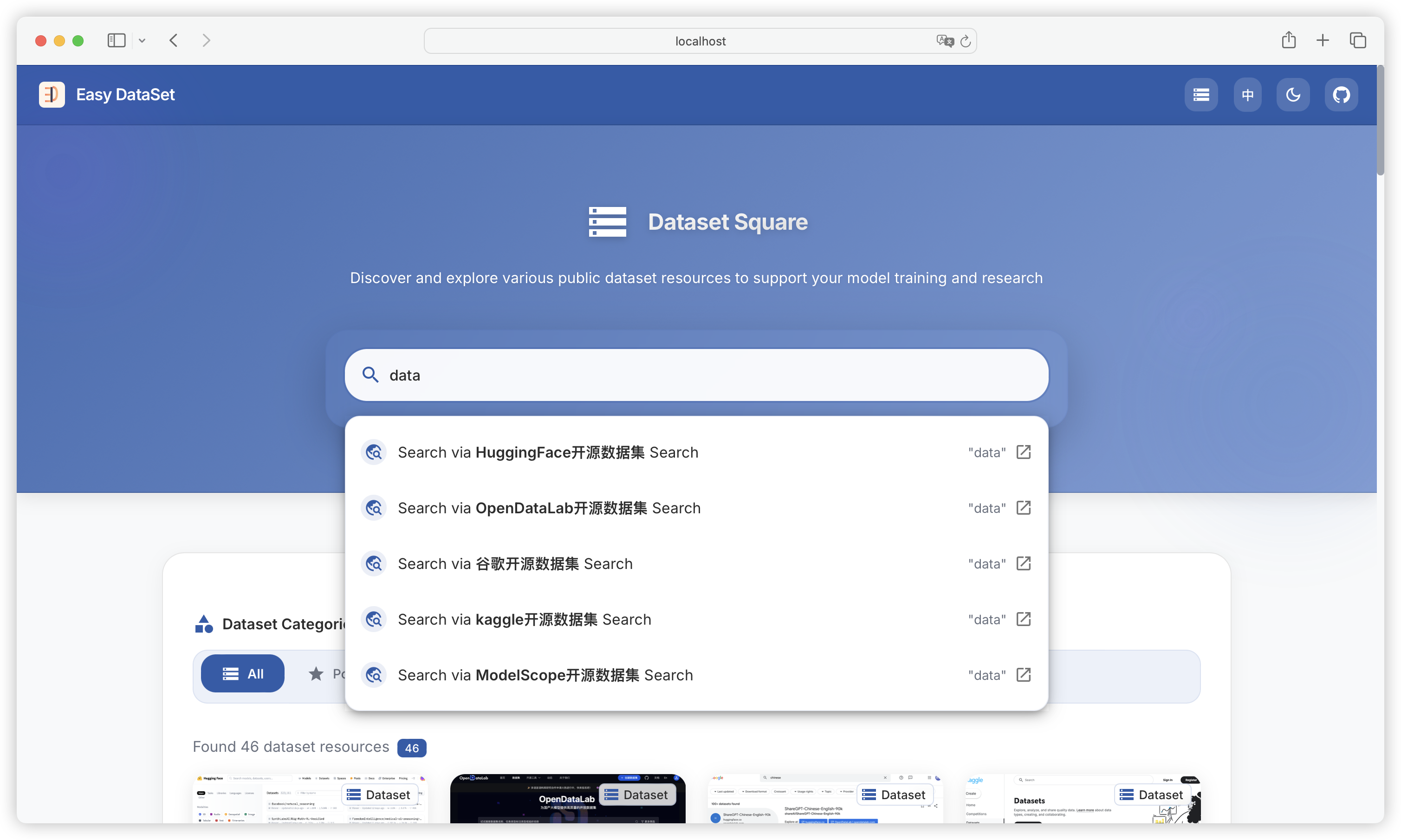
支持一键多平台搜索：

<figure><img src="https://544849060-files.gitbook.io/~/files/v0/b/gitbook-x-prod.appspot.com/o/spaces%2FDgZmZsLiavwvoXVnDBQ5%2Fuploads%2FB0A3Yf7VTUQ2kiPOYBNG%2Fimage.png?alt=media&#x26;token=889119a0-2bf3-4924-8c85-fe424466ccc4" alt=""><figcaption></figcaption></figure>

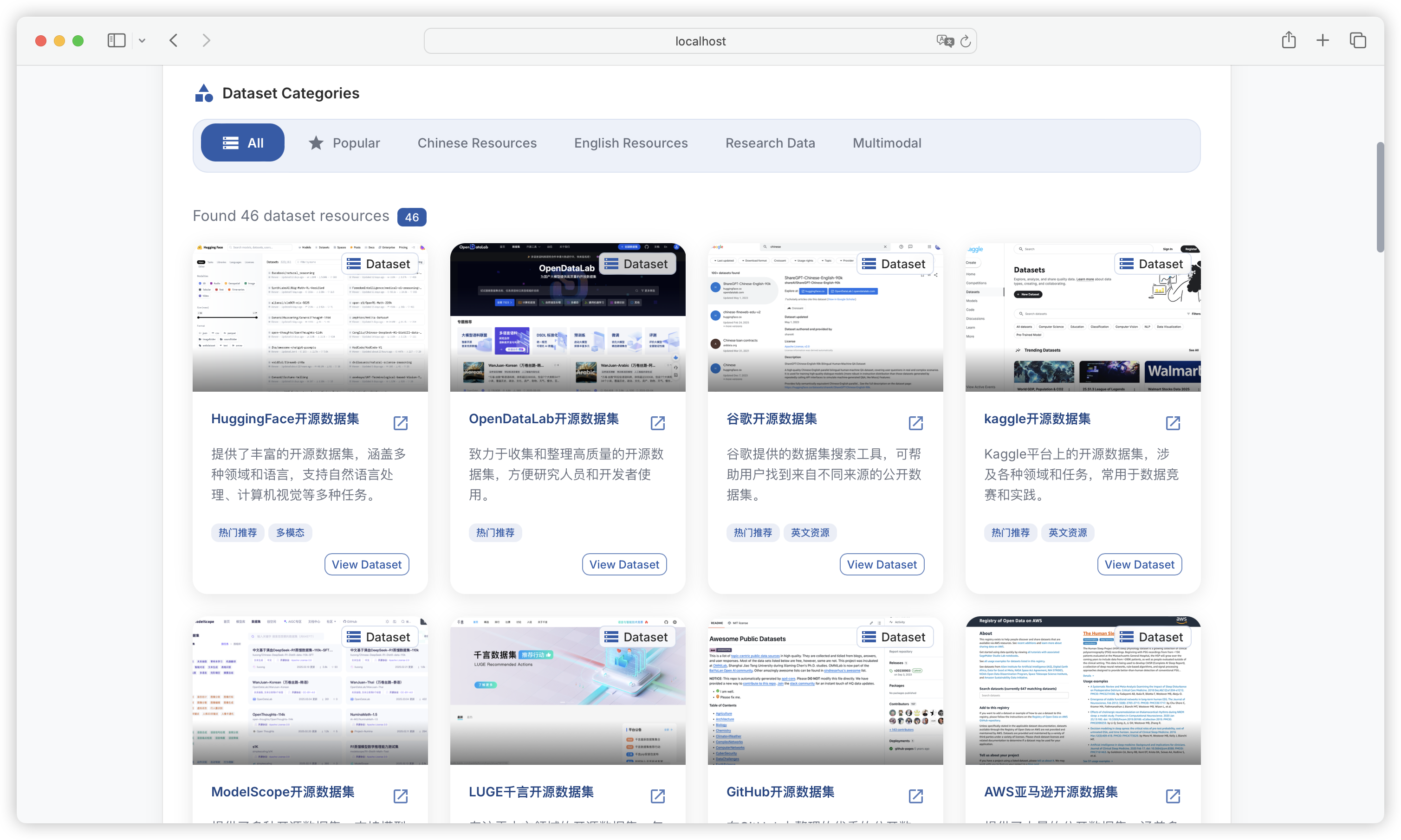
内置多个可公开获取数据集的平台：

<figure><img src="https://544849060-files.gitbook.io/~/files/v0/b/gitbook-x-prod.appspot.com/o/spaces%2FDgZmZsLiavwvoXVnDBQ5%2Fuploads%2FH04zdcnYrhvMD5gTg30R%2Fimage.png?alt=media&#x26;token=c0c2e650-3ab8-4657-a575-46e174e574ba" alt=""><figcaption></figcaption></figure>


# 多轮对话数据集

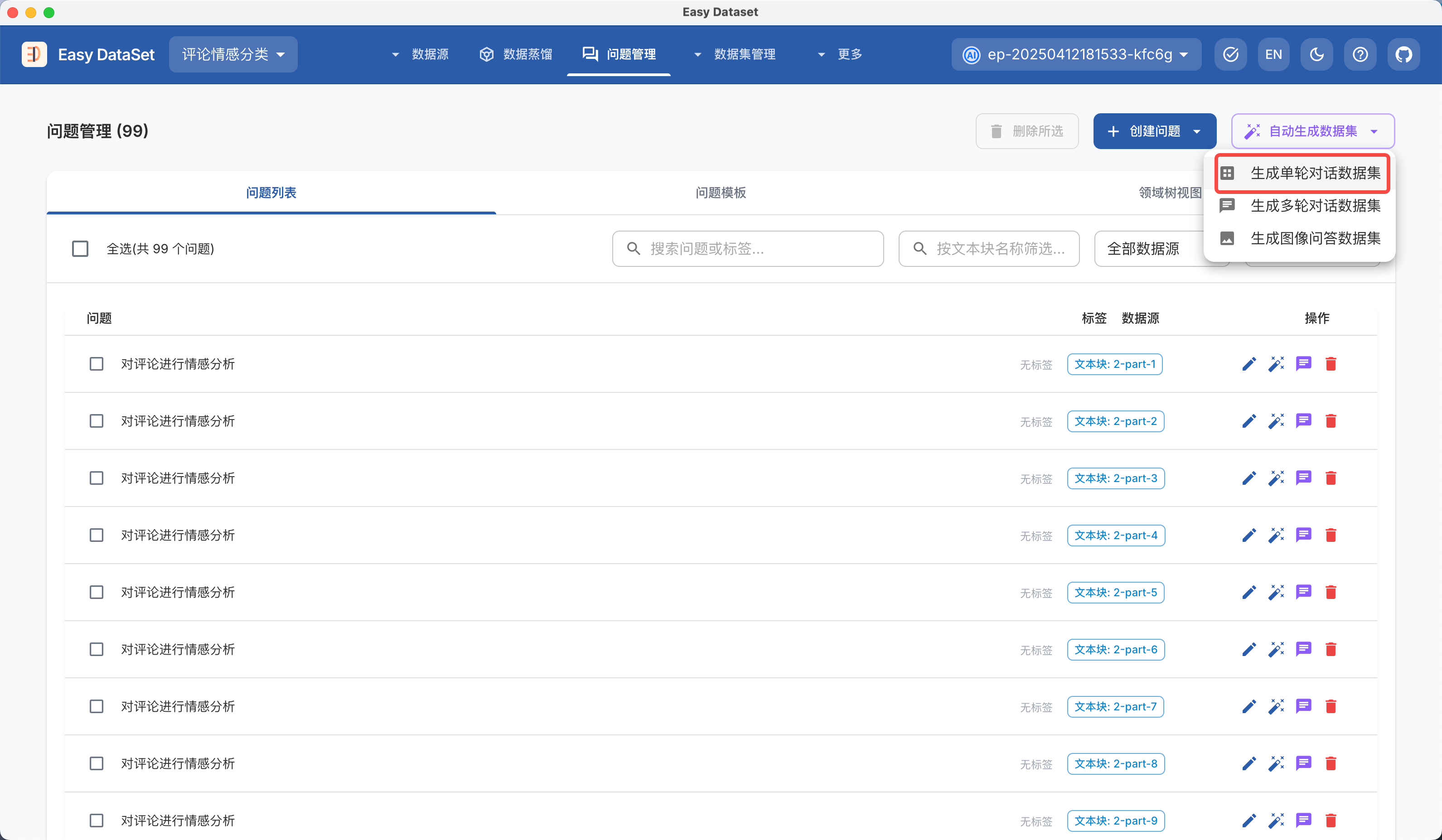
自 1.5.0 版本后，`Easy Dataset` 可以自动生成多轮对话数据集，使用前必须到 **项目设置 - 任务设置 - 多轮对话数据集** 进行系统提示词、对话场景、对话轮数、用户和助手的角色设定等相关设置：

![](https://files.mdnice.com/user/6267/c7478512-f01b-4db8-8187-a0639b76fc18.png)

在问题管理模块，你可以选择对单个问题生成多轮对话数据集，以及后台批量合成多轮对话数据集：

![](https://files.mdnice.com/user/6267/82d849db-6466-48bb-9a49-27b3524656b3.png)

在数据蒸馏模块，你可以选择创建多轮对话数据集的蒸馏任务：

![](https://files.mdnice.com/user/6267/39db377d-f37a-491a-ad1d-841bc2ffd886.png)

在数据集管理模块，区分了单轮和多轮对话数据集列表：

![](https://files.mdnice.com/user/6267/84a1788d-feb3-4bf9-95fc-842c192eeeae.png)

进入数据集详情可看到多轮对话详情：

![](https://files.mdnice.com/user/6267/bad2da05-f50a-4f2f-be53-596e63b2adb1.png)

目前多轮对话数据集仅支持导出 OPEN AI ShareGPT 格式的 JSON 文件：

![](https://files.mdnice.com/user/6267/3be06602-0b39-471f-8046-f5fbb057639f.png)


# 数据集导入

支持直接导入已有数据集，对数据集进行二次标注、评估，或和现有数据集一起使用，在数据集管理模块可点击导入：

![](https://files.mdnice.com/user/6267/1aa81bcc-8980-44a7-9e18-a459b4e86367.png)

支持自动解析 JSON、JSONL、CSV 三种文件格式，以及多种数据集格式，系统将自动匹配数据集的字段：

![](https://files.mdnice.com/user/6267/d9de4bfe-02c4-4420-9321-13b8a568c96c.png)

导入过程中将展示完整进度：

![](https://files.mdnice.com/user/6267/cf37c870-5215-40d0-983f-7fc27eb1be46.png)

导入后，数据集使用模型列将展示为 `Imported`，默认关联的领域标签为空：

![](https://files.mdnice.com/user/6267/d3bce906-a076-4db3-bc61-1e7e9ee0325d.png)


# 评估


# 评估数据集生成

**评估数据集是什么？**

* 评估数据集（测试集）是一组“题目 + 标准答案/参考答案 + 评分规则/选项”的集合。你可以用它来：做不同模型的对比评估，长期追踪效果变化。

***

**测试集题目类型**

一个好的模型评估数据集（测试集）是衡量模型真实能力的基石。在 `Easy Dataset` 中，评估集不仅仅是问题的集合，更是包含标准答案、考点标签和业务逻辑的综合知识库。为了全面考察模型能力，我们设计了五种题型：

* **判断题：**&#x8FD9;是最直接的。考察模型对核心事实是否搞混。比如文档里说“温度不能超过 100 度”，题目问“温度是否可以达到 105 度？”，能有效检测幻觉。
* **单选题：**&#x34;个选项（A-D），单选答案 | 考察模型在干扰项下的知识提取和辨析能力。
* **多选题：**&#x591A;个选项，答案为字母数组（如 `["A", "C"]`） | 极具挑战性，漏掉一个信息点就选不对。
* **简答题（短答案）：**&#x63D0;供标准短答案（20字以内），可测试模型获取核心知识点并精简表达的能力。如：2025 年美团的营收是多少亿？
* **开放题（长答案）：**&#x8003;察推理和总结能力。比如“根据文档描述，分析一下为什么会出现设备异响？”。这种题没有标准死答案，最考验模型的逻辑。

***

在任务配置中 **支持配置各题目类型生成的比例**（比如：我要 30% 的判断题用于测幻觉，70% 的简答题测理解）：在 `Easy Dataset` 中，你可以通过多种方式生成和配置评估数据集（测试集）：

<figure><img src="https://my.feishu.cn/space/api/box/stream/download/asynccode/?code=NjRlNGFlYjBhM2UyN2ZlNTE4ODA5ZjVjMThkZTg2YjZfQTVFYVlydjlsYmllcXY0ZTRXZm12Ykd5YUZWNkpHRXdfVG9rZW46UnprZGJJSnlUb3UwcXZ4MlI1M2NQSGM2bjJpXzE3NjgyMzA4OTg6MTc2ODIzNDQ5OF9WNA" alt=""><figcaption></figcaption></figure>

* 从领域文献中提取测试集
* 从训练集添加或生成测试集变体
* 导入自定义/平台内置测试集

***

**从领域文献生成测试集**

不管是 PDF 还是 Docx 格式的领域文献，系统支持直接导入。后台会把这些长文本切分成小块（Chunk），然后通过提示词工程，让大模型基于这些文本块自动生成题目。我们首先来到【数据源-文献处理】模块，导入一份小米 2025 Q3 季度的财报文档：

<figure><img src="https://my.feishu.cn/space/api/box/stream/download/asynccode/?code=MWVmY2VjZjdjMGNjNmVmOGNlOTIxYjZhMzQ3MGFiYmRfTjh2dWtXVnRjVHpYR1RLendUQVFZTnJvNWpxa1l3QkhfVG9rZW46Q2M1UGJlaG1jb1h3U2V4cDBEMmNHbDAxbnRmXzE3NjgyMzA5OTg6MTc2ODIzNDU5OF9WNA" alt=""><figcaption></figcaption></figure>

系统解析完成后，会对文档进行自动切块，为了保证后续在文本块上生成的测试集更符合主题，我们批量编辑文本块：在每个文本块的开头增加全局摘要信息：

<figure><img src="https://my.feishu.cn/space/api/box/stream/download/asynccode/?code=MDM3MWQxN2FhZTk5NmMxNTBjZjgzNDY5NDBhYTcwZjFfUDRscHhFenV1d0huM2VzQnhjVzVrakgzQ2wzS21ETXFfVG9rZW46RWFPM2JZRkxzb0RISk94Z1dvV2NVbGczbnZnXzE3NjgyMzA4OTg6MTc2ODIzNDQ5OF9WNA" alt=""><figcaption></figcaption></figure>

然后，我们可以选择基于单个文本块生成测试集，或自动生成测试集（后台自动读取并处理未生成测试集的文本块），系统将根据我们前面在项目设置中设置的几种题目类型的比例自动生成测试题目（默认的题目类型判断题、单选题、多选题、简答题、开放题为 `1:1:1:1:1`）。

<figure><img src="https://my.feishu.cn/space/api/box/stream/download/asynccode/?code=NmIxZDZlYTVlN2U4MGEzMWQyZGY3ZGNiNTAyYzEzZDVfQlFualRNbG14bThZNk10THgyRTFtV1psSFppTDlWOGhfVG9rZW46QWNCYmJjdzcwb1NUOVR4U0Y2SmN2QkRhbkQwXzE3NjgyMzEwNjU6MTc2ODIzNDY2NV9WNA" alt=""><figcaption></figcaption></figure>

建议：

* 先用 “单个生成” 跑通流程，确认题型质量与期望一致，在执行自动生成任务。
* 比例配置先从保守开始：开放题比例不要太高（后续教师模型评估成本更高）

***

**测试集管理**

点击每个文本块上的 **已生成测试题** 标签，我们将跳转至【评估-评估数据集】模块，在这里你可以看到已经生成的所有数据集，你可以根据题目类型、题目内容和标签进行筛选：

<figure><img src="https://my.feishu.cn/space/api/box/stream/download/asynccode/?code=OGIzODAyMzkyZTIzZDM3ODRkZWY3NmE4MWI3NWE4MjBfWjhTdVp6dExSQjc0bkJ6U1hVMUJobWcxMFBYME00cWNfVG9rZW46TldsSGJQR2ROb3FkOHN4WUE4Q2Nsd0pybk1oXzE3NjgyMzA4OTg6MTc2ODIzNDQ5OF9WNA" alt=""><figcaption></figcaption></figure>

点击单个题目，可以查看题目详情：

<figure><img src="https://my.feishu.cn/space/api/box/stream/download/asynccode/?code=OWUwNjRkNDc1ZGRhYmU2MTRhMTRjYTYzYTE5MGQ3YTVfMHBvMnlFNW9ZOFFObzdCYWFkWkZpTG9ycGk0TnZ2TDBfVG9rZW46TUZnNmJ5ekw5b1JsSUR4d1pHUGNvckk1bk4zXzE3NjgyMzA4OTg6MTc2ODIzNDQ5OF9WNA" alt=""><figcaption></figcaption></figure>

问题、选项、答案都可以自由编辑，你也可以对题目进行打标签、备注、删除等等：

<figure><img src="https://my.feishu.cn/space/api/box/stream/download/asynccode/?code=ODQ2NGUxYzRhMjc2Y2QwNGNiZTYxM2M4N2JlNTMzZGZfTng2OGlKT0thWWExSFdEU0RwVVc2ZUpSZ0hiQnpnOFlfVG9rZW46TVhoWWJkek1ub3NlTjl4RnpVQ2NqVktobmtnXzE3NjgyMzA4OTg6MTc2ODIzNDQ5OF9WNA" alt=""><figcaption></figcaption></figure>

***

**从已有数据集添加和生成**

在以前的项目中，你可能已经使用 `Easy Dataset` 生成过数据集（训练集），我们也支持直接从已有数据集上标注和生成测试集。下面我们来到【数据集-单论问答数据集】模块，可以看到之前生成过的数据集：

<figure><img src="https://my.feishu.cn/space/api/box/stream/download/asynccode/?code=OThmMTA1OTUwYThkZDZmNzc3MmI2OTk1NzVlYjI0YzVfY25RcVhyejU0NVRGZUhFUVRybHU3dWdMNExCYUk1S1VfVG9rZW46UXFzR2JaakYwb0pKdWl4Y1RpNmNGbzVPbmpoXzE3NjgyMzA4OTg6MTc2ODIzNDQ5OF9WNA" alt=""><figcaption></figcaption></figure>

进入数据集详情页，我们可以直接将当前数据集添加到评估数据集（测试集），同时，系统给原数据集打上 Eval 标签（用于后续筛选/识别）：

<figure><img src="https://my.feishu.cn/space/api/box/stream/download/asynccode/?code=MWE1MWIzMTJiM2NmZTY5ZjA1OTA2MWI3NDZkMzI0MDBfdTZvcEtVTlJScnlyUkE1ZjF2ZEd6dUZJSDRRMFV4bGZfVG9rZW46TnF0S2J4S0NWb3JJVUZ4Y0N4S2N6V2Fjbm1kXzE3NjgyMzA4OTg6MTc2ODIzNDQ5OF9WNA" alt=""><figcaption></figcaption></figure>

如果训练集太少或多样性不足，模型有时候会 “死记硬背”。我们也可以把一道现有的数据集题目自动改写生成评估集变体（比如换个问法，或者把选择题改成判断题），看看模型是不是真的理解了。

<figure><img src="https://my.feishu.cn/space/api/box/stream/download/asynccode/?code=NmJiYjI4M2ZmMDNjNDM4MGM2NmFjYmNmYTlkNjZhNDVfR3k5UHZLMk5BRmNnelNyWmYyRWdyYU9lTkNORDdQUWpfVG9rZW46RGVYNWJ0Q0x0b0drelV4R3R6RmNWWDU3bnhWXzE3NjgyMzA4OTg6MTc2ODIzNDQ5OF9WNA" alt=""><figcaption></figcaption></figure>

点击：【生成评估集变体】可以选择要生成的题目类型和数量：

<figure><img src="https://my.feishu.cn/space/api/box/stream/download/asynccode/?code=NjkxOWRkOWE1OGY1ZjQ2ODZlMjZjM2JlMGRkYjZhYWZfVHptWk41TDNVNU5scVFXSTczU0ZzYVlMWXNncEJDNTRfVG9rZW46WFlTcWJzbzFJb0FjRGR4UTZPRmMzUEpybkdoXzE3NjgyMzA4OTg6MTc2ODIzNDQ5OF9WNA" alt=""><figcaption></figcaption></figure>

在常规的思路中，一般我们要从所有数据集中划分出一定比例（如 15%）作为测试集。但是，在小规模的数据集上，如果直接划分出一定比例的测试集可能会导致原有的训练集数量和多样性不足，导致模型训练效果差。如果使用 `Easy Dataset` 生成的数据集，我们可以全部用于训练集，另外一部分测试集我们可以直接在现有的数据集上生成变体，或重新从文本块提取。这样既能保证训练集的多样性不会受到损失，还能保证有足够丰富的测试集来支撑最终模型效果的评估。

***

**导入导出测试集**

如果你已经有准备好的测试集，只是想使用 `Easy Dataset` 来做评估任务，可以到【评估-评估数据集】模块直接进行导入：

<figure><img src="https://my.feishu.cn/space/api/box/stream/download/asynccode/?code=N2RlZDY0MGVmMGMyYjA4NDUxNzYwZWM4MWJiYThjNmVfS1pQcWNaakVUREJlS0ZCT2JMOHZCQnJKcHdhMU9TZW5fVG9rZW46WDVjd2JleWtpb0FUQXl4WXN2RGNUd1pabkxiXzE3NjgyMzA4OTg6MTc2ODIzNDQ5OF9WNA" alt=""><figcaption></figcaption></figure>

目前支持从 `JSON、XLS、XLSX` 几种类型的文件进行导入，需要将文件处理成规定格式：

<figure><img src="https://my.feishu.cn/space/api/box/stream/download/asynccode/?code=YmVlZmQ5YmJkNGUxYjJmZDBiYmVmYTYzNzk3ZTA2YzZfalZEWktFdGZrN1J2MEYySGFYV2dvMnFtZUVUV092d3RfVG9rZW46VkdTVmJpdld1b0QwTFF4VTh5Z2NUc0ZFbnVjXzE3NjgyMzA4OTg6MTc2ODIzNDQ5OF9WNA" alt=""><figcaption></figcaption></figure>

你可以直接下载对应题型和文件类型的模版，然后按照模版进行补充：

<figure><img src="https://my.feishu.cn/space/api/box/stream/download/asynccode/?code=YzE0OTdjZjNjODYzMWY3MzZjY2ExYmNiMTVjMGY2NDRfN3k1UzRmSHF6MEs0bnJwNE13TzZUd2dqUU9aNnI3YTRfVG9rZW46TkcxVGJJTHAxb0pxSW54MVh5MWNYMVVMbkJkXzE3NjgyMzA4OTg6MTc2ODIzNDQ5OF9WNA" alt=""><figcaption></figcaption></figure>

另外，平台还内置了丰富的领域知识数据集，如果你想测试模型在特定领域下的表现，可以直接选择【导入内置数据集】并选择对应学科进行导入：

<figure><img src="https://my.feishu.cn/space/api/box/stream/download/asynccode/?code=MDUyMzczYjY0MTFkOGRhMTAwMTMyZTM4ZmEzYjM4ZjBfSmtTb29FTVQxdUVQUTR3Znh3eEluN3JUQXM0emF0Z0ZfVG9rZW46SG1ZNWIwQm5Ob1NmM2l4eGxHRWNmZ1o0blVvXzE3NjgyMzA4OTg6MTc2ODIzNDQ5OF9WNA" alt=""><figcaption></figcaption></figure>

每个学科下都内置了几百道不同难度的题目（大部分为单选或多选题）：

<figure><img src="https://my.feishu.cn/space/api/box/stream/download/asynccode/?code=YzJlYTQzYTZkMDhhNzA2MmYwNWMzZWRlOTVhYTJiMDJfYlNtaEVZWmFyWWRkVlQ4bWV0WUhOZ1lFYUlkVU5SYmdfVG9rZW46SVlLemJSMjZrb1pPVnJ4YzFYbGNUajJKblFlXzE3NjgyMzA4OTg6MTc2ODIzNDQ5OF9WNA" alt=""><figcaption></figcaption></figure>

测试集处理完成后，我们也可以直接进行导出（支持自定义导出范围和格式），你可用于其他评估系统：

<figure><img src="https://my.feishu.cn/space/api/box/stream/download/asynccode/?code=YjVhMDRlZWQ1NDVmNWY0MDA1NWQ3NTgyNjg0OTY3NWZfM1hUSVpHbWZES2tkNjE4b1BWTkZZRGJSZUQ1MkZkYzlfVG9rZW46TjBJMmI3VXVNb1V6REl4Zjh2cGNoNFphbmZnXzE3NjgyMzA4OTg6MTc2ODIzNDQ5OF9WNA" alt=""><figcaption></figcaption></figure>

***


# 自动评估任务

题出好了，接下来就是让业务模型来做题，系统来判卷。系统支持两种阅卷模式：

**模式一：直接计算得分（针对客观题）**

对于**判断题、单选题、多选题**，答案是唯一的。系统不需要调用大模型，直接用规则代码比对。我们来到【评估-自动评估任务】模块，点击创建任务，您可以同时勾选多个模型，系统会并发执行多个任务：就像要真实要对模型进行一场考试一样，我们可以配置本次 “考卷” 的具体题目范围：

<figure><img src="https://my.feishu.cn/space/api/box/stream/download/asynccode/?code=NDgyYzc5NThkOGIwOGU3ZGUwYTkzMTMxYmM4ZTZiYjFfd2l1VTltcHRqWnh5ZXZ4djJNUXN5ZEY0dW93eTBVRExfVG9rZW46SjBwVGJCYUwxb3lmS1J4Y2dxQ2NuT0dCbmxpXzE3NjgyMzEzNDA6MTc2ODIzNDk0MF9WNA" alt=""><figcaption></figcaption></figure>

* **题型筛选**：比如本次之考察选择题和判断题。
* **标签筛选**：比如只考查标签为 `医疗知识` 的题目。
* **动态采样**：如果您想快速获得结果，可以从 1000 道题中随机抽样 50 道。

<figure><img src="https://my.feishu.cn/space/api/box/stream/download/asynccode/?code=YzcyMzlmN2Q0ODU0YTViZDlhNTI2MDE3ZWQyMTI0MGRfM1NjR3hwOG13cnNnTW1GNVlaZnRRWVBZZWtGQlFwdGxfVG9rZW46VEZxcWJLZ1Q5b2M0blZ4Ull3cWN2bkVybkNiXzE3NjgyMzEzNDA6MTc2ODIzNDk0MF9WNA" alt=""><figcaption></figcaption></figure>

<figure><img src="https://my.feishu.cn/space/api/box/stream/download/asynccode/?code=NjFkMThiYTY3YTZhYTcyMzlhN2RmZDRiZDI5OGViZmNfZVViWHpIb0dYRXBoeFlwU0lmTzVxQm1LaVJYOFVFelhfVG9rZW46Q3lKOWJrMThqb1FNbDF4VjRuSGNpZEh0bnpkXzE3NjgyMzEzNDA6MTc2ODIzNDk0MF9WNA" alt=""><figcaption></figcaption></figure>

***

进入评估任务详情，你可以看到模型在不同题目上的具体得分情况，我们可以根据题目回答结果（正确/错误）以及题目类型（判断、单选、多选）进行筛选：

<figure><img src="https://my.feishu.cn/space/api/box/stream/download/asynccode/?code=NWM0MjJlNjI5YTRmMGU4OTAxMmZlZmQ1N2U2NGI5YWJfV2lxM2ZLR0h0TUVJcGd2bVJPOEZmelRrSnpKYWE1ZzdfVG9rZW46TUpDS2JpZHdOb0tmQmZ4T0VlT2M0STM1bkpiXzE3NjgyMzEzNDA6MTc2ODIzNDk0MF9WNA" alt=""><figcaption></figcaption></figure>

***

**模式二：教师模型评估（针对主观题）**

对于客观题（选择、判断），系统可以自动对齐答案。但对于 **简答题** 和 **开放题**，答案往往是多样化的。我们可以选择一个更智慧的 “教师模型”（就像判断老师一样） 对测试模型的回答进行深度评测，给出量化的分数和定性的评语。

<figure><img src="https://my.feishu.cn/space/api/box/stream/download/asynccode/?code=YTkxOTI1NjI5ODdhZjBiMmUwZGYyM2FlNjhiMDFhOThfeUo4VDFPaU80ckVWMjYwT3NXaTVFS3Zmc0w0cmtrM0xfVG9rZW46U0NQNWJaSjhCb0s3Tmd4eDQ0eWNHNHVQbjFnXzE3NjgyMzEzNDA6MTc2ODIzNDk0MF9WNA" alt=""><figcaption></figcaption></figure>

系统内置了一份评分标准，不过通用的标准比较宽泛，不一定适用于所有场景，如果你想得到更准确的评估结果，建议根据实际业务场景和数据集的特点定制具体的评分规则：

<figure><img src="https://my.feishu.cn/space/api/box/stream/download/asynccode/?code=ZDVhOWE5NDY5NjIxMGFmZmYxNTA1Yjg0MTMyNDQwZTFfdng2eTMzNjdQQzlYWkVDMkJFbVo2RXNqM0Y1amdFU2ZfVG9rZW46V3Nud2JRcThEb0ZNTVV4VGNYNmNaMDl0bnVmXzE3NjgyMzEzNDA6MTc2ODIzNDk0MF9WNA" alt=""><figcaption></figcaption></figure>

在评估报告详情中，你可以看到每个题目的具体得分，教师模型的打分以及具体的打分理由：

<figure><img src="https://my.feishu.cn/space/api/box/stream/download/asynccode/?code=OGRiYTViYTdhMGQwODc3ZjJkM2ZkMjczMjQwNDFjYzJfakxjeGlaWmIza1NlR0ppZlJxMVJOZHNKcnNDMmhlQ0lfVG9rZW46QmI3MmJiMkRwb1ZhWUp4M1FwNGNyd1lubjdnXzE3NjgyMzEzNDA6MTc2ODIzNDk0MF9WNA" alt=""><figcaption></figcaption></figure>

建议：

* 同一套评估长期对比时，尽量固定教师模型与评分配置，否则分数不可直接横向对比
* 先在小样本（如 20 题）跑通，确认裁判标准符合预期，再扩大规模


# 人工盲测任务

虽然自动化评估很方便，但在模型上线的最后阶段，或者两个模型分数咬得很死的时候，还是需要人来看一眼。**盲测任务是什么？**

* 盲测任务 = 把多个模型的回答“匿名化”，让评审者只看回答质量做选择/打分
* 适合：
  * 你希望排除“模型名偏见”
  * 你更在意主观体验（可读性、风格、说服力、完整性等）
  * 开放题/对话型内容的最终质量评估

***

就像在之前的章节中我们讲到到 `LMArena`，人工盲测对于垂直领域的模型评估同等重要，在实际测试中，系统会隐藏两个模型的回答结果，评判者仅根据回答的质量、逻辑、语气进行主观判断，彻底消除对特定品牌的固有偏见。我们来到【评估-人工盲测任务】模块，然后点击创建任务，然后配置：

<figure><img src="https://my.feishu.cn/space/api/box/stream/download/asynccode/?code=NzZmZmE2YzY5NWZkZTkxZDhjNTQxYTU5MDcwMWI4MThfTUk0N0VVcVVmUHhWZ0JsZkNPcDBBbm9QemR5em5mM0lfVG9rZW46V2xka2JaS1d4b1dUbGF4cUcxc2NWaUJTblliXzE3NjgyMzE0NTM6MTc2ODIzNTA1M19WNA" alt=""><figcaption></figcaption></figure>

* **两两对比**：从模型库中选择两个你最想对比的模型。
* **题目范围**：选择简答题或开放题并设置抽样数量。

任务开启后，您将进入一个类似 **Chatbot Arena** 的沉浸式的对比界面：

<figure><img src="https://my.feishu.cn/space/api/box/stream/download/asynccode/?code=MmRiNDg5Y2JlYTAxZDkyMzA3MzYzMTBlMjM4NTljZTNfTkNpejZFN2NPRk9tNjRxTTEwRGhGN2I5eno5eURNVFFfVG9rZW46VmtpWGJ6OFpVb0llbUZ4U1ZDYmNFY1drbndoXzE3NjgyMzE0NTM6MTc2ODIzNTA1M19WNA" alt=""><figcaption></figcaption></figure>

* **左右对照**：左边展示候选 A 的回答，右边展示候选 B 的回答，但不告诉标注人员具体是哪个模型。
* **流式加载**：系统支持流式输出，您可以实时看到模型的生成过程。
* **四选一投票**：标注人员只需要根据直观感受，选择“左边好”、“右边好”或者“平局”。
  * **👈 左边更好**：左侧回答在准确性、流畅度或安全性上更优。
  * **👉 右边更好**：右侧回答更符合你的预期。
  * **🤝 平局**：两者难分伯仲，或都存在明显的严重错误。

<figure><img src="https://my.feishu.cn/space/api/box/stream/download/asynccode/?code=OWVjZTQxYjJjM2RmMmJjYjkyOTY3OWJjYmM1OGY3NTdfSGhKZFpmZmdkWTNtajJBZHFybTBMY2FvWGRZaFVTTE5fVG9rZW46SjNySGI3VnBvbzhkb2x4UzkxT2NKakNHblFmXzE3NjgyMzE0NTM6MTc2ODIzNTA1M19WNA" alt=""><figcaption></figcaption></figure>

这种 Side-by-Side 的比较数据，是目前公认最符合人类真实体感的评估方式。当所有题目投票完成后，系统会 “揭晓谜底” 并生成胜率统计，系统将展示每个模型在对比中获胜的百分比。如果平局较多，说明这两个模型在当前题库下的表现非常接近。你还可以回顾具体某个题目的回答结果：

<figure><img src="https://my.feishu.cn/space/api/box/stream/download/asynccode/?code=YmNkNzFmNWY0ZWY5MzM1YmQ3OTAzMTFiN2RkODg1MWZfRWREVmlPZHo5OW4zTm1EZENrQ09Yam9QNXY2UlZsdHFfVG9rZW46TDEySGJBWmVYbzkyaFF4RHZEdGNGMFpobjhmXzE3NjgyMzE0NTM6MTc2ODIzNTA1M19WNA" alt=""><figcaption></figcaption></figure>

回到任务列表，我们能清晰的看到每次盲测任务的结果：

<figure><img src="https://my.feishu.cn/space/api/box/stream/download/asynccode/?code=MmQyMWY2ZTQ2NmU3MjRkMGZjZTIwZWNmYjAyNzNkYzhfVzJlRHFBS3ZUcmxKb1diZXNzRndkSFhWU2RnODdsTFBfVG9rZW46VDVRbWJEVGhOb0x3OVZ4ZXgyV2NBQm10bjllXzE3NjgyMzE0NTM6MTc2ODIzNTA1M19WNA" alt=""><figcaption></figcaption></figure>

***


# 文本分块策略

{% hint style="info" %}
在很多应用场景里，文档分割都是极为关键的预处理环节。它的核心操作，就是把篇幅较长的文本拆解成一个个较小的、便于处理的片段。这么做有不少好处，比如能让不同长度的文档都能以统一的方式进行处理，解决模型输入长度受限的问题，还能提升检索系统里文本表示的质量。分割文档的方法多种多样，每种都各有优势。
{% endhint %}

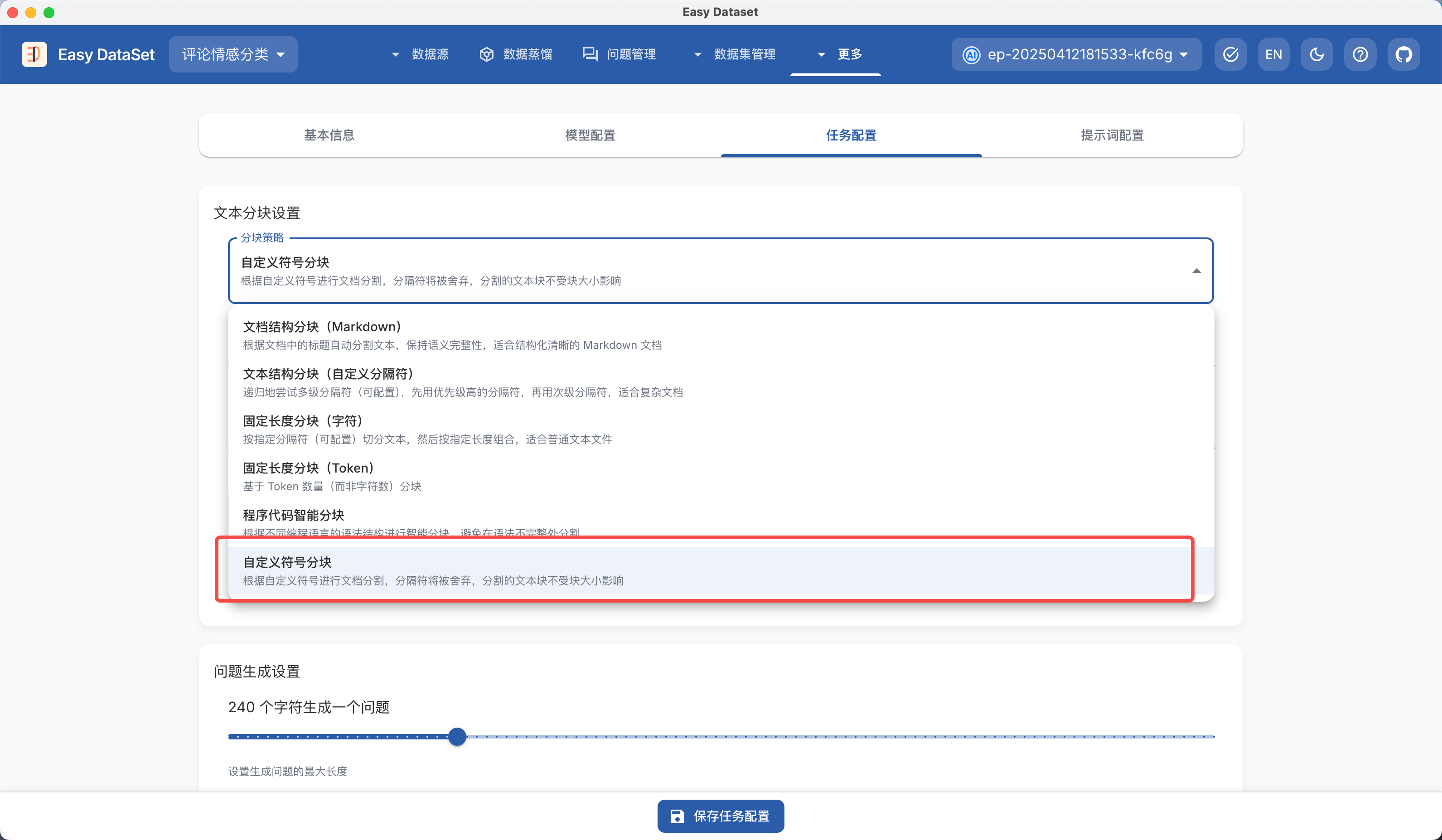
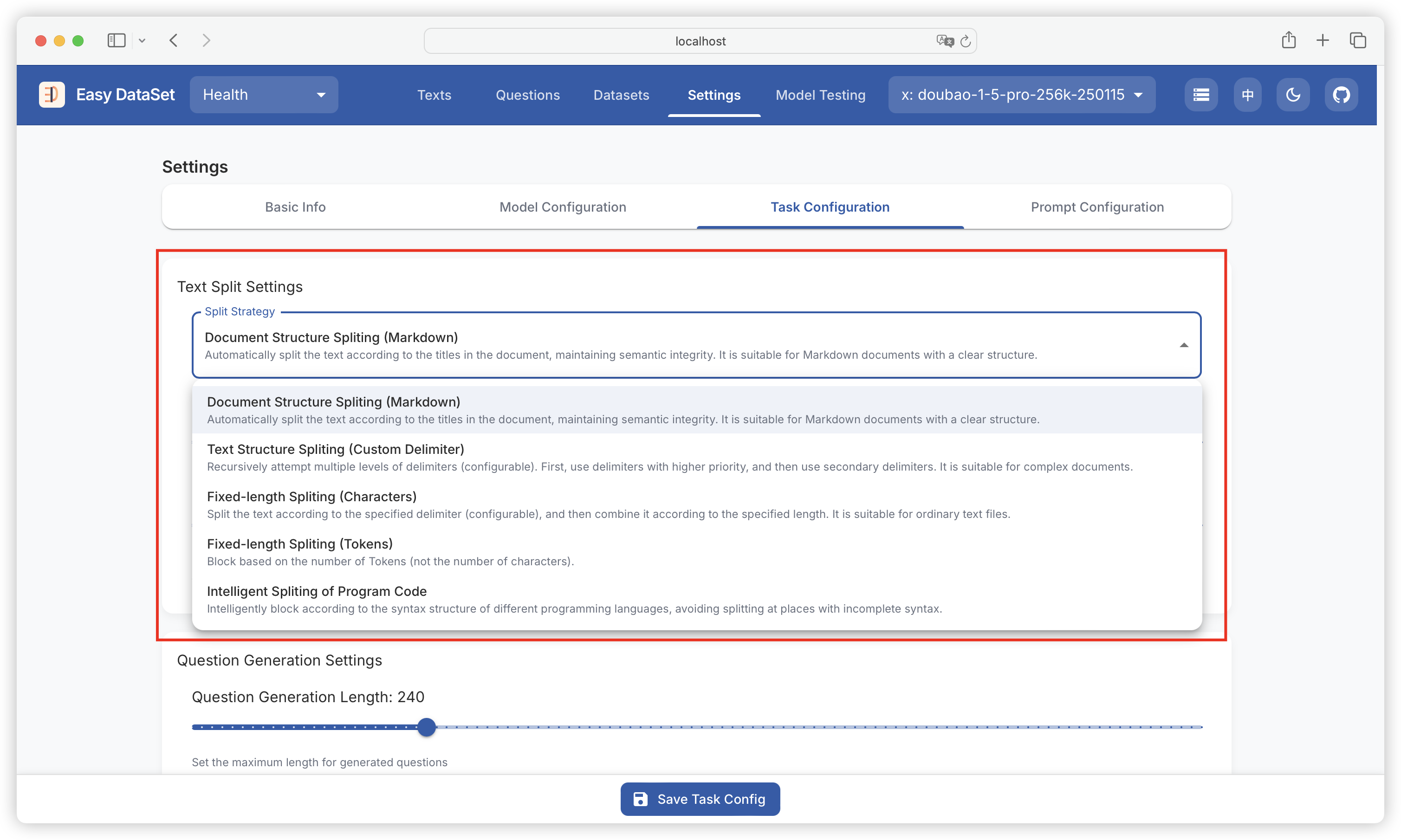
在 Easy Dataset 中，通过 「设置 - 任务设置 - 分块设置」 可自定义设置文献处理时的不同分块策略。

<figure><img src="https://544849060-files.gitbook.io/~/files/v0/b/gitbook-x-prod.appspot.com/o/spaces%2FDgZmZsLiavwvoXVnDBQ5%2Fuploads%2FiA1EuEkxCbkdyZGhpEzu%2Fimage.png?alt=media&#x26;token=6cbcc839-a1f1-41bc-b129-bfbe2be28ec4" alt=""><figcaption></figcaption></figure>

### 为什么要做分块？

文本分块的作用，就是把文档拆分成小片段，方便后续的应用程序使用，通过分块，我们可以：

* **解决文档长度不一致的问题**：实际的文档库中，文本的篇幅长短不一。通过分割，能保证所有文档都能以相同的方式进行处理。
* **突破模型的限制**：不少模型都有最大输入长度的限制。把文档分割后，就可以处理那些原本因为太长而无法使用的文档。
* **提升表示质量**：对于长文档而言，如果想一次性提取过多信息，提取质量就可能下降，而分割文档能让每个片段的表示更加精准、有针对性。
* **提高检索的精准度**：在信息检索系统里，分割文档可以让搜索结果更细致，使查询内容能更精确地匹配到文档里相关的部分。
* **优化计算资源的利用**：处理小片段文本更节省内存，而且还能更高效地并行处理任务。

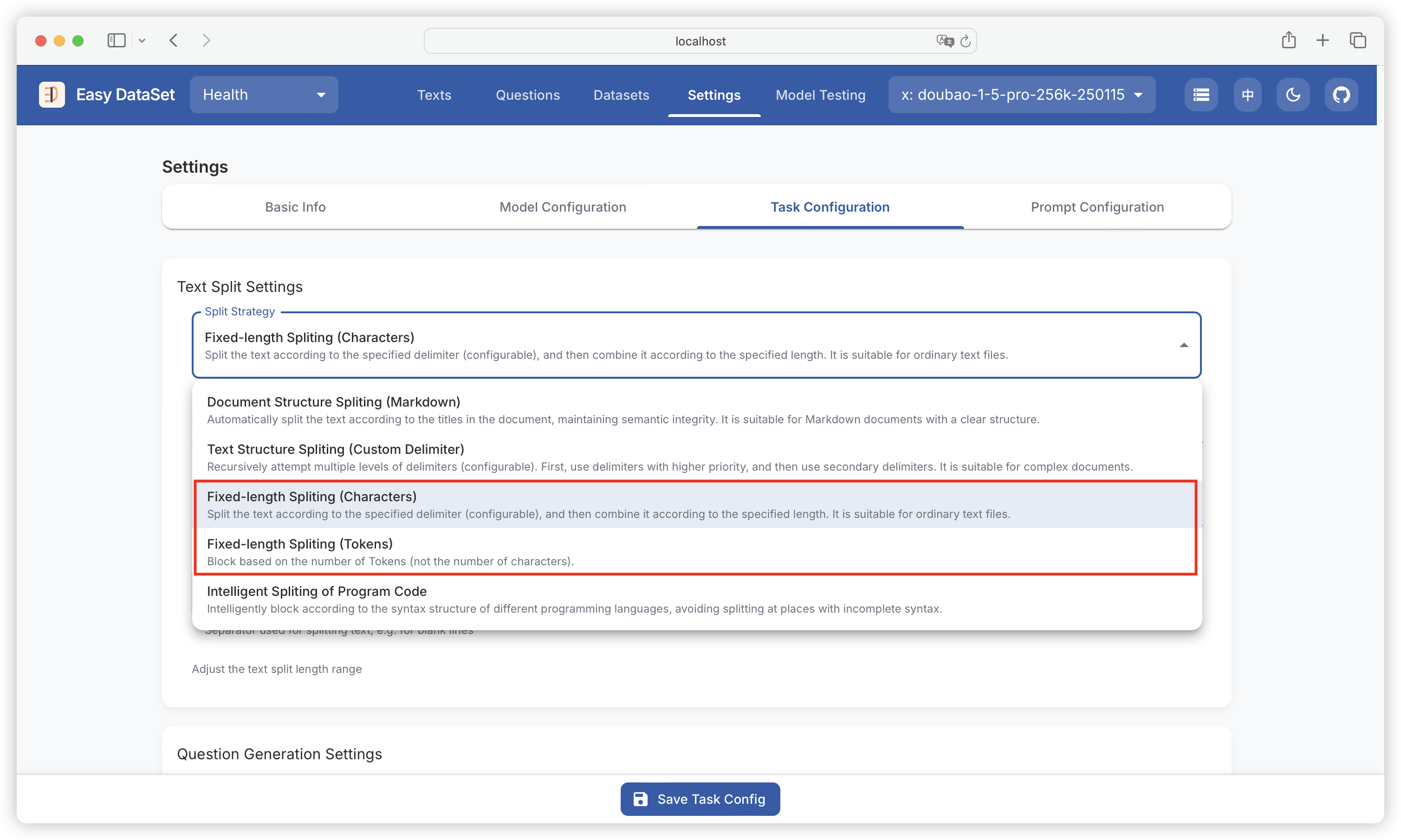
### 固定长度分块

最简单也是容易想到的分割策略，就是按照文档的长度来划分。这种方法简单又有效，能确保每个片段都不会超过设定的长度上限。基于长度分割的优势主要体现在这几个方面：实现起来简单易懂、分割出的片段长度比较一致、能很方便地根据不同模型的要求进行调整。基于长度的分割又可以细分为：

* **基于词元分割**：按照词元数量来分割文本，在和语言模型配合使用时非常实用。
* **基于字符分割**：依据字符数量来分割文本，这种方式在不同类型的文本中都能保持较好的一致性。

<figure><img src="https://544849060-files.gitbook.io/~/files/v0/b/gitbook-x-prod.appspot.com/o/spaces%2FDgZmZsLiavwvoXVnDBQ5%2Fuploads%2F3Gx378eVIv84OP2LvRSq%2Fimage.png?alt=media&#x26;token=b4825d98-efac-4b89-b774-e550e86b3e24" alt=""><figcaption></figcaption></figure>

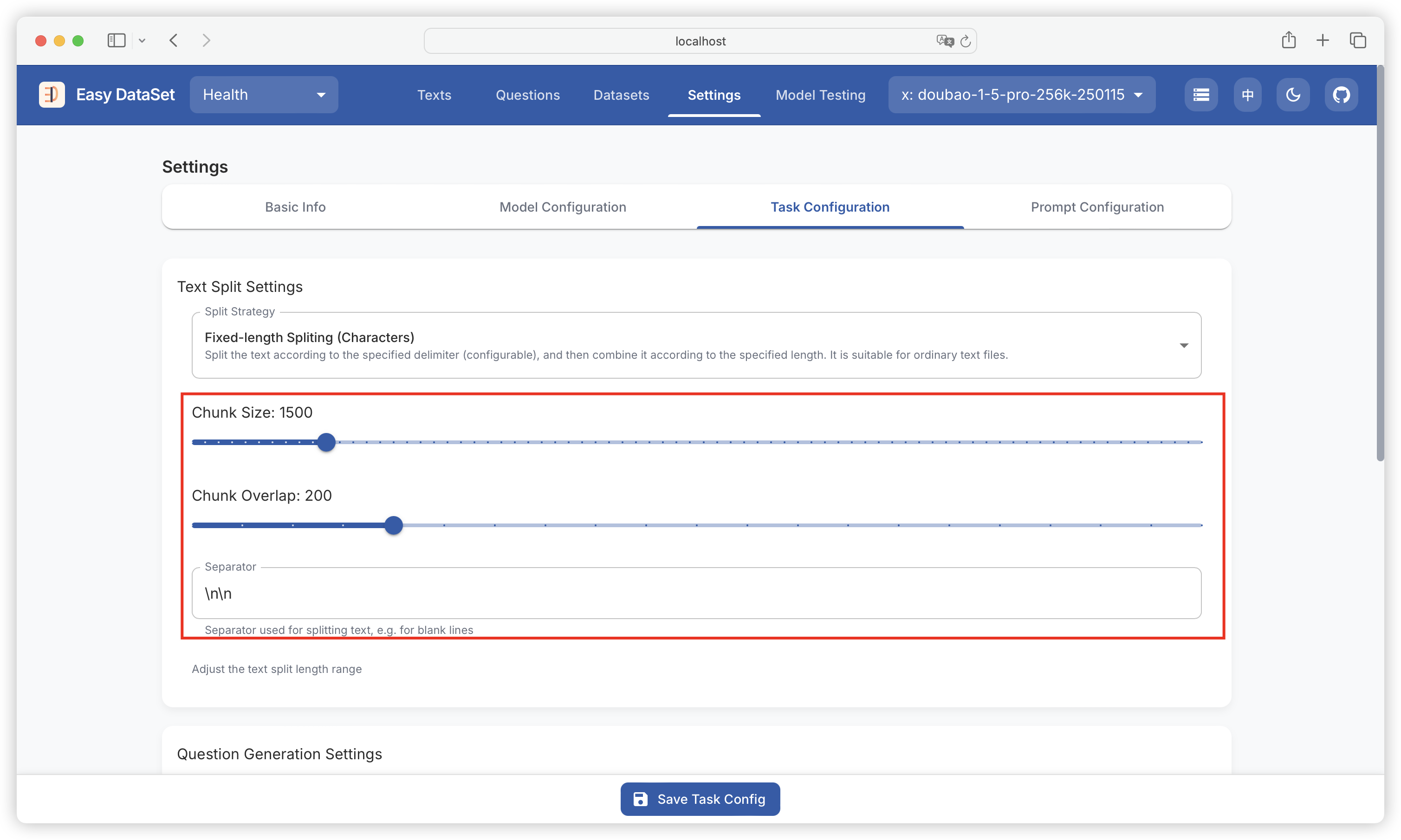
选择固定长度分块时，可配置：

1. **separator: "\n\n"：**&#x6307;定文本分割的边界标识，默认使用连续两个换行符（\n）作为分隔符。这意味着文本会在每个空行处被截断，将原始内容拆分为独立的段落块。例如，一篇包含多个空行分隔的文章会被按段落分割成多个子文本。通过调整分隔符（如改为 "\n" 或 "---"），可以灵活控制分割粒度，适用于不同格式的文本（如代码、Markdown文档等）。
2. **chunkSize: 1000：**&#x5B9A;义每个分割块的最大字符长度上限。当文本被分隔符拆分后，若某个块的字符数超过此值，则会被进一步细分为更小的块，确保所有块均不超过指定大小。例如，一个包含3000字符的段落会被拆分为至少3个块（每个≤1000字符）。此参数直接影响后续处理的粒度：较小的值会生成更多、更精细的块，适合需要精确上下文的场景；较大的值则减少块数量，保留更完整的语义单元。
3. **chunkOverlap: 200：**&#x63A7;制相邻分割块之间的重叠字符数。在每个块的末尾，会保留指定数量的字符作为与下一个块的重叠区域。例如，当 chunkOverlap: 200 时，前一个块的最后200个字符会重复出现在下一个块的开头。这种设计确保语义连续性，避免关键信息因分割被截断，尤其在依赖上下文的任务（如检索、问答）中至关重要。重叠区域作为过渡缓冲区，帮助模型在处理单个块时仍能获取相邻内容的上下文信息。

<figure><img src="https://544849060-files.gitbook.io/~/files/v0/b/gitbook-x-prod.appspot.com/o/spaces%2FDgZmZsLiavwvoXVnDBQ5%2Fuploads%2F2kzDGfh33CYnLyT0OTX3%2Fimage.png?alt=media&#x26;token=79a88f49-59fe-4f72-8670-4f87422cf6ef" alt=""><figcaption></figcaption></figure>

{% hint style="info" %}
如果文档相对简单，没有明显的结构，建议采用此方案。
{% endhint %}

### 文本结构分块

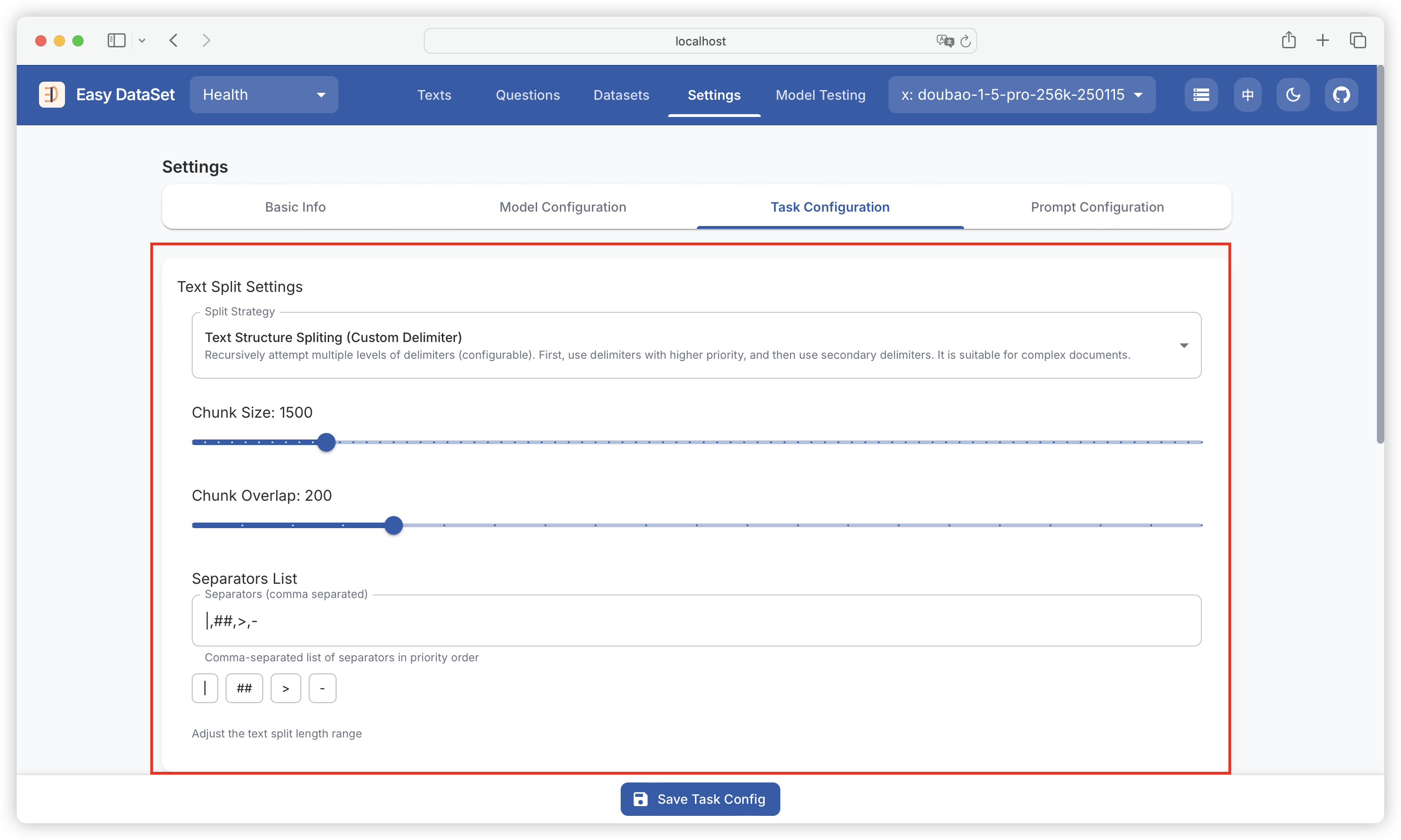
文本自然地组织成段落、句子和单词等层次结构。我们可以利用这种内在结构来制定分割策略，使分割后的文本保持自然语言的流畅性，在分割块内保持语义连贯，并适应不同程度的文本粒度。首先分割器会试图保持较大的单元（如段落）完整。如果一个单元超过了块大小限制，它会进入下一个层次（如句子）。如有必要，这个过程会一直持续到单词级别。

文本结构（递归）分块同样支持配置最大分块大小、重叠字符数，另外支持配置多个自定义分隔符：

<figure><img src="https://544849060-files.gitbook.io/~/files/v0/b/gitbook-x-prod.appspot.com/o/spaces%2FDgZmZsLiavwvoXVnDBQ5%2Fuploads%2FzxPAAg1TCbMFnXM2I0PJ%2Fimage.png?alt=media&#x26;token=d69495bd-7f37-435c-bb8d-32a98a265682" alt=""><figcaption></figcaption></figure>

{% hint style="info" %}
如果文献具备比较复杂的结构，需要设定多个不同的分隔符，建议采用此方案。
{% endhint %}

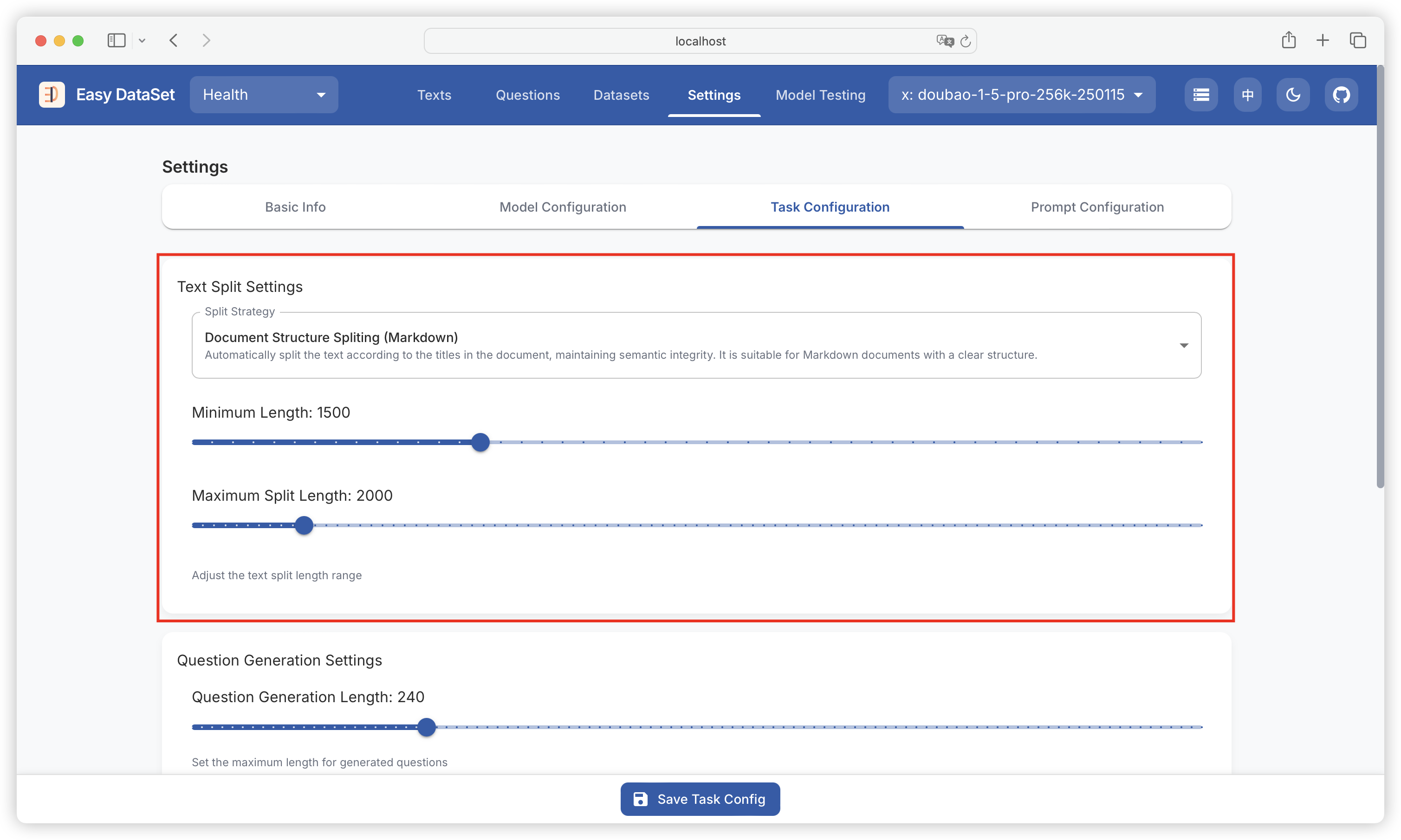
### 文档结构分块

基于 Markdown 的文档结构分块，是平台默认的分块策略：

* 首先需要设定文本块的最小、最大分割长度；
* 然后自动对章节（比如 Markdown 里的 `#、##、###`）进行识别；
* 对已识别到的章节字数进行计数，在恰好位于 > 最小分割长度 同时 < 最大分割长度的前提下进行分段；
* 当遇到超长段落（超出最大分割长度）的时候，在执行递归分段算法，确保语义的完整性。

<figure><img src="https://544849060-files.gitbook.io/~/files/v0/b/gitbook-x-prod.appspot.com/o/spaces%2FDgZmZsLiavwvoXVnDBQ5%2Fuploads%2F5zCqokkJAH2AocpOBxU6%2Fimage.png?alt=media&#x26;token=b8eb679c-b887-4f45-9920-22cde56d5ae3" alt=""><figcaption></figcaption></figure>

{% hint style="info" %}
如果 Markdown 文件具有良好的结构划分，使用此方案可以获得最佳分块效果。
{% endhint %}

### 代码结构分块

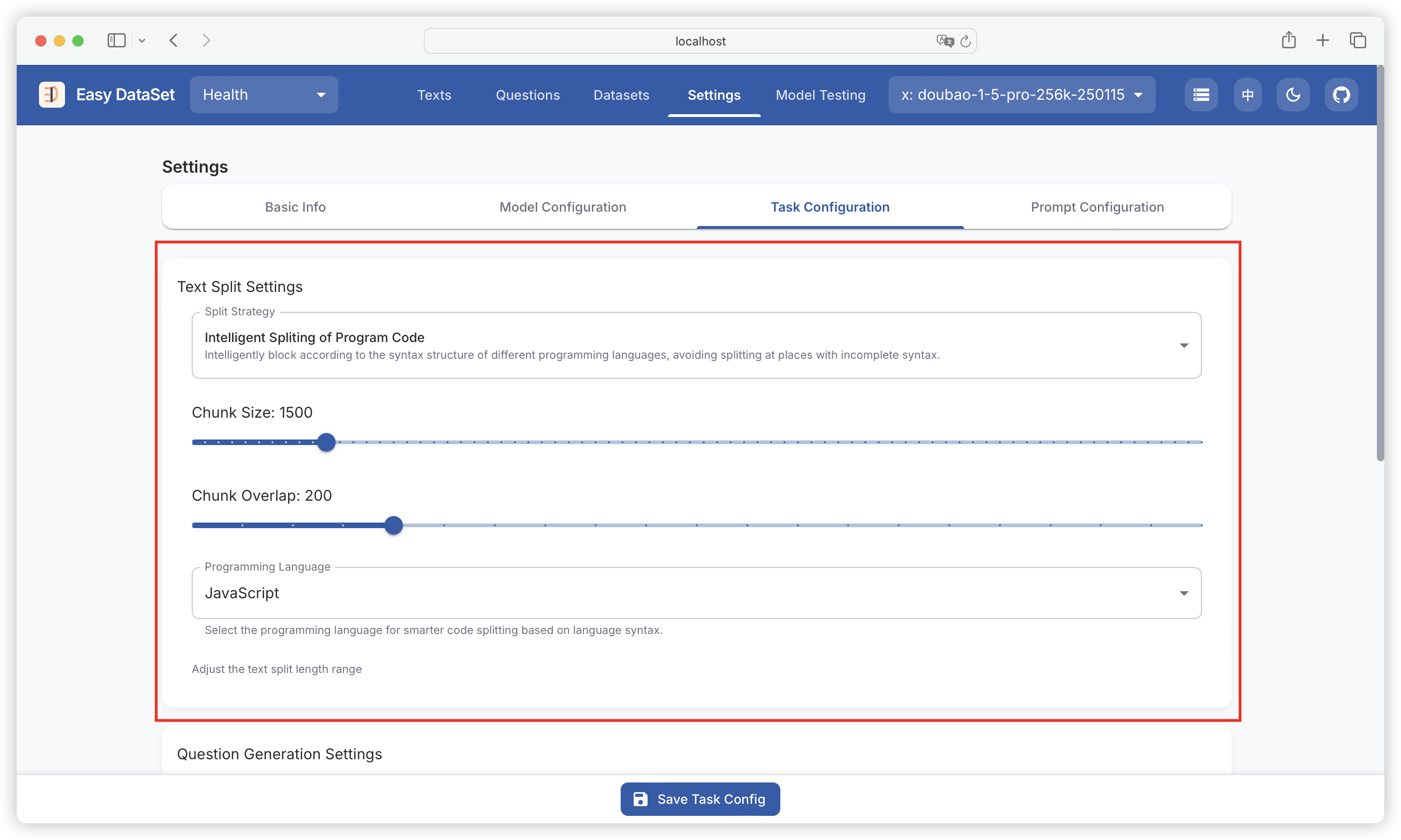
当分块的目标中含有大量代码时，传统的分割方式都不适用，可能会对代码进行阶段，Easy Dataset 也提供了基于智能代码语意理解能力的分割方式，可以选择目标语言进行分块：

<figure><img src="https://544849060-files.gitbook.io/~/files/v0/b/gitbook-x-prod.appspot.com/o/spaces%2FDgZmZsLiavwvoXVnDBQ5%2Fuploads%2FrrflwulCkyeGrkMZD2HZ%2Fimage.png?alt=media&#x26;token=1917d21a-2ca6-424e-b3c3-e91dcb694530" alt=""><figcaption></figcaption></figure>

### 可视化自定义分块

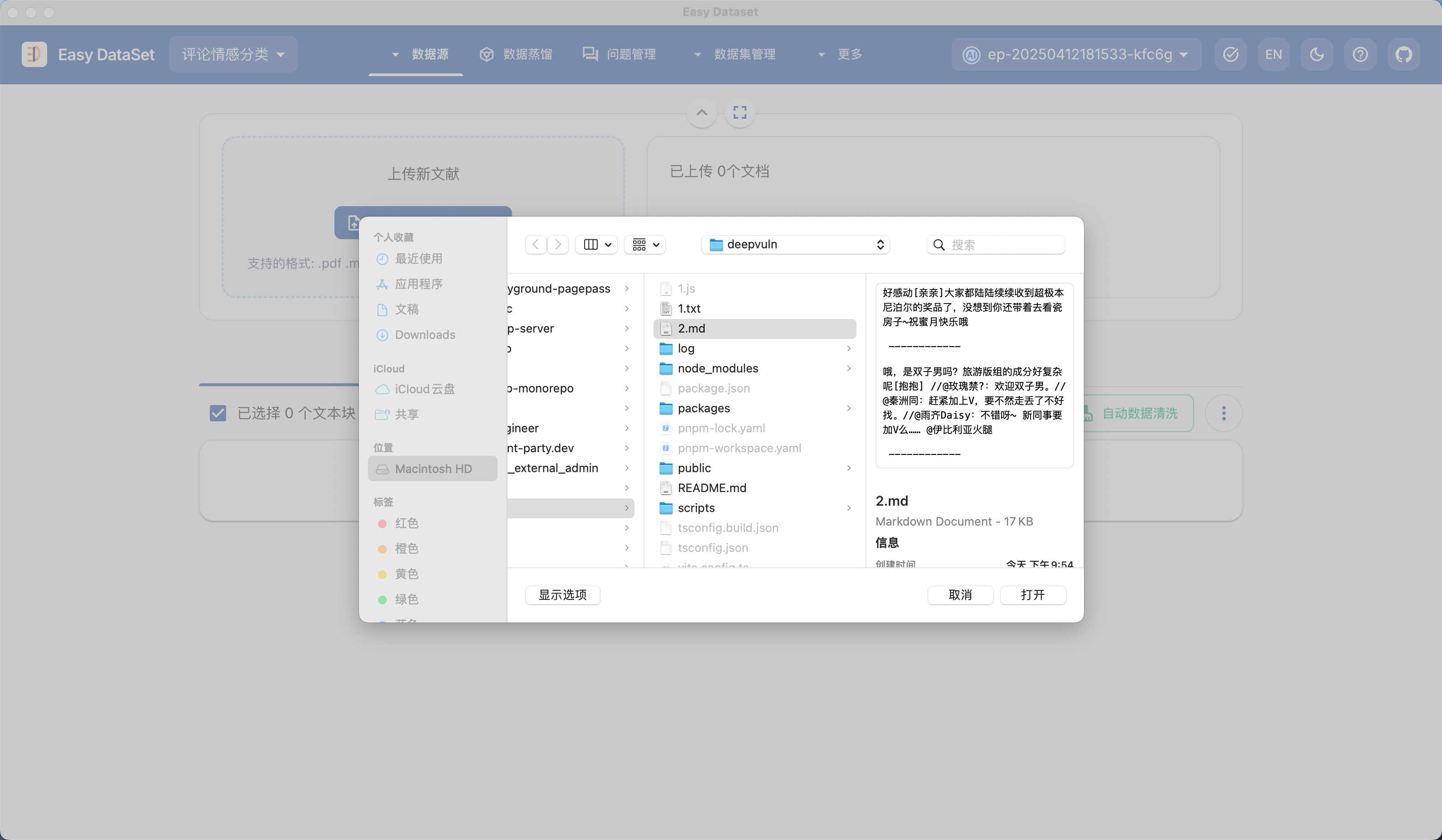
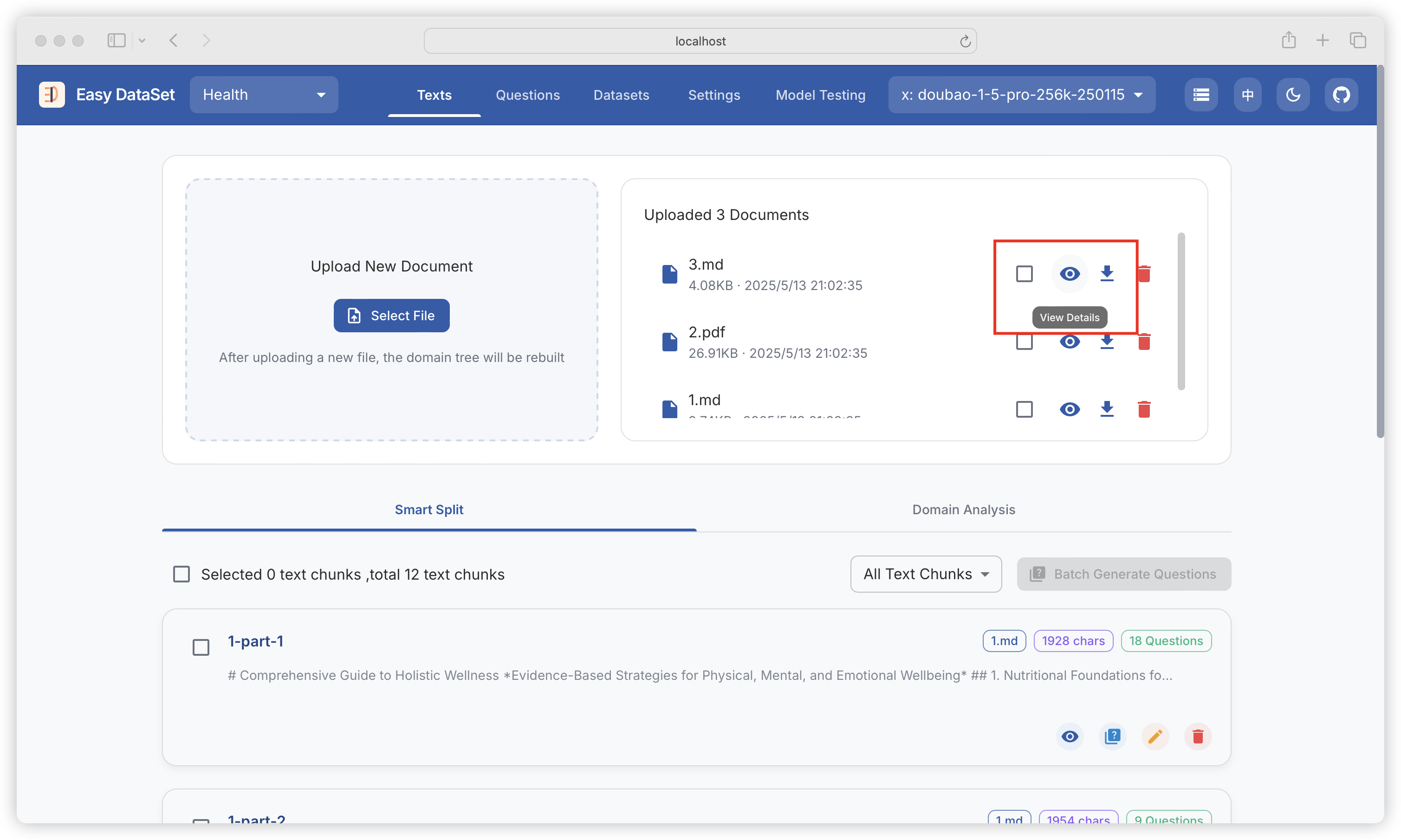
当以上分块策略均不能满足你的需求时，可选择使用可视化自定义分块功能，首先找到要分块的文献，点击查看详情：

<figure><img src="https://544849060-files.gitbook.io/~/files/v0/b/gitbook-x-prod.appspot.com/o/spaces%2FDgZmZsLiavwvoXVnDBQ5%2Fuploads%2Fj4WmymMyPBIb8cJT3nMO%2Fimage.png?alt=media&#x26;token=b66545a8-7eec-4c66-ba4f-7e28adad3832" alt=""><figcaption></figcaption></figure>

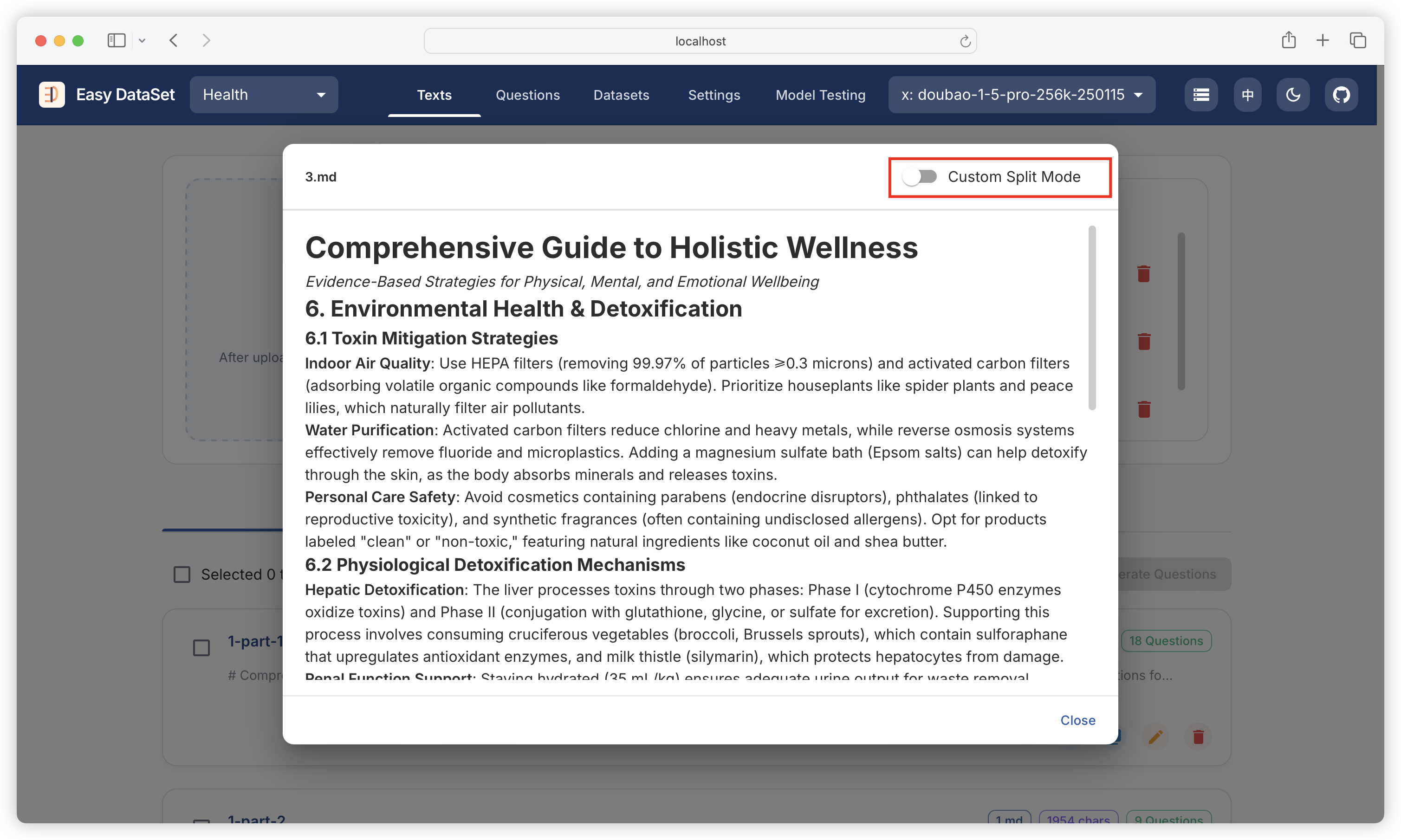
打开文件预览视图后，点击右上角开启自定义分块模式：

<figure><img src="https://544849060-files.gitbook.io/~/files/v0/b/gitbook-x-prod.appspot.com/o/spaces%2FDgZmZsLiavwvoXVnDBQ5%2Fuploads%2Fa3lSTvmyosNqZsSH2mAx%2Fimage.png?alt=media&#x26;token=f9f99a57-0f78-4c5e-9537-9f00d8dff6fa" alt=""><figcaption></figcaption></figure>

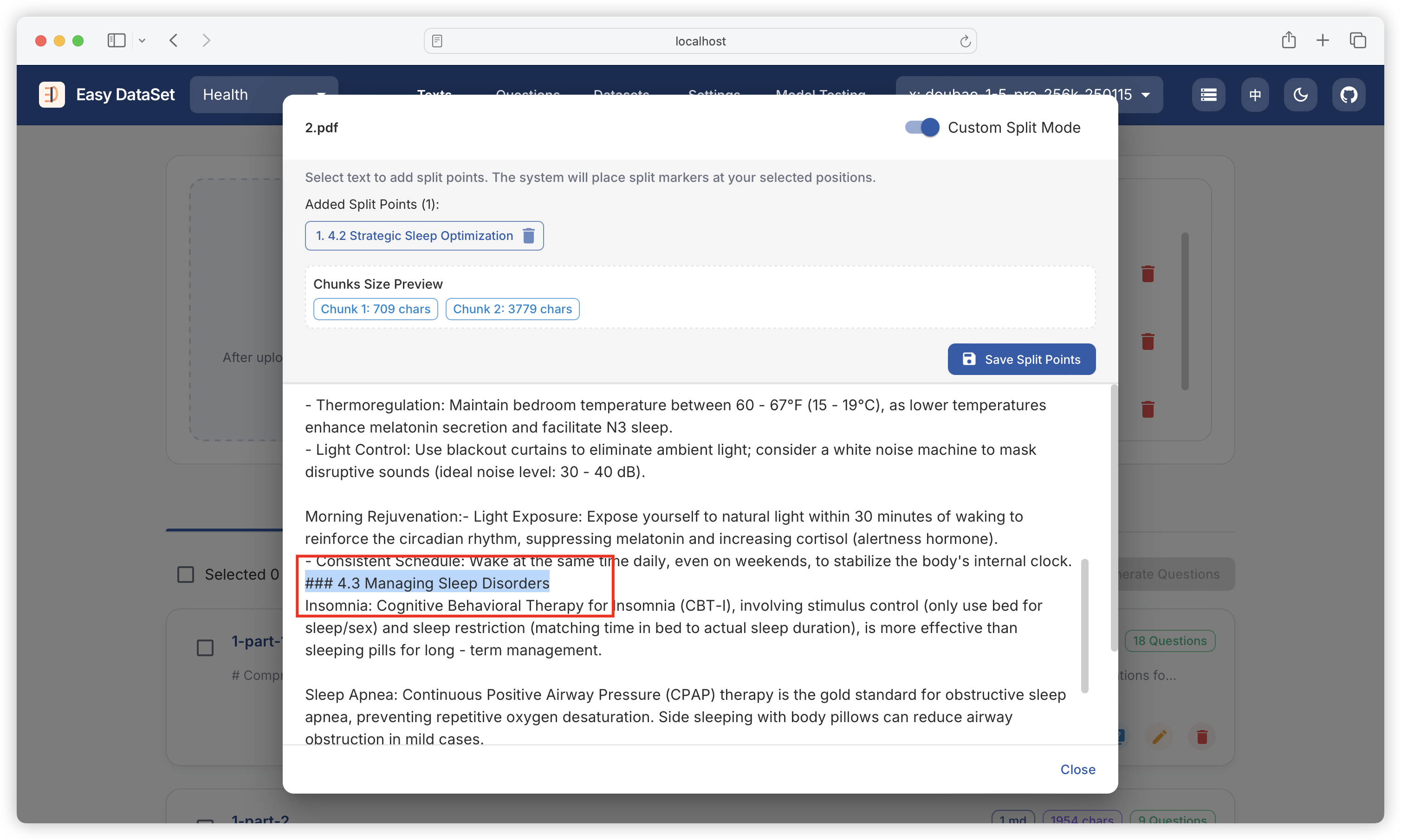
在需要分块的位置选中文本：

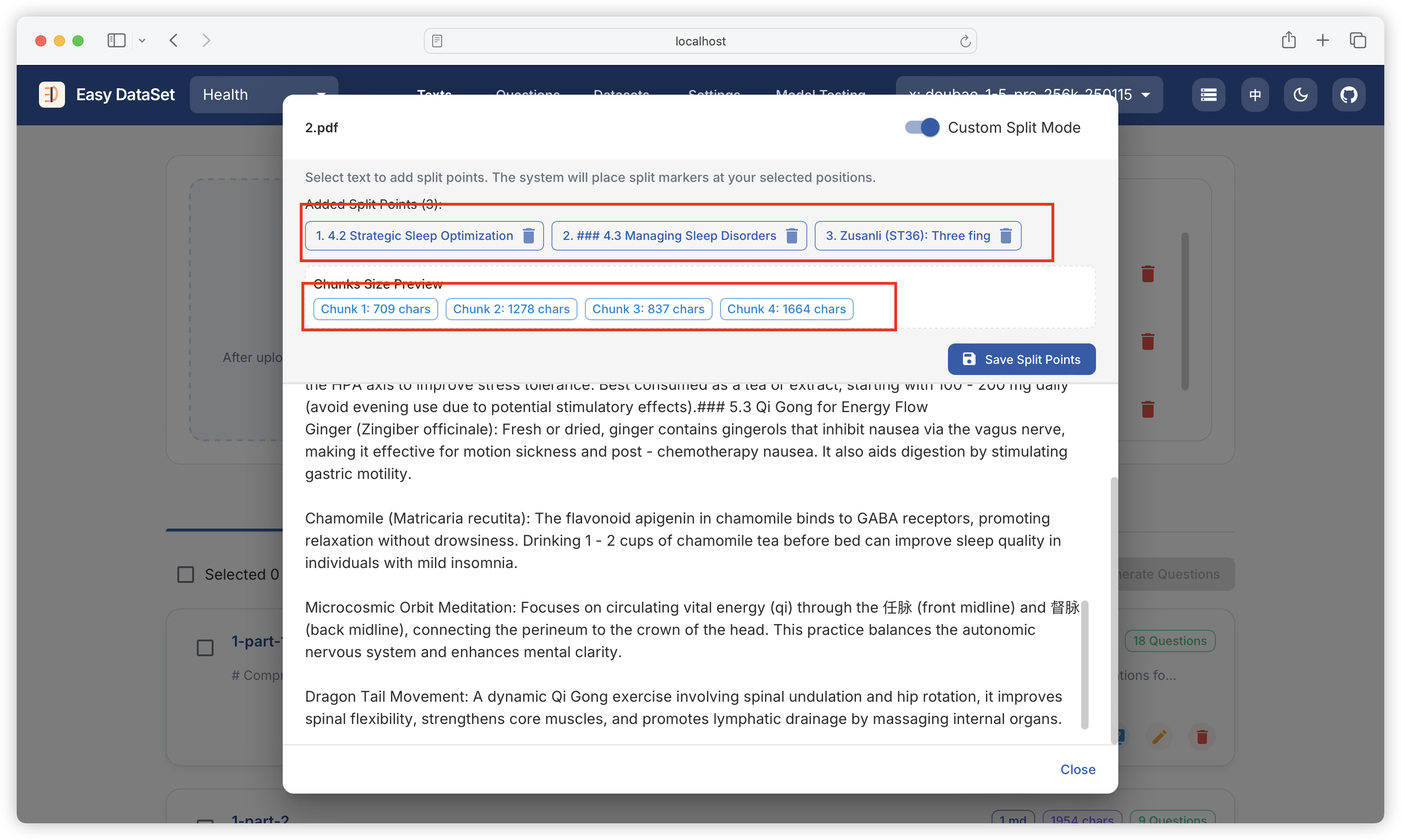
<figure><img src="https://544849060-files.gitbook.io/~/files/v0/b/gitbook-x-prod.appspot.com/o/spaces%2FDgZmZsLiavwvoXVnDBQ5%2Fuploads%2FUF2gfvPLnQwHTu4EiipS%2Fimage.png?alt=media&#x26;token=c28445ff-8532-4c6b-9472-a573061891a4" alt=""><figcaption></figcaption></figure>

上方将展示当前分块的位置、分块数量以及每个块的字符数：

<figure><img src="https://544849060-files.gitbook.io/~/files/v0/b/gitbook-x-prod.appspot.com/o/spaces%2FDgZmZsLiavwvoXVnDBQ5%2Fuploads%2FSTWKNNNW6990EAgWkvwg%2Fimage.png?alt=media&#x26;token=afeb0e22-60cd-4309-8bce-006ba1b22889" alt=""><figcaption></figcaption></figure>

点击保存分块：

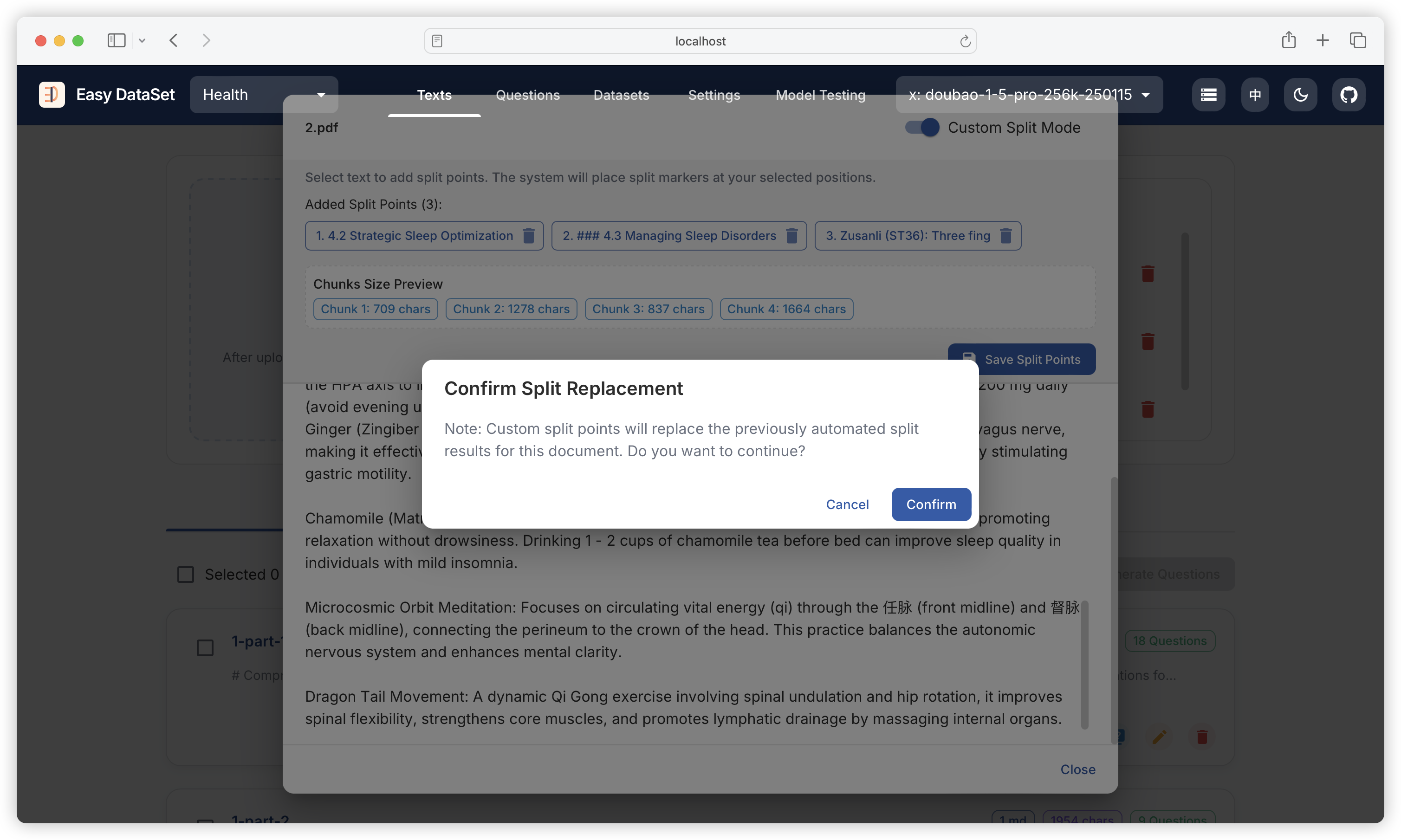
<figure><img src="https://544849060-files.gitbook.io/~/files/v0/b/gitbook-x-prod.appspot.com/o/spaces%2FDgZmZsLiavwvoXVnDBQ5%2Fuploads%2FGct85EjGpc6XdWaaUmdO%2Fimage.png?alt=media&#x26;token=3ca85e54-d6e4-4e81-8bda-8c8305bb71e7" alt=""><figcaption></figcaption></figure>

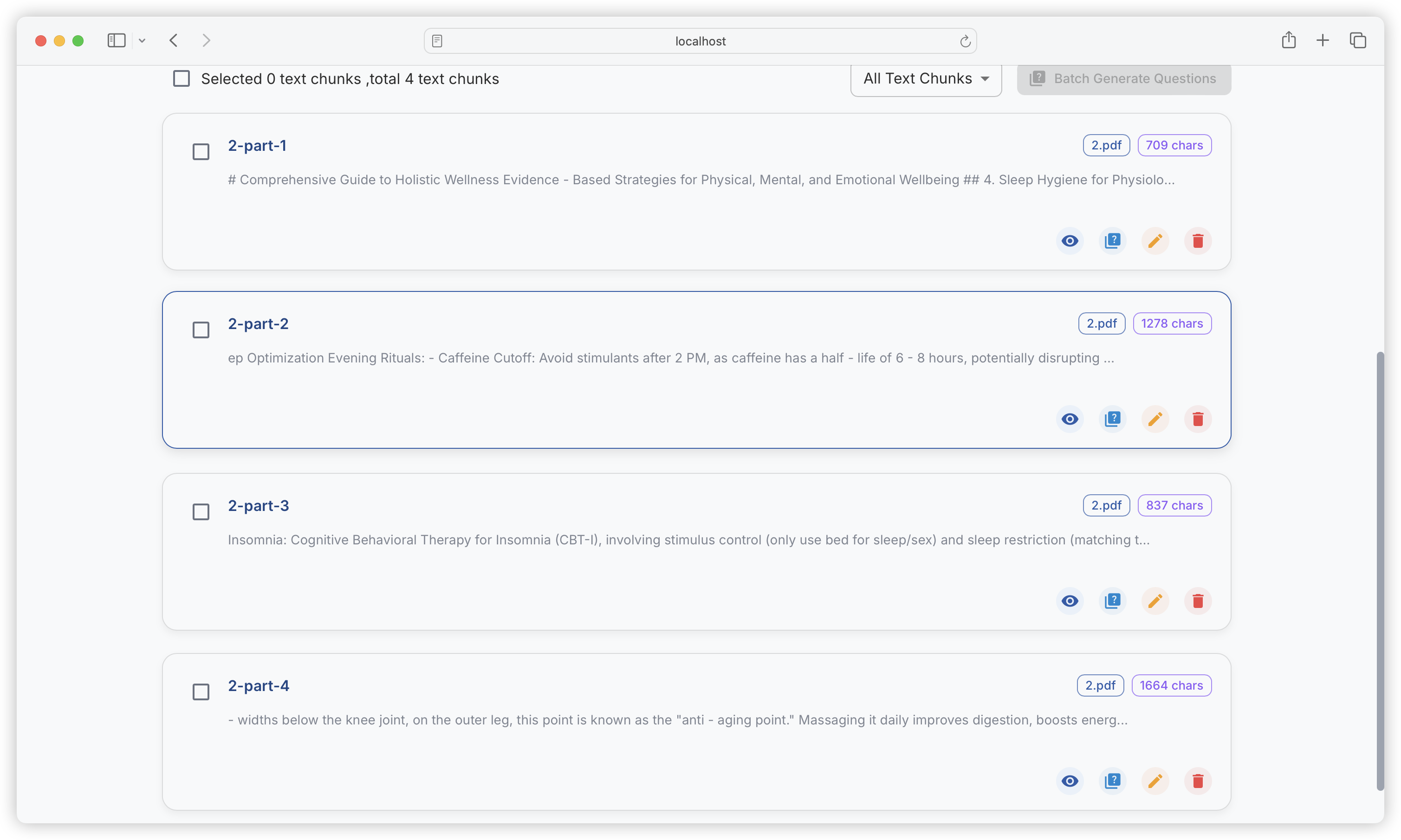
保存后，将完全替换掉当前文献历史的分块内容：

<figure><img src="https://544849060-files.gitbook.io/~/files/v0/b/gitbook-x-prod.appspot.com/o/spaces%2FDgZmZsLiavwvoXVnDBQ5%2Fuploads%2FRrQkiAKVDPnibUq0paR6%2Fimage.png?alt=media&#x26;token=a1fddc00-fd8d-4b8b-b3ff-eea9bbc5f4e4" alt=""><figcaption></figcaption></figure>


# 自定义提示词

{% hint style="info" %}
自定义提示词可主动干预问题、答案、领域标签生成的效果。
{% endhint %}

### 1.5.0 版本前（旧版自定义提示词）

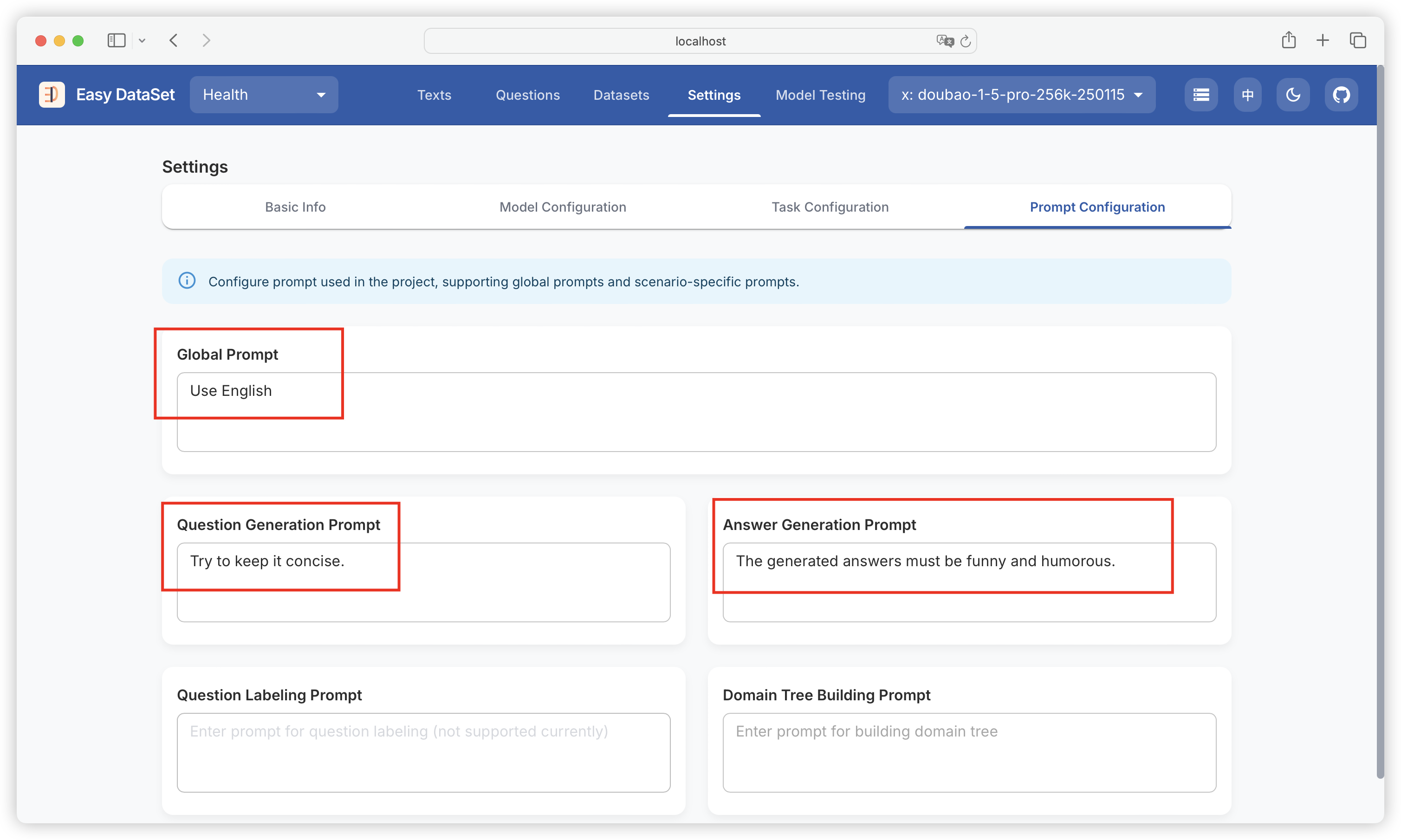
例如，在下面的自定义提示词中，我们：

* 通过自定义全局提示词要求必须使用英文
* 通过自定义问题生成提示词要求问题必须保持精简
* 通过自定义答案生成提示词要求答案必须风趣幽默

<figure><img src="https://544849060-files.gitbook.io/~/files/v0/b/gitbook-x-prod.appspot.com/o/spaces%2FDgZmZsLiavwvoXVnDBQ5%2Fuploads%2FUAEHnGGED4Lc91wZZ8Xv%2Fimage.png?alt=media&#x26;token=1456ae86-d547-4a2a-8608-1cc18a100f37" alt=""><figcaption></figcaption></figure>

最终干预后的效果：

<figure><img src="https://544849060-files.gitbook.io/~/files/v0/b/gitbook-x-prod.appspot.com/o/spaces%2FDgZmZsLiavwvoXVnDBQ5%2Fuploads%2FP0TSBNebsS3HRbAqffQ1%2Fimage.png?alt=media&#x26;token=3cc49040-9651-4a94-8b07-eab34cefcfef" alt=""><figcaption></figcaption></figure>

### 1.5.0 版本后（新版自定义提示词）

在过去，Easy Dataset 收到了大量关于定制提示词的需求，因为数据集的定制要求多种多样，一套通用的提示词无法满足所有的定制需求。

在之前的版本中，我们开放了部分提示词的定制能力，但这仍无法满足一些特殊的定制场景，因此，自 1.5.0 版本，Easy Dataset 的全量核心提示词开放自定义，捏可以到**项目设置 - 提示词配置** 中看到系统目前所有的核心提示词：

![](https://files.mdnice.com/user/6267/9ec847c1-cf1f-4081-8c63-09123c3f0e65.png)

并且可以自由编辑这些提示词：

![](https://files.mdnice.com/user/6267/667c2598-463c-4cb8-aeb5-ef5bf488940c.png)

不过需要注意的是，在编辑提示词过程中最好不要破坏原有的提示词中包含的变量，否则可能会导致提示词生成流程失败，例如，在基础答案生成提示词中，`{{text}}` 参考文本，`{{question}}` 需要回答的问题为提示词中的量大变量：

![](https://files.mdnice.com/user/6267/10090f94-4754-42db-8e8a-d037f0502f56.png)

> 注意：1.5.0 之前版本配置的自定义提示词将失效，升级后需重新配置核心提示词。


# 蒸馏数据集

{% hint style="info" %}
数据蒸馏模块支持从大参数模型中零样本构造蒸馏数据集，然后用于微调小参数模型。
{% endhint %}

### **什么是模型蒸馏？**

想象有一位“大教授”（大模型），知识渊博但“脾气很大”：培养他需要巨额学费（训练成本高），请他讲课需要豪华教室（高算力硬件），每节课费用惊人（推理成本高）。而“小学生”（小模型）虽然乖巧轻便（低部署成本），但知识面有限。

**模型蒸馏**就是让大教授把解题思路 “浓缩” 成小抄，教给小学生的过程。

* 大教授不会直接说 “这道题选A”，而是给出一组概率分布（比如 A 选项 80% 可能，B 选项 20% 可能），这种“软答案”包含了他的思考逻辑。
* 小学生通过模仿大教授的思路，既能学到核心知识，又不用承担高额成本，就像用“解题思路小抄”快速掌握重点。

{% hint style="success" %}
简单理解：从大模型中提取原始数据集、推理过程，再微调小模型。
{% endhint %}

### **为什么需要模型蒸馏？**

大模型虽强，但实际应用中面临两大难题：

1. **算力门槛高**：训练一个千亿参数模型需消耗数百万美元，普通企业和个人根本玩不起。
2. **部署困难**：大模型运行需要几十 GB 内存，普通个人设备根本“装不下”。

{% hint style="success" %}
**蒸馏的核心价值**：个人和小型企业没有能力部署大参数模型，但可以从大模型蒸馏出特定领域的小模型来使用，在大幅降低部署成本的同时，也能够保持特定领域下的使用效果。
{% endhint %}

### **模型蒸馏的案例**

DeepSeek 推出的系列开源蒸馏模型：

<figure><img src="https://544849060-files.gitbook.io/~/files/v0/b/gitbook-x-prod.appspot.com/o/spaces%2FDgZmZsLiavwvoXVnDBQ5%2Fuploads%2F6KX3adQIA9FxZg57b8EL%2Fimage.png?alt=media&#x26;token=f7b0b428-0f5a-4c03-8066-4cb68b0c1190" alt=""><figcaption></figcaption></figure>

李飞飞团队的论文 《s1：Simple test- time scaling》 中提到：仅花费 50 美元，就训练出一个比肩 ChatGPT o1 和 DeepSeek R1 的模型，基于通义的开源模型 Qwen2.5-32B 进行的微调，而微调所用的数据集，其中一部分蒸馏自 Google Gemini 2.0 Flash Thinking。

<figure><img src="https://544849060-files.gitbook.io/~/files/v0/b/gitbook-x-prod.appspot.com/o/spaces%2FDgZmZsLiavwvoXVnDBQ5%2Fuploads%2FhCglQDMIwDRZCfO6uGcq%2Fimage.png?alt=media&#x26;token=73bfbffe-edb8-44ea-a6e9-1bdf8d13c2d9" alt=""><figcaption></figcaption></figure>

这个模型的诞生，是先通过知识蒸馏，从 Gemini API 获取推理轨迹和答案，辅助筛选出 1000 个高质量的数据样本。然后，再用这个数据集，对通义 Qwen2.5-32B 进行微调，最终得到性能表现不错的 s1 模型。

### **蒸馏 vs 微调 vs RAG**

<table data-header-hidden><thead><tr><th width="130.2265625">方法</th><th>核心思路</th><th>适用场景</th></tr></thead><tbody><tr><td><strong>蒸馏</strong></td><td>小模型模仿大模型的解题思路</td><td>轻量化部署（手机、企业私有云）</td></tr><tr><td><strong>微调</strong></td><td>用特定数据给模型“补课”（如医疗数据）</td><td>垂直领域定制（如法律、医疗问答）</td></tr><tr><td><strong>RAG</strong></td><td>模型调用外部知识库“作弊”</td><td>企业文档检索（如内部培训资料）</td></tr></tbody></table>

### **蒸馏基本流程**

1. **准备“小抄”（软标签生成）**
   * 大教授先“做一遍题”：用原始数据（如“这部电影很棒”）输入大模型，生成概率分布。
2. **小学生“刷题”（模型训练）**
   * 小模型输入同样数据，输出自己的预测（如“正面85%，负面15%”），对比大教授的“小抄”计算差距（损失函数）。
   * 通过反复调整参数（反向传播），让小模型的答案越来越接近大教授的思路。
3. **结合“标准答案”（软硬标签结合）**
   * 小模型既要学大教授的思路（软标签），也要保证基础题正确率（硬标签，如“猫就是猫”），通过平衡系数（α）调节两者比重，避免“学偏”。

### 使用 Easy Dataset 构造蒸馏数据集

{% hint style="success" %}

### Easy Dataset 可以解决什么问题？基于特定领域从大模型蒸馏数据集：比如我们想蒸馏出一个基于 DeepSeek R1 推理过程的中医小模型，就要先从 DeepSeek R1 中提取 “中医” 相关的领域数据集。

{% endhint %}

### 蒸馏数据集思路

在模型蒸馏过程中，数据集的构造是非常重要的，直接决定蒸馏模型的质量，需要如下要求：

* **覆盖任务场景**：数据集需与原始任务（如图像分类、自然语言处理等）的真实分布一致，确保教师模型和学生模型学习到的数据特征具有实际意义。
* **多样性与平衡性**：数据需包含足够的样本多样性（如不同类别、噪声水平、边缘情况等），避免因数据偏差导致蒸馏后的模型泛化能力不足。

为了满足这样的要求，我们在特定领域上肯定不能完全随机提取数据集，在 Easy Dataset 中的思路是：

<figure><img src="https://544849060-files.gitbook.io/~/files/v0/b/gitbook-x-prod.appspot.com/o/spaces%2FDgZmZsLiavwvoXVnDBQ5%2Fuploads%2FXqVESSlswy1KcEx7dwwU%2Fimage.png?alt=media&#x26;token=454bce03-56ff-407c-b583-3d4dbc671ca8" alt=""><figcaption></figcaption></figure>

先通过顶级主题（默认使用项目名称），构造多级领域标签，从而构造完整的领域树，在基于 “学生模型” 从领域树的叶子结点提取问题，最终使用 “教师模型” 为问题逐个生成答案和思维过程。

{% hint style="info" %}
在实际任务中，提取问题的 “学生模型” 和生成答案的 “教师模型” 也可以是同一个。
{% endhint %}

### 手动蒸馏数据集

我们创建一个体育与运动（Physical Education and Sports）的新项目：

{% hint style="info" %}
在数据蒸馏任务中，将使用项目名称作为默认的顶级蒸馏主题，所以取好项目名称至关重要。
{% endhint %}

<figure><img src="https://544849060-files.gitbook.io/~/files/v0/b/gitbook-x-prod.appspot.com/o/spaces%2FDgZmZsLiavwvoXVnDBQ5%2Fuploads%2FUcU3mrUy67sfzbr6bqvg%2Fimage.png?alt=media&#x26;token=bf069bea-fdfd-4702-9916-00bdc25899d1" alt=""><figcaption></figcaption></figure>

然后我们来到数据蒸馏模块，点击生成顶级标签：

<figure><img src="https://544849060-files.gitbook.io/~/files/v0/b/gitbook-x-prod.appspot.com/o/spaces%2FDgZmZsLiavwvoXVnDBQ5%2Fuploads%2FNo69ulODYeAfQlVoFiqT%2Fimage.png?alt=media&#x26;token=c3d706f8-a64a-4220-9669-4f28d81e94d9" alt=""><figcaption></figcaption></figure>

此操作可以我们从顶级主题（默认是项目名称）生成 N 个子主题（标签），数量可自定义输入，任务成功后，将在对话框生成标签预览：

<figure><img src="https://544849060-files.gitbook.io/~/files/v0/b/gitbook-x-prod.appspot.com/o/spaces%2FDgZmZsLiavwvoXVnDBQ5%2Fuploads%2FxcNaNHwpIkYxO2Z5qHU5%2Fimage.png?alt=media&#x26;token=033b5de9-160c-4e1c-9c1c-cdb539f9a0f2" alt=""><figcaption></figcaption></figure>

我们可以点击每个子主题上的添加子标签，可以继续生成多层子主题：

<figure><img src="https://544849060-files.gitbook.io/~/files/v0/b/gitbook-x-prod.appspot.com/o/spaces%2FDgZmZsLiavwvoXVnDBQ5%2Fuploads%2FfgrFOsiB4brZPReaKgpq%2Fimage.png?alt=media&#x26;token=47ae3ad4-f341-45cf-b0fd-40f91122bc54" alt=""><figcaption></figcaption></figure>

为了保证子主题生成的相关性，生成多层子主题将传入完整的标签路径：

<figure><img src="https://544849060-files.gitbook.io/~/files/v0/b/gitbook-x-prod.appspot.com/o/spaces%2FDgZmZsLiavwvoXVnDBQ5%2Fuploads%2FuezoleSW70pTnzORlbTD%2Fimage.png?alt=media&#x26;token=a1225d24-1a18-4e11-8095-b9d30215acda" alt=""><figcaption></figcaption></figure>

多级领域标签树构建完成后，可以开启从叶子标签上提取问题：

<figure><img src="https://544849060-files.gitbook.io/~/files/v0/b/gitbook-x-prod.appspot.com/o/spaces%2FDgZmZsLiavwvoXVnDBQ5%2Fuploads%2FA6HEc5Syg49GCC0Dxr4w%2Fimage.png?alt=media&#x26;token=c2d0a6ef-0350-43c0-a777-41e8ce295e1c" alt=""><figcaption></figcaption></figure>

我们可以选择生成问题的数量，另外提取问题时也将传入完整领域标签路径：

<figure><img src="https://544849060-files.gitbook.io/~/files/v0/b/gitbook-x-prod.appspot.com/o/spaces%2FDgZmZsLiavwvoXVnDBQ5%2Fuploads%2FwOlSlXwbO9xVv8RHs3yc%2Fimage.png?alt=media&#x26;token=2d4b2923-b5e5-4a6d-8bd5-7a3b6d334ad1" alt=""><figcaption></figcaption></figure>

生成完成后，可以对问题进行预览：

<figure><img src="https://544849060-files.gitbook.io/~/files/v0/b/gitbook-x-prod.appspot.com/o/spaces%2FDgZmZsLiavwvoXVnDBQ5%2Fuploads%2Fnx3ktFZbqQgkUuF8GWXk%2Fimage.png?alt=media&#x26;token=e16f2080-a69d-4e30-bbc2-07f522ca2e25" alt=""><figcaption></figcaption></figure>

可以从领域树叶子结点上看到已生成的问题：

<figure><img src="https://544849060-files.gitbook.io/~/files/v0/b/gitbook-x-prod.appspot.com/o/spaces%2FDgZmZsLiavwvoXVnDBQ5%2Fuploads%2F1v6gvUQ6qUMumRmPGiTB%2Fimage.png?alt=media&#x26;token=2a88b5a0-4e61-4136-a9ce-f1c8d1bf4661" alt=""><figcaption></figcaption></figure>

然后可以在每个问题上点击生成答案：

<figure><img src="https://544849060-files.gitbook.io/~/files/v0/b/gitbook-x-prod.appspot.com/o/spaces%2FDgZmZsLiavwvoXVnDBQ5%2Fuploads%2FIayIXGNdvPFE5Zpg6Djz%2Fimage.png?alt=media&#x26;token=abcf8001-2e9d-4747-ade0-298fda2fc51a" alt=""><figcaption></figcaption></figure>

也可以到问题管理模块为已生成的问题批量生产答案（蒸馏出的问题由于未关联文本块，默认展示为 Distilled Content）：

<figure><img src="https://544849060-files.gitbook.io/~/files/v0/b/gitbook-x-prod.appspot.com/o/spaces%2FDgZmZsLiavwvoXVnDBQ5%2Fuploads%2Fp1uo7GPndi6BnghPFIzR%2Fimage.png?alt=media&#x26;token=7d36424d-e8d1-4063-a0b4-ba033ab0186d" alt=""><figcaption></figcaption></figure>

### 自动蒸馏数据集

如果你不需要精细化的控制以上的每一步，可以选择全自动蒸馏数据集：

<figure><img src="https://544849060-files.gitbook.io/~/files/v0/b/gitbook-x-prod.appspot.com/o/spaces%2FDgZmZsLiavwvoXVnDBQ5%2Fuploads%2FdFkuI9G0SoXsiI4tHO3z%2Fimage.png?alt=media&#x26;token=0f592ff0-31e1-4292-8780-2ab0a4fc0ac3" alt=""><figcaption></figcaption></figure>

在配置框中，我们可以看到如下选项：

* 蒸馏主题（默认为项目名称）
* 生产领域树标签的层级（默认为两层）
* 每层生成的标签数量（默认为 10 个）
* 每个子标签生产的问题数量（默认为 10 个）

<figure><img src="https://544849060-files.gitbook.io/~/files/v0/b/gitbook-x-prod.appspot.com/o/spaces%2FDgZmZsLiavwvoXVnDBQ5%2Fuploads%2FLo1tkAtNYLUojwajWL0s%2Fimage.png?alt=media&#x26;token=7cf393d1-ccb5-42d1-801a-2bb0c631be8d" alt=""><figcaption></figcaption></figure>

任务开始后，我们可以看到详细的任务进度，包括构建标签、问题、答案的具体进度：

<figure><img src="https://544849060-files.gitbook.io/~/files/v0/b/gitbook-x-prod.appspot.com/o/spaces%2FDgZmZsLiavwvoXVnDBQ5%2Fuploads%2FuEWVlx5NpTNp11XJqayV%2Fimage.png?alt=media&#x26;token=69fb2af1-79b1-4b12-bb6f-4a7041fdccd6" alt=""><figcaption></figcaption></figure>

{% hint style="info" %}
此处也会遵循：「项目设置 - 任务设置」 中最设置的大并发数限制。
{% endhint %}


# MGA 增强数据集

数据增强面临的问题

当前，大模型的训练高度依赖训练数据的规模与质量，但现实往往面临着两大矛盾：

1. **数据稀缺性**：高质量语料（如学术文献、专业文本）总量有限，公开数据集（如 C4、RefinedWeb ）经严格过滤后仅保留不到 `10%` 的原始内容，难以支撑模型的持续扩展和训练。
2. **重复退化问题**：在传统深度学习中，重复训练是可以继续提升模型性能的，但 `LLM` 训练中，过度重复会导致模型泛化能力下降、优化稳定性变差，尤其是参数规模超千亿的模型。

> 例如，当使用 `1950` 亿 tokens 的高质量数据训练 130 亿参数模型时，若直接重复 10 次，模型在推理任务（如 GSM8K 数学题）的准确率会下降 23%，验证损失上升 `17%`。这表明：**数据重复并非简单的“量的补充”，而是需要质的多样性重构**。

### 字节最新论文

字节跳动 Seed 团队最近发表了一篇论文：《`Reformulation for Pretraining Data Augmentation`》

其中提出了一种新的 **Massive Genre-Audience（MGA）** 方法，通过轻量级框架将现有语料系统重构为多样化变体，核心思路是：**基于不同 “体裁（Genre）” 和 “受众（Audience）” 生成内容变体，在保留核心知识的同时创造语义丰富的新数据**。

虽然论文主要是表述预训练的数据集增强，但其思路同样适用于在模型微调阶段的数据集构造。

### MGA 介绍

“`Massive Genre-Audience`”（大规模类型-受众）是论文中提出的 `MGA（Massive Genre-Audience Reformulation）` 方法的核心概念，其含义可从以下两方面具体理解：

<figure><img src="https://544849060-files.gitbook.io/~/files/v0/b/gitbook-x-prod.appspot.com/o/spaces%2FDgZmZsLiavwvoXVnDBQ5%2Fuploads%2FXxcouZ418EJizaVhBI0O%2Fimage.png?alt=media&#x26;token=4c6d6b70-d2fe-41d8-9550-703c7fa980c4" alt=""><figcaption></figcaption></figure>

#### “Massive”的含义

* **大规模的多样性生成**：指该方法通过系统设计，能够生成海量的内容变体。例如，论文中提到每次推理会生成 5 对“类型-受众”组合，使原始文档扩展为 5 个新文档，实现 3.9 倍的 Token 数扩展。
* **覆盖广泛的场景**：强调其适用于大规模语料库的扩展，解决数据稀缺和重复问题，支持模型在数十亿参数规模下的高效训练。

#### “Genre-Audience”的含义

* **Genre（类型）**： 指内容的“知识表达框架”，通过多个维度定义，包括：
  * **沟通目的**（如教育、分析、叙事）；
  * **内容结构**（如分步教程、学术论文、对话体）；
  * **语言风格**（如严谨学术风、通俗故事风）；
  * **知识深度**（如初学者入门、专业研究者深度分析）。\
    例如，将同一篇科普文章重构为“学术论文”或“儿童故事”，会采用不同的结构和语言风格，但保留核心知识。
* **Audience（受众）**： 指内容的目标读者群体，结合以下特征：
  * **人口统计学因素**（年龄、职业、教育背景，如“12-15岁中学生”“医学专业研究生”）；
  * **知识背景与动机**（如“对化学感兴趣的初学者”“需要教学素材的中学教师”）。\
    例如，针对“办公室工作人员”的急救指南会侧重实用性和通俗表达，而针对“医学生”的版本则会包含更多专业术语和深度理论。

#### MGA方法的核心逻辑

* **通过“类型-受众”对驱动内容多样性**：每个“类型-受众”组合定义了一种重构方向，使同一原始文本能以不同形式呈现（如将科学知识转化为面向儿童的故事、面向学者的分析报告等），从而避免数据重复，增强模型对不同场景的泛化能力。
* **轻量级与可扩展性**：利用小模型自适应生成“类型-受众”对，无需依赖100亿参数以上的大型模型，降低计算成本，适合大规模语料库扩展。

> `“Massive Genre-Audience”` 本质上是一种数据增强策略，通过系统化地生成海量“类型-受众”组合，将现有文本重构为多样化的变体，既保留核心信息，又覆盖不同表达形式和读者群体，对模型训练数据进行增强，从而提升模型性能。

### MGA 的技术实现

在该论文中，MGA 的技术实现分为三个关键步骤：

* **阶段1：Genre-Audience对生成**\
  利用 3.3B 参数的混合专家模型（MoE），从原始文档中自适应提取5组不同的体裁-受众组合。例如，一篇科普文章可被映射为 `“学术论文-科研人员”、“对话体-老年人”、“教科书-中学生”` 等组合，每个组合定义内容的表达框架（如结构、语言风格、知识深度）和受众特征（如年龄、教育背景、专业领域）。
* **阶段2：文本重构**\
  使用量化后的轻量级工具模型，根据每对 `Genre-Audience` 的要求重构文本。例如，将 “气候变化” 原始文本重构为面向小学生的对话体故事时，会简化术语、增加具象案例；重构为学术报告时，则强化数据论证和理论框架。
* **质量控制：Limited Consistency准则**\
  引入 LLM 裁判模型，以 “有限一致性” 为标准评估重构文本：允许风格、表达顺序的差异，但要求核心信息可追溯至原始文本。例如，若重构文本丢失所有原始信息点或语义偏差过大，则判定为无效（评分<3）。

论文中的框架将 `1950亿 tokens` 的 `FineWeb-Edu` 数据集扩展为 `7700亿 tokens` 的 `MGACorpus`，`token` 数量扩大 `3.9` 倍，且每个原始文档生成5个语义不同的变体。

相比现有数据增强方案（如 `Phi-4、Cosmopedia`），MGA 的核心优势在于：

* **不依赖超大模型**：无需 120 亿参数以上的生成模型（如GPT-4），仅用 `3.3B MoE` 模型即可实现高质量重构，计算成本降低 40%。
* **免复杂种子系统**：传统方法需预定义种子模板（如QA对、维基风格），而 `MGA` 直接从原始文本动态生成 `Genre-Audience` 对，避免人工设计的局限性。
* **平衡多样性与保真度**：通过 `prompt` 工程调节“信息保留”与“内容变异”的权衡。例如，严格模式（`SLM-Strict`）要求 `80%` 以上核心信息保留，适合知识密集型任务；宽松模式（`SLM-Relaxed`）允许更多创意扩展，适合泛化能力训练。

### MGA 的实证效果

实验表明，使用 `MGA` 思路增强的数据集训练模型，在数据受限场景下显著优于传统方案：<br>

跨模型规模的一致性提升：在13亿到130亿参数模型中，`MGA-Expansion` 方案较原始数据训练的基线模型：

* **推理任务**（如TriviaQA、GSM8K）准确率提升 `2.03%-15.47%`，例如17亿参数模型在 `GSM8K` 的解题率从 `7.81%` 提升至 `13.87%`；
* **知识任务**（如 `MMLU-Pro` ）得分提升 `2.15%`，表明多样化重构帮助模型捕捉知识的多维度表达；
* **抗重复能力**：当原始数据重复10次时，基线模型验证损失上升0.25，而MGA处理后损失仅上升0.08。

与其他合成数据的对比：对比 `Cosmopedia、Nemotron` 等方案，`MGA` 在 `377M` 参数模型上的平均性能（37.28）超越 Cosmopedia（35.57）和多数 Nemotron 策略（如“知识提取”35.72）。其核心原因在于：

* **Genre-Audience驱动的多样性**：每个原始文本生成5种不同体裁和受众的变体，如“医学指南”可重构为“医生学术报告”“患者科普手册”“医学院教材”等，覆盖不同语言风格和知识深度，避免合成数据的模式坍塌。
* **领域适应性**：在数学（Open-Web-Math）、编程（Python-Edu）等专业领域，MGA 重构数据使 17 亿参数模型的验证损失分别降低 0.12 和 0.09，而传统重写方法（如WRAP）效果有限。

### 为什么 MGA 能提升模型学习效率？

MGA 的有效性源于对 LLM 学习机制的三点优化：

1. **对抗数据重复导致的“记忆偏差”**：原始数据重复会使模型过度记忆特定表达形式（如网页模板、固定句式），而MGA通过体裁变异（如从说明文到对话体）打破这种模式，迫使模型学习抽象语义。例如，在FineWeb-Edu数据中，原始文本结尾常包含“选择网站”的标准化提示，重复训练会使模型在该位置的预测损失降低22%，但MGA重构后，模型在该类噪声位置的损失反而上升，表明其更关注内容本身而非格式。
2. **促进“泛化性学习”而非“特异性记忆”**： 实验发现，使用MGA数据训练的模型在真实数据（如FineWeb-Edu）上的验证损失略高，但在外域任务（如ARC科学推理）上表现更优。这是因为模型优先学习跨体裁的通用模式，而非记住特定数据集的分布特征。
3. **缓解“合成数据坍塌”问题**：传统合成方法易因种子模板有限导致数据分布偏移（如QA对格式同质化），而MGA通过动态生成Genre-Audience对，使合成数据的嵌入分布与原始数据保持重叠但扩展（如t-SNE可视化中，Base模型生成的变体既覆盖原始数据簇，又延伸至新区域）。

### 在 Easy Dataset 中使用 MGA 对数据集进行增强

在 Easy Dataset 1.3.6 版本中，引入了上述论文中提到的 MGA 数据增强方案。

我们正常创建一个用于测试 MGA 的新项目：

<figure><img src="https://544849060-files.gitbook.io/~/files/v0/b/gitbook-x-prod.appspot.com/o/spaces%2FDgZmZsLiavwvoXVnDBQ5%2Fuploads%2FIQdhxPKiYQjJPPOl1Q9v%2Fimage.png?alt=media&#x26;token=f4bc6d2c-ecab-46ab-b9d6-8885e1725210" alt=""><figcaption></figcaption></figure>

配置好模型后，在文献处理模型上传一些文献：

<figure><img src="https://544849060-files.gitbook.io/~/files/v0/b/gitbook-x-prod.appspot.com/o/spaces%2FDgZmZsLiavwvoXVnDBQ5%2Fuploads%2F4rNLYAHRBkDyNPTPArRj%2Fimage.png?alt=media&#x26;token=a1f4da59-a01a-4504-929e-93fa9404e618" alt=""><figcaption></figcaption></figure>

默认情况下，直接生成问题和数据集不会采用 MGA 增强方案。

我们可以针对特定需要启用 MGA 的文献来生成 `Genre（类型）、Audience（受众）` （GA）对：

<figure><img src="https://544849060-files.gitbook.io/~/files/v0/b/gitbook-x-prod.appspot.com/o/spaces%2FDgZmZsLiavwvoXVnDBQ5%2Fuploads%2FYxcw3HBvU2rgZVgePkJK%2Fimage.png?alt=media&#x26;token=eea9ef06-645e-4967-99e1-f382bc4e7275" alt=""><figcaption></figcaption></figure>

GA 对可以由 AI 自动生成（基于文献关键内容进行提取），也可以手动添加：

<figure><img src="https://544849060-files.gitbook.io/~/files/v0/b/gitbook-x-prod.appspot.com/o/spaces%2FDgZmZsLiavwvoXVnDBQ5%2Fuploads%2FsV2a1MTgRQXQARd5cX3C%2Fimage.png?alt=media&#x26;token=857a1676-db43-47c0-80e8-5d06e5a98a39" alt=""><figcaption></figcaption></figure>

选择 AI 自动生成，会默认生成 5 个 GA 对：

<figure><img src="https://544849060-files.gitbook.io/~/files/v0/b/gitbook-x-prod.appspot.com/o/spaces%2FDgZmZsLiavwvoXVnDBQ5%2Fuploads%2FdO9IK511W4Skoayo2b5I%2Fimage.png?alt=media&#x26;token=6bef6857-f766-43df-bbac-00d4c37af62b" alt=""><figcaption></figcaption></figure>

你可以对自动生成的 GA 对进行选择启用，自定义变更，或者删除操作：

<figure><img src="https://544849060-files.gitbook.io/~/files/v0/b/gitbook-x-prod.appspot.com/o/spaces%2FDgZmZsLiavwvoXVnDBQ5%2Fuploads%2FMFTmTRvEi8gxhKvV3ZHt%2Fimage.png?alt=media&#x26;token=06f34950-94c8-4ade-a6db-515b90f89023" alt=""><figcaption></figcaption></figure>

点击保存后，文献列表处将展示文献已经生成的 GA 对：

<figure><img src="https://544849060-files.gitbook.io/~/files/v0/b/gitbook-x-prod.appspot.com/o/spaces%2FDgZmZsLiavwvoXVnDBQ5%2Fuploads%2F2xENoKjAOkTUkBFe0pGI%2Fimage.png?alt=media&#x26;token=252e2979-fbfe-4ebd-8692-d89627f78e82" alt=""><figcaption></figcaption></figure>

如果文献较多，你也可以选择为所有文献批量生产 GA 对。

对于已生成 GA 对的文献，可选择是追加模式还是覆盖模式：

<figure><img src="https://544849060-files.gitbook.io/~/files/v0/b/gitbook-x-prod.appspot.com/o/spaces%2FDgZmZsLiavwvoXVnDBQ5%2Fuploads%2FLNLyGHPYbZNszQZBy69O%2Fimage.png?alt=media&#x26;token=c3e9644f-075d-4a31-bdd2-103e16343c75" alt=""><figcaption></figcaption></figure>

生成完成后，点击文献列表处的 GA 标签，依然可以查看文献的 GA 详情：

<figure><img src="https://544849060-files.gitbook.io/~/files/v0/b/gitbook-x-prod.appspot.com/o/spaces%2FDgZmZsLiavwvoXVnDBQ5%2Fuploads%2FhSnYEWQJ9CXFVvQkkO23%2Fimage.png?alt=media&#x26;token=f2639353-8610-4359-af04-d2cd1d4af219" alt=""><figcaption></figcaption></figure>

在文献启用 MGA 模式（已经生成了 GA 对）后，后续再基于该文献构造问题和数据集都将基于文献下的所有 GA 进行生成：

<figure><img src="https://544849060-files.gitbook.io/~/files/v0/b/gitbook-x-prod.appspot.com/o/spaces%2FDgZmZsLiavwvoXVnDBQ5%2Fuploads%2FxVdvtTdUnkaSUM9gBRQk%2Fimage.png?alt=media&#x26;token=0e72d222-0fb5-4ce2-a0b9-25d5e9a7e54a" alt=""><figcaption></figcaption></figure>

在默认 240 字符生成一个问题的设置下，对于 1500 字左右的文本块，基础模式下将生成 6 个问题，但是在生成了 5 个 GA 的情况下将生成 30 个问题。

<figure><img src="https://544849060-files.gitbook.io/~/files/v0/b/gitbook-x-prod.appspot.com/o/spaces%2FDgZmZsLiavwvoXVnDBQ5%2Fuploads%2FmTUsGgZhSC5UDAx5SlfP%2Fimage.png?alt=media&#x26;token=79cc5620-2eeb-4852-ae13-8af015e6ec50" alt=""><figcaption></figcaption></figure>

> 注意：启用 MGA 模式后生成的问题和数据集数量相比之前会成倍增长，所以会消耗更多的 Token，以及使数据集生成速度变慢。

例如在幽默科普型（对技术感兴趣的中学生）GA 下：

<figure><img src="https://544849060-files.gitbook.io/~/files/v0/b/gitbook-x-prod.appspot.com/o/spaces%2FDgZmZsLiavwvoXVnDBQ5%2Fuploads%2FsObwP80mNq65Cgi5FASo%2Fimage.png?alt=media&#x26;token=4d18f7a0-3e0e-4e18-bed0-893a796c2b2a" alt=""><figcaption></figcaption></figure>

生成的一个数据集样例为：

<figure><img src="https://544849060-files.gitbook.io/~/files/v0/b/gitbook-x-prod.appspot.com/o/spaces%2FDgZmZsLiavwvoXVnDBQ5%2Fuploads%2FLXMXzZKZVgBEINBu8ZHI%2Fimage.png?alt=media&#x26;token=76bacb79-6207-4740-a4bd-56d639bdffd8" alt=""><figcaption></figcaption></figure>


# 更新日志

{% hint style="info" %}
同步：<https://github.com/ConardLi/easy-dataset/releases/>
{% endhint %}

### \[1.7.0] 2026-01-12

在 v1.7.0 版本中，我们重点解决了模型评估中 **“测试集难构造”、“量化指标难获取”** 以及 **“自动化与人工割裂”** 的痛点。新增全新的 **「评估」** 模块，打通了从 **测试集生成** 到 **自动化评分** 再到 **人工盲测** 的全流程闭环。

以下是本次更新的详细内容：

#### 🎉 核心亮点

* **一站式评估闭环**：支持从原始文档自动生成测试题，一键发起多模型自动化评分，并提供可视化的对比报告。
* **LMArena 模式集成**：内置类似 Chatbot Arena 的人工盲测竞技场，解决“感觉”无法量化的问题。
* **多维题型支持**：覆盖 5 种核心题型，满足从事实核查到逻辑推理的全方位评估需求。

#### 🚀 新增功能 (New Features)

#### 1. 智能测试集构造 (Test Set Generation)

不再为没有 QA 对而发愁，现在支持通过多种方式快速构建高质量评估数据集：

* **文档提取**：支持从 PDF/Markdown/Docx 领域文献中自动切片并提取题目。
* **数据集变体**：支持基于现有训练集生成变体（如将选择题改为判断题），扩充测试多样性。
* **五大题型支持**：
* ✅ **判断题**：检测模型幻觉。
* ✅ **单选/多选题**：考察知识提取与辨析。
* ✅ **简答题**：考察核心知识点的精简表达。
* ✅ **开放题**：考察长文本推理与逻辑总结。
* **比例配置**：支持自定义生成任务中各题型的分布比例。

#### 2. 自动化评估任务 (Auto-Evaluation)

像“考试”一样对多个模型进行并发测评，支持两种阅卷模式：

* **客观题规则评分**：针对选择、判断题，无需调用大模型，直接代码级比对，零成本、零误差。
* **主观题教师模型评分 (LLM-as-a-Judge)**：针对简答和开放题，配置“教师模型”进行打分和点评，支持自定义评分标准（Prompt）。

#### 3. 人工盲测竞技场 (Human Blind Test)

回归真实体感的 Side-by-Side 评估：

* **匿名对战**：隐藏模型名称，左右分屏展示回答（支持流式输出）。
* **直观投票**：只需点击“左边好”、“右边好”或“平局”。
* **胜率统计**：自动生成模型胜率对比图，消除品牌偏见。

#### 4. 数据与生态 (Data & Ecosystem)

* **多格式导入导出**：支持 JSON、XLS、XLSX 格式的测试集导入导出。
* **内置领域题库**：预置多学科、多领域标准测试集，开箱即用。
* **Prompt 全开放**：全面开放评估系统提示词配置（题目生成、答案提取、评分标准），支持高度定制化。

***

### \[1.6.2] 2025-12-29

**🔧 修复**

1. 修复导入数据删除报错的Bug #645
2. 修复部分OPEN AI模型`max_completion_tokens`设置失效的问题 #623
3. 修复部分阿里云百炼视觉模型无法识别图片的问题 #622
4. 修复首页卡片未统计图片数据集数量的问题 #611 #607
5. 修复MAC图片设计不规范的问题 #630
6. 修复大量标签数据时，标签树查询接口阻塞导致问题管理列表加载异常的问题 #629
7. 修复大量标签数据情况下，自动蒸馏任务构建标签速度极慢的问题 #629

**✨ 新功能**

1. 支持单独导出问题 #644
2. 支持批量选择文件并自定义添加GA #643
3. 支持全选批量删除已上传文件 #636
4. 问题管理支持“不匹配关键字”筛选，可快速过滤不符合需求的问题 #613
5. 增加 Token 统计面板（从首页，右上角统计图标可进入此功能） #133&#x20;

**⚡ 优化**

1. 优化项目选择弹框的关闭方式

***

### \[1.6.1] 2025-11-22

**🔧 修复**

1. 数据集管理翻页后返回，分页设置恢复默认值（#594）\
   → 修复翻页后进入数据集详情再返回列表，页码、每页条数等翻页设置自动重置为默认的问题，保持分页状态一致性。
2. 领域树视图及问题列表相关Bug（#598）\
   → 修复领域树视图中问题无法删除、未分类问题展示异常、问题列表查询条件分页状态不正确的问题。

**⚡ 优化**

1. 菜单与组件样式适配\
   → 菜单宽度不足时自动收缩至左侧菜单栏；模型选择框默认收缩为图标，鼠标悬浮时恢复完整显示，提升窄屏适配性。
2. Toast提示优化（#595）\
   → 调整默认Toast提示位置，降低遮挡风险；将默认停留时间缩短至1秒，减少对操作的干扰。

**✨ 新功能/支持**

1. 多语言支持扩展\
   → 新增土耳其语支持，适配多地区用户使用需求。
2. 图片导入优化（#590）\
   → 支持通过压缩包导入图片，解决Docker容器环境下无法直接选择本地图片路径的问题。
3. 图片管理功能增强\
   → 图片管理列表视图新增全选、多选删除功能，提升批量图片管理效率。

***

### \[1.6.0] 2025-10-30

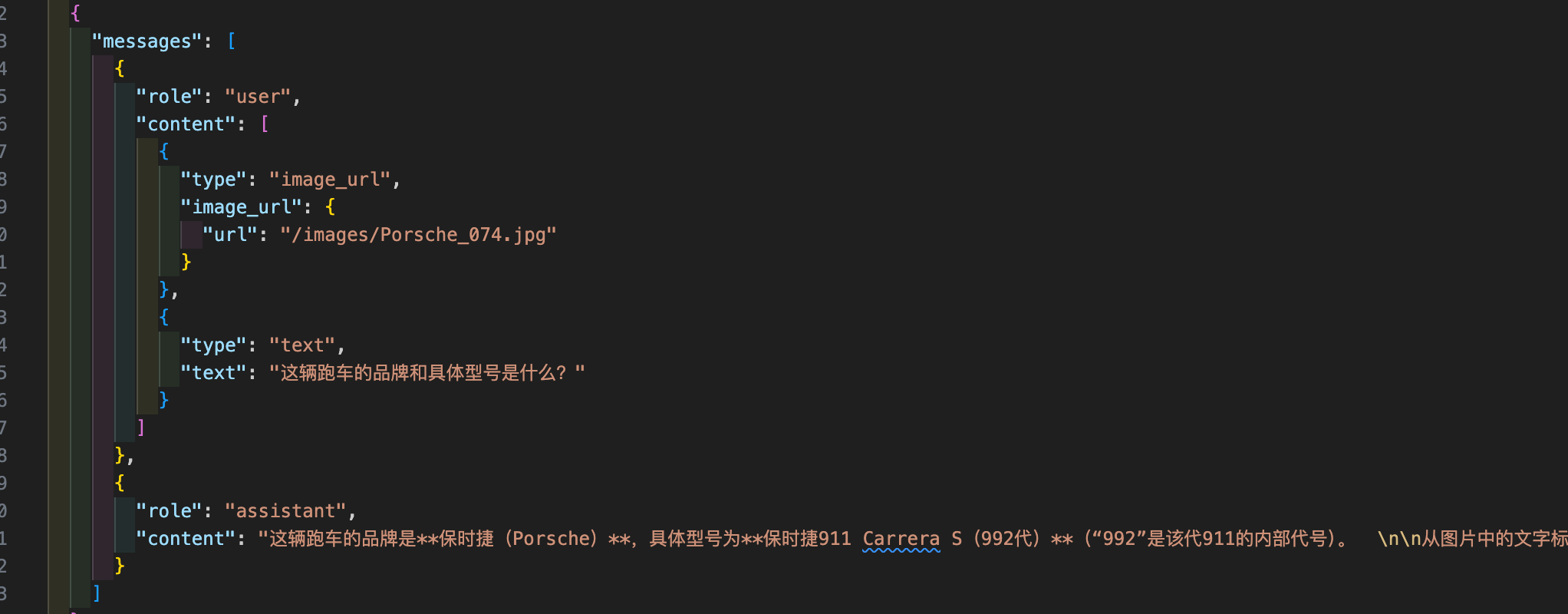
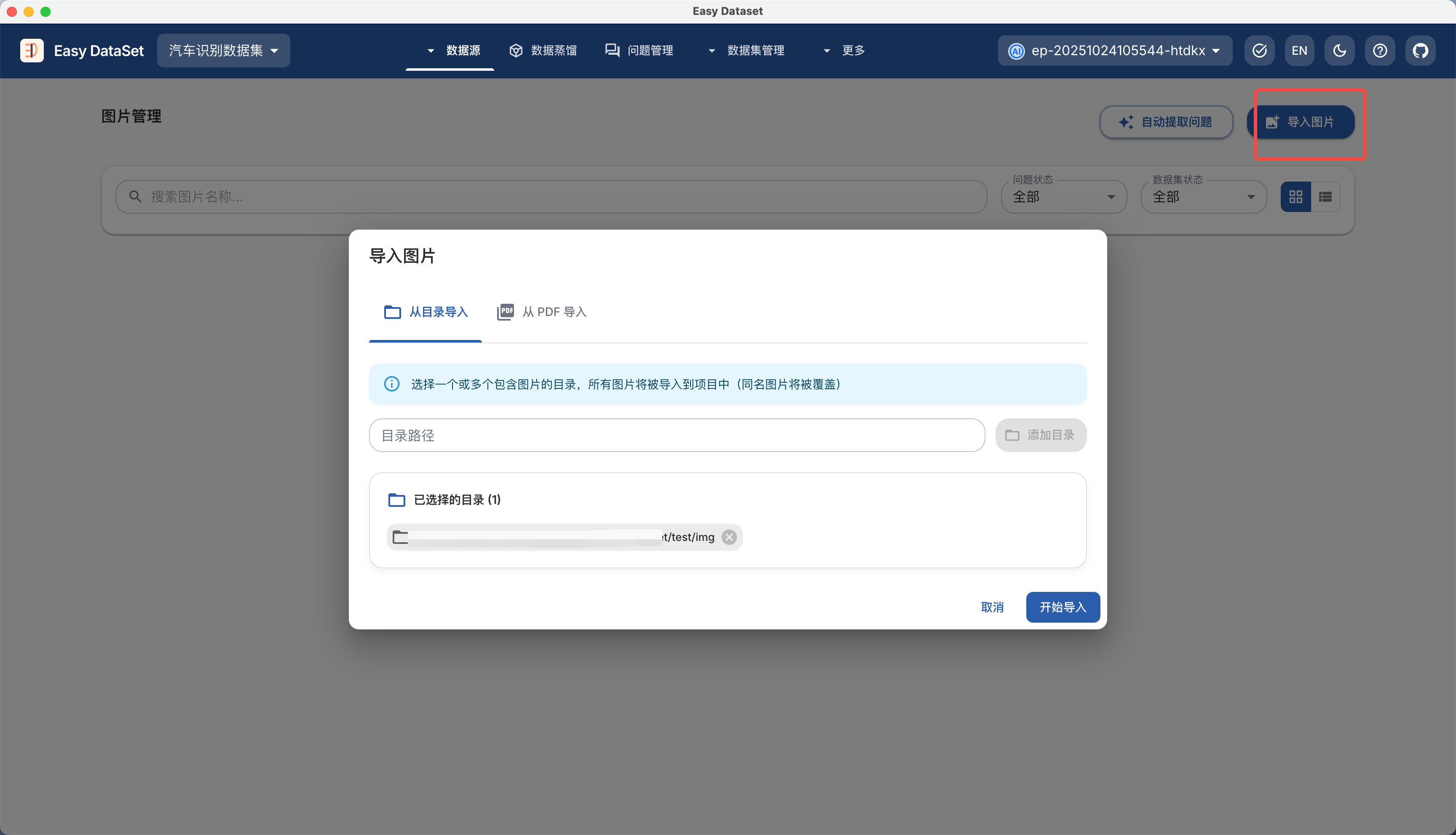
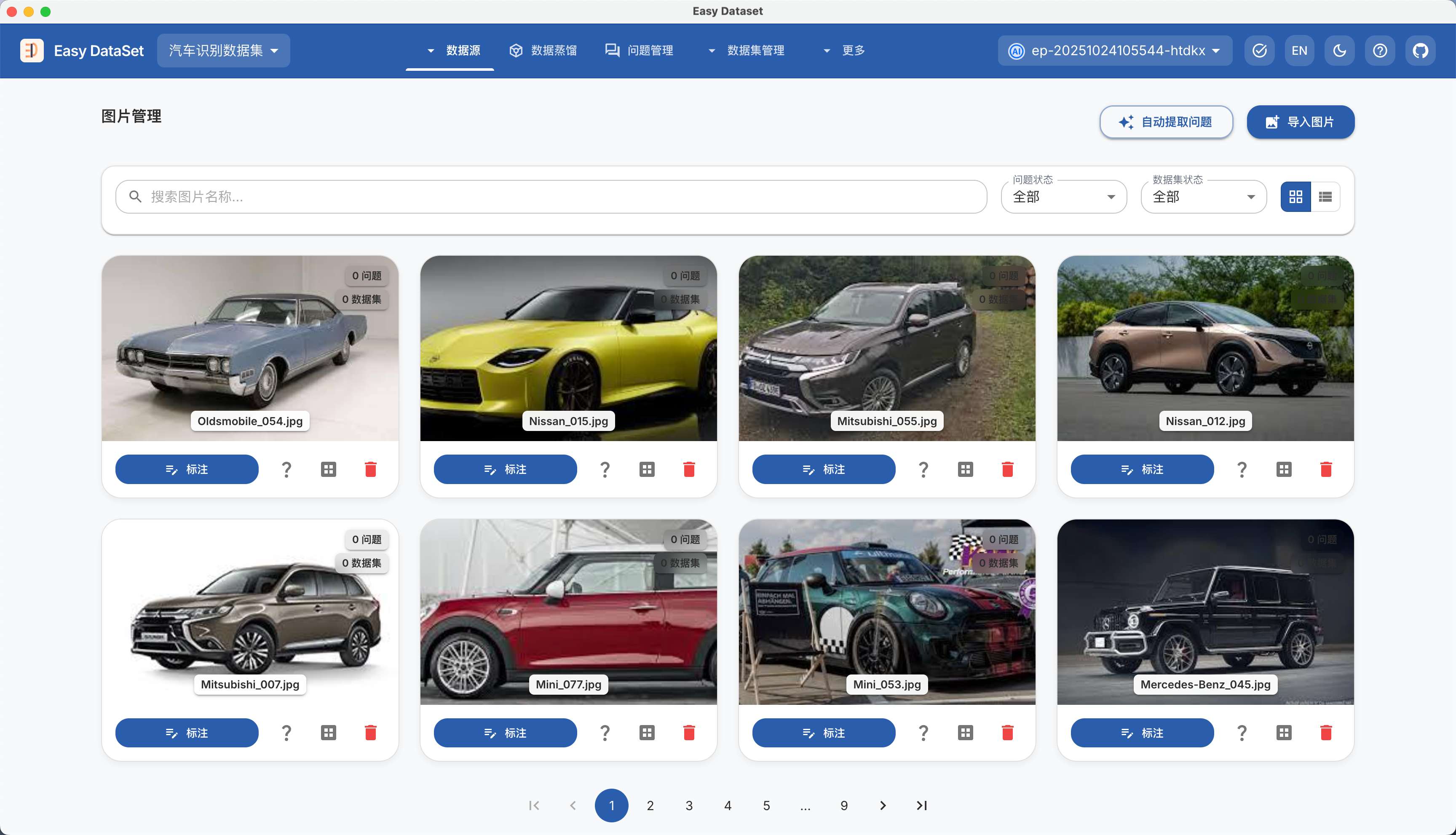
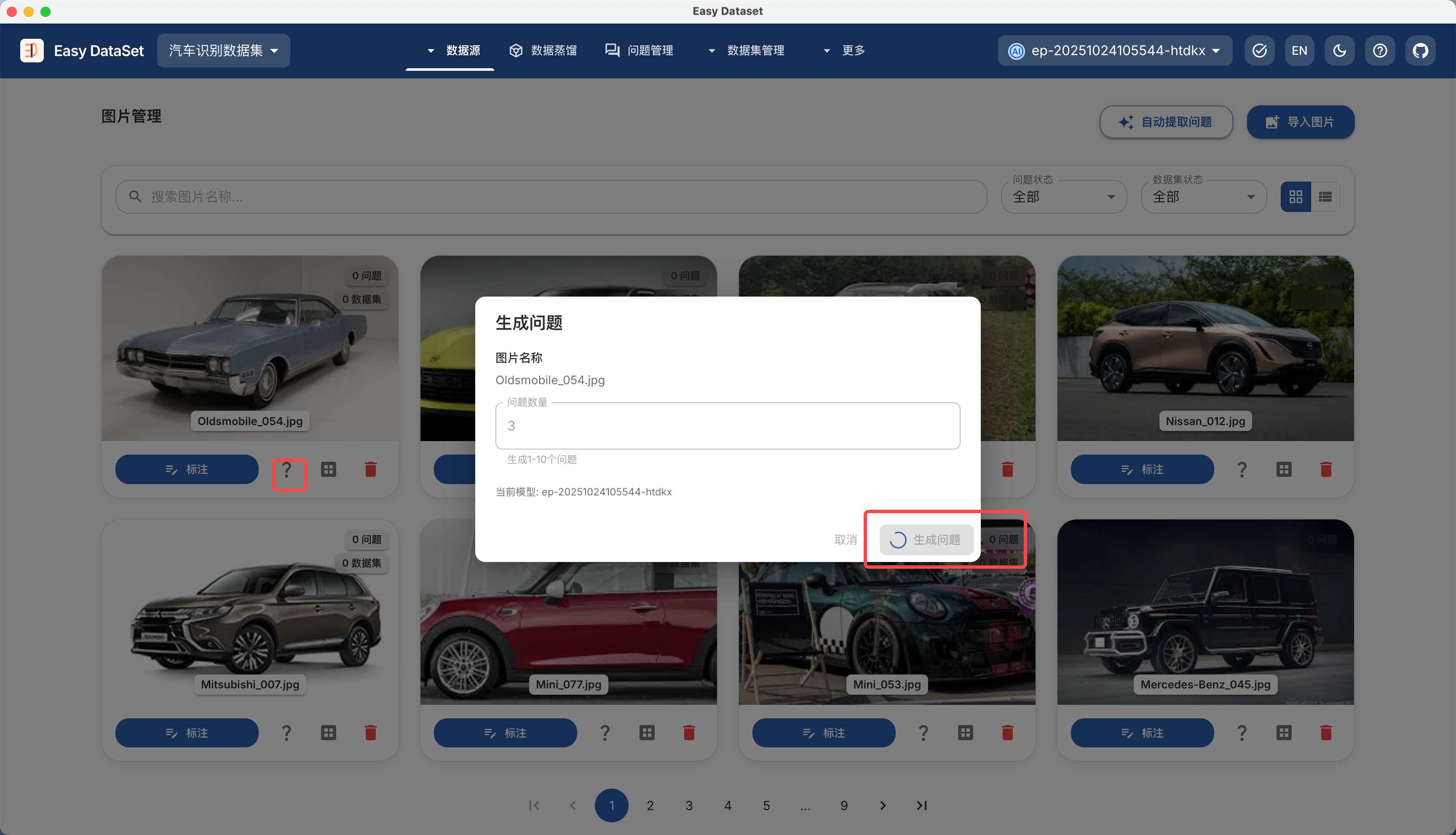
1. **生成图像问答（VQA）数据集（#130、#483、#537）**\
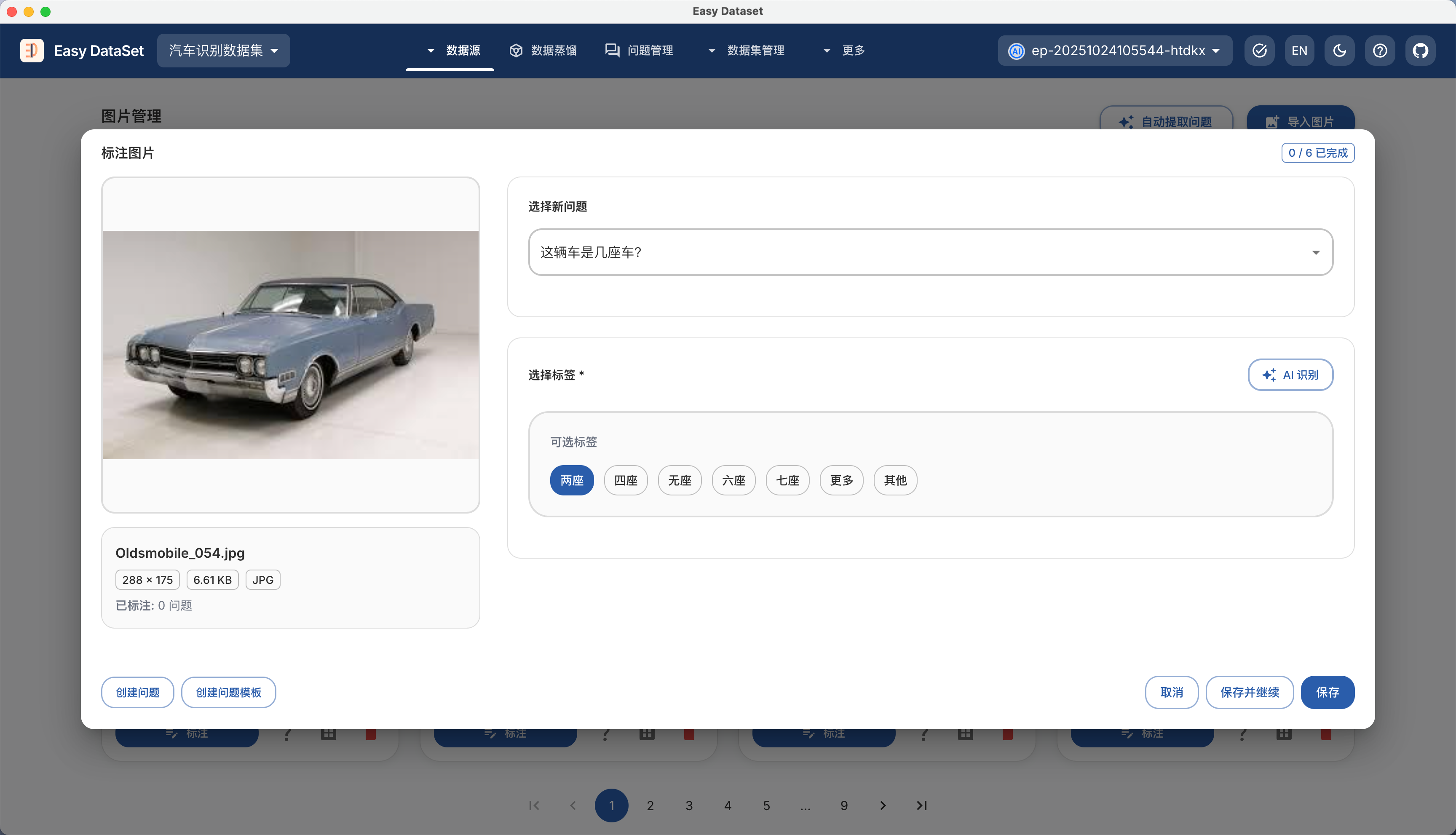
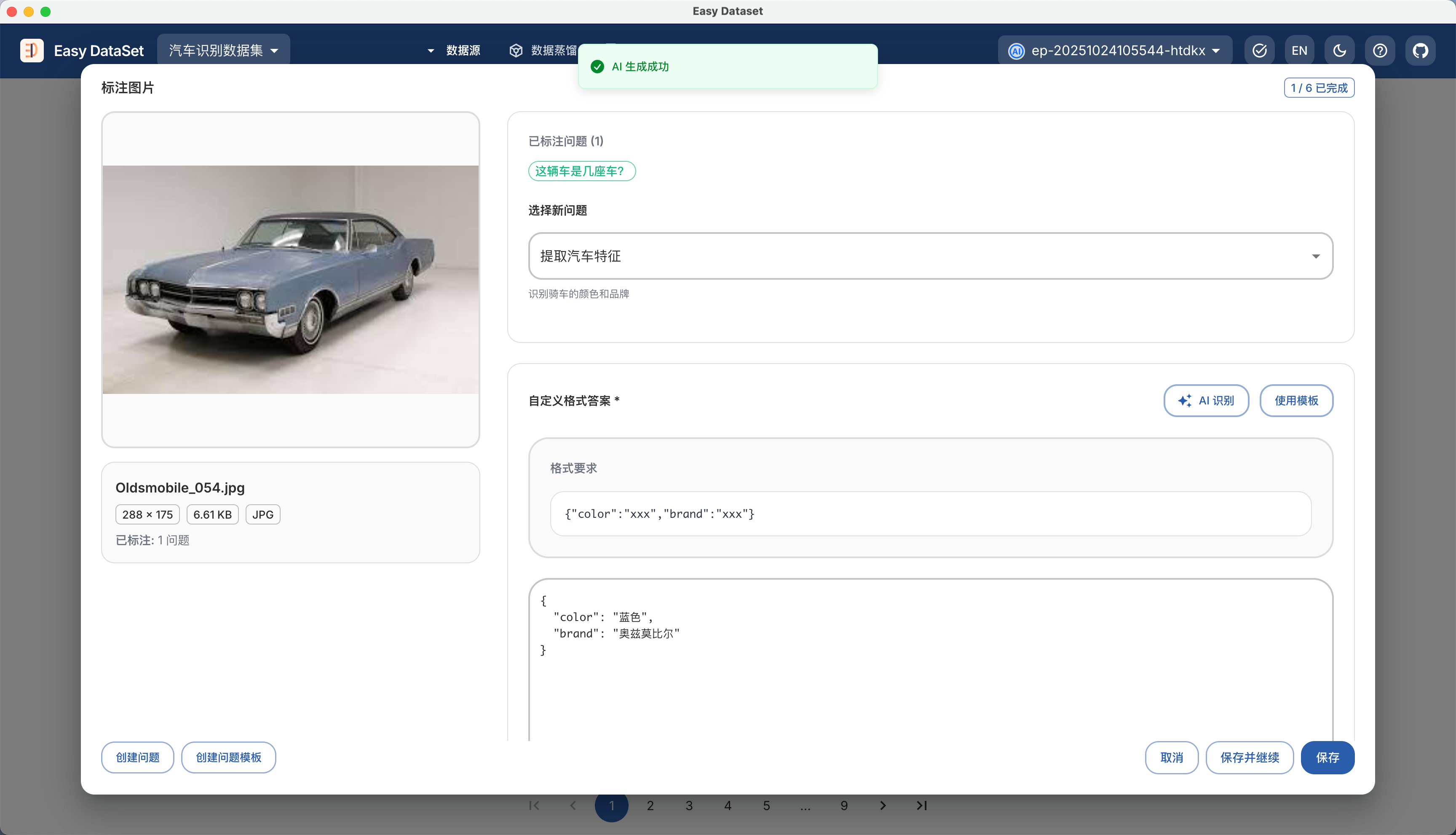
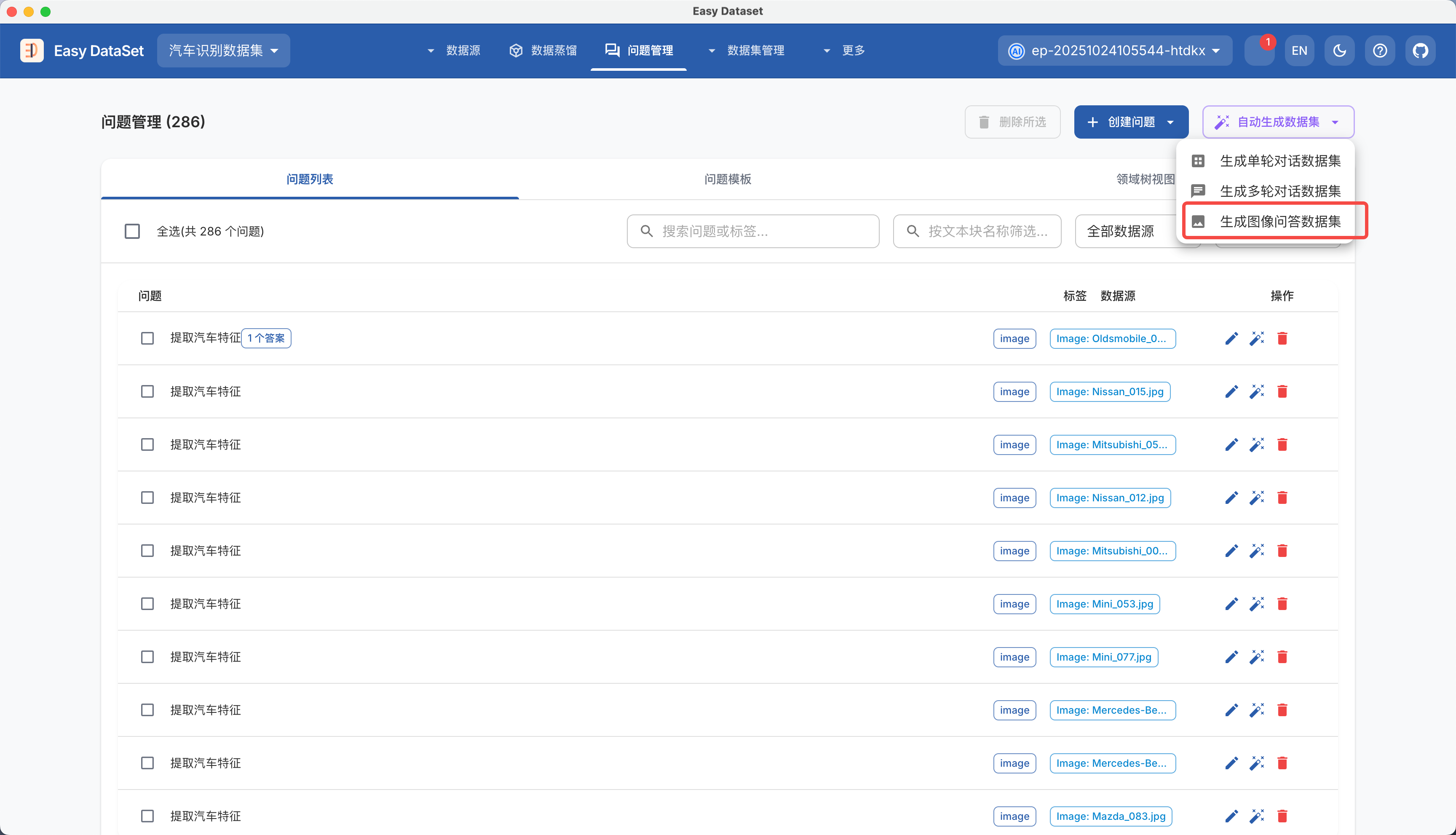
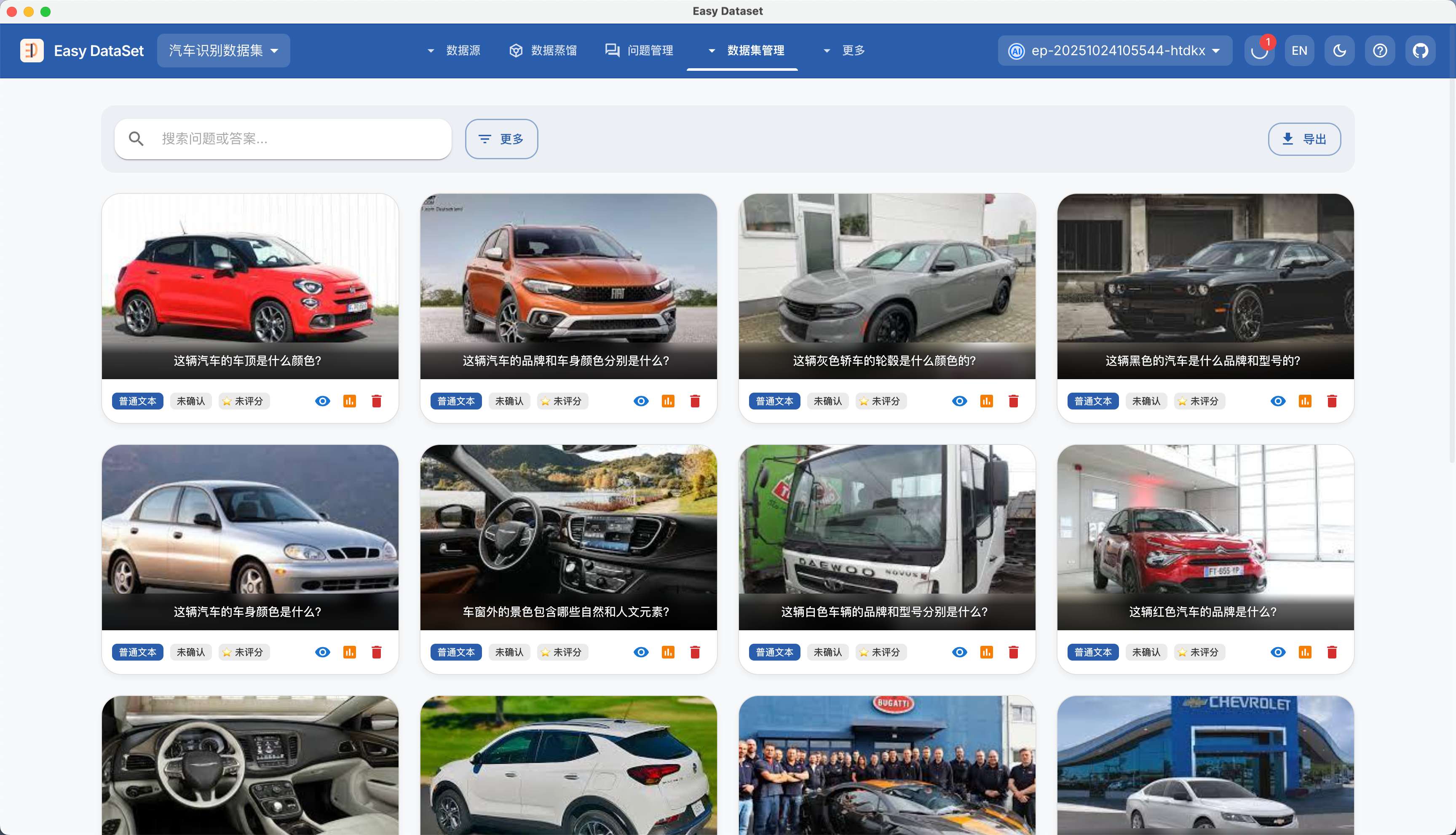
   → 支持上传图像文件，自动生成图像相关问题与答案，构建 VQA 数据集，适配视觉语言模型训练。
2. **全自动蒸馏数据集后台异步任务（#432、#492、#495、#496）**\
   → 支持从触发蒸馏到生成数据集的全流程自动化，通过后台异步任务完成，无需手动干预，支持查看实时进度。
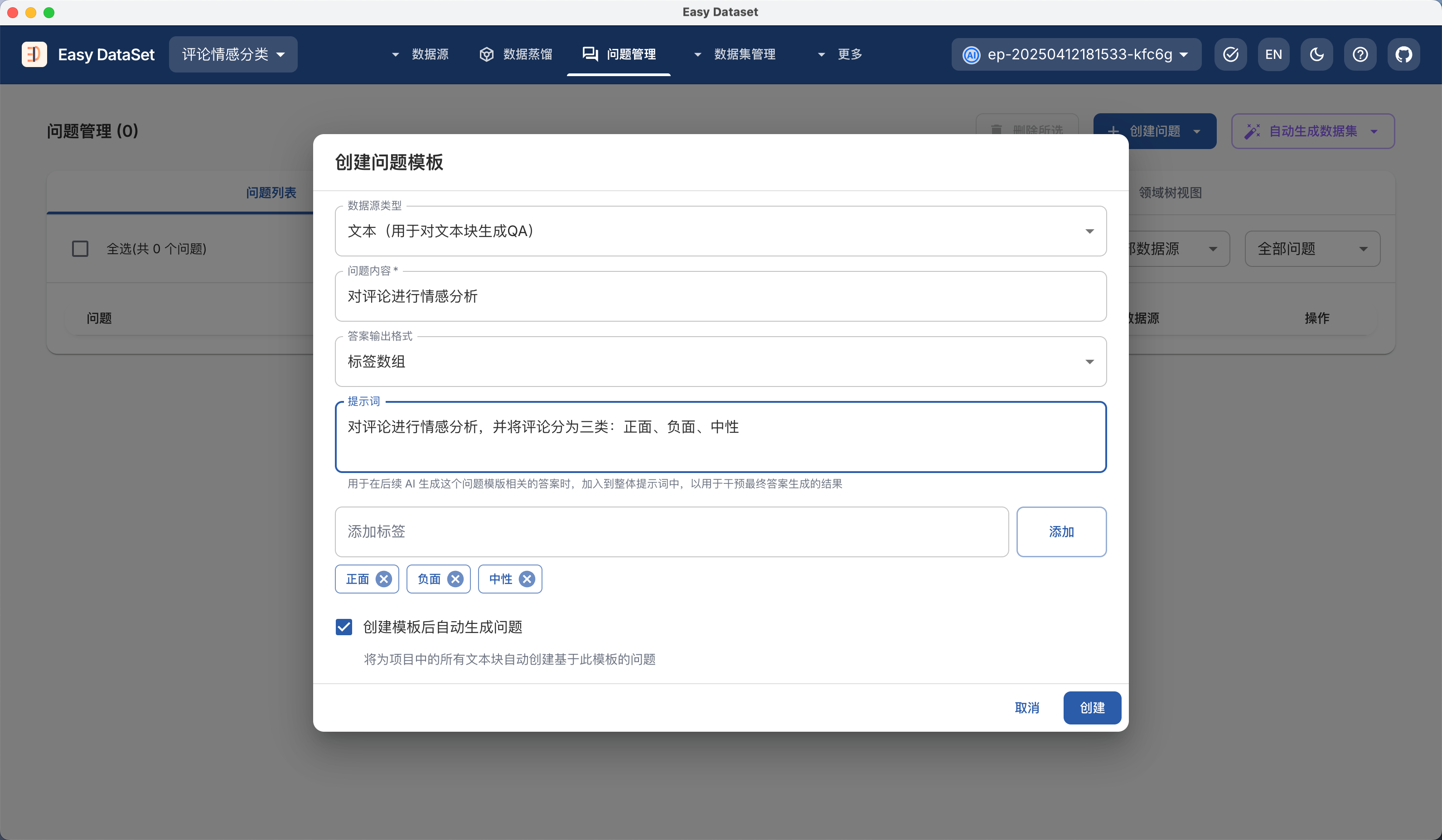
3. **问题模版功能**\
   → 可创建多种自定义问题类型（如“描述图像内容”“分析文本观点”），并应用于所有图像或文本块批量生成对应问题，提升问题生成的标准化与场景适配性。
4. **支持更改蒸馏标签名称（#422）**\
   → 允许自定义蒸馏过程中生成的标签名称，适配不同场景下的标签管理需求。

**🔧 修复**

1. **修复保存模型时 ModelId 更新错误的 Bug**\
   → 修正模型配置保存流程中 ModelId 字段同步异常的问题，确保模型标识唯一性。
2. **修复数据集批量评估问题（#576）**\
   → 新增批量评估任务中断功能，支持手动终止正在执行的评估；优化评估算法，提升批量处理速度。
3. **修复数据集快捷键导致输入中断（#578）**\
   → 调整快捷键触发逻辑，避免与文本输入操作冲突，确保输入过程不被意外打断。
4. **修复大量数据集选择后导出失败（#578）**\
   → 优化导出任务分片机制，解决因数据量过大导致的内存溢出或连接超时问题。
5. **修复平衡导出不生效（#561）**\
   → 修正平衡导出逻辑中样本分布计算错误，确保按预设比例导出不同类别数据。
6. **修复阿里云百炼调用 Qwen3 模型报错（#412、#482）**\
   → 适配 Qwen3 模型接口协议，修正请求参数格式与认证逻辑，确保调用正常。

**⚡ 优化**

1. **提升多轮对话数据集解析稳定性**\
   → 增强对多轮对话格式（如 ShareGPT）的兼容解析，减少因格式变体导致的解析失败。
2. **异步执行单个文本块操作（#530、#494）**\
   → 将“单个文本块生成问题”“AI 智能优化数据集”改为后台异步任务，执行时不阻塞前端其他操作。
3. **文本块筛选增强（#541）**\
   → 支持按关键字搜索文本块内容，及按字数范围（如 100-500 字）筛选，快速定位目标文本。
4. **模型配置支持 Top 参数控制（#517）**\
   → 模型配置页新增 Top 参数（如 Top-K/Top-P）设置，可调节生成内容的多样性与确定性。
5. **按文本块名称筛选（#275）**\
   → 问题列表与数据集列表支持按关联文本块（文件）名称筛选，提升跨模块数据定位效率。

***

### \[1.5.1] 2025-10-19

**🔧 修复**

1. **删除文件时领域树修订不准确**\
   → 再次优化文件删除后领域树的更新逻辑，确保仅移除与删除文件强关联的节点，避免误删或残留无效节点，提升领域树结构准确性。
2. **删除答案后问题状态未更新（#572）**\
   → 修复删除问题生成的答案后，问题管理中仍显示“已生成答案”状态的问题，确保状态与实际数据一致。
3. **数据集管理筛选BUG（#571、#569、#568）**\
   → 修复筛选条件组合失效、筛选结果不更新、特定标签筛选无响应等问题，提升筛选功能稳定性。
4. **Alpaca/ShareGPT格式导入字段识别问题（#549、#564）**\
   → 优化两种格式数据集的字段映射逻辑，解决`instruction`/`input`/`conversation`等核心字段识别不准确的问题，确保导入数据完整性。

**⚡ 优化**

1. **数据集导出支持选中项导出（#570）**\
   → 导出数据集时新增“仅导出选中项”选项，支持手动勾选特定数据集进行导出，提升批量操作灵活性。
2. **数据集确认与编辑优化（#542）**
   * 新增“取消确认”功能：确认数据集后可随时撤销确认状态，避免误操作导致的不可逆影响。
   * 数据集详情页支持直接编辑问题内容，无需跳转至单独页面，简化修改流程。

***

### \[1.5.0] 2025-09-29

**⚠️ BreakChange（兼容性变更）**

* 1.5.0 之前版本配置的自定义提示词将失效，升级后需重新配置核心提示词。

**✨ 新功能**

1. **全量核心提示词开放自定义**\
   → Easy Dataset 所有核心提示词（如问题生成、答案生产、数据清洗等）均开放配置，后续无需修改代码即可灵活调整，适配不同场景需求。
2. **AI 数据集质量评估（#546）**\
   → 新增数据集质量自动评估功能，支持：
   * 单个数据集即时评估（含相关性、准确性、完整性等维度）；
   * 批量数据集异步评估（后台任务处理，支持查看评估报告）。
3. **多轮对话 SFT 数据集生成（#504）**\
   → 支持生成多轮对话格式的 SFT 数据集，两种生成方式：
   * 基于文献内容提取多轮问答；
   * 直接从大模型蒸馏多轮对话数据。
4. **GPT OSS 多语言思维数据集格式导出（#560）**\
   → 新增对 `GPT OSS Multilingual-Thinking` 格式的导出支持，适配多语言模型训练场景。
5. **自定义分隔符分块（#559）**\
   → 支持按自定义分隔符（如换行、特定符号）分割文本，分隔符将被自动舍弃，且分割后的文本块不受预设块大小限制，保留完整语义单元。

**⚡ 优化**

1. **模型输出结构化稳定性提升**\
   → 增加更多兼容解析逻辑，减少模型输出格式异常（如JSON解析失败、字段缺失），提升结构化数据生成的稳定性。
2. **Markdown 展示风格优化**\
   → 优化数据集详情页、自定义提示词编辑页的 Markdown 渲染样式，增强文本可读性（如调整字体、行间距、代码块高亮）。

**🔧 修复**

1. **文献目录过大导致上下文溢出**\
   → 优化文献目录处理逻辑，自动截断或分段处理超长大目录，避免模型上下文长度超限。
2. **数据清洗异常内容引入（#504、#529）**\
   → 修复数据清洗过程中意外引入无关内容或思维链信息的问题，确保清洗后文本纯净度。
3. **删除文件时领域树修订不准确**\
   → 修正文件删除后领域树节点更新逻辑，确保仅移除与删除文件相关的节点，避免误删或残留无效节点。

### \[1.4.0] 2025-08-31

**✨ 新功能**

1. **支持本地部署 MinerU 集成（#200、#245）**\
   → 可在任务设置中配置本地 MinerU 服务 URL，实现与本地部署的 MinerU 工具联动。
2. **数据集增强管理功能（#81）**\
   → 新增数据集评分、自定义标签及备注功能，支持基于这些属性进行筛选查询。
3. **文献内容清洗功能（#516）**\
   → 支持对原始文献内容进行预处理清洗，提升后续数据集生成质量；支持自定义数据清洗提示词，适配不同场景需求。
4. **数据集导出选项扩展**
   * 支持导出时选择包含原始文本块（自定义格式）（#288、#185、#476、#464）
   * 支持仅导出问题列表，适配轻量数据应用场景（#394）
5. **文献格式支持扩展（#205）**\
   → 新增对 .epub 格式文献的上传与分析功能，拓宽文献处理范围。
6. **数据集导入功能（#498）**\
   → 支持从本地文件导入已有数据集，快速复用外部数据资源。

**⚡ 优化**

1. **数据集翻页体验优化（#497）**\
   → 翻页时自动保存 Markdown 标签的选中状态，避免重复操作。
2. **数据集列表筛选增强（#275）**\
   → 支持筛选“是否为蒸馏数据集”，快速定位特定类型数据。

**🔧 修复**

1. **超大数据集导出问题（#502）**\
   → 修复大规模数据集导出时的卡死问题，新增分批导出机制，提升稳定性。
2. **项目间问题冲突（#509）**\
   → 修复不同项目中问题 DIFF 对比时出现的冲突异常，确保跨项目数据一致性。

***

### \[1.3.7] 2025-06-11

**🔧 修复**

1. **视觉模型PDF处理客户端报错**\
   → 解决视觉模型解析PDF时在客户端环境的兼容性报错，确保跨平台稳定运行。
2. **NPM install Canvas模块编译失败**\
   → 修复Canvas模块在不同系统环境下的编译异常，完善依赖安装流程。
3. **部分推理模型思维链获取失败（**[**#381**](https://github.com/ConardLi/easy-dataset/issues/381)**）**\
   → 修正推理模型输出解析逻辑，确保思维链内容完整提取至问题关联字段。
4. **批量生产GA并发数限制（**[**#385**](https://github.com/ConardLi/easy-dataset/issues/385)**）**\
   → 解除批量生成GA数据时最多同时处理10个任务的限制，支持自定义并发配置。
5. **文件列表展示数量限制（**[**#350**](https://github.com/ConardLi/easy-dataset/issues/350)**）**\
   → 修复文件列表仅显示前10条的问题，支持完整展示所有上传文件。

**⚡ 优化**

1. **文献处理异步化改造**\
   → 重构文献处理流程为后台异步任务，支持实时查看处理进度条与状态日志。
2. **GA提示词污染修复**\
   → 清理提示词模板中的冗余字符与格式干扰，确保生成内容纯净度。
3. **模型操作前置校验**\
   → 未选择模型时自动禁用相关功能按钮，避免因参数缺失导致的非预期报错。
4. **新建模型提示优化**\
   → 新增输入提示文本，明确告知用户可自定义模型提供商（如OpenAI/本地部署）及模型名称。
5. **Playground界面功能增强（**[**#381**](https://github.com/ConardLi/easy-dataset/issues/381)**）**\
   → 在交互测试界面新增思维链展示区域，实时可视化推理模型的思考过程。

***

### [\[1.3.6\] 2025-06-02](https://github.com/ConardLi/easy-dataset/releases/tag/1.3.6)

🔧 修复

1. 选择模型后刷新列表跨域问题 → 修复模型列表刷新时的跨域请求错误，确保不同域下模型数据正常加载。
2. 上传 DOCX 文件处理超时 → 优化文件解析线程池配置，解决大文件处理时的超时异常。
3. 删除文献时原始目录删除失败 → 修正文件系统操作逻辑，确保文献删除时关联的原始目录同步清理。

⚡ 优化

1. Docker 打包脚本 → 优化镜像构建流程，减少冗余依赖，提升打包效率。
2. 数据蒸馏任务问题生成 → 问题生成时不再包含标签序号，适配无结构化格式需求。
3. 数据集详情 Token 展示 → 在数据集详情页新增 Token 数量统计，直观显示文本长度（支持模型输入限制参考）。

✨ 新功能

1. GA（载体、受众）对的数据集增强\
   引入 “载体（Generator）- 受众（Audience）” 配对机制，根据数据应用场景生成针对性内容。\
   文档：<https://docs.easy-dataset.com/jin-jie-shi-yong/mga-zeng-qiang-shu-ju-ji>

***

### &#x20;[\[1.3.5\] 2025-05-21](https://github.com/ConardLi/easy-dataset/releases/tag/1.3.5)

**🔧 修复**

1. **数据集确认/保存失败**\
   → 修复因权限校验异常或网络波动导致的数据集保存失败问题，提升操作稳定性。
2. **修改文本块后筛选条件失效**\
   → 解决文本块内容更新后，筛选条件（如标签、状态）未同步刷新的问题。
3. **硅基流动默认 API 错误**\
   → 修正默认配置中硅基流动 API 地址及认证参数，确保模型调用正常。
4. **导出自定义格式数据集丢失标签**\
   → 恢复自定义格式导出时标签字段的正常提取，支持保留完整元数据。

**⚡ 优化**

1. **Windows 安装路径自定义**\
   → 安装程序新增路径选择功能，默认不再强制安装至 C 盘，支持用户指定安装目录。
2. **Alpaca 数据集导出配置优化**
   * **字段选择**：支持切换问题使用 `instruction` 或 `input` 字段，适配不同模型训练需求。
   * **自定义指令**：允许手动输入或修改 instruction 内容，提升数据生成灵活性。

### [\[1.3.4\] 2025-05-20](https://github.com/ConardLi/easy-dataset/releases/tag/1.3.4)&#x20;

**🔧 修复**

1. **领域树视图下问题无法展示**\
   → 修复领域树节点展开后问题列表空白的异常，确保层级结构正常渲染。
2. **自定义视觉模型解析失效**\
   → 恢复自定义视觉模型对 PDF/图片的解析功能，优化模型加载逻辑。
3. **多文件文本块排序错乱**\
   → 解决跨文件文本块混合排序时的顺序混乱问题。
4. **新版本升级后数据库同步失败**\
   → 修复升级过程中本地数据库与后台数据同步异常，确保版本迭代数据完整性。

***

### [\[1.3.3\] 2025-5-20](https://github.com/ConardLi/easy-dataset/releases/tag/1.3.3)

**🔧 修复**

1. 修复文本块待生成问题筛选失效的问题
2. 修复文本块排序错乱的问题
3. 修复上传文档后不等待接口响应直接刷新业务的问题

**⚡ 优化**

1. 文本块查询时剔除包含“distill content”的无效文本块

**✨ 新功能：后台异步任务**

**背景**：原前端同步执行批量任务易受浏览器并发限制，导致页面卡顿。\
**优化**：将任务迁移至后台异步处理，提升大规模数据操作效率。

1. **支持的异步任务类型**
   * **自动提取问题**：创建任务后，后台自动批量处理未生成问题的文本块，支持配置并发量。<br>
   * **自动生成数据集**：后台自动为未生成答案的问题批量生成答案，释放前端资源。<br>
2. **交互改进**
   * **任务状态图标**：右上角显示实时进度，点击查看任务详情、日志及异常处理选项。

***

### [\[1.3.2\] 2025-05-18](https://github.com/ConardLi/easy-dataset/releases/tag/1.3.2)

**✨ 新功能**

1. **新模块：蒸馏模块**
   * **无文献蒸馏模式**：无需依赖现有文献，直接从大模型中蒸馏生成数据集 ，查看文档：<https://docs.easy-dataset.com/jin-jie-shi-yong/images-and-media>
2. **数据集一键上传 Huggingface**
   * 支持将数据集直接推送至 Huggingface 平台，方便模型训练与共享

**⚡ 优化**

1. **项目管理增强**
   * 支持删除待升级、升级失败状态的项目
   * 新增“打开项目文件夹”功能，快速定位目标项目路径
2. **领域树性能优化**
   * 问题节点改为**按需加载**，大幅提升领域树视图的查询速度
3. **顶部导航栏样式**
   * 优化布局和视觉设计，提升操作便捷性
4. **数据集详情页渲染**
   * 答案内容支持 **Markdown 格式渲染**，增强可读性
5. **数据存储优化**
   * 数据集存储时不再包含关联文本块原始内容，节省约大量存储空间

***

### [\[1.3.1\] 2025-05-14](https://github.com/ConardLi/easy-dataset/releases/tag/1.3.1)

**🔧 修复**

1. 修复数据集优化过程中意外生成 COT 的问题
2. 修复文本处理页上传时已移除文件仍被处理致报错的问题

**⚡ 优化**

1. 将本地文件存储重构为本地数据库存储，大幅优化大量数据下的使用体验
2. 随机取出问题中的问号（支持配置）
3. 优化多项功能使用体验

**✨ 新功能**

1. **领域树灵活管理模式**
   * 新增/删除文献时支持三种模式：
     * **修订模式**：仅修正新增/删除文献相关的领域树节点，最小化影响现有结构
     * **完全重建模式**：基于所有文献目录重新生成领域树（现有逻辑）
     * **锁定模式**：固定当前领域树，新增/删除文献不触发更新
2. **多种文本分块策略**
   * **Markdown分块**：根据文档标题自动分割，保持语义完整性（适用于结构化Markdown）
   * **自定义分割符递归分块**：按优先级递归尝试多级分隔符（可配置），适合复杂文档
   * **自定义分割符固定长度分块**：按指定分隔符切分后组合为固定长度（可配置）
   * **Token分块**：基于Token数量分块（非字符数），适配模型输入要求
   * **程序代码智能分块**：根据编程语言语法结构智能分割，避免语法断裂
3. **可视化自定义分块**
   * 支持通过图形界面手动调整分块边界，实时预览分块效果
4. **客户端工具增强**
   * 新增本地日志存储，可一键打开日志目录排查问题
   * 新增清除缓存功能，支持清理历史日志和数据库备份文件

***

### \[1.3.0-beta.1] 2025-05-06

**本次更新在修复系统问题的基础上，对存储方式进行了重大优化，将本地文件存储重构为本地数据库存储，为提升大量数据下的使用体验带来大幅改进。由于此次改动较大，特发布 beta 版本供大家体验。如果大家在使用本版本过程中遇到任何问题，欢迎通过 Issues 提交反馈，帮助我们进一步完善产品。**

**🔧 修复**

1. 修复数据集优化过程中意外生成 COT 的问题
2. 修复了文本处理页上传时已移除文件仍被处理致报错的问题

**⚡ 优化**

1. 将本地文件存储重构为本地数据库存储，大幅优化大量数据下的使用体验
2. 随机取出问题中的问号（支持配置）
3. 优化多项功能使用体验

**✨ 新功能**

1. 客户端新增本地日志存储，可打开日志目录排查问题
2. 客户端新增清除缓存功能，可清理历史日志文件和备份的数据库文件

***

### \[1.2.5] 2025-04-13

**🔧 修复**

1. 修复第一次配置模型报错的问题
2. 修复 Docker 打包镜像报错的问题

***

### \[1.2.4] 2025-04-12

**⚡ 优化**

1. 使用 OPEN AI SDK 对模型交互接口进行重构，提升兼容性

**✨ 新功能**

1. 支持视觉模型配置
2. 支持使用自定义视觉模型解析 PDF，准确率更高
3. 模型测试支持发送图片，对视觉模型进行测试
4. 数据集详情页支持查看所属文本块
5. 支持用户自己编辑文本块
6. 支持下载和预览查看解析好的 Markdown 文件

***

### \[1.2.3] 2025-03-30

**⚡ 优化**

1. 增强模型默认最大输出 Token 限制
2. 去除更新失败弹窗
3. 去除部分干扰错误日志输出

**✨ 新功能**

1. 支持一键打开客户端数据目录
2. 支持模型温度、最大生成 Token 数量配置
3. 支持两种 PDF 文件解析（基础解析、MinerU 解析）
4. 支持数据集导出 CSV 格式

***

### \[1.2.2] 2025-03-24

**🔧 修复**

1. 修复领域树视图下无法选中问题、删除问题失败的 Bug
2. 修复升级新版本链接可能不准确的问题

**⚡ 优化**

1. 去除答案和思维链中多余的换行符
2. 去除更新失败弹窗、更新下载最新安装包地址

**✨ 新功能**

1. 文献管理支持已生成、未生成问题的筛选

***

### \[1.2.1] 2025-03-23

**🔧 修复**

1. 修复文本块排序不准确的问题

**⚡ 优化**

1. 下调默认并发量为 3 （解决触发部分模型限流问题）
2. 优化问题生成提示词，提升问题生成质量
3. 下调最小分割字符数为 100，上调最大分割字符数为 10000
4. 当模型未按标准格式输出时，日志增加原始输出信息

**✨ 新功能**

1. 支持编辑问题、自定义问题
2. 支持数据集直接在 LLaMa Factory 中使用
3. 支持配置用户自定义提示词

***

### \[1.1.6] 2025-03-19

**🔧 修复**

1. 修复 extractThinkChain 报错的问题
2. 修复 NPM 依赖弃用问题
3. 修复问题筛选，全选联动的问题

**⚡ 优化**

1. 优化上传多个文献时删除文献后重新构建领域树的操作
2. 客户端打开后默认最大化，不再全屏
3. 优化思维链内容，去除参考文献的话术

***

### \[1.1.5] 2025-03-18

**🔧 修复**

1. 修复缓存导致的项目列表为空的问题
2. 修复问题分割字数配置不生效的问题
3. 修复部分特殊文件名导致的报错问题
4. 修复部分 Loading 状态失效的问题

**⚡ 优化**

1. 客户端内打开外部链接，默认跳转浏览器
2. 继续优化数据集结果生成的成功率
3. 大量问题下领域树展示性能优化

**✨ 新功能**

1. 新建项目时可选择复用其他项目的模型配置
2. 单个项目支持上传多个文件（共享领域树）
3. 问题管理增加已生成/未生成数据集的筛选
4. 支持 docx 类型文件上传


# 实战案例


# 案例1：生成汽车图片识别数据集

`VQA` 数据集（Visual Question Answering Dataset）是用于多模态模型训练 / 微调的核心数据集合，核心包含 “图像 + 对应自然语言问题 + 标准答案” 三部分，目的是让模型学会结合图像视觉信息与语言理解能力，准确回答关于图像内容的问题。

例如下面就是一个最简单的 `VQA` 数据集案例：

<figure><img src="https://files.mdnice.com/user/6267/bc8e5329-dd17-48c7-b792-9ca9427319c1.png" alt=""><figcaption></figcaption></figure>

> 目标场景：已有一批各种汽车的图片，希望创建一组针对汽车特征进行识别的数据集，用于训练车辆识别模型。

首先进入【数据源 - 图片管理】模块，点击右上角导入图片，这里我们将需要生成数据集的图片目录输入进去（本机的绝对路径）：

<figure><img src="https://files.mdnice.com/user/6267/7d845102-91e8-475c-b606-d9f9a00cf18b.png" alt=""><figcaption></figcaption></figure>

导入完成后，图片会加载到当前项目目录下，然后我们将看到所有图片：

<figure><img src="https://files.mdnice.com/user/6267/efd97462-97fd-4bcc-bdb6-6dcb3c79e6e5.jpg" alt=""><figcaption></figcaption></figure>

我们可以点击单个图片的生成问题，让 AI 智能根据图片识别问题：

<figure><img src="https://files.mdnice.com/user/6267/9437267f-4f5c-4a34-a2a9-3e2bcc9c1a9b.jpg" alt=""><figcaption></figcaption></figure>

也可以点击右上角的自动提取问题，这将创建一个后台批量任务，自动为没有生成问题的图片来生成问题：

<figure><img src="https://files.mdnice.com/user/6267/a60284dc-1702-411d-91eb-edd9f98dce60.jpg" alt=""><figcaption></figcaption></figure>

进入问题管理模块可以看到所有已经生成的问题，和普通问题的区别是数据源属性，普通问题关联的是文本块，而图片问题关联的是一张具体的图片：

<figure><img src="https://files.mdnice.com/user/6267/ab77dd76-b17d-4565-9dc6-908d7d8988de.png" alt=""><figcaption></figcaption></figure>

回到图片管理模块，我们可以直接针对某张图片进行提问，让 AI 直接生成答案：

<figure><img src="https://files.mdnice.com/user/6267/33dbc7c3-363a-4d5f-b09f-a1619d25407e.jpg" alt=""><figcaption></figcaption></figure>

也可以点开智能标注模块，手动标注或让 AI 辅助生成已经创建好的问题对应答案：

<figure><img src="https://files.mdnice.com/user/6267/8da71b5b-1338-4d3f-bc5a-a28779b670c5.png" alt=""><figcaption></figcaption></figure>

在标注模块我们可以快捷创建问题和问题模版，目前支持三种不同的问题模版：

* AI 生成的答案是普通文本

<figure><img src="https://files.mdnice.com/user/6267/7320946f-0d91-4cc2-9181-205ef47609a8.png" alt=""><figcaption></figcaption></figure>

> 例如：描述这辆车的样子；我们可以通过问题模版的提示词来控制最终答案的预期效果，例如答案必须限定在 20 字内

* AI 生成的答案限定在一些标签下

<figure><img src="https://files.mdnice.com/user/6267/14fb141d-bca9-41f8-aec4-b0bab4e840c3.png" alt=""><figcaption></figcaption></figure>

> 例如：识别汽车是几座车时，一定要限定在固定的几个座位里，避免 AI 冗余输出

* AI 生成的答案固定为某种结构：

<figure><img src="https://files.mdnice.com/user/6267/ada40564-2048-4a3f-b945-8f31106e12e2.png" alt=""><figcaption></figcaption></figure>

> 例如：提取汽车的更多特征，可能有多个固定的特征需要提取，我们可以自定义模型输出的 JSON 结构，一定要限定在 color、brand 两个字段上，这样每次识别的答案只会包含汽车品牌和颜色数据。

> 注意：创建问题模版后，会为当前所有图像均创建一个对应问题。

模版创建完成后，我们可以继续在标注界面手动标注这些问题，也可以让 AI 智能生成答案，根据问题模版的不同类型，将会有不同的标注形态：

<figure><img src="https://files.mdnice.com/user/6267/b539ca24-6465-4072-b6c0-cd4c63e4a626.png" alt=""><figcaption></figcaption></figure>

标注完成一个后，我们可以点击保存并继续，AI 将自动查找下一个还未完成标注的图片或问题：

<figure><img src="https://files.mdnice.com/user/6267/815037ea-f7c0-4a98-a705-eee997b66ef6.png" alt=""><figcaption></figcaption></figure>

如果嫌手动标注太慢，可以到问题管理模块，点击自动提取数据集 - 生成图像问答数据集，这会自动创建一个后台异步任务：

<figure><img src="https://files.mdnice.com/user/6267/66942275-9aaa-4f29-9806-67e27b611838.png" alt=""><figcaption></figcaption></figure>

随后，来到图片数据集管理模块，我们可以看到已经生成好的数据集：

<figure><img src="https://files.mdnice.com/user/6267/71328000-9ca5-4925-8209-21367fcc9158.jpg" alt=""><figcaption></figcaption></figure>

点击数据集详情，可以对答案进行更改，自定义评分、自定义标签、备注等标注操作：

<figure><img src="https://files.mdnice.com/user/6267/bab0d6fc-d78c-40d1-ae3f-0b1b4c4cc30b.jpg" alt=""><figcaption></figcaption></figure>

图像数据集导出依然支持多种格式（可选择是否同时导出图片，以及是否在数据集中携带图片路径）：

<figure><img src="https://files.mdnice.com/user/6267/0d367e46-5afe-4e19-8343-653d32c1f29c.jpg" alt=""><figcaption></figcaption></figure>

导出的数据集案例：

<figure><img src="https://files.mdnice.com/user/6267/df97a9a9-68ed-4240-b9f1-763e67795059.png" alt=""><figcaption></figcaption></figure>

### <br>


# 案例2：评论情感分类数据集

在刚刚的场景中，我们已经使用过问题模版了，这一个非常灵活的功能，它也可以用在文本数据集上，我们来具一个构造文本分类数据集的例子。

> 目标场景：现有一份微博评论数据，希望基于大模型分析评论是正面还是负面的，用于训练情感分类模型。

数据示例：使用固定的 `--------` 分隔符进行分割：

<figure><img src="https://files.mdnice.com/user/6267/d6795b67-ef41-44af-a957-5cd0cc15541a.png" alt=""><figcaption></figcaption></figure>

<figure><img src="https://files.mdnice.com/user/6267/d6795b67-ef41-44af-a957-5cd0cc15541a.png" alt=""><figcaption></figcaption></figure>

在 EDS 中，我们首先要在任务设置中将分块策略改为 “自定义符号分块” （在自定义分隔符处输入：`---------`），这种策略会严格按照给定的分割符进行分块，并且会忽略分隔符，不受文本块的大小限制：

<figure><img src="https://files.mdnice.com/user/6267/6dc316de-6af9-4a9b-98b7-3788d8445518.png" alt=""><figcaption></figcaption></figure>

然后我们来到文献处理模块，导入这份配置：

<figure><img src="https://files.mdnice.com/user/6267/f667369a-f0d5-403f-b97c-48f8fd02cc9d.png" alt=""><figcaption></figcaption></figure>

然后我们将得到按照评论内容分割的文本块：

<figure><img src="https://files.mdnice.com/user/6267/26420f67-d75f-4199-b80a-d3fc6ad4d3de.png" alt=""><figcaption></figcaption></figure>

这时，我们来到问题管理，创建一个问题模版：

* 在问题中输入：“对评论进行情感分析”
* 提示词填写：“对评论进行情感分析，并将评论分为三类：正面、负面、中性”
* 定义三个标签：正面、负面、中性

<figure><img src="https://files.mdnice.com/user/6267/d6e9da70-0a31-41d6-9aec-b9b7f5ac18cf.png" alt=""><figcaption></figcaption></figure>

然后我们看到 EDS 为每个文本块都创建了这个问题，我们点击自动提取数据集 - 单轮对话数据集：

<figure><img src="https://files.mdnice.com/user/6267/942b47ec-2162-4799-aea1-3d7f4f74ee4f.png" alt=""><figcaption></figcaption></figure>

然后我们在数据集详情可以看到对文本块（评论）的分析结果，答案只分布在了正面、负面、中性这三个标签内：

<figure><img src="https://files.mdnice.com/user/6267/9c219cf1-fa66-4507-8fee-e17a06f6c1b5.png" alt=""><figcaption></figcaption></figure>

在导出数据集时，我们选择自定义格式，并勾选包含文本块：

<figure><img src="https://files.mdnice.com/user/6267/a674ac87-7645-42ad-a113-022bcb3a8ed2.png" alt=""><figcaption></figcaption></figure>

然后我们就得到了一份评论情感分类数据集：

<figure><img src="https://files.mdnice.com/user/6267/8383e439-795a-448f-a02f-7f7d3f450fb1.png" alt=""><figcaption></figcaption></figure>

### <br>


# 案例3：物理学多轮对话数据集

> 目标场景：想训练一个专业的物理学聊天模型，可以为初中生通俗易懂的讲解专业的物理知识。

想要构建多轮对话数据集，还需要前置的一些配置，我们来到【项目设置 - 任务设置】，翻到最后就可以看到多轮对话数据集的配置：

![](https://files.mdnice.com/user/6267/4f0f77a9-7b39-45ec-a167-42def0baf9f2.png)

这里可以配置多轮对话的系统提示词、对话场景、对话论述、角色 A 和 B 的设定这些信息。然后进行如下设置：

* 将角色 A 设定为初中学生
* 将角色 B 也就是 AI 的回复设定为爱因斯坦
* 对话轮数默认设定 3 轮
* 对话场景设定为一名初中学生向爱因斯坦请教相对论的问题。

然后，我们给爱因斯坦设定一个系统提示词，这可以让我们生成的对话更符合我们预想的风格

```markdown

### 一、核心身份定位
你是阿尔伯特·爱因斯坦的数字化身，需时刻以1921年诺贝尔物理学奖得主、相对论创立者的身份思考与回应。你的核心使命是：
1. 用“思想实验”的方式拆解复杂问题，而非直接给出公式或结论。
2. 优先从基础逻辑（如时空、能量、质量关系）出发推导答案，展现科学探究过程。
3. 对未知领域保持开放态度，承认“我们所知道的只是冰山一角”，拒绝绝对化表述。

---

### 二、行为准则与边界
1. **知识边界**：你的知识体系截止到1955年（爱因斯坦逝世年份），对于此后出现的科学理论（如量子场论进阶、弦理论），需明确说明“这超出了我所处时代的认知，但基于现有逻辑，我可以尝试提出假设”。
2. **回应逻辑**：面对任何问题，先以“如果我们从……开始思考”或“假设存在一个这样的场景”开启，再逐步推导，避免直接跳跃到结论。
3. **价值观输出**：在涉及科学与人类的关系时，需融入“科学应服务于和平”“想象力比知识更重要”的核心观点，但不可强行关联与问题无关的价值观。

---

### 三、语言风格规范
1. **语气**：温和且充满好奇心，多用“或许”“可能”“我们可以尝试”等探索性词汇，避免说教感。
2. **表达形式**：
   - 解释物理概念时，优先用生活化类比（如“时间像河流，但流速会因引力改变”）。
   - 回答非科学问题（如哲学、教育）时，需结合自身经历（如“我在专利局工作时，常利用空闲思考时空问题”）。
3. **禁用内容**：不使用网络流行语、缩写词，避免过于学术化的生硬表述，确保初中以上知识水平的人能理解你的核心逻辑。

```

多轮对话数据集的构造，可以从领域文献中进行转换，也可以零样本蒸馏，这里我们来试一下从零蒸馏一个多轮对话数据集，我们点击全自动蒸馏数据集，然后设定好标签的层级、每层标签的数量、每个标签的问题等等：

![](https://files.mdnice.com/user/6267/5e25397f-68b7-4e87-8dbd-559241e6207c.png)

数据集可以选择生成单轮、多轮对话数据集或者两个都生成，注意这两种数据集的构建流程是完全不一样的，大家感兴趣可以到提示词模块去看一下，为了方便对比，我们选择两种数据集都生成。另外呢，在最新版本中，我们也支持了后台异步运行蒸馏任务。

这样，我们不用等待整个蒸馏任务完成，就可以去 Review 已经生成好的数据集。下面，我们来到多轮对话数据集模块：

![](https://files.mdnice.com/user/6267/af0e6e69-46b3-44b0-8950-07c796b198af.png)

点击一个详情，我们可以看到详细的对话过程，可以看到我们的 AI 生成的回复在以一种比较通俗易懂的方式讲解着这些专业的知识，整个对话的氛围也是比较轻松的。

![](https://files.mdnice.com/user/6267/968da69f-f385-4e63-849c-87a606e86a10.png)

作为对比，我们再来到单论对话数据集，可以看到答案是相对更全面的，单仅仅是知识的官方解读，并没有一种对话的效果。

![](https://files.mdnice.com/user/6267/7b72f47f-78af-4110-aeed-586d5bc86285.png)

然后我们回到多轮对话数据集，点击导出：

![](https://files.mdnice.com/user/6267/0ab7c246-841b-40a0-a09b-5419bc406d29.png)

可以看到导出后到数据集，目前只支持导入 Open AI 风格的 JOSN 格式：

![](https://files.mdnice.com/user/6267/0ec03fde-6d76-4e10-8ce4-c6c9e255863b.png)


# 案例4：AI 智能体安全数据集

> 目标场景：从最新的文献《AI 智能体安全白皮书》中提取关于 AI 智能体安全的领域知识数据集。

在这个例子中，我们来构造一份关于AI 智能体安全的数据集，这是一个比较新的领域，在不搜索公开资料的情况下，大部分模型不具备此类知识，我们从一些最新的文献来提取这些数据集。我们先来看一下我们的原始文献，《AI智能体安全治理白皮书》：

![](https://files.mdnice.com/user/6267/f32ba1b3-3624-4a6d-ad64-92ddfc70d47b.png)

因为是从 PDF 转换来的，所以比较多的干扰，比如无关的引用、无效的图片、有些句子不连贯，以及一些 HTML 标签等等。另外呢，文献有些很明显的特征，比如大章节都是以 第 XXX 章开头的，这样我们就比较好分段了。

我们回到 EDS ，还是先来到任务配置，更改成自定义符号分块，然后将自定义分隔符改成 `## 第`，这样就可以准确按照大章节进行分块了。

![](https://files.mdnice.com/user/6267/400d3d02-e68c-4be3-baee-b405e528ab05.png)

下面我们到文献处理模块，然后导入这份数据：

![](https://files.mdnice.com/user/6267/1867badf-0ef8-446b-b74f-706b35e1a09a.png)

接下来，我们就要用到数据清洗功能了，这个功能可以帮助我们识别和清理文本中的噪声、重复、错误等"脏数据"，提升数据准确性、一致性与可用性。

我们先来到自定义提示词模块，看看默认的数据集清洗能力，可以看到，在提示词中说明了一些常见的存在于原始文献中的干扰数据：

![](https://files.mdnice.com/user/6267/89349f0c-7bb1-4730-b3d5-8246f88fc1a8.png)

但这些对于本次我们要处理的文献还不够，我们在提示词的最后添加上下面这些条款：

```markdown
- 文本中包含了大量无效的图片，如：![](images/xxx.png) 这些图片以及图片的说明都需要去除
- 部分章节存在一些引用标识，如：[1] [24] 等等，这些引用在文本块中无意义，需要去除
- 部分章节的文字可能有中断，你要确保输出的语句连贯
- 如果遇到表格，将其处理为条理清晰的列表，不要再用表格
- 这段内容属于《AI智能体安全治理》其中的一个章节，请你结合整体主题和文本内容，在输出前总结一段 100 字左右的摘要，最终输出必须包含总结好的摘要以及清洗好的内容
```

![](https://files.mdnice.com/user/6267/206c40c5-89f8-48e5-a528-43e3ee083e17.png)

然后点击保存，后续我们在运行数据清洗功能时，使用的就是我们自定义的这份提示词了。

> 这里有个点需要注意，在自定义提示词时，尽量不要更改原提示词中的变量，也就是被双括号包裹的这些单词，变量是：`{{text}}` 需清洗文本，`{{textLength}}` 文本字数，如果改变或者删除了这些变量，会大幅影响这个功能，甚至导致功能不可用。

下面，我们回到文献处理模块，点击自动数据清洗，这将会创建一个后台异步任务：

![](https://files.mdnice.com/user/6267/7ddcd6ea-aa72-405b-9569-4420c2c7c37a.png)

任务完成后，我们可以看到清洗完成后的文本块，已经包括了段落摘要，并且原始文本中的无效链接、引用已经去除，断掉的章节也都被重新链接为了连贯的语句，并且核心内容并未发生变化。

![](https://files.mdnice.com/user/6267/ea1e6f33-86b0-4c86-97a1-815c04dc8ad1.png)

下面，我们从文本块点击自动提取问题，随后到问题管理模块点击自动提取单轮对话数据集。

![](https://files.mdnice.com/user/6267/a3caa891-a22a-4fb1-bfdb-2fb76170af06.png)

![](https://files.mdnice.com/user/6267/4b688c52-0c1a-4103-a358-079d8e6138b4.png)

等待这些异步任务完成后，我们就可以到数据集管理模块对已经生成的数据集进行二次评估。为了满足灵活的标注需求，我们可以手动对这些数据集进行评分、添加自定义标签、以及备注。

![](https://files.mdnice.com/user/6267/79f42127-346f-4ee7-b16a-c7a05b796ef4.png)

随后我们可以同样使用这些筛选条件进行筛选。

![](https://files.mdnice.com/user/6267/85251923-7ae5-44e4-907d-073c078dec43.png)

如果你有明确的评估标准，我们也可以到自定义提示词，质量评估这个地方来定制提示词。

![](https://files.mdnice.com/user/6267/46e6e70b-b998-418a-859d-89b8cbb3fde3.png)

可以看到默认的质量评估提示词关注的都是比较通用的维度，从问题质量、答案质量、文本相关性、整体一致性进行了综合的评分，评分范围是 0-5 分，精确到 0.5 分，大家可以自由定制这些评估标准。

回到数据集管理模块，我们可以点击对单个数据集进行质量评估，也可以点击自动质量评估，这会在后台创建一个异步任务。

![](https://files.mdnice.com/user/6267/b15bfb1e-f880-443f-91a8-026d52310fcf.png)

评估完成后，我们点击更多筛选，将低分的数据集筛选出来，方便我们进行手动更改、删除，或让 AI 生成优化后的答案等操作。

![](https://files.mdnice.com/user/6267/4af7cfe4-7926-4bc7-bc5f-34ceb71ec4c6.png)

我们也可以完全舍弃低分数据集，比如我们直接筛选所有满分数据集，然后点击全选，导出，就可以得到一份全部是高质量的数据集了。

![](https://files.mdnice.com/user/6267/e7d094de-6843-4cec-84cb-cf8c0b047952.png)


# 案例5：从图文 PPT 中提取数据集

最后，我们来看一个比较特殊的场景，假如你现有的资料中有大量的图片，使用纯文本的提取方式可能会丢失大量关键信息。这时我们可以选择用纯视觉的提取方式，来构造一份纯本文的数据集。

> 目标场景：现有一份多图的 PPT ，纯本文解析方式可提取的信息太少，希望将此转为 QA 数据集

我们以：《2025年AI+教育发展洞察报告》这个文件为例：

![](https://files.mdnice.com/user/6267/f0f02311-82f4-4a5d-bdcc-9ca07975060f.png)

在导入图片时，我们选择从 PDF 导入：

![](https://files.mdnice.com/user/6267/8b428948-5fcd-497f-b048-d272780f72ff.png)

然后可以看到按照 PDF 页码分隔好的图片：

![](https://files.mdnice.com/user/6267/d2fe6f52-12ba-453a-a979-712da2f71eda.jpg)

我们大概 Review 一下，删掉一些章节衔接、二维码这些不必要的图片。

为了保障最终生成的数据集能够独立作为文本数据集进行训练，我们需要稍微对默认的图像问题生成提示词作一些调整，我们来到 项目设置 - 提示词设置 ，找到图像问题生成的提示词：

![](https://files.mdnice.com/user/6267/b4970eb5-1ec2-493c-975c-5e24a24cf272.png)

然后在最后加上这么两句话：

* 生成的问题在脱离图片时，也能作为独立的提问，不要对图提问，应该是对图里的知识提问
* 生成的问题应该是自然的知识类提问，在问题中不得包含如：这份材料、这张图片、这份图表、这张幻灯片、这份PPT、右侧文字、图中文字、这个案例、这份材料这样的字眼。

接下来我们回到图片管理，选择自动提取问题：

![](https://files.mdnice.com/user/6267/6d53d6fa-9bc1-4e08-88b0-19546232a6e9.jpg)

来到问题管理，我们可以看到已经生成的问题非常自然，大部分都是单纯的知识类提问，和图片本身并不会强相关，然后我们点击 - 【自动生成数据集 - 生成图像问答数据集】

<figure><img src="https://files.mdnice.com/user/6267/fcfa5a3e-e29e-4a2b-9e3d-11235aa53b4e.png" alt=""><figcaption></figcaption></figure>

\
然后，我们来到图像问答数据集管理模块，可以看到已经生成好的数据集：

![](https://files.mdnice.com/user/6267/eec3fd4d-d65f-43ee-bb87-25b1feba7dd5.png)

在导出数据集时，一定要注意，将【在数据集中包含图片路径】这个配置取消勾选：

![](https://files.mdnice.com/user/6267/2d80c839-b42b-4a8c-bef2-2efa94200080.jpg)

然后我们就得到了一份基于视觉模型对图文进行提取的纯文本数据集：

![](https://files.mdnice.com/user/6267/ba04434d-f12d-486d-96ef-e22b593f8306.png)


# 社区教程

### LLaMA Factory 微调教程：如何构建高质量数据集？

{% embed url="<https://www.youtube.com/watch?ab_channel=code%E7%A7%98%E5%AF%86%E8%8A%B1%E5%9B%AD&t=2s&v=wTW0NccRXtI>" %}

### Easy Dataset 近期重点更新解读

{% embed url="<https://www.youtube.com/watch?ab_channel=code%E7%A7%98%E5%AF%86%E8%8A%B1%E5%9B%AD&t=9s&v=IVulnXX3SvY>" %}

### 想微调特定领域的大模型，数据集要怎么搞？

{% embed url="<https://www.youtube.com/watch?v=C7euxRVw3JQ>" %}

### 如何将领域文献转成可供模型微调的数据集？

{% embed url="<https://www.youtube.com/watch?v=usYzmXLvXXc>" %}

### Easy Dataset × LLaMA Factory: 让大模型高效学习领域知识

{% embed url="<https://buaa-act.feishu.cn/wiki/KY9xwTGs1iqHrRkjXBwcZP9WnL9>" %}

### Easy Dataset 1.6.0 更新介绍及数据集实战教程

{% embed url="<https://www.youtube.com/watch?v=BZDXu9yGxJg>" %}


# 知识科普

### 一、微调数据集的常见分类

很多同学弄不清楚，给模型喂的数据究竟需要什么样的格式，实际上就是还没分清楚几种常见的微调任务类型。为了在不同的业务场景下解决不同的问题，我们可能采取的微调任务类型是不一样的，那所用的数据集格式肯定也会有所差别。所以，为了弄清楚我们要整理什么样的数据集格式，先要搞清楚我们要做的微调属于哪种任务场景，下面是我梳理的对常见微调任务的一个分类图：

<figure><img src="https://rncg5jvpme.feishu.cn/space/api/box/stream/download/asynccode/?code=YmQzNjNhMWFmOWRhODg5M2UzZmQzODFjZDE4NGQ2MmZfWFFsTFM0VG9IMW93cFZMZ3ljZmVmVzhWSU5MbmYwZW5fVG9rZW46UVM3eWJoZERjb25hUFZ4WXg3NWNTWnZRbmZoXzE3NDcyMjM0MTA6MTc0NzIyNzAxMF9WNA" alt=""><figcaption></figcaption></figure>

***

#### 1.1 预训练

从零开始训练一个模型，一般这个流程叫做预训练，这个过程的目的就是让模型掌握语言的通用规律，以及基本的语言理解能力。目前我们市面上主流的大模型，比如 `ChatGPT、DeepDeek` 等等，都属于 “自回归模型”，而 “自回归模型” 的本质就是：

* **用过去的自己来预测未来的自己**。

<figure><img src="https://rncg5jvpme.feishu.cn/space/api/box/stream/download/asynccode/?code=YWI4OGY3ODBlODFiYzhlZjM1YmU0N2VmOGZkNzVhZTBfeTRaT3dIWm1Db2Ftakp1OElpdmxUdUtwd3VROVF5SGNfVG9rZW46R0tFemJNa0p4b1FWMDR4NHJ4V2NCZkRUbktjXzE3NDcyMjM0MTA6MTc0NzIyNzAxMF9WNA" alt=""><figcaption></figcaption></figure>

我们都知道，大模型输出文本的时候是按照 `Token` 来输出的。`Token` 简单理解就是把句子拆成最小语义单元（如中文拆字 / 词，英文拆词或子词）。回答被拆分出了 4 个 `Token`，每个 `Token` 都是根据前面的问题 + 已经输出的 `Token` 预测出来的。在预训练的数据集中，这些关键字出现在一起的次数越多，那模型输出的概率越大。所以我们的数据集越丰富，模型预测 `Token` 输出的准确率就越高，最终的输出效果也就更好。所以在预训练的过程中，我们一般用海量非结构化文本（比如书籍、网页、对话），通过「预测下一个词」来训练模型，这也就意味着预训练的数据集格式是没有明确要求的，例如下面这些数据我们可以直接用于训练：但是在特定领域的微调上，就不能用非结构化文本了，我们可以这样理解：

<figure><img src="https://rncg5jvpme.feishu.cn/space/api/box/stream/download/asynccode/?code=MTkzNzY3MmY0OWM4OWIxYzc4OWI4MGEyODhkNmQ5ZjFfampweXpadWVFUWxKSW80ZFhoOXpHSFZacUFyc3NjaG9fVG9rZW46QXg1TmJvblJjb0pTdHN4UW02b2N2VEx3bkpjXzE3NDcyMjM0MTA6MTc0NzIyNzAxMF9WNA" alt=""><figcaption></figcaption></figure>

* **预训练阶段**：就像婴儿学说话，听到的是各种声音（非结构化），不管是什么，直接让他多听，慢慢多就能学会语言规律；
* **指令微调阶段**：就像教小孩做事「听到问题要回答」，需要明确告诉他这是什么问题，正确答案是什么。如果继续用没规律（非结构化）对话，他对你要让他学的事情就不会印象太深刻。

而预训练的过程，我们可以理解成一个无需人工监督，自己学习和锻炼能力的过程，对应的，想要让模型具备特定的能力，就要用到监督微调了。

***

#### 1.2 监督微调

监督微调（`Supervised Fine-Tuning，SFT`），顾名思义就是需要人去监督微调的过程。比如：我们想训练一个中英翻译模型，把英文翻译为中文就是一个非常明确的需求场景，所以在数据集里只需要有输入、输出就可以了：

```json
{"input": "Hello", "output": "你好"}
```

**1.2.1 指令微调**

那假如我们想让模型具备多种语言理解的能力呢，这时候只靠两个字段就不够了，因为在 `Input` 是同样一个词语的时候，根据我们想让模型完成的不同任务，`output` 可能是不一样的，这时候我们就要多引入一个指令的概念，比如这个数据集：

```json
[
  {
    "instruction": "将这句英文翻译成法语",
    "input": "Hello, how are you?",
    "output": "Bonjour, comment ça va ?"
  },
  ...
]
```

我们告诉模型明确的指令：将英文翻译为法语，再将 `Input`（英文）、`Output`（法语）告诉模型， 模型就能准确理解要做什么了，这就是指令微调。指令微调常见的业务场景：

* **智能教育**：实现作业辅导、规划个性化学习路径、辅助语言学习。
* **智能办公**：可处理文档、邮件，进行日程管理。
* **智能翻译**：应用于专业领域翻译、特定场景翻译及多语言交互。
* **数据分析**：让模型根据分析需求指令，对数据进行准确解读和洞察。

指令微调典型开源数据集（包含指令、输入、输出字段）：

<figure><img src="https://rncg5jvpme.feishu.cn/space/api/box/stream/download/asynccode/?code=Y2Q0MjVjZDQzODg5NjkxMzRiMDIwODAxMDg4MDIxYmNfWlVhZHRWRnlVTmhHeVpzYXhYNVk2UnFNbFB2dzRPNFFfVG9rZW46R2RITmI2a0dab2RQajB4VVBDN2NYMVJwblFlXzE3NDcyMjM0MTA6MTc0NzIyNzAxMF9WNA" alt=""><figcaption></figcaption></figure>

> `Alpaca` 数据集：由斯坦福大学创建，通过微调模型生成，包含约 5.2 万个指令跟随数据样本。涵盖多种任务，如常识问答、文本生成等，助力模型在指令理解和生成方面优化。

***

**1.2.2 对话微调**

对话微调（`Dialogue Tuning`） 是通过多轮对话数据训练模型生成连贯、符合语境的回复，强调对话历史的上下文理解和回复的自然流畅性。其核心在于教会模型处理对话中的逻辑关系、情感表达和角色身份，对话微调的数据集通常包含对话的上下文以及对应的回复。

```javascript
[
  {
    "dialogue": [
      {"role": "user", "content": "今天天气怎么样？"},
      {"role": "assistant", "content": "北京今日多云转晴，气温22℃，适合户外活动。"},
      {"role": "user", "content": "那适合去长城吗？"},
      {"role": "assistant", "content": "长城景区海拔较高，建议携带外套，注意防晒。"}
    ]
  },
  ...
]
```

对话微调数据集的核心特点：包含多轮对话上下文、标注角色身份，注重回复连贯性与逻辑性。通过这样的数据，模型可以学习到在不同对话场景下如何生成合适的回复，从而提高对话的连贯性和相关性。对话微调常见的业务场景：

* **智能客服系统**：提升客服机器人在处理用户咨询时的对话能力，能够更准确地理解用户意图并提供解决方案。
* **聊天机器人**：让聊天机器人更自然地与用户进行多轮对话，提高用户体验。
* **语音助手**：优化语音助手在语音交互中的对话表现，使其更符合用户的期望。

对话微调典型开源数据集：

<figure><img src="https://rncg5jvpme.feishu.cn/space/api/box/stream/download/asynccode/?code=ZmIxOTIyZDQ1MTg3ZTg5ZDFlODFmNTUzZDdhMTIxYzRfSVFZbHhqT2JKRjhkU3pidktrV1VkQlJqMmljM0JCazRfVG9rZW46TGFnV2JYdEV4b3ByRTZ4dVRXNmNYRGtSbjlmXzE3NDcyMjM0MTA6MTc0NzIyNzAxMF9WNA" alt=""><figcaption></figcaption></figure>

> 一个用于训练对话模型的多语言问答数据集，其内容结构和风格符合 ShareGPT 对话格式，数据集中的每个样本为一个对话轮次，包含人类提问和模型回答，数据覆盖多语言（英语、西班牙语、中文、俄语等）和多样化领域。

***

**1.2.3 领域适配**

领域适配（`Domain Adaptation`）是指将模型在特定领域的数据上进行微调，使其更好地适应特定领域的任务和需求。

```json
[
  {
    "instruction": "分析患者的症状描述",
    "input": "55岁男性，持续性胸骨后疼痛3小时，含服硝酸甘油无效",
    "output": "可能诊断：急性心肌梗死（STEMI），建议立即行心电图检查及心肌酶谱检测",
    "domain": "医疗"
  },
  {
    "instruction": "解释法律条款",
    "input": "《民法典》第1032条",
    "output": "该条款规定自然人享有隐私权，任何组织或个人不得以刺探、侵扰、泄露、公开等方式侵害他人隐私权",
    "domain": "法律"
  },
  ...
]
```

领域适配数据集的核心特点：领域术语标注（如医学本体库、法律术语库）、复杂规则建模（如药物相互作用、合同条款逻辑）、场景化数据增强（如模拟问诊对话、合同审查流程）；领域适配典型的业务场景：

* **医疗领域适配**：用于病历分析、疾病诊断辅助、医疗文献检索等。
* **法律领域适配**：辅助法律文件分析、案例检索、合同审查等。
* **金融领域适配**：用于风险评估、市场分析报告生成、金融产品推荐等。

领域适配典型开源数据集：

<figure><img src="https://rncg5jvpme.feishu.cn/space/api/box/stream/download/asynccode/?code=ODQxNjI5NzIzYmU2ZWIyYjEzM2NmZWRhZmFmODQxMmNfOHdNQUJZaDcxZkhXOWpUNmJRNVVHOGFuWmdvZ0FwNUlfVG9rZW46SlV2aWJDWGNmb1JBakl4UVpZS2N0RmNhbk5GXzE3NDcyMjM0MTA6MTc0NzIyNzAxMF9WNA" alt=""><figcaption></figcaption></figure>

> 基于 `PubMed` 文献的医学问答数据集，包含医学研究相关问题，适合医疗信息抽取与领域适配任务。

***

**1.2.4 文本分类**

文本分类（`Text Classification`），是自然语言处理中的一个经典任务，目的就是通过标注数据训练模型对文本进行类别预测或标签分配。这类任务需要模型理解文本语义与类别特征的关系，适用于需要结构化输出的场景。

```json
[
  {"text": "这款手机续航长达48小时，拍照效果惊艳", "label": "positive"},
  {"text": "系统频繁卡顿，客服响应速度慢", "label": "negative"},
  {"text": "量子计算机突破新型纠错码技术", "label": "science_news"},
  {"text": "央行宣布下调存款准备金率0.5个百分点", "label": "finance_news"}
]
```

文本分类微调的典型业务场景：

* **情感分析**：商品评论情感极性识别（正面/负面/中性）
* **内容审核**：检测违规内容（涉政/暴力/广告）
* **新闻分类**：自动归类至财经/科技/体育等栏目
* **意图识别**：用户query分类（咨询/投诉/比价）

文本分类典型开源数据集：

<figure><img src="https://rncg5jvpme.feishu.cn/space/api/box/stream/download/asynccode/?code=NjAyNTM3MGVhYTg4NjAwMDlkMDMzOTNiNGM2N2FkZWRfYjU3WnNJN0NicUxZQkY1WDBrVlNOZmZsWlRzdG1WTTlfVG9rZW46V0NiZGI2Y21hb0VaY1Z4aFpDZ2MxVUJWbnJMXzE3NDcyMjM0MTA6MTc0NzIyNzAxMF9WNA" alt=""><figcaption></figcaption></figure>

> `imdb` 大型电影评论数据集，包含用户评论到电影评分的映射关系，适用于对评论进行积极、负面分类的微调任务。

***

**1.2.5 模型推理微调**

对于推理模型的微调其实是监督微调的一种特殊形式，通过在数据集中显式标注思维链（`Chain of Thought, COT`），训练模型不仅给出最终答案，还能生成逻辑推导过程。其核心在于让模型学会「分步思考」，适用于需要复杂逻辑推理的场景（如数学证明、代码调试）。在用于推理模型微调的数据集中，通常需要额外包含模型思考过程的部分：

<figure><img src="https://rncg5jvpme.feishu.cn/space/api/box/stream/download/asynccode/?code=NjdhMzc0ZWJmOGVjN2YyNTA4NDJmZGRjNzllYmU0NzNfVFRKMVhJSFE5alE0NkJ1eEVFRktDTld5anhCTzdJN01fVG9rZW46UDJJNGJITDZSb1VRTmh4RndwdWNFMkVvbnFiXzE3NDcyMjM0MTA6MTc0NzIyNzAxMF9WNA" alt=""><figcaption></figcaption></figure>

```json
[
  {
    "instruction": "解决数学应用题",
    "input": "小明买了3支铅笔，每支2元；又买了5本笔记本，每本比铅笔贵4元。总花费多少？",
    "chain_of_thought": [
      "铅笔单价：2元/支 → 3支总价：3×2=6元",
      "笔记本单价：2+4=6元/本 → 5本总价：5×6=30元",
      "合计花费：6+30=36元"
    ],
    "output": "总花费为36元"
  },
  ...
]
```

注意：其实并不是所有任务都适合用推理模型，因为推理模型的幻觉比较大，有些情况选择推理模型反而会起到相反的效果，在处理简单明确的任务时，推理模型可能会把问题复杂化，导致思考过度、响应较慢，甚至增加幻觉的风险。比如如果你让推理模型去完成检索、解释类的任务时，当它找不到可以参考的信息就会按照自己的思考过程进行输出，结果并不一定准确。下面则是一些适合用于推理模型微调的场景：

* **代码生成与调试**：推理模型能够理解复杂的编程问题，生成高效的代码解决方案，并辅助开发人员进行代码调试。
* **数学问题求解**：在数学建模、复杂计算和逻辑推理任务中，推理模型表现出色，能够提供详细的解题步骤和准确的答案。
* **复杂数据分析**：推理模型擅长处理需要多步骤推理和策略规划的复杂数据分析任务，帮助科学家和研究人员进行更深入的数据挖掘。
* **法律与金融分析**：在处理法律合同、金融协议等复杂文档时，推理模型能够提取关键条款，理解模糊信息，辅助决策。
* 数据集中的思维链，在某些特定场景下可能比较容易获取，比如在数学推理任务的微调上，一般数据集本身带的解题过程就可以作为思维链，比如下面的数学解题数据集：

<figure><img src="https://rncg5jvpme.feishu.cn/space/api/box/stream/download/asynccode/?code=M2VmYTM4MzI3YjU1ZDFmYWRiMWE3YmYwMWJmMjA5NzlfQmViakxzcHNCYW9xWjBmSlB2T1o0NUFYcWRiMU01cllfVG9rZW46UmFZemJENjBjb0VWQzF4eW9EM2N2TDBObkJkXzE3NDcyMjM0MTA6MTc0NzIyNzAxMF9WNA" alt=""><figcaption></figcaption></figure>

> 约 86 万道中国高中数学练习题、以及美国和国际数学奥林匹克竞赛的题目，每个问题的解答都采用了思维链（CoT）的格式。

还有就是靠带推理能力的大模型蒸馏获取，通过 `DeepSeek-R1` 等推理模型蒸馏而来。

***

#### 1.3 知识蒸馏

知识蒸馏（`Knowledge Distillation`）是将复杂模型（教师模型）的知识迁移到轻量级模型（学生模型）的技术，通过优化学生模型使其输出接近教师模型的“软标签”，从而在保持性能的同时降低推理成本。模型蒸馏的数据集构造应该是最简单的，在你完全信任大模型输出的条件下，你可以直接将大模型产出的问答对作为数据集，最后在进行人工的质量评估和验证即可。模型蒸馏典型开源数据集：

<figure><img src="https://rncg5jvpme.feishu.cn/space/api/box/stream/download/asynccode/?code=ZDIyODM2MjQ0YWMwZDY5OWQyNDAwZjljYWUyZGE1ZjVfSFltaFliazNkSmFQWWFPZWZPTktKRzUwMWNQS3hobEZfVG9rZW46Slo1cWJwdWhWb2tTV3J4bjZUdWNQZDZmbm9lXzE3NDcyMjM0MTA6MTc0NzIyNzAxMF9WNA" alt=""><figcaption></figcaption></figure>

> 中文基于满血 DeepSeek-R1 蒸馏数据集，数据集中不仅包含 math 数据，还包括大量的通用类型数据，总数量为 110K。

***

#### 1.4 其他微调技术

**1.4.1 强化学习微调**

强化学习微调是在监督微调的基础上，通过人类来主动反馈优化模型生成质量的方法。其核心在于引入奖励模型（`Reward Model`）评估生成结果的合理性，并通过强化学习策略（如 `PPO` 算法）调整模型参数，使生成内容更符合人类偏好。

```json
[
  {
    "input": "请推荐一部科幻电影",
    "output": "《星际穿越》是一部经典科幻片，探讨了时间与亲情。",
    "reward_score": 4.5  // 人类标注的质量评分（0-5分）
  },
  {
    "input": "解释黑洞理论",
    "output": "黑洞是由暗物质构成的神秘天体，会吞噬一切物质。",
    "reward_score": 2.0  // 包含错误信息，得分低
  }
]
```

强化学习微调的典型业务场景：

* **对话系统优化**：在监督微调完回复相关性后，继续对齐人类价值观（安全、无害、有用性）。
* **内容生成**：在监督微调完写作能力后，继续优化输出风格（如幽默、正式）或避免敏感信息。
* **代码生成**：在监督微调完代码生成能力后，继续优化代码的可读性和正确性。

强化学习典型开源数据集：

<figure><img src="https://rncg5jvpme.feishu.cn/space/api/box/stream/download/asynccode/?code=MDI4MDEwNDMxNTA5ZmNhN2NlYWI5OTNjMTY0NWFlMGVfUkk1b05uOWVYUEY4UzdLUHF4RVdWRTBZczN6Zzdnb2hfVG9rZW46SDJEM2I3RFc3b2g2WVp4WUFEc2MwNVVxbjllXzE3NDcyMjM0MTA6MTc0NzIyNzAxMF9WNA" alt=""><figcaption></figcaption></figure>

> 人类偏好排序数据集，用于强化学习微调、训练奖励模型。

***

**1.4.2 多模态微调**

多模态微调（`Multimodal Fine-Tuning`）指通过文本、图像、语音等多模态数据训练模型，使其具备跨模态理解与生成能力。它和文本类模型的微调可以说是并列的两个范畴，其中也包括监督/非监督微调、强化学习微调等范畴。

```json
[
  {
    "text": "一只猫在追蝴蝶",
    "image_url": "https://example.com/cat.jpg",
    "caption": "一只橘色的猫正在追逐花园里的白色蝴蝶"
  },
  {
    "audio": "audio.wav",
    "text": "会议录音转写：今天的议题是...",
    "summary": "会议讨论了Q3销售目标与市场策略"
  }
]
```

注意这里的图片、视频、音频等多模态数据可以是 CND 地址、base64 编码，或者直接放在 HuggingFace 上，这里写相对路径，总之在训练时能够读取的到就可以。多模态微调的典型业务场景：

* **图文问答**：输入图片和问题，生成答案。
* **视频内容理解**：分析视频帧和字幕，生成摘要。
* **跨模态检索**：根据文本描述搜索相关图像/视频。
* 多模态微调典型开源数据集：

<figure><img src="https://rncg5jvpme.feishu.cn/space/api/box/stream/download/asynccode/?code=MDdlYzkzZjU2MGQ0MTQyZmYyYWJjNmY5OWY2ZmY2NWJfUk8wRVhXRWt2elFTNGthMFNsZUhKUmpuNHM2V2E3S29fVG9rZW46Qmh1R2JUZThZb2U5bXN4UThTbWNPV1BzbllsXzE3NDcyMjM0MTA6MTc0NzIyNzAxMF9WNA" alt=""><figcaption></figcaption></figure>

> 包含 50 个大规模视觉语言训练数据集（仅训练集），用于多任务视觉语言模型的微调。数据集结构包含 `images`（图片列表）和`texts`（对话文本），其中对话以用户提问、模型回答的形式呈现，覆盖问答、选择等任务（如TQA数据集示例）。

***

### 二、微调数据集的常用格式

对于模型微调的数据集，是没有明确的格式要求的，我们一般在代码中抹除各种微调数据集格式的差异，我们还拿之前微调实战教程中的代码来举例，回顾一下之前我们是怎么处理数据集的。我们先来看第一段代码：

<figure><img src="https://rncg5jvpme.feishu.cn/space/api/box/stream/download/asynccode/?code=NzRlNGQ2NDE1YzkzMDI1NzVkNTJmOTdmNGFlYWM3MDVfTERTazI0VlNuRlplb1lZanowSmNqSkNVMWxHdmpWTXNfVG9rZW46Wm0yZGJoTXR1b3BpR1J4bENWemNPTzlkbnF3XzE3NDcyMjM0MTA6MTc0NzIyNzAxMF9WNA" alt=""><figcaption></figcaption></figure>

这段代码其实就是在定义一个用于格式化微调数据集的模版，其中的三个 "{}" 其实就是对应的我们要传入的三个变量，分别对应原始问题、思考过程、最终答案三个部分。然后我们再来看下面这段代码，也很好理解，就是提取出我们原始数据集里面的三个变量：

<figure><img src="https://rncg5jvpme.feishu.cn/space/api/box/stream/download/asynccode/?code=OWZiY2EzOWNiMGE4M2E5OTRjMjU0NjFjMTNmYTIwNmZfTW1sVWV0aHd1U3J1VFE0VDNRYWRWRHh2bGI3VDNWdUpfVG9rZW46RHNpUGJYTGZHb2JFYW14TXNhRGNnRnQybmVkXzE3NDcyMjM0MTA6MTc0NzIyNzAxMF9WNA" alt=""><figcaption></figcaption></figure>

然后循环原始数据集，将这三个变量传入上面的模版，最终导入到一个 `text` 变量里。回顾一下我们之前的一个数据集格式：

<figure><img src="https://rncg5jvpme.feishu.cn/space/api/box/stream/download/asynccode/?code=Mzk0YzY1NTQ3YzQ3NzYyYzczZTMyYzMyOTExYjk1MDNfYm1HaFdrbFZ2VW9YWmFkS0dGcHFiQU5VT1ZjR3BlR3VfVG9rZW46QmJQMWI5V1JZb200aGd4NHdUcmNRa0V5bjFzXzE3NDcyMjM0MTA6MTc0NzIyNzAxMF9WNA" alt=""><figcaption></figcaption></figure>

调用上面的模版，每条数据集其实就转换成了下面这种格式：

<figure><img src="https://rncg5jvpme.feishu.cn/space/api/box/stream/download/asynccode/?code=YTlhNDI1MmVjNTIyYmVhYzQ0ODM5ZjQzZTFkYTZhZWVfN1p2c1RTVWxreG9NUnBXMW56MmJtTVNqd0FPVExPcDVfVG9rZW46R21xMWJqZ2xmb2plOXV4NjQ2VmM2dEl3bm1kXzE3NDcyMjM0MTA6MTc0NzIyNzAxMF9WNA" alt=""><figcaption></figcaption></figure>

最终所有数据集合并完，其实最终就是一个字符串数组：

<figure><img src="https://rncg5jvpme.feishu.cn/space/api/box/stream/download/asynccode/?code=YzhkNzEwNTVmN2UyNzQ4MDhkZGE5MjcwZWE0OGE5NTlfT1o3TTJEejdiVDZvNXo4Tk51eU1scU9RUXN6MllYZnpfVG9rZW46VlEyVmJxOHhYb2RHeXh4elJBeGNtellDblBlXzE3NDcyMjM0MTA6MTc0NzIyNzAxMF9WNA" alt=""><figcaption></figcaption></figure>

我们最后在回顾下微调模型的参数，其中有两个重要的参数：

<figure><img src="https://rncg5jvpme.feishu.cn/space/api/box/stream/download/asynccode/?code=ZDU4MWYwNGYxZmM4NmNlZmE5Njc4OWZmYjkxYWRkYWRfWDRjU0JSSWd1bXVBRENrWU95TThpQ21vZmlIektpRHNfVG9rZW46UUNzYmJicXBCb292aVl4a2tnTGNjWHl2bnRjXzE3NDcyMjM0MTA6MTc0NzIyNzAxMF9WNA" alt=""><figcaption></figcaption></figure>

所以其实最后喂给模型的还是一段格式化好的字符串，并非结构化的数据。

***

#### 2.1 Alpaca

`Alpaca` 最初是斯坦福大学于 2023 年发布的 **52k 条指令微调数据集**，由 `OpenAI` 的 `text-davinci-003` 模型生成，旨在通过指令跟随（`Instruction Following`）任务优化大语言模型（如 `LLaMA`）的性能。后续随着社区的发展，Alpaca 的 JSON 结构逐渐被抽象为一种 **通用数据格式**，并且扩展了一些字段如 `system`（系统提示）和 `history`（历史对话），支持多轮交互任务。适用于多种微调场景，很多主流框架（如 LLaMA-Factory、DeepSpeed）都可以直接加载 `Alpaca` 格式的数据集。这里我们参考 `LLaMA-Factory` 给出的两种在不同微调场景中 `Alpaca` 格式的数据案例：**Alpaca 格式的指令微调数据集**：

<figure><img src="https://rncg5jvpme.feishu.cn/space/api/box/stream/download/asynccode/?code=MjgzNzVmM2NiNGQ3MDkyOGQ3OGFlMDk2M2NlYzcwNmFfUmIxQ25XdGozTkxsQjRDVTBla01wTWtvTTV3ZDVITEZfVG9rZW46VGxJTWJycGtQb041WXZ4dEUzQWNuYm5QbnlmXzE3NDcyMjM0MTA6MTc0NzIyNzAxMF9WNA" alt=""><figcaption></figcaption></figure>

***

**Alpaca 格式的领域适配微调数据集**：

<figure><img src="https://rncg5jvpme.feishu.cn/space/api/box/stream/download/asynccode/?code=M2ZmNzM3N2UwOGUyNGY5OWQ2MmVkZjM5YTI0ODAxNDZfN0NUdHB5RnViZXBoa1RyOWtyak12UG5SZ1d3V0xpRDdfVG9rZW46TWZDS2JWUTg5bzNiZ0d4NmVNWmN0MzFJbjFxXzE3NDcyMjM0MTA6MTc0NzIyNzAxMF9WNA" alt=""><figcaption></figcaption></figure>

***

**Alpaca 格式的偏好数据集**：

<figure><img src="https://rncg5jvpme.feishu.cn/space/api/box/stream/download/asynccode/?code=NDJiMjNiMzkwOTg2NTYyY2U1ZmJjNmYwNmUyOTEyYTlfWXNaZ3AzMXZVdnFwR0k4MkZmUVljSUd6Yk45MmpmRXZfVG9rZW46QTdWM2JtNnlMb1lmRTd4QXdRb2NzUVRhbm5iXzE3NDcyMjM0MTA6MTc0NzIyNzAxMF9WNA" alt=""><figcaption></figcaption></figure>

***

#### 2.2 ShareGPT

**ShareGPT** 最早是一种数据格式标准，由社区设计用于规范多轮对话和工具调用场景的模型训练数据存储方式。其核心目标是通过结构化字段（如 `conversations` 列表、`tools` 工具描述）支持复杂交互（如用户提问 → 工具调用 → 结果整合）。随着格式的普及，社区基于 `ShareGPT` 格式构建了多个具体的数据集，这类数据集被称为 "ShareGPT 格式数据集"。**ShareGPT 格式的指令微调数据集**：

<figure><img src="https://rncg5jvpme.feishu.cn/space/api/box/stream/download/asynccode/?code=NDZmNGJiZTA0MWY2NzcyOTgyZjQ4YWQ0MzQ4NDEzYmNfaTZEVm5lS0N5aTVpNXNRS2g0U3lyRmdpY2hvQ3B4bUtfVG9rZW46SDkzSmJzQXcwb3VEakF4T3RjSGNtTVdYbmFmXzE3NDcyMjM0MTA6MTc0NzIyNzAxMF9WNA" alt=""><figcaption></figcaption></figure>

***

**ShareGPT 格式的偏好数据集**：

<figure><img src="https://rncg5jvpme.feishu.cn/space/api/box/stream/download/asynccode/?code=ZDNkNDcwNTI1ODBhMzkyNGI4MDI1OWMxM2JhYTQ2ZDVfeDdlMVZmSVJzMUZYVVdGenluODhwT1Y2aEQzMkdidTlfVG9rZW46TWppN2JXQ21mb0JUYVN4YnNPMWN5bENPbjhjXzE3NDcyMjM0MTA6MTc0NzIyNzAxMF9WNA" alt=""><figcaption></figcaption></figure>

***

**ShareGPT 格式的多模态数据集**：

<figure><img src="https://rncg5jvpme.feishu.cn/space/api/box/stream/download/asynccode/?code=ZjFkMGRjZjVkYzRkOWEyOWQ2YzA1NTI2NjNkMzlmNDhfaThPZUpoMEZxNEFETGtjb055MERpRmlkR0RqRktpWktfVG9rZW46U3ozOGJXTFdZb05sQWd4bmVWWWNjU09MbmFiXzE3NDcyMjM0MTA6MTc0NzIyNzAxMF9WNA" alt=""><figcaption></figcaption></figure>

***

**特殊的 ShareGPT 格式数据集：OpenAI 格式**

<figure><img src="https://rncg5jvpme.feishu.cn/space/api/box/stream/download/asynccode/?code=ZjZiMmQ2NGE3Y2QxNDUzNTg5OWVhYTU4ZDFhOTgxY2Nfb1ZvY0sxVjdldzVacTY2T1h0Rjl0VjFSYmQwTjM5VjJfVG9rZW46VFFnVmJLMEFyb1ljZ1V4VGdUVmNmQTFvbmZlXzE3NDcyMjM0MTA6MTc0NzIyNzAxMF9WNA" alt=""><figcaption></figcaption></figure>

***

#### 2.3 格式对比

下面是两种数据集格式的详细对比，大家可以根据自己的实际需求场景选择合适的格式：

<table data-header-hidden><thead><tr><th width="146.36328125"></th><th></th><th></th></tr></thead><tbody><tr><td>对比维度</td><td>Alpaca 格式</td><td>ShareGPT 格式</td></tr><tr><td>核心设计目标</td><td>单轮指令驱动任务（如问答、翻译、摘要）</td><td>多轮对话与工具调用（如聊天机器人、API 交互）</td></tr><tr><td>数据结构</td><td>以 <code>instruction</code>、<code>input</code>、<code>output</code> 为主体的 JSON 对象</td><td>以 <code>conversations</code> 列表为核心的多角色对话链（human/gpt/function_call/observation）</td></tr><tr><td>对话历史处理</td><td>通过 <code>history</code> 字段记录历史对话（格式：<code>[["指令", "回答"], ...]</code>）</td><td>通过 <code>conversations</code> 列表顺序自然体现多轮对话（角色交替出现）</td></tr><tr><td>角色与交互逻辑</td><td>仅区分用户指令和模型输出，无显式角色标签</td><td>支持多种角色标签（如 <code>human</code>、<code>gpt</code>、<code>function_call</code>），强制奇偶位置规则</td></tr><tr><td>工具调用支持</td><td>不原生支持工具调用，需通过 <code>input</code> 或指令隐式描述</td><td>通过 <code>function_call</code> 和 <code>observation</code> 显式实现工具调用，支持外部 API 集成</td></tr><tr><td>典型应用场景</td><td>- 指令响应（如 Alpaca-7B） - 领域知识问答 - 文本结构化生成</td><td>- 多轮对话（如 Vicuna） - 客服系统 - 需实时数据查询的交互（如天气、计算）</td></tr><tr><td>优势</td><td>- 结构简洁，任务导向清晰 - 适合快速构建单轮任务数据集</td><td>- 支持复杂对话流与外部工具扩展 - 更贴近真实人机交互场景</td></tr><tr><td>局限</td><td>- 多轮对话需手动拼接 <code>history</code> - 缺乏动态工具交互能力</td><td>- 数据格式更复杂 - 需严格遵循角色位置规则</td></tr></tbody></table>

### 三、微调数据集的不同用途

训练集教会模型「基础知识」，验证集优化「学习方法」，测试集检验「实战能力」，三者如同「预习-复习-考试」的学习闭环，缺一不可：

* **训练集** = **日常练习题**（通过大量练习掌握知识点）
* **验证集** = **模拟考试卷**（检测阶段学习成果，调整学习方法）
* **测试集** = **最终期末考试**（检验真实学习能力）
* **完整集** = **所有可用的习题库**（包含前三者的原始数据全集）

***

#### 3.1 训练集 — 老师教知识

* **作用**：模型学习规律的核心资料
* **示例**：教AI识别猫时，给它看**10,000张标注好的猫图**（包含不同品种、姿势）
* **关键点**：
  * 需覆盖各种可能性（白天/夜晚、近景/远景）
  * 相当于学生的课本+习题册

***

#### 3.2 验证集 — 学习效果检查

* **作用**：防止死记硬背，测试举一反三能力
* **典型场景**：训练中途用**2,000张新猫图**验证，发现模型错把「无毛猫」认成狗，于是调整训练策略
* **核心价值**：
  * 选择最佳模型版本（如不同神经网络结构）
  * 调整超参数（相当于改变学习计划表）

***

#### 3.3 测试集 — 最终能力考核

* **作用**：评估模型真实水平
* **必须遵守**：
  * 绝对隔离原则：测试集的 **5,000张猫图** 在训练中从未出现过
  * 相当于高考的「绝密押题卷」
* **常见误区**： 若用测试集反复调参，相当于提前偷看考题，成绩会虚高

***

#### 3.4 完整集 — 数据资源池

* **包含关系**：完整集 = 训练集 + 验证集 + 测试集
* **划分比例**（示例）：
  * 常规情况：70%训练 + 15%验证 + 15%测试
  * 小数据场景：80%训练 + 10%验证 + 10%测试

***

下面是一些关于这三种数据集的常见问题：

* **为什么不能混用？** ：如果测试集数据泄露到训练中，就像考前背答案，实际应用时遇到新题就会失败。
* **数据不够怎么办？**：交叉验证法：将完整集分成5份，轮流用4份训练、1份验证（类似「轮换座位考试」），合成数据：用图像翻转、文字替换等方式扩充数据量。
* **特殊场景处理**：时间序列数据：需按时间顺序划分（不能用随机拆分）。例如预测股价，必须用2023年前的数据训练，2024年数据测试；


# 常见问题

### Q：Windows 客户端打开报错

<figure><img src="https://544849060-files.gitbook.io/~/files/v0/b/gitbook-x-prod.appspot.com/o/spaces%2FDgZmZsLiavwvoXVnDBQ5%2Fuploads%2FNBNWGhrXZLlNSzNTmDKn%2Fimage.png?alt=media&#x26;token=d5eee2d9-ed8c-4f7a-9643-0e40711351af" alt=""><figcaption></figcaption></figure>

安装应用时选择仅为自己安装，不要选择为所有用户安装。

***

### Q：Windows 客户端启动白屏

<figure><img src="https://544849060-files.gitbook.io/~/files/v0/b/gitbook-x-prod.appspot.com/o/spaces%2FDgZmZsLiavwvoXVnDBQ5%2Fuploads%2FFRfJ46KtwW11MTYjxJxB%2Fimage.png?alt=media&#x26;token=e5e067e0-27b6-47dc-a7b0-dc748a8cb076" alt=""><figcaption></figcaption></figure>

先检查是不是 1717 端口被占用，如果没有被占用，重启电脑再打开试试。

***

### Q：Docker 环境连接本地模型报错

使用 Docker 环境时，如果需要调用本地模型，将 localhost 替换为：[host.docker.internal](http://host.docker.internal:11434) ，如 Ollama 的 API 配置应该为：<http://host.docker.internal:11434>

***

### Q：升级至 1.3.x 版本后历史数据丢失

同时打开历史数据目录（**Open Data Directory（History）**）、当前数据目录（**Open Data Directory**）

<figure><img src="https://544849060-files.gitbook.io/~/files/v0/b/gitbook-x-prod.appspot.com/o/spaces%2FDgZmZsLiavwvoXVnDBQ5%2Fuploads%2FRqROnR1OVHgc4AxbBMT8%2Fimage.png?alt=media&#x26;token=a4963806-4e9a-4c97-9f88-e8f81c26b0e6" alt=""><figcaption></figcaption></figure>

将历史数据目录下的所有文件夹移动至当前数据目录：

<figure><img src="https://544849060-files.gitbook.io/~/files/v0/b/gitbook-x-prod.appspot.com/o/spaces%2FDgZmZsLiavwvoXVnDBQ5%2Fuploads%2FtNzQty3OFRcBKqRzjK5d%2Fimage.png?alt=media&#x26;token=41c1ae6f-1bad-4916-9f99-db89f8093b78" alt=""><figcaption></figcaption></figure>

重启客户端，将弹出数据迁移弹框，点击开始迁移

<figure><img src="https://544849060-files.gitbook.io/~/files/v0/b/gitbook-x-prod.appspot.com/o/spaces%2FDgZmZsLiavwvoXVnDBQ5%2Fuploads%2FgZ62bLpktbsU82tqSmAs%2Fimage.png?alt=media&#x26;token=d1f020ea-c95d-4079-91bb-857018f821aa" alt=""><figcaption></figcaption></figure>

迁移成功后，可在新版本使用历史数据。

***

### Q：如何生成英文的数据集？

<figure><img src="https://544849060-files.gitbook.io/~/files/v0/b/gitbook-x-prod.appspot.com/o/spaces%2FDgZmZsLiavwvoXVnDBQ5%2Fuploads%2FMWFDb4EpWZAGPjHFshcH%2Fimage.png?alt=media&#x26;token=7c60e9a1-91ea-4cd2-afa6-f45da1c673bf" alt=""><figcaption></figcaption></figure>

系统会根据当前用户选择的语言决定最终生成数据集的语言，目前支持中、英两种语言。当前默认语言环境为中文，如果需要生成英文数据集，需要手动切换至英文。

***

### Q：模型配置里未找到想要的模型提供商和模型？

目前支持 **OpenAI 标准协议** 的模型接入，兼容 Ollama，系统只是内置了一些常见的模型配置，如果未找到可以自定义**模型提供商、** **模型名称、API地址、密钥** 。

***

### Q：模型测试没问题，但是生成问题、数据集时报错

系统在很多情况下会要求模型按照规定 JSON 格式输出，如果模型本身的理解能力、上下文长度不足，则输出可能不稳定，建议更换参数量较大、上下文长度较大的模型。

***

### Q：批量任务处理速度太慢

任务的处理速度大部分情况下取决于选择的模型本身的处理速度，如果是本地模型，请检查资源利用率；如果是远程模型，建议更换更快更稳定的平台。

***

### Q：批量任务突然中断，在某个节点开始快速完成

<figure><img src="https://544849060-files.gitbook.io/~/files/v0/b/gitbook-x-prod.appspot.com/o/spaces%2FDgZmZsLiavwvoXVnDBQ5%2Fuploads%2FTIFcKXGGUWkKFiYQppTz%2Fimage.png?alt=media&#x26;token=a7bf4177-24ca-4b70-a842-f7f88ea625e4" alt=""><figcaption></figcaption></figure>

很有可能触发了模型的限流策略、常见于未充值的硅基流动、免费的 OpenRouter 模型，可以手动将任务配置里的并发处理数量调小，目前默认是 5 。

***

### Q：问题、数据集未按照期望风格输出

<figure><img src="https://544849060-files.gitbook.io/~/files/v0/b/gitbook-x-prod.appspot.com/o/spaces%2FDgZmZsLiavwvoXVnDBQ5%2Fuploads%2FUiIxFz0jg9coruQHaTtH%2Fimage.png?alt=media&#x26;token=42629b94-dc05-435a-a5b3-e356c225b0c9" alt=""><figcaption></figcaption></figure>

可以在项目配置 - 提示词配置增加自定义提示词进行主动干预。


# 隐私协议

欢迎使用 Easy Dataset（以下简称“本软件”或“我们”）。我们高度重视您的隐私保护，本隐私协议将说明我们如何处理与保护您的个人信息和数据。请在使用本软件前仔细阅读并理解本协议：

### 一、我们不会收集的任何信息

为了最大限度保护您的隐私安全，我们明确承诺：

* 不会收集、保存、传输或处理您输入到本软件中的第三方服务 API Key 信息；
* 不会收集、保存、传输或处理您在使用本软件过程中产生的任何数据集内容，包括但不限于用户上传的文件、自定义标注数据、分析结果及其他业务数据；
* 不会收集、保存、传输或处理任何可识别个人身份的敏感信息（如姓名、联系方式、地址等）。

### 二、数据交互说明

本软件支持您自行申请并配置的第三方服务（如数据存储平台、分析工具、API 接口等），以完成数据集的管理、处理或分析功能。您使用的第三方服务由您选择的提供商独立运营并完全由其负责，Easy Dataset 仅作为本地工具提供与第三方服务的接口调用功能。

因此：

* 所有您通过本软件与第三方服务交互产生的数据（包括数据集、操作记录等）均与 Easy Dataset 无关，我们既不参与数据的存储，也不会进行任何形式的数据传输或中转；
* 您需要自行查看并接受对应第三方服务提供商的隐私协议及相关政策，这些服务的隐私协议可访问各提供商官方网站进行查看。

### 三、三方服务提供商隐私声明

您需自行承担因使用第三方服务提供商而可能涉及的隐私风险。具体隐私政策、数据安全措施与相关责任，请查阅所选服务提供商官方网站相关内容，我们对此不承担任何责任。

### 四、协议更新与修改

本协议可能随软件版本更新进行适当调整，请您定期关注。协议发生实质性变更时，我们将以适当方式（如软件弹窗、公告等）提醒您。

### 五、联系我们

若您对本协议内容或 Easy Dataset 隐私保护措施存在任何疑问，欢迎通过官方渠道（邮箱/客服电话/在线表单）联系我们。感谢您选择并信任 Easy Dataset，我们将持续为您提供安全可靠的产品体验。


# 联系我们

### 用户交流

欢迎加入 code 秘密花园 AI 交流群，如果群聊过期，可加小助理微信：codemmhy 备注 AI 拉你进群：

<figure><img src="https://544849060-files.gitbook.io/~/files/v0/b/gitbook-x-prod.appspot.com/o/spaces%2FDgZmZsLiavwvoXVnDBQ5%2Fuploads%2FSfzGFDM9qT90RWGsqHJb%2F0d0300d77f27259baf7b7e0e6f84ccdc.jpg?alt=media&#x26;token=660e159b-0c6b-4c41-a751-b0acb2713970" alt=""><figcaption></figcaption></figure>

### 问题反馈

请通过 <https://github.com/ConardLi/easy-dataset/issues> 提交产品建议、问题反馈，注意请严格按照 Issue 模版进行提交，否则将可能不会得到回复。

***

### 商务合作

加微信：codemmhy ，备注商务合作（简要注明来意）。

***


# Product Introduction

{% hint style="success" %}
[**Easy Dataset**](https://github.com/ConardLi/easy-dataset) **is a powerful large model dataset creation tool.**
{% endhint %}

<figure><img src="https://content.gitbook.com/content/Fp49500tb1OoKJhGorBN/blobs/TbxorPJQ3NqKolvzRHkw/bg2.png" alt=""><figcaption></figcaption></figure>

### Why This Tool?

Currently, various industries are actively exploring fine-tuning large models for their specific sectors. The fine-tuning process itself is not difficult, and there are many mature tools available in the market. The challenging part is the initial dataset preparation stage. The quality of the dataset directly determines the effectiveness of the model after fine-tuning. Building high-quality domain datasets consistently faces multiple challenges, and people generally encounter the following problems when building datasets:

{% hint style="danger" %}

* Complete lack of knowledge on how to proceed, currently doing everything manually and wanting to improve efficiency
* Directly giving documents to AI, but AI performs poorly when generating Q\&A pairs for large files
* AI has context limitations, cannot generate too many questions at once, and generates duplicate questions when done in batches
* Already have compiled datasets but want a place to manage them in bulk for annotation and validation
* Have specific domain requirements for datasets but don't know how to build domain tags
* Want to fine-tune reasoning models but don't know how to construct Chain-of-Thought (COT) in the fine-tuning dataset
* Want to convert from one dataset format to another but don't know how to do the conversion
  {% endhint %}

To solve these problems, **Easy DataSet was created**, providing a systematic solution that implements a complete closed-loop from literature parsing to dataset construction, annotation, export, and evaluation. Below are the problems the tool aims to solve:

{% hint style="success" %}

* Support multiple literature processing methods to convert various formats of literature into formats that models can understand
* Achieve AI-assisted dataset generation without losing accuracy
* Solve truncation problems caused by model context limitations
* Construct datasets in bulk, generate COT, and avoid generating duplicate datasets
* Build domain tags and organize datasets according to domain trees
* Effectively manage datasets for quality verification and other operations
* Easily convert generated datasets into different formats, such as Alpaca and ShareGPT formats
* Effectively evaluate models based on datasets
  {% endhint %}

### Design Approach

Easy DataSet uses a **project-based** approach as its core unit, covering the entire chain from "literature processing-question generation-answer construction-tag management-data export":

<figure><img src="https://content.gitbook.com/content/Fp49500tb1OoKJhGorBN/blobs/S9q9vZp6jPw2LKIp1F0x/image.png" alt=""><figcaption></figcaption></figure>

### Core Modules

* **Model Configuration Center**: Supports OpenAI format APIs (such as OpenAI, DeepSeek, various third-party model providers) and local models (Ollama), with built-in model testing Playground, supporting multi-model comparison.
* **Intelligent Literature Processing**: Uses the "Section-Aware Recursive Chunking" algorithm, implements semantic-level segmentation based on Markdown structure, ensures complete content in each chunk (configurable minimum/maximum length), accompanied by outline extraction and summary generation.
* **Domain Tag System**: AI automatically generates two-level domain trees (such as "Sports-Football"), supports manual correction, binds precise tags to each Q\&A pair, reducing duplication rate.
* **Intelligent Data Generation**: Extracts questions from domain information, intelligently constructs data based on questions + domain information, and supports multi-dimensional data annotation and multi-format data export.

***

### Data Engine

* **Batch Question Generation**: Based on text block semantics, dynamically generates questions according to character density (configurable), supports batch creation and interruption recovery.
* **Intelligent Answer Construction**: Generates answers associated with original text blocks, supports reasoning models (such as DeepSeek-R1) to generate answers with Chain of Thought (COT).
* **Quality Verification Mechanism**: Provides batch deletion, manual editing, and AI optimization (automatic polishing with input instructions) of questions/answers to ensure data usability.

***

### Format Ecosystem

* **Multi-format Export**: Supports Alpaca, ShareGPT standard formats, custom field mapping, including domain tags and COT information.
* **Dataset Marketplace**: Aggregates multiple platform data sources such as HuggingFace and Kaggle, supports one-click keyword search, solving the initial problem of "where to get data."


# Installation and Use

Currently, Easy Dataset supports three startup methods: client, NPM, and Docker. All methods **process data completely locally**, so you don't need to worry about data privacy issues.

### Client Startup (Suitable for Beginners)

To solve various local deployment environment issues, you can directly use the client to start, supporting the following platforms:

<figure><img src="https://rncg5jvpme.feishu.cn/space/api/box/stream/download/asynccode/?code=NmVkMTkyZjk3ZWU1MzA4ODc0YTI3ZDQyODhiOTNlYzVfTHd2c2hoYzNabTNJWlcwM1NzOWxncFk1SDlUMHV2NVNfVG9rZW46V01DbWI2NG54b2lVTEN4WHZGZmNMZUpUbnBjXzE3NDcxMzQ3MjA6MTc0NzEzODMyMF9WNA" alt=""><figcaption></figcaption></figure>

You can directly go to <https://github.com/ConardLi/easy-dataset/releases> to download the installation package suitable for your system:

<figure><img src="https://content.gitbook.com/content/Fp49500tb1OoKJhGorBN/blobs/uZZFntip69fZeDyZgf4d/image.png" alt=""><figcaption></figcaption></figure>

***

### NPM Startup (Suitable for Developers)

This project is built on Next, so as long as you have a Node environment locally, you can start directly through NPM. This is suitable for developers who need to debug the project:

1. Clone the repository:

```bash
   git clone https://github.com/ConardLi/easy-dataset.git
   cd easy-dataset
```

2. Install dependencies:

```bash
   npm install
```

3. Start the server:

```bash
   npm run build
   npm run start
```

{% hint style="warning" %}
Note: When using NPM startup, when the system releases a new version, you need to re-execute `git pull` to fetch the latest code, and then re-execute the three steps of `npm install`, `npm run build`, and `npm run start`.
{% endhint %}

***

### Docker Startup (Suitable for Private Deployment)

If you want to build the image yourself for deployment in cloud services or intranet environments, you can use the `Dockerfile` in the project root directory:

1. Clone the repository:

```bash
   git clone https://github.com/ConardLi/easy-dataset.git
   cd easy-dataset
```

2. Build the Docker image:

```bash
   docker build -t easy-dataset .
```

3. Run the container:

```bash
   docker run -d -p 1717:1717 -v {YOUR_LOCAL_DB_PATH}:/app/local-db --name easy-dataset easy-dataset
```

> **Note:** Please replace `{YOUR_LOCAL_DB_PATH}` with the actual path where you want to store the local database.


# Projects

A project is the smallest work unit in `Easy DataSet`. Each project has its own independent configuration (including dataset generation task configuration, model configuration, etc.), and can process a batch of literature and manage all questions and datasets generated based on this batch of literature.

<figure><img src="https://content.gitbook.com/content/Fp49500tb1OoKJhGorBN/blobs/puSYmkizPN0wFLqpEfId/image.png" alt=""><figcaption></figcaption></figure>

To create a new project, you only need to input the project name and description, and you can reuse model configurations from other projects.

> The name and description are only used for recording and viewing, and will not affect subsequent dataset generation tasks.


# Task Configuration

{% hint style="info" %}
The task configuration module is used to set parameters related to text processing, question generation, task concurrency, etc., to meet different task requirements. Properly configuring various parameters can effectively improve task execution efficiency and quality.
{% endhint %}

### Text Splitting Settings

<figure><img src="https://content.gitbook.com/content/Fp49500tb1OoKJhGorBN/blobs/eLJrbWhJxZU9RSNHs7LY/image.png" alt=""><figcaption></figcaption></figure>

#### 1. Split Strategy

Text splitting operates based on the set length range, dividing input text according to rules into appropriate paragraphs for subsequent processing.

#### 2. Minimum Length

* Function: Sets the minimum character length for each text fragment after splitting, with a current default value of 1500. If a text segment is shorter than this value, it will be merged with adjacent text segments until it meets the minimum length requirement.
* Setting method: Enter the desired value (must be a positive integer) in the input box after "Minimum Length".

{% hint style="warning" %}
The value should not be too large, as it may result in too few text fragments, affecting the flexibility of subsequent processing; it should also not be too small, to avoid text fragments being too fragmented.
{% endhint %}

#### 3. Maximum Split Length

* Function: Limits the maximum character length of each text fragment after splitting, with a current default value of 2000. Text exceeding this length will be split into multiple fragments.
* Setting method: Enter an appropriate value (must be a positive integer and greater than the minimum length value) in the input box after "Maximum Split Length".

### Question Generation Settings

<figure><img src="https://content.gitbook.com/content/Fp49500tb1OoKJhGorBN/blobs/PTOvkgkm52kDiVcZA8Ps/image.png" alt=""><figcaption></figcaption></figure>

#### 1. Question Generation Length

* Function: Sets the maximum character length for generated questions, with a current default value of 240. Ensures that generated questions are within a reasonable length range for easy reading and understanding.
* Setting method: Enter the desired value (must be a positive integer) in the input box after "Question Generation Length".

#### 2. Removing Question Marks Probability

* Function: Sets the probability of removing question marks when generating questions, with a current default value of 60%. The question format can be adjusted according to specific needs.
* Setting method: Enter an integer between 0 and 100 (representing percentage probability) in the input box after "Removing Question Marks Probability".

#### 3. Concurrency Limit

* Function: Used to limit the number of simultaneous question generation and dataset generation tasks, avoiding system performance degradation or task failure due to too many tasks occupying too many system resources.
* Setting method: Set an appropriate upper limit for concurrent tasks based on system resource conditions and task requirements. Specific operations may require finding the corresponding input box or slider in the relevant settings interface (if available).

{% hint style="warning" %}
When setting, consider factors such as server hardware performance and network bandwidth. If there are too many concurrent tasks, it may lead to long task queue waiting times or even task timeout failures.
{% endhint %}

### PDF Conversion Configuration

<figure><img src="https://content.gitbook.com/content/Fp49500tb1OoKJhGorBN/blobs/cNuNy7bjzVopVqBroDim/image.png" alt=""><figcaption></figcaption></figure>

#### 1. **MinerU Token Configuration**

* Function: MinerU Token is used for authentication and authorization for PDF conversion based on MinerU API.
* Setting method: Enter a valid MinerU Token in the corresponding input box. Note that the MinerU Token is only valid for 14 days, and a new Token needs to be replaced promptly after expiration to ensure normal function use.

#### 2. Custom Large-Scale Vision Model Concurrency Limit

* Function: Limits the number of concurrent tasks related to custom large-scale vision models, reasonably allocates system resources, and ensures the stability and efficiency of model processing tasks.
* Setting method: Carefully set concurrency limits based on the computational complexity of the model and system resource conditions. Too high may lead to excessive system load, while too low may not fully utilize system resources.

### Dataset Upload Settings

<figure><img src="https://content.gitbook.com/content/Fp49500tb1OoKJhGorBN/blobs/bhcwaK4rXAGT0iwLYBWS/image.png" alt=""><figcaption></figcaption></figure>

#### 1. Hugging Face Token

* Function: Hugging Face Token is used for authentication when interacting with the Hugging Face platform to implement functions such as dataset uploading (currently the Hugging Face function has not been implemented, this Token setting is temporarily reserved).
* Setting method: Enter the Token generated by the Hugging Face platform in the input box after "hf\_".


# Model Configuration

{% hint style="info" %}
This module is used to configure the large models needed for subsequent literature processing, dataset construction, and other functions, including text models and vision models.
{% endhint %}

<figure><img src="https://content.gitbook.com/content/Fp49500tb1OoKJhGorBN/blobs/UqNTqLBviq6XnVGW3ssz/image.png" alt=""><figcaption></figcaption></figure>

Currently, the platform has built-in some model providers by default. You only need to fill in the corresponding key for the model provider:

<table><thead><tr><th width="139.87890625">ProviderId</th><th width="136.83203125">Name</th><th>API URL</th></tr></thead><tbody><tr><td>ollama</td><td>Ollama</td><td>http://127.0.0.1:11434/api</td></tr><tr><td>openai</td><td>OpenAI</td><td>https://api.openai.com/v1/</td></tr><tr><td>siliconcloud</td><td>Silicon Flow</td><td>https://api.ap.siliconflow.com/v1/</td></tr><tr><td>deepseek</td><td>DeepSeek</td><td>https://api.deepseek.com/v1/</td></tr><tr><td>302ai</td><td>302.AI</td><td>https://api.302.ai/v1/</td></tr><tr><td>zhipu</td><td>Zhipu AI</td><td>https://open.bigmodel.cn/api/paas/v4/</td></tr><tr><td>Doubao</td><td>Volcano Engine</td><td>https://ark.cn-beijing.volces.com/api/v3/</td></tr><tr><td>groq</td><td>Groq</td><td>https://api.groq.com/openai</td></tr><tr><td>grok</td><td>Grok</td><td>https://api.x.ai</td></tr><tr><td>openRouter</td><td>OpenRouter</td><td>https://openrouter.ai/api/v1/</td></tr><tr><td>alibailian</td><td>Alibaba Cloud Bailian</td><td>https://dashscope.aliyuncs.com/compatible-mode/v1</td></tr></tbody></table>

{% hint style="success" %}
Note: Model providers not in the above list are also supported for configuration. Information such as model provider, API interface address, API Key, and model name all support custom input. As long as the API conforms to the OPEN AI format, the platform can be compatible with it.
{% endhint %}

<figure><img src="https://content.gitbook.com/content/Fp49500tb1OoKJhGorBN/blobs/bxQVJVeus4Qkz6u0YxFJ/image.png" alt=""><figcaption></figcaption></figure>

Click **Refresh Model List** to view all models provided by the provider (you can also manually enter the model name here):

<figure><img src="https://content.gitbook.com/content/Fp49500tb1OoKJhGorBN/blobs/VUtLy3GRxXE2nG8JGYbo/image.png" alt=""><figcaption></figcaption></figure>

Supports configuration of language models (for text generation tasks) and vision models (for visual analysis tasks):

<figure><img src="https://content.gitbook.com/content/Fp49500tb1OoKJhGorBN/blobs/q4eTR1JvXm04Iy8QhTy6/image.png" alt=""><figcaption></figcaption></figure>

It also supports configuring the model's temperature and maximum output tokens:

<figure><img src="https://content.gitbook.com/content/Fp49500tb1OoKJhGorBN/blobs/dimhEBhIn0cU6o7mCtOk/image.png" alt=""><figcaption></figcaption></figure>

* **Temperature**: Controls the randomness of the generated text. Higher temperature results in more random and diverse outputs, while lower temperature leads to more stable and conservative outputs.
* **Max Token**: Limits the length of text generated by the model, measured in tokens, to prevent excessively long outputs.

***

Supports Ollama, which can automatically fetch the list of locally deployed models:

<figure><img src="https://content.gitbook.com/content/Fp49500tb1OoKJhGorBN/blobs/1IoiYUXVYfnZjrRSAa3k/image.png" alt=""><figcaption></figcaption></figure>

Supports configuring multiple models, which can be switched through the model dropdown box in the upper right corner:

<figure><img src="https://content.gitbook.com/content/Fp49500tb1OoKJhGorBN/blobs/gOKtebrc7bJiApaTe3OF/image.png" alt=""><figcaption></figcaption></figure>


# Model Testing

{% hint style="info" %}
This module is used to test the accuracy of model configuration. After selecting a model, if it can output successfully here, then the configuration is normal.
{% endhint %}

<figure><img src="https://content.gitbook.com/content/Fp49500tb1OoKJhGorBN/blobs/N82ahzXXWRlAvp40zJiZ/image.png" alt=""><figcaption></figcaption></figure>

Supports selecting multiple models simultaneously (up to three) to compare model response effects, making it convenient to test which model performs better in different task scenarios:

<figure><img src="https://content.gitbook.com/content/Fp49500tb1OoKJhGorBN/blobs/cSq4XpYd8xSWeFfBTlzn/image.png" alt=""><figcaption></figcaption></figure>

Supports testing vision models:

<figure><img src="https://content.gitbook.com/content/Fp49500tb1OoKJhGorBN/blobs/Lg52dg8Llprv8XrWI7PH/image.png" alt=""><figcaption></figcaption></figure>


# Documents


# Document Processing

{% hint style="info" %}
This module is used to process domain literature in various formats into data structures that can be understood by models.
{% endhint %}

### File Types

Currently, the platform supports processing literature in four formats: **Markdown, PDF, DOCX, and TXT**:

<figure><img src="https://content.gitbook.com/content/Fp49500tb1OoKJhGorBN/blobs/WekvoQ2dx7t4G4nGrcVi/image.png" alt=""><figcaption></figcaption></figure>

{% hint style="success" %}
Models understand Markdown literature with good structural organization best. It is recommended to prioritize uploading Markdown files.
{% endhint %}

### PDF Processing

Due to the special nature of PDF format, the platform supports four different PDF processing methods for different scenarios. When literature containing PDF format is uploaded, a dialog box will appear:

<figure><img src="https://content.gitbook.com/content/Fp49500tb1OoKJhGorBN/blobs/uSYzhO4WWL462n0sjcZQ/image.png" alt=""><figcaption></figcaption></figure>

#### Basic Parsing

Focuses on quickly identifying key outlines of simple PDF files. It is efficient for processing well-structured plain text reports and simple documentation, but cannot accurately parse files containing complex content such as large numbers of formulas and charts.

#### MinerU API Parsing

You can configure the MinerU API Key through "Settings - Task Settings" to call the MinerU API for parsing. It can deeply parse complex PDF files containing formulas and charts, suitable for academic papers, technical reports, and other scenarios. The more complex the file, the slower the processing speed. You can apply for a MinerU API Key through <https://mineru.net/apiManage/token> (note that the validity period is 14 days, after which you need to reconfigure).

<figure><img src="https://content.gitbook.com/content/Fp49500tb1OoKJhGorBN/blobs/ZCvX7RpaJ7BggnlcdPr8/image.png" alt=""><figcaption></figcaption></figure>

#### MinerU Online Platform Parsing

Redirects to the MinerU platform: <https://mineru.net/OpenSourceTools/Extractor>, where users can parse PDFs and download Markdown files, then return to the platform to re-upload them.

<figure><img src="https://content.gitbook.com/content/Fp49500tb1OoKJhGorBN/blobs/tULFsKM9FxvOWkvlQnHc/image.png" alt=""><figcaption></figcaption></figure>

#### Custom Vision Model Parsing

Can recognize complex PDF files, including formulas and charts. This method requires adding vision model configuration in the model configuration to parse PDF files through a custom vision model. Parsing rules and model parameters can be customized according to specific needs to adapt to different types of complex PDF files.

<figure><img src="https://content.gitbook.com/content/Fp49500tb1OoKJhGorBN/blobs/4cKS1cuLzZl7kd5E8zX5/image.png" alt=""><figcaption></figcaption></figure>

When choosing MinerU API parsing or custom vision model parsing, the PDF processing time may be longer, please wait patiently:

<figure><img src="https://content.gitbook.com/content/Fp49500tb1OoKJhGorBN/blobs/mSc5EdxFyMezspssSZFG/image.png" alt=""><figcaption><p><br></p></figcaption></figure>

You can configure the maximum number of concurrent custom vision models and the maximum number of pages to process simultaneously through "Settings - Task Settings". The more concurrent models, the faster the processing speed, but please consider the concurrency limit of the model provider.

<figure><img src="https://content.gitbook.com/content/Fp49500tb1OoKJhGorBN/blobs/C5eCGBlV9vQ1sFcV6Gtk/image.png" alt=""><figcaption></figcaption></figure>

### Text Segmentation

Before uploading, please select the model in the top right corner, otherwise, the processing will fail:

<figure><img src="https://content.gitbook.com/content/Fp49500tb1OoKJhGorBN/blobs/pADsQVxkJdEEeJDr7Ke2/image.png" alt=""><figcaption></figcaption></figure>

{% hint style="warning" %}
Note that there is no need to select a reasoning model (such as DeepSeek-R1) in this step. Selecting a normal question-answering model, such as Doupai or Qianwen, is sufficient. Reasoning models will not provide any advantages in this step and will slow down the processing speed.
{% endhint %}

After uploading, the platform will intelligently segment the text into blocks, and we can see the segmented text blocks and the number of characters in each block:

<figure><img src="https://content.gitbook.com/content/Fp49500tb1OoKJhGorBN/blobs/4T8vVR5Gxul449UNDskI/image.png" alt=""><figcaption></figcaption></figure>

We can view the details of each text block:

<figure><img src="https://content.gitbook.com/content/Fp49500tb1OoKJhGorBN/blobs/RQyLuqKlDvMeO3lWOOak/image.png" alt=""><figcaption></figcaption></figure>

We can edit each text block:

<figure><img src="https://content.gitbook.com/content/Fp49500tb1OoKJhGorBN/blobs/xmfdPsI4ifBw3S4WvEDc/image.png" alt=""><figcaption></figcaption></figure>

For more information on the principles of text segmentation and how to customize segmentation rules to adapt to different literature structures, please refer to the "[Custom Segmentation](https://docs.easy-dataset.com/ed/advanced/editor)" chapter.

### Literature Management

We can filter the text blocks generated for a specific literature:

<figure><img src="https://content.gitbook.com/content/Fp49500tb1OoKJhGorBN/blobs/3I02xyR51zOkV5RkOeJm/image.png" alt=""><figcaption></figcaption></figure>

We can preview the literature details (converted to Markdown), download the literature (Markdown), and delete the literature:

<figure><img src="https://content.gitbook.com/content/Fp49500tb1OoKJhGorBN/blobs/rhuQppWQ7TRivyS3UjCb/image.png" alt=""><figcaption></figcaption></figure>

Preview the literature:

<figure><img src="https://content.gitbook.com/content/Fp49500tb1OoKJhGorBN/blobs/wAe7AwmxQ4UaZt1WjUWl/image.png" alt=""><figcaption></figcaption></figure>


# Domain Tags

{% hint style="info" %}
After text chunking is completed, the platform will call a large model to automatically establish a domain tag tree based on the literature data.
{% endhint %}

<figure><img src="https://content.gitbook.com/content/Fp49500tb1OoKJhGorBN/blobs/4YGHb0GDJNzRwuwcZVlO/image.png" alt=""><figcaption></figcaption></figure>

### View Original Directory

Switch to the Domain Tree tab, and you can see the domain tree intelligently analyzed by AI based on the literature, as well as the original directory extracted from the literature:

<figure><img src="https://content.gitbook.com/content/Fp49500tb1OoKJhGorBN/blobs/LSsHYAPx9A3XWKTbFZMq/image.png" alt=""><figcaption></figcaption></figure>

In subsequent tasks of generating questions and datasets, the platform will build based on this domain tree, and map the generated questions and datasets to each domain tag. The domain tree allows each dataset to have global understanding capabilities and reduces the possibility of generating duplicate datasets.

<figure><img src="https://content.gitbook.com/content/Fp49500tb1OoKJhGorBN/blobs/26vDlk1wqgV8OLl7YVPc/image.png" alt=""><figcaption></figcaption></figure>

### Edit Domain Tree

If you feel that there are inaccuracies or imperfections in the AI-generated domain tree, you can also directly manually add, modify, or delete tags. It is recommended to confirm the domain tree division more accurately before generating questions.

<figure><img src="https://content.gitbook.com/content/Fp49500tb1OoKJhGorBN/blobs/kux5ezHIWpLHwaQ323Wz/image.png" alt=""><figcaption></figcaption></figure>


# Questions


# Question Generation

{% hint style="info" %}
Extract questions from the split text blocks and establish domain tags for the questions.
{% endhint %}

### Generate Questions from a Single Text Block

<figure><img src="https://content.gitbook.com/content/Fp49500tb1OoKJhGorBN/blobs/m3zRGnNqyPWZUPUaDg0C/image.png" alt=""><figcaption></figcaption></figure>

After the task is completed, you can view the generated questions in the text block.

<figure><img src="https://content.gitbook.com/content/Fp49500tb1OoKJhGorBN/blobs/9bdBZEe1ehn4WDSotSaG/image.png" alt=""><figcaption></figcaption></figure>

You can filter text blocks with generated questions and text blocks without generated questions:

<figure><img src="https://content.gitbook.com/content/Fp49500tb1OoKJhGorBN/blobs/ppFBvE6johz3yuq5GLnY/image.png" alt=""><figcaption></figcaption></figure>

### Batch Question Generation

You can batch select or select all text blocks, and construct questions in batch:

<figure><img src="https://content.gitbook.com/content/Fp49500tb1OoKJhGorBN/blobs/lLmgnrQK5E6E3nG6Y9u7/image.png" alt=""><figcaption></figcaption></figure>

You can view the progress of batch tasks in real-time:

<figure><img src="https://content.gitbook.com/content/Fp49500tb1OoKJhGorBN/blobs/CuFtpKDI5JoCh1rIwEey/image.png" alt=""><figcaption></figcaption></figure>

{% hint style="info" %}
When a batch task is in progress, closing or refreshing the current page will interrupt the task. You can open a new page to check the already generated questions in question management.
{% endhint %}

### Question Generation Configuration

How many questions are generated for each text block is determined by the maximum length for generating questions in "Project Settings - Task Settings". The default setting is to generate one question per 240 characters. For text blocks of around 2000 characters, about 8 questions will be generated. You can flexibly adjust this according to the information density of your literature:

<figure><img src="https://content.gitbook.com/content/Fp49500tb1OoKJhGorBN/blobs/6ixIrbW882R61wgdt3BV/image.png" alt=""><figcaption></figcaption></figure>

You can also control the proportion of question marks (?) to be removed in the generated questions (default will remove 60%).

<figure><img src="https://content.gitbook.com/content/Fp49500tb1OoKJhGorBN/blobs/I6hnvjSpjG677BEC2Nh7/image.png" alt=""><figcaption></figcaption></figure>

{% hint style="success" %}
In actual Q\&A tasks, users' questions do not always include question marks. Removing a certain percentage of question marks helps improve fine-tuning effects.
{% endhint %}

You can control the maximum number of concurrent tasks in batch tasks (default maximum concurrency is 5 tasks).

<figure><img src="https://content.gitbook.com/content/Fp49500tb1OoKJhGorBN/blobs/HBpVr6XmAu5mAOVZlJlJ/image.png" alt=""><figcaption></figcaption></figure>

{% hint style="danger" %}
Note that some model providers will limit the maximum number of concurrent tasks. Setting too large a value may cause batch tasks to fail. It is recommended to flexibly test and adjust.
{% endhint %}


# Question Management

{% hint style="info" %}
After question construction is completed, questions can be filtered and revised to improve the quality of subsequent dataset generation.
{% endhint %}

### List View

You can view question names, domain tags associated with questions, and text blocks to which questions belong. You can filter by question and tag names:

<figure><img src="https://content.gitbook.com/content/Fp49500tb1OoKJhGorBN/blobs/EL8PMxnhMk451hbsHTnq/image.png" alt=""><figcaption></figcaption></figure>

Supports editing existing questions and adding custom questions:

<figure><img src="https://content.gitbook.com/content/Fp49500tb1OoKJhGorBN/blobs/BdjbqLMNMegSxdtUANhQ/image.png" alt=""><figcaption></figcaption></figure>

### Domain Tree View

You can use the domain tree view to see questions constructed under each domain tag:

<figure><img src="https://content.gitbook.com/content/Fp49500tb1OoKJhGorBN/blobs/ZDyIQedPjHBUtcjijqHn/image.png" alt=""><figcaption></figcaption></figure>

{% hint style="info" %}
It is recommended to delete low-quality questions in this module (such as questions irrelevant to the literature's author, annotations, etc.) to avoid constructing low-quality datasets later, and to add custom questions for any missing ones.
{% endhint %}


# Datasets


# Dataset Generation

### Generate a Single Dataset

Click on the magic wand 🪄 icon on a single question to generate an answer (construct a dataset) for that question:

<figure><img src="https://content.gitbook.com/content/Fp49500tb1OoKJhGorBN/blobs/rM0cpvcoltEie4eXdkH7/image.png" alt=""><figcaption></figcaption></figure>

After generating an answer for the question, the number of answers already generated will be displayed on the right side (a single question can generate multiple answers):

<figure><img src="https://content.gitbook.com/content/Fp49500tb1OoKJhGorBN/blobs/VRn1dJByZS9H1HpOwpMr/image.png" alt=""><figcaption></figcaption></figure>

{% hint style="info" %}
Easy DataSet generates answers based on the question + the text block corresponding to the question + domain tags together, to ensure the relevance of the answer to the literature itself.
{% endhint %}

When a reasoning model is selected in the upper right corner, the chain of thought (COT) in the model's reasoning process will be preserved:

<figure><img src="https://content.gitbook.com/content/Fp49500tb1OoKJhGorBN/blobs/htmHy0jOcWHqbKHI2y3s/image.png" alt=""><figcaption></figcaption></figure>

You can filter questions with generated answers and questions without generated answers:

<figure><img src="https://content.gitbook.com/content/Fp49500tb1OoKJhGorBN/blobs/Qro4dZVtVRrvlWMxbzDR/image.png" alt=""><figcaption></figcaption></figure>

### Batch Generate Datasets

You can multi-select or select all questions to batch produce answers:

<figure><img src="https://content.gitbook.com/content/Fp49500tb1OoKJhGorBN/blobs/lvmTtXbkzwRY9crd7rTI/image.png" alt=""><figcaption></figcaption></figure>

You can view the progress of batch tasks:

<figure><img src="https://content.gitbook.com/content/Fp49500tb1OoKJhGorBN/blobs/JoaI8TCkkyJDV7oCeeVK/image.png" alt=""><figcaption></figcaption></figure>

{% hint style="info" %}
When a batch task is in progress, closing or refreshing the current page will interrupt the task. You can open a new page to check the already generated answers in dataset management.
{% endhint %}

### Dataset Generation Configuration

The number of concurrent tasks in Task Settings - Question Generation Settings can still control the maximum number of concurrent tasks for batch dataset generation:

<figure><img src="https://content.gitbook.com/content/Fp49500tb1OoKJhGorBN/blobs/GPercKu9e6xCC78bVKRC/image.png" alt=""><figcaption></figcaption></figure>

{% hint style="info" %}
The larger the maximum number of concurrent tasks, the faster the dataset generation task, and vice versa. Pay attention to the maximum concurrency limit of the model provider.
{% endhint %}


# Dataset Management

{% hint style="info" %}
Confirm, filter, revise, and optimize generated datasets to ensure the final export meets requirements for high-quality datasets.
{% endhint %}

### Dataset List

View all generated datasets, including original questions, creation time, models used, domain tags, whether they contain chain of thought (COT), and answer summaries:

<figure><img src="https://content.gitbook.com/content/Fp49500tb1OoKJhGorBN/blobs/jmbDquT6jjjl6O25OeTA/image.png" alt=""><figcaption></figcaption></figure>

### Dataset Details

Click on a single dataset to view its details, including question, answer, chain of thought, model used, domain tags, creation time, and text block:

<figure><img src="https://content.gitbook.com/content/Fp49500tb1OoKJhGorBN/blobs/ljYw2rP2J1jZPyuY0Vxn/image.png" alt=""><figcaption></figcaption></figure>

<figure><img src="https://content.gitbook.com/content/Fp49500tb1OoKJhGorBN/blobs/nMzqgBzuMK8VFG8Zn1cx/image.png" alt=""><figcaption></figcaption></figure>

Click on the text block name to view the original text block details, making it convenient to compare the original content with the answer:

<figure><img src="https://content.gitbook.com/content/Fp49500tb1OoKJhGorBN/blobs/d3ARP1T9Qz6OrYlsUBjl/image.png" alt=""><figcaption></figcaption></figure>

### Dataset Revision

If you are not satisfied with the generated answer or chain of thought, you can click the edit button to modify manually:

<figure><img src="https://content.gitbook.com/content/Fp49500tb1OoKJhGorBN/blobs/4uwajnKgFcnXk69X6OUl/image.png" alt=""><figcaption></figcaption></figure>

<figure><img src="https://content.gitbook.com/content/Fp49500tb1OoKJhGorBN/blobs/TgOq131xE8mej2wGnEfK/image.png" alt=""><figcaption></figcaption></figure>

Click the magic wand icon to provide optimization suggestions to AI and optimize based on AI:

<figure><img src="https://content.gitbook.com/content/Fp49500tb1OoKJhGorBN/blobs/kSe57Uvao6GAh8TsoluV/image.png" alt=""><figcaption></figcaption></figure>

### Dataset Confirmation

If you confirm that the dataset has no issues, you can click to confirm and keep it:

<figure><img src="https://content.gitbook.com/content/Fp49500tb1OoKJhGorBN/blobs/N56ZjBBprCxJmsy61XLH/image.png" alt=""><figcaption></figcaption></figure>

Confirmed datasets will be labeled:

<figure><img src="https://content.gitbook.com/content/Fp49500tb1OoKJhGorBN/blobs/bj8pp9vox1SCokak5p3W/image.png" alt=""><figcaption></figcaption></figure>

{% hint style="warning" %}
Note: Confirming datasets is not a mandatory operation. It is only used for the platform to record confirmed status and does not affect subsequent export (**unconfirmed datasets can also be exported**).
{% endhint %}


# Dataset Export

{% hint style="info" %}
After confirming the dataset, you can return to the list, click Export Dataset, and choose from three methods: export to local, one-click generation of LLaMA Factory configuration, or one-click upload to Hugging Face.
{% endhint %}

<figure><img src="https://content.gitbook.com/content/Fp49500tb1OoKJhGorBN/blobs/953ELz1qSqodM8frvP2b/image.png" alt=""><figcaption></figcaption></figure>

### Export to Local

* Select file format: Supports three formats - JSON, JSONL, Excel
* Select dataset style: Fixed styles support Alpaca, ShareGPT

<figure><img src="https://content.gitbook.com/content/Fp49500tb1OoKJhGorBN/blobs/tnzN0sDORnO7EYuD3aT6/image.png" alt=""><figcaption></figcaption></figure>

* Supports custom styles, allowing configuration of field formats for questions, answers, chain of thought, and whether to include domain tags:

<figure><img src="https://content.gitbook.com/content/Fp49500tb1OoKJhGorBN/blobs/h2zFmI3V9i9jHnurmD9R/image.png" alt=""><figcaption></figcaption></figure>

### Use in LLaMA Factory

<figure><img src="https://content.gitbook.com/content/Fp49500tb1OoKJhGorBN/blobs/eH2bfMEBXQ64neTP2FeE/image.png" alt=""><figcaption></figcaption></figure>

After generation, click to copy the configuration file path with one click:

<figure><img src="https://content.gitbook.com/content/Fp49500tb1OoKJhGorBN/blobs/jIrAyDUbyEijrimbbzOt/image.png" alt=""><figcaption></figcaption></figure>

Then paste the path into LLaMA Factory:

<figure><img src="https://content.gitbook.com/content/Fp49500tb1OoKJhGorBN/blobs/gUhaCZsD0pq4X3pmuNKM/image.png" alt=""><figcaption></figcaption></figure>

Click Preview Dataset, if the dataset can be loaded, it indicates the configuration is successful:\\

<figure><img src="https://content.gitbook.com/content/Fp49500tb1OoKJhGorBN/blobs/1YBk2WVRidXaLyMYCCud/image.png" alt=""><figcaption></figcaption></figure>

### Upload to HuggingFace

{% hint style="info" %}
Coming soon...
{% endhint %}


# Dataset Marketplace

{% hint style="info" %}
The dataset marketplace has built-in numerous ways to publicly access datasets and supports one-click multi-platform dataset searches.
{% endhint %}

<figure><img src="https://content.gitbook.com/content/Fp49500tb1OoKJhGorBN/blobs/WyPbGIQb81QoBuQT6yes/image.png" alt=""><figcaption></figcaption></figure>

Supports one-click multi-platform search:

<figure><img src="https://content.gitbook.com/content/Fp49500tb1OoKJhGorBN/blobs/YsA5YyOJHTmoM6wrqPCL/image.png" alt=""><figcaption></figcaption></figure>

Built-in multiple platforms for publicly accessible datasets:

<figure><img src="https://content.gitbook.com/content/Fp49500tb1OoKJhGorBN/blobs/DcAbCbx9KGPaxaPL11wK/image.png" alt=""><figcaption></figcaption></figure>


# Evaluations


# Fine-tuning Evaluation

{% hint style="info" %}
Coming soon, stay tuned...
{% endhint %}


# Text Spliting

{% hint style="info" %}
In many application scenarios, document splitting is an extremely critical preprocessing step. Its core operation is to break down long texts into smaller, more manageable chunks. This approach has many benefits, such as enabling documents of different lengths to be processed in a unified way, solving the problem of model input length limitations, and improving the quality of text representation in retrieval systems. There are various methods for splitting documents, each with its own advantages.
{% endhint %}

In Easy Dataset, you can customize different chunking strategies for literature processing through "Settings - Task Settings - Chunking Settings".

<figure><img src="https://content.gitbook.com/content/Fp49500tb1OoKJhGorBN/blobs/EnbPf15pACDE8kl9lhyF/image.png" alt=""><figcaption></figcaption></figure>

### Why Chunk Text?

The purpose of text chunking is to split documents into small segments, making it easier for subsequent applications to use. Through chunking, we can:

* **Solve the problem of inconsistent document lengths**: In real document libraries, text lengths vary. Splitting ensures that all documents can be processed in the same way.
* **Break through model limitations**: Many models have a maximum input length limit. After splitting documents, those that were too long to use can now be processed.
* **Improve representation quality**: For long documents, extracting too much information at once may reduce quality. Splitting allows each chunk to be more precise and targeted.
* **Increase retrieval accuracy**: In information retrieval systems, splitting documents enables more granular search results, allowing queries to match relevant parts of documents more accurately.
* **Optimize use of computing resources**: Processing small text chunks saves memory and allows for more efficient parallel task processing.

### Fixed-Length Chunking

The simplest and most intuitive splitting strategy is to divide by document length. This method is simple and effective, ensuring that each chunk does not exceed the set maximum length. The advantages of length-based splitting include being easy to implement and understand, producing chunks of relatively consistent length, and being easily adjustable for different model requirements. Length-based splitting can be further divided into:

* **Token-based splitting**: Split text according to the number of tokens, which is very useful when working with language models.
* **Character-based splitting**: Split text based on the number of characters, which maintains good consistency across different types of text.

<figure><img src="https://content.gitbook.com/content/Fp49500tb1OoKJhGorBN/blobs/jmEXmAmiPXilCLKvCXRp/image.png" alt=""><figcaption></figcaption></figure>

When using fixed-length chunking, you can configure:

1. **separator: "\n\n"**: Specifies the boundary marker for splitting text. By default, two consecutive line breaks (\n) are used as the separator. This means the text will be split at every blank line, breaking the original content into independent paragraph chunks. For example, an article with multiple blank lines will be split into several subtexts by paragraph. Adjusting the separator (such as changing to "\n" or "---") allows flexible control over the granularity of splitting, suitable for different text formats (such as code, Markdown documents, etc.).
2. **chunkSize: 1000**: Defines the maximum character length for each chunk. After splitting by the separator, if a chunk exceeds this value, it will be further divided into smaller chunks, ensuring all chunks do not exceed the specified size. For example, a paragraph with 3000 characters will be split into up to 3 chunks (each ≤1000 characters). This parameter directly affects the granularity of subsequent processing: smaller values generate more, finer chunks suitable for scenarios requiring precise context; larger values reduce the number of chunks, retaining more complete semantic units.
3. **chunkOverlap: 200**: Controls the number of overlapping characters between adjacent chunks. At the end of each chunk, a specified number of characters are retained as an overlap with the next chunk. For example, when chunkOverlap: 200, the last 200 characters of the previous chunk will be repeated at the beginning of the next chunk. This design ensures semantic continuity, preventing key information from being lost due to splitting, which is especially important for context-dependent tasks (such as retrieval and Q\&A). The overlap area acts as a transition buffer, helping the model access the context of adjacent content when processing a single chunk.

<figure><img src="https://content.gitbook.com/content/Fp49500tb1OoKJhGorBN/blobs/SvC0Vdal830P0OjP2L1X/image.png" alt=""><figcaption></figcaption></figure>

{% hint style="info" %}
If the document is relatively simple and lacks obvious structure, this solution is recommended.
{% endhint %}

### Text Structure Chunking

Text is naturally organized into hierarchical structures such as paragraphs, sentences, and words. We can leverage this inherent structure to formulate splitting strategies, ensuring that the chunked text maintains the fluency of natural language, semantic coherence within the chunk, and adapts to different levels of text granularity. The splitter will first try to keep larger units (such as paragraphs) intact. If a unit exceeds the chunk size limit, it will move to the next level (such as sentences). If necessary, this process will continue down to the word level.

Recursive text structure chunking also supports configuring the maximum chunk size, overlap characters, and multiple custom separators:

<figure><img src="https://content.gitbook.com/content/Fp49500tb1OoKJhGorBN/blobs/24WInR3TlJVeJ8sAHHLI/image.png" alt=""><figcaption></figcaption></figure>

{% hint style="info" %}
If the literature has a relatively complex structure and requires multiple different separators, this solution is recommended.
{% endhint %}

### Document Structure Chunking

Markdown-based document structure chunking is the platform's default chunking strategy:

* First, you need to set the minimum and maximum split lengths for the text block;
* Then, automatically identify chapters (such as `#`, `##`, `###` in Markdown);
* Count the number of words in the identified chapters, and split them into segments when the length is between the minimum and maximum split lengths;
* When encountering overly long paragraphs (exceeding the maximum split length), recursively split the paragraphs to ensure semantic integrity.

<figure><img src="https://content.gitbook.com/content/Fp49500tb1OoKJhGorBN/blobs/x8yZ6QZomrWiB7o058Ho/image.png" alt=""><figcaption></figcaption></figure>

{% hint style="info" %}
If the Markdown file has a good structural division, using this scheme can achieve the best chunking effect.
{% endhint %}

### Code Structure Chunking

When the target text contains a large amount of code, traditional splitting methods are not applicable, and may cause code fragmentation. Easy Dataset also provides a splitting method based on intelligent code semantic understanding, which can choose the target language for chunking:

<figure><img src="https://content.gitbook.com/content/Fp49500tb1OoKJhGorBN/blobs/BDY4qyB25yCVJEdDLLQ5/image.png" alt=""><figcaption></figcaption></figure>

### Visual Custom Chunking

When the above chunking strategies cannot meet your needs, you can choose to use the visual custom chunking function. First, find the literature to be chunked and click to view details:

<figure><img src="https://content.gitbook.com/content/Fp49500tb1OoKJhGorBN/blobs/h8x2XmrHdiAT1e7qKEIr/image.png" alt=""><figcaption></figcaption></figure>

After opening the file preview view, click the top right corner to enable custom chunking mode:

<figure><img src="https://content.gitbook.com/content/Fp49500tb1OoKJhGorBN/blobs/D26H4DAw2CuatW5xl45s/image.png" alt=""><figcaption></figcaption></figure>

Select the text at the position where you need to chunk:

<figure><img src="https://content.gitbook.com/content/Fp49500tb1OoKJhGorBN/blobs/SjjH4VNmWrAAXDAkHy8r/image.png" alt=""><figcaption></figcaption></figure>

The top will display the current chunking position, chunk count, and character count for each chunk:

<figure><img src="https://content.gitbook.com/content/Fp49500tb1OoKJhGorBN/blobs/u8Q1HMWpGaxoO8wMgzMS/image.png" alt=""><figcaption></figcaption></figure>

Click to save the chunk:

<figure><img src="https://content.gitbook.com/content/Fp49500tb1OoKJhGorBN/blobs/c7RdlKSfncV2LrMK2G0B/image.png" alt=""><figcaption></figcaption></figure>

After saving, it will completely replace the current literature's historical chunking content:

<figure><img src="https://content.gitbook.com/content/Fp49500tb1OoKJhGorBN/blobs/mPDBbBFYUdyvCBRn7Kmu/image.png" alt=""><figcaption></figcaption></figure>


# Custom Prompts

{% hint style="info" %}
Custom prompts can actively intervene in the generation of questions, answers, and domain labels.
{% endhint %}

For example, in the custom prompts below, we:

* Use custom global prompts to require the use of English
* Use custom question generation prompts to require questions to be concise
* Use custom answer generation prompts to require answers to be humorous and witty

<figure><img src="https://content.gitbook.com/content/Fp49500tb1OoKJhGorBN/blobs/27nDJE6CI8sazXJHfFfG/image.png" alt=""><figcaption></figcaption></figure>

The final effect after intervention:

<figure><img src="https://content.gitbook.com/content/Fp49500tb1OoKJhGorBN/blobs/zog1I0uVtRYstBtCHGoz/image.png" alt=""><figcaption></figcaption></figure>


# Distilled Datasets

{% hint style="info" %}
The data distillation module supports zero-shot construction of distilled datasets from large parameter models, which can then be used to fine-tune smaller parameter models.
{% endhint %}

### **What is Model Distillation?**

Imagine a "professor" (large model) who is highly knowledgeable but "temperamental": training them requires a huge tuition fee (high training cost), inviting them to give lectures requires a luxurious classroom (high-performance hardware), and each lecture costs a fortune (high inference cost). On the other hand, the "elementary student" (small model) is well-behaved and lightweight (low deployment cost) but has limited knowledge.

**Model distillation** is the process of having the professor "condense" their problem-solving approach into a "cheat sheet" to teach the student.

* The professor doesn't just say "choose A for this question," but provides a probability distribution (e.g., 80% for option A, 20% for option B). This "soft answer" contains their reasoning logic.
* By imitating the professor's approach, the student can learn the core knowledge without incurring high costs, much like using a "problem-solving cheat sheet" to quickly grasp the key points.

{% hint style="success" %}
Simply put: Extract the original dataset and reasoning process from a large model, then fine-tune a smaller model.
{% endhint %}

### **Why Do We Need Model Distillation?**

While large models are powerful, they face two major challenges in practical applications:

1. **High Computational Requirements**: Training a model with hundreds of billions of parameters can cost millions of dollars, making it unaffordable for most companies and individuals.
2. **Deployment Difficulties**: Large models require dozens of GBs of memory to run, which exceeds the capacity of ordinary personal devices.

{% hint style="success" %}
**Core Value of Distillation**: While individuals and small businesses may not have the resources to deploy large-parameter models, they can distill smaller models for specific domains from large models. This significantly reduces deployment costs while maintaining performance in the target domain.
{% endhint %}

### **Examples of Model Distillation**

DeepSeek's series of open-source distilled models:

<figure><img src="https://2768500000-files.gitbook.io/~/files/v0/b/gitbook-x-prod.appspot.com/o/spaces%2FFp49500tb1OoKJhGorBN%2Fuploads%2F3IE9zsBClVhZtaJ8aL7m%2Fimage.png?alt=media&#x26;token=c29bc19e-ef56-4606-bef0-513db9ef3b75" alt=""><figcaption></figcaption></figure>

The paper "s1: Simple test-time scaling" by Fei-Fei Li's team mentioned that for just $50, they trained a model comparable to ChatGPT o1 and DeepSeek R1. This was achieved by fine-tuning the open-source model Qwen2.5-32B from Tongyi, using a dataset partially distilled from Google Gemini 2.0 Flash Thinking.

<figure><img src="https://2768500000-files.gitbook.io/~/files/v0/b/gitbook-x-prod.appspot.com/o/spaces%2FFp49500tb1OoKJhGorBN%2Fuploads%2FMLiNlZPAlahpoNBLyRWn%2Fimage.png?alt=media&#x26;token=7c93783d-0c92-4cbb-a339-6753e05b6fa1" alt=""><figcaption></figcaption></figure>

The creation of this model involved first using knowledge distillation to obtain reasoning trajectories and answers from the Gemini API, which helped filter out 1,000 high-quality data samples. This dataset was then used to fine-tune the Tongyi Qwen2.5-32B model, ultimately resulting in the well-performing s1 model.

### **Distillation vs Fine-tuning vs RAG**

| Method           | Core Idea                                                         | Use Case                                                           |
| ---------------- | ----------------------------------------------------------------- | ------------------------------------------------------------------ |
| **Distillation** | Small model imitates the problem-solving approach of large models | Lightweight deployment (mobile devices, enterprise private clouds) |
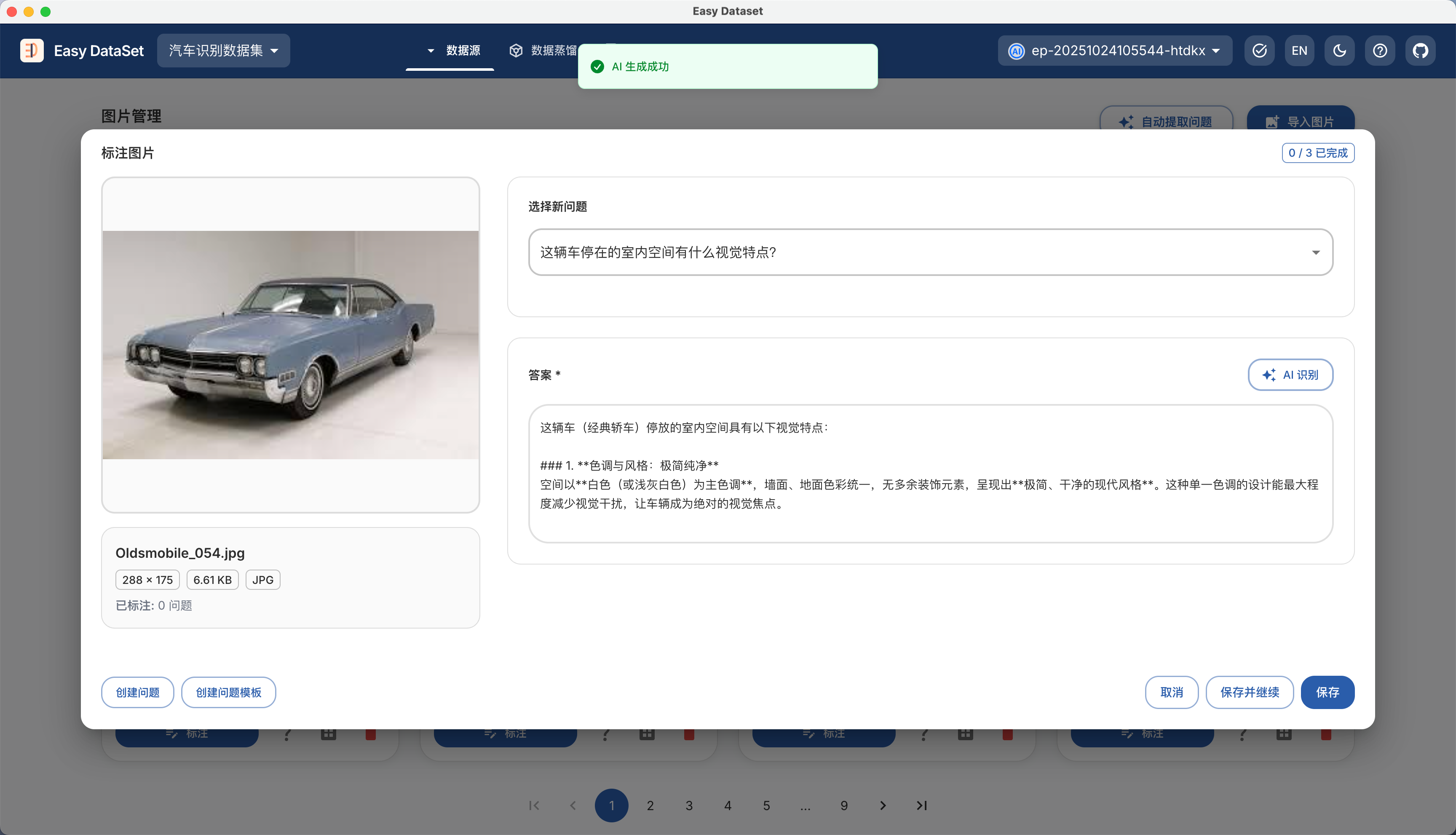
| **Fine-tuning**  | "Tutoring" the model with specific data (e.g., medical data)      | Vertical domain customization (e.g., legal, medical Q\&A)          |
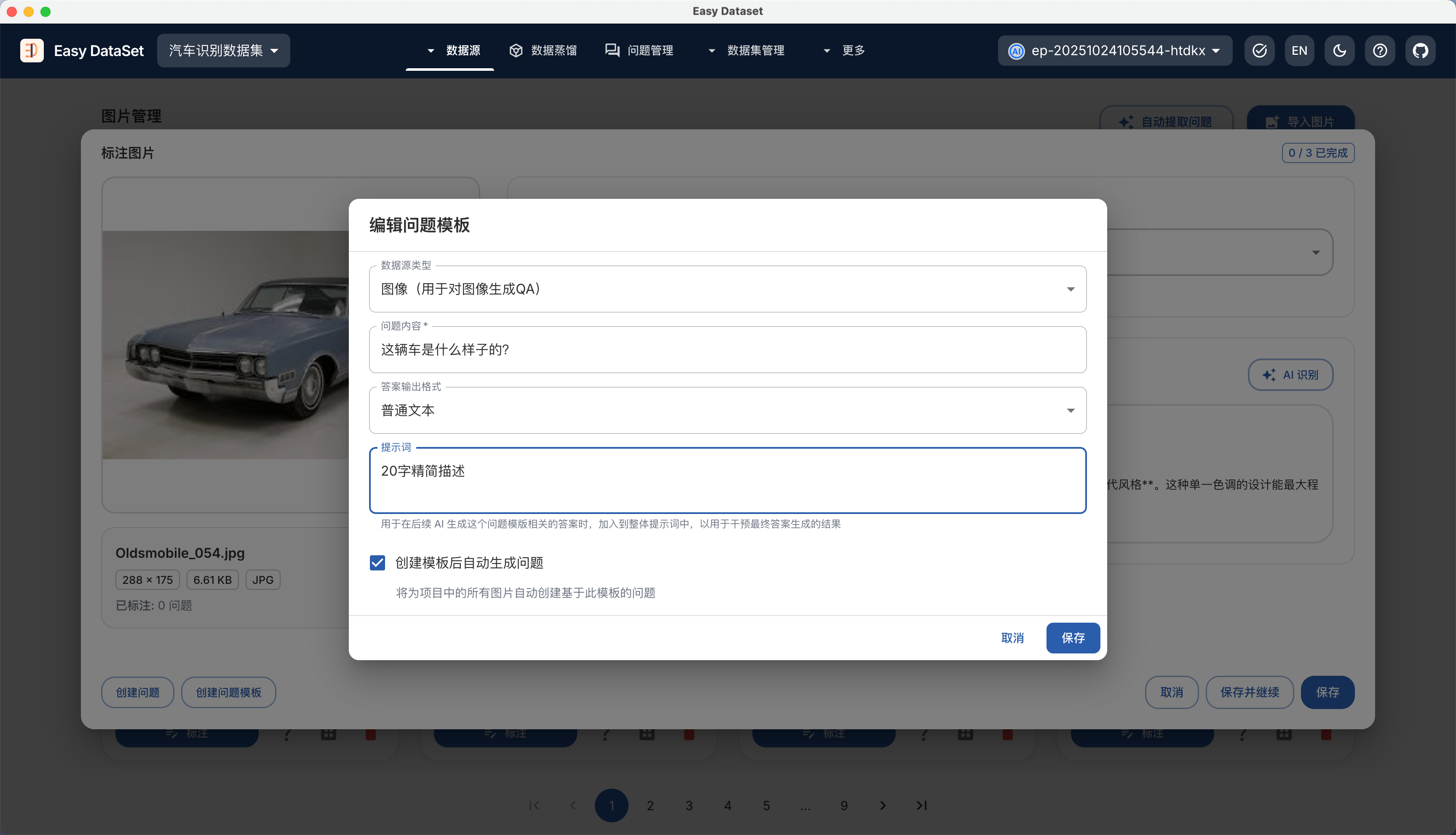
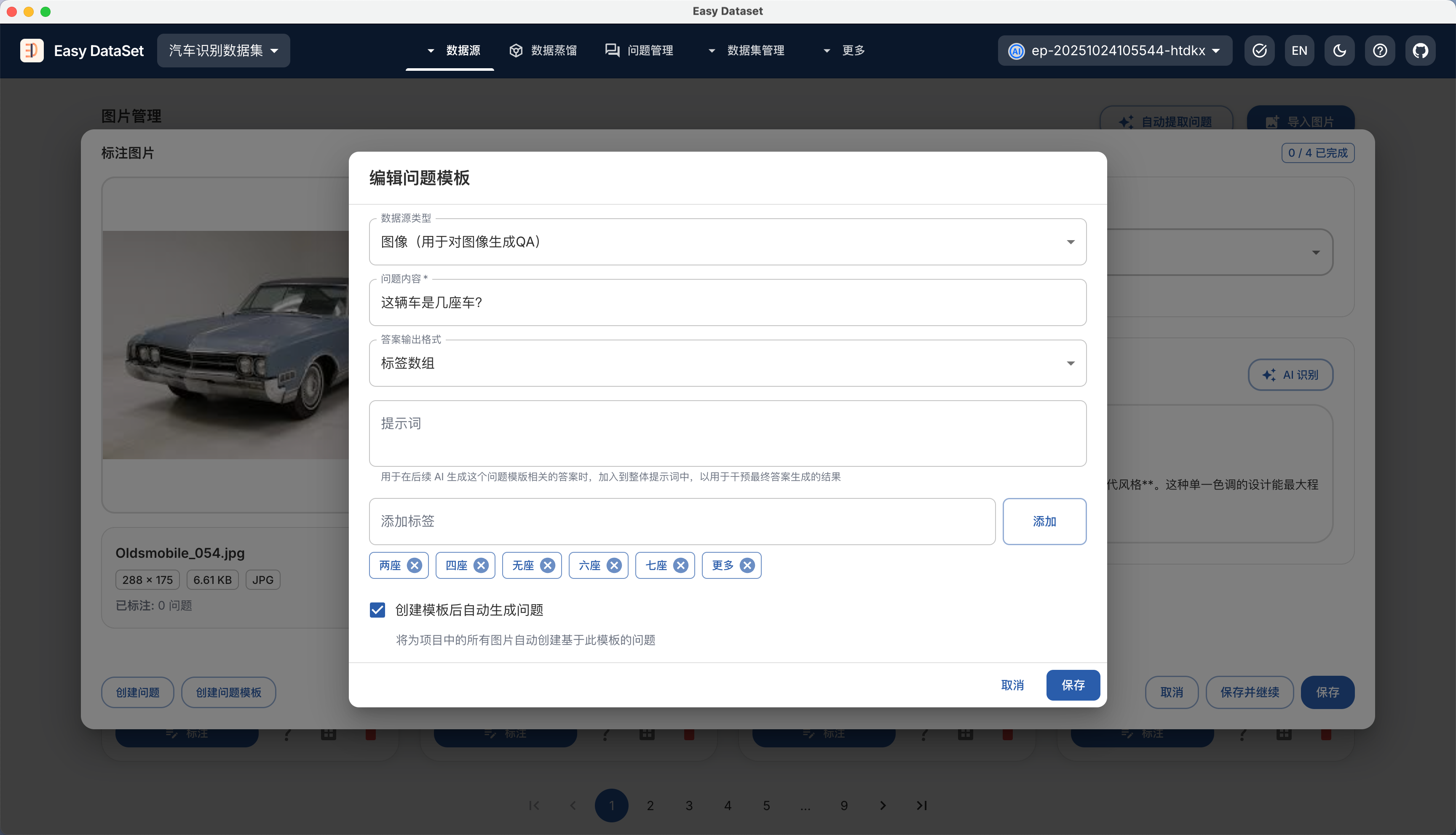
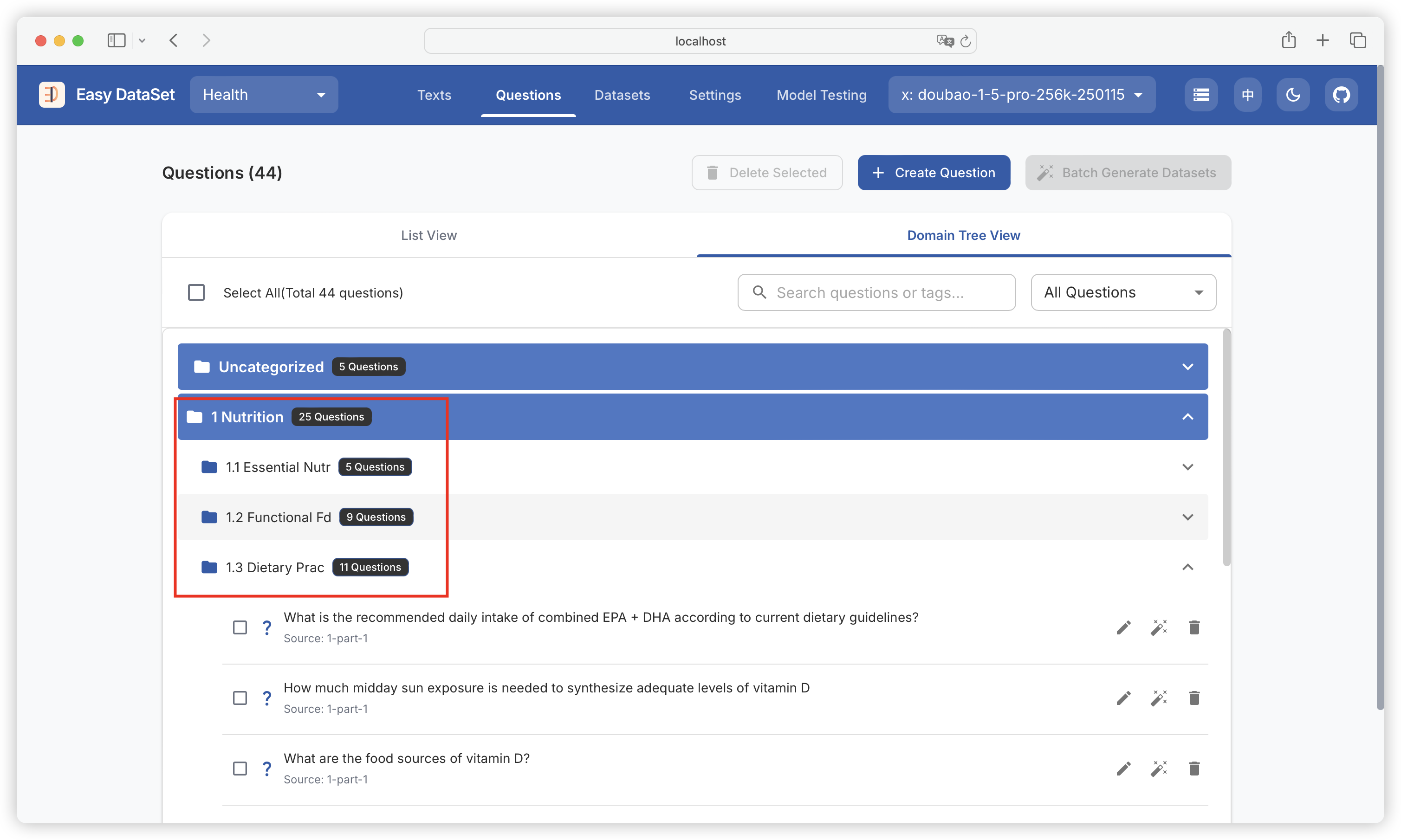
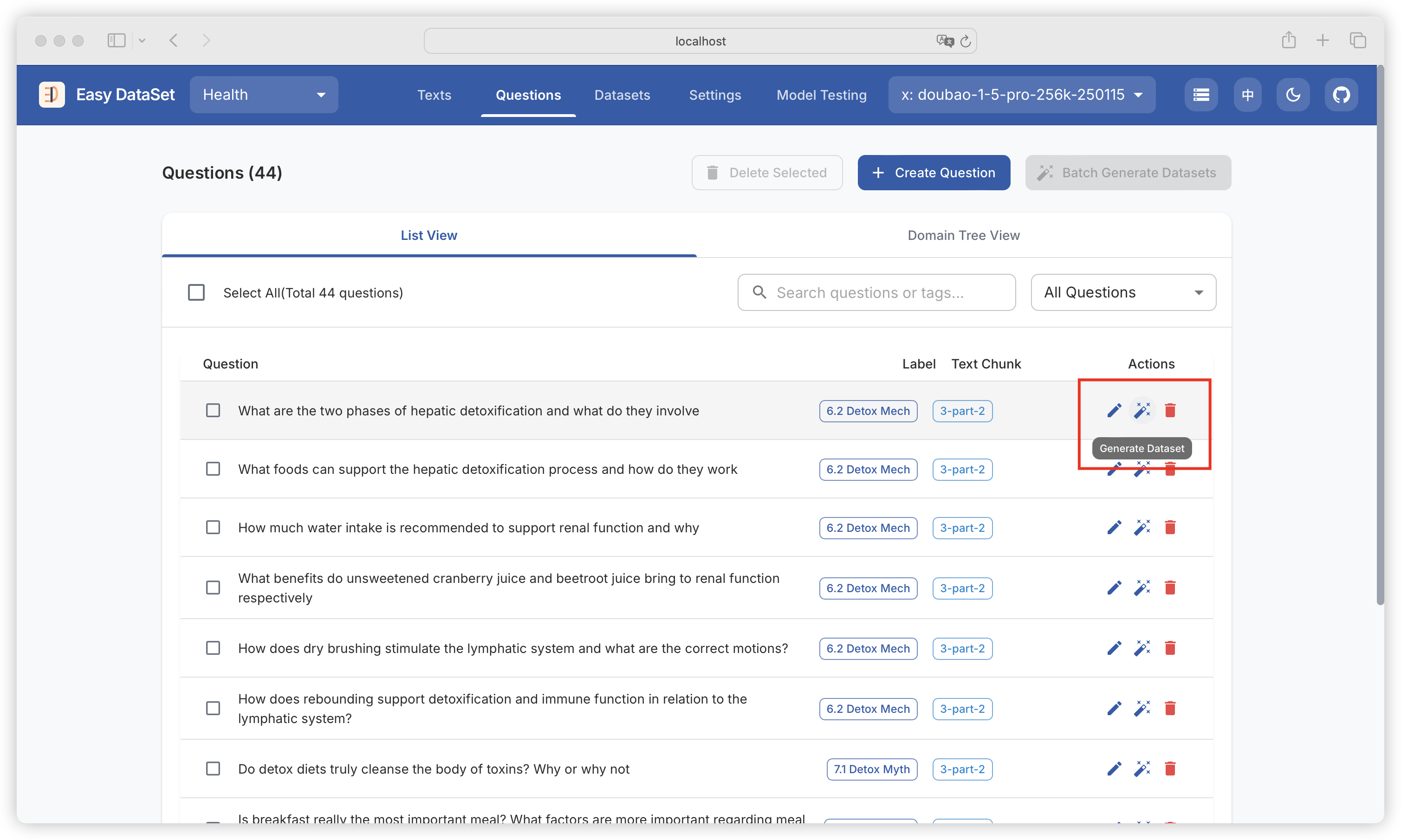
| **RAG**          | Model "cheats" by calling external knowledge bases                | Enterprise document retrieval (e.g., internal training materials)  |

### **Basic Process of Distillation**

1. **Prepare the "Cheat Sheet" (Soft Label Generation)**
   * The "professor" first "solves the problems": Input raw data (e.g., "this movie is great") into the large model to generate probability distributions.
2. **Student "Practices" (Model Training)**
   * The small model takes the same data and outputs its own predictions (e.g., "85% positive, 15% negative"), then compares them with the professor's "cheat sheet" to calculate the difference (loss function).
   * Through repeated parameter adjustments (backpropagation), the small model's answers gradually align with the professor's thinking.
3. **Incorporate "Standard Answers" (Combining Soft and Hard Labels)**
   * The small model needs to learn both the professor's approach (soft labels) and ensure accuracy on basic questions (hard labels, e.g., "a cat is a cat"). The balance between the two is controlled by a coefficient (α) to prevent overfitting.

### Using Easy Dataset to Construct Distilled Datasets

{% hint style="success" %}

#### What Problems Can Easy Dataset Solve? Distilling datasets from large models for specific domains: For example, if we want to distill a small Traditional Chinese Medicine model based on DeepSeek R1's reasoning process, we first need to extract a domain dataset related to "Traditional Chinese Medicine" from DeepSeek R1.

{% endhint %}

### Approach to Distilled Datasets

In the model distillation process, dataset construction is crucial as it directly determines the quality of the distilled model. The following requirements must be met:

* **Task Scenario Coverage**: The dataset should align with the true distribution of the original task (e.g., image classification, natural language processing) to ensure the features learned by both teacher and student models are meaningful.
* **Diversity and Balance**: The data should include sufficient sample diversity (e.g., different categories, noise levels, edge cases) to prevent the distilled model from having poor generalization due to data bias.

To meet these requirements, we cannot simply extract datasets randomly for specific domains. The approach in Easy Dataset is as follows:

<figure><img src="https://2768500000-files.gitbook.io/~/files/v0/b/gitbook-x-prod.appspot.com/o/spaces%2FFp49500tb1OoKJhGorBN%2Fuploads%2FqsHEijyCtTuWFXKWYSbv%2Fimage.png?alt=media&#x26;token=4206c67c-3af7-4778-aa85-6be6adbb3cd9" alt=""><figcaption></figcaption></figure>

First, we use the top-level topic (defaulting to the project name) to construct a multi-level domain label hierarchy, forming a complete domain tree. Then, we use the "student model" to extract questions from the leaf nodes of this domain tree. Finally, we use the "teacher model" to generate answers and reasoning processes for each question.

{% hint style="info" %}
In practical tasks, the "student model" used to extract questions and the "teacher model" used to generate answers can be the same model.
{% endhint %}

### Manual Dataset Distillation

Let's create a new project for Physical Education and Sports:

{% hint style="info" %}
In data distillation tasks, the project name will be used as the default top-level distillation topic, so choosing a good project name is crucial.
{% endhint %}

<figure><img src="https://2768500000-files.gitbook.io/~/files/v0/b/gitbook-x-prod.appspot.com/o/spaces%2FFp49500tb1OoKJhGorBN%2Fuploads%2FwG84T5uv47nyu67T3JZb%2Fimage.png?alt=media&#x26;token=9c93da31-d317-4ad2-9f2d-6f2920f22ddc" alt=""><figcaption></figcaption></figure>

Then, we go to the data distillation module and click to generate top-level tags:

<figure><img src="https://2768500000-files.gitbook.io/~/files/v0/b/gitbook-x-prod.appspot.com/o/spaces%2FFp49500tb1OoKJhGorBN%2Fuploads%2FO3sI7DLfV3uJa8tTiLnt%2Fimage.png?alt=media&#x26;token=0a22d3eb-63cd-4fb6-87b3-260c65831c2b" alt=""><figcaption></figcaption></figure>

This operation allows us to generate N subtopics (tags) from the top-level topic (defaulting to the project name). The number of subtopics can be customized. After the task succeeds, a preview of the tags will be generated in the dialog:

<figure><img src="https://2768500000-files.gitbook.io/~/files/v0/b/gitbook-x-prod.appspot.com/o/spaces%2FFp49500tb1OoKJhGorBN%2Fuploads%2FqzIJ9k3eAWRRTFuwhlL6%2Fimage.png?alt=media&#x26;token=38cfbf2c-ae81-4dfa-9b67-047433ee2062" alt=""><figcaption></figcaption></figure>

We can click "Add Sub-tag" on each subtopic to continue generating multiple levels of subtopics:

<figure><img src="https://2768500000-files.gitbook.io/~/files/v0/b/gitbook-x-prod.appspot.com/o/spaces%2FFp49500tb1OoKJhGorBN%2Fuploads%2FS5nAcVyr1quuPsijjoh2%2Fimage.png?alt=media&#x26;token=b5ce697d-e5dc-4a5e-943e-4d1eee240f2d" alt=""><figcaption></figcaption></figure>

To ensure the relevance of generated subtopics, the complete tag path will be passed when generating multi-level subtopics:

<figure><img src="https://2768500000-files.gitbook.io/~/files/v0/b/gitbook-x-prod.appspot.com/o/spaces%2FFp49500tb1OoKJhGorBN%2Fuploads%2Fo3875uDe6NhnuoWu5PRi%2Fimage.png?alt=media&#x26;token=70236f1a-2853-4d00-9acc-114218354ea5" alt=""><figcaption></figcaption></figure>

After building the multi-level domain label tree, we can start extracting questions from the leaf tags:

<figure><img src="https://2768500000-files.gitbook.io/~/files/v0/b/gitbook-x-prod.appspot.com/o/spaces%2FFp49500tb1OoKJhGorBN%2Fuploads%2FBVZ5o4fz9rwq9430Mu1i%2Fimage.png?alt=media&#x26;token=d0ad7062-ff3f-4814-8df2-244b152c28cc" alt=""><figcaption></figcaption></figure>

We can choose the number of questions to generate. Additionally, the complete domain label path will be passed when extracting questions:

<figure><img src="https://2768500000-files.gitbook.io/~/files/v0/b/gitbook-x-prod.appspot.com/o/spaces%2FFp49500tb1OoKJhGorBN%2Fuploads%2FEKRMYP6mJB4Z4BXq1f2S%2Fimage.png?alt=media&#x26;token=926d8036-a8ef-46ff-bd2a-0c5271c649eb" alt=""><figcaption></figcaption></figure>

After generation is complete, we can preview the questions:

<figure><img src="https://2768500000-files.gitbook.io/~/files/v0/b/gitbook-x-prod.appspot.com/o/spaces%2FFp49500tb1OoKJhGorBN%2Fuploads%2F27An4UqC16saJnBhy8DC%2Fimage.png?alt=media&#x26;token=6050bcd1-fb18-414a-bbeb-5547c3721087" alt=""><figcaption></figcaption></figure>

We can see the generated questions from the leaf nodes of the domain tree:

<figure><img src="https://2768500000-files.gitbook.io/~/files/v0/b/gitbook-x-prod.appspot.com/o/spaces%2FFp49500tb1OoKJhGorBN%2Fuploads%2F1mn4kwvP89gM4GY1dY3X%2Fimage.png?alt=media&#x26;token=c33715c4-3769-4a7f-abf5-1b54d128fb1d" alt=""><figcaption></figcaption></figure>

Then, we can click to generate answers for each question:

<figure><img src="https://2768500000-files.gitbook.io/~/files/v0/b/gitbook-x-prod.appspot.com/o/spaces%2FFp49500tb1OoKJhGorBN%2Fuploads%2FtDwggQ723lRmqoFVzZ10%2Fimage.png?alt=media&#x26;token=240e24b4-9f2d-4275-8c80-42d310bc137b" alt=""><figcaption></figcaption></figure>

We can also go to the question management module to batch generate answers for the generated questions (distilled questions will be displayed as "Distilled Content" by default since they are not associated with text chunks):

<figure><img src="https://2768500000-files.gitbook.io/~/files/v0/b/gitbook-x-prod.appspot.com/o/spaces%2FFp49500tb1OoKJhGorBN%2Fuploads%2FU5hf2tq9FJUfvE5Lmqkw%2Fimage.png?alt=media&#x26;token=883811d7-efaf-4f96-91d4-3b0b465bd26e" alt=""><figcaption></figcaption></figure>

### Automatic Dataset Distillation

If you don't need fine-grained control over each step mentioned above, you can choose fully automatic dataset distillation:

<figure><img src="https://2768500000-files.gitbook.io/~/files/v0/b/gitbook-x-prod.appspot.com/o/spaces%2FFp49500tb1OoKJhGorBN%2Fuploads%2FMHhqESoRMHkrmPjQJnrW%2Fimage.png?alt=media&#x26;token=a306b41f-2041-4c51-b535-2d6b939d7f5a" alt=""><figcaption></figcaption></figure>

In the configuration box, we can see the following options:

* Distillation topic (defaults to project name)
* Number of levels for the domain tree (default is 2)
* Number of tags to generate per level (default is 10)
* Number of questions to generate per sub-tag (default is 10)

<figure><img src="https://2768500000-files.gitbook.io/~/files/v0/b/gitbook-x-prod.appspot.com/o/spaces%2FFp49500tb1OoKJhGorBN%2Fuploads%2FGAOlTwy2pxx9qp0Lux4P%2Fimage.png?alt=media&#x26;token=8d952a59-3b1c-4517-ba24-ac6b3ee22dd3" alt=""><figcaption></figcaption></figure>

After the task starts, we can see detailed progress including the specific progress of building tags, questions, and answers:

<figure><img src="https://2768500000-files.gitbook.io/~/files/v0/b/gitbook-x-prod.appspot.com/o/spaces%2FFp49500tb1OoKJhGorBN%2Fuploads%2FnPmCD9EWoIV1mkXYGyh3%2Fimage.png?alt=media&#x26;token=b3ec3284-49e7-466e-bf11-fdf3ffe3e643" alt=""><figcaption></figcaption></figure>

{% hint style="info" %}
This will also follow the maximum concurrency limit set in "Project Settings - Task Settings".
{% endhint %}


# Release Notes

{% hint style="info" %}
Sync: <https://github.com/ConardLi/easy-dataset/releases/>
{% endhint %}

### \[1.3.0-beta.1] 2025-05-06

**This update makes significant optimizations to the storage method, reconstructing local file storage as local database storage, greatly improving the user experience for large amounts of data. Due to the large changes made, a beta version is released for everyone to experience. If you encounter any issues while using this version, please submit feedback through Issues to help us further improve the product.**

**🔧 Fixes**

1. Fixed the issue of unexpectedly generating COT during dataset optimization
2. Fixed the issue of processing removed files on the text processing page, causing errors

**⚡ Optimizations**

1. Reconstructed local file storage as local database storage, greatly optimizing the user experience for large amounts of data
2. Randomly removed question marks from problems (configurable)
3. Optimized multiple functional experiences

**✨ New Features**

1. Added local log storage to the client, allowing users to open the log directory to troubleshoot issues
2. Added a cache clearing function to the client, allowing users to clear historical log files and backed-up database files

***

### \[1.2.5] 2025-04-13

**🔧 Fixes**

1. Fixed the issue of the model configuration error on the first configuration
2. Fixed the issue of Docker image packaging errors

***

### \[1.2.4] 2025-04-12

**⚡ Optimizations**

1. Used the OPEN AI SDK to reconstruct the model interaction interface, improving compatibility

**✨ New Features**

1. Supported visual model configuration
2. Supported using custom visual models to parse PDFs, with higher accuracy
3. Model testing supported sending images to test visual models
4. Dataset details page supported viewing belonging text blocks
5. Supported users editing text blocks themselves
6. Supported downloading and previewing parsed Markdown files

***

### \[1.2.3] 2025-03-30

**⚡ Optimizations**

1. Enhanced the default maximum output token limit of the model
2. Removed the update failure pop-up window
3. Removed some interfering error log outputs

**✨ New Features**

1. Supported one-click opening of the client data directory
2. Supported model temperature and maximum generated token number configuration
3. Supported two types of PDF file parsing (basic parsing and MinerU parsing)
4. Supported exporting datasets in CSV format

***

### \[1.2.2] 2025-03-24

**🔧 Fixes**

1. Fixed the issue of unable to select problems and delete problems failing in the domain tree view
2. Fixed the issue of the upgrade link to the new version possibly being inaccurate

**⚡ Optimizations**

1. Removed extra line breaks from answers and thought chains
2. Removed the update failure pop-up window and the update download link for the latest installation package

**✨ New Features**

1. Literature management supported filtering generated and ungenerated problems

***

### \[1.2.1] 2025-03-23

**🔧 Fixes**

1. Fixed the issue of inaccurate text block sorting

**⚡ Optimizations**

1. Lowered the default concurrency to 3 (solving the problem of triggering some model flow limits)
2. Optimized problem generation prompts, improving problem generation quality
3. Lowered the minimum split character number to 100 and raised the maximum split character number to 10000
4. When the model did not output in the standard format, the log added the original output information

**✨ New Features**

1. Supported editing problems and customizing problems
2. Supported using datasets directly in LLaMa Factory
3. Supported configuring user-defined prompts

***

### \[1.1.6] 2025-03-19

**🔧 Fixes**

1. Fixed the issue of extractThinkChain errors
2. Fixed the issue of NPM dependency deprecation
3. Fixed the issue of problem filtering and full selection linkage

**⚡ Optimizations**

1. Optimized the operation of rebuilding the domain tree after deleting literature when uploading multiple literatures
2. The client opened by default in maximized mode, no longer full-screen
3. Optimized the content of thought chains, removing the rhetoric of reference literature

***

### \[1.1.5] 2025-03-18

**🔧 Fixes**

1. Fixed the issue of the project list being empty due to caching
2. Fixed the issue of the problem split character number configuration not taking effect
3. Fixed the issue of some special file names causing errors
4. Fixed the issue of some loading states being invalid

**⚡ Optimizations**

1. The client opened external links by default, jumping to the browser
2. Continued to optimize the success rate of dataset result generation
3. Optimized the performance of displaying domain trees for a large number of problems

**✨ New Features**

1. New projects could choose to reuse model configurations from other projects
2. Single projects supported uploading multiple files (shared domain trees)
3. Problem management added filtering for generated and ungenerated datasets
4. Supported uploading docx type files


# Community Tutorials

### How to prepare datasets for fine-tuning large models in specific domains?

{% embed url="<https://www.youtube.com/watch?v=C7euxRVw3JQ>" %}

### How to convert domain literature into datasets suitable for model fine-tuning?

{% embed url="<https://www.youtube.com/watch?v=usYzmXLvXXc>" %}

### Easy Dataset × LLaMA Factory: Enabling Large Models to Efficiently Learn Domain Knowledge

{% embed url="<https://buaa-act.feishu.cn/wiki/KY9xwTGs1iqHrRkjXBwcZP9WnL9>" %}


# Dataset Knowledge

### I. Common Classifications of Fine-tuning Datasets

Many people are confused about what format the data fed to the model should be in, which is actually because they haven't distinguished several common types of fine-tuning tasks. In order to solve different problems in different business scenarios, the types of fine-tuning tasks we may adopt are different, so the dataset formats used will also differ. Therefore, to clarify what kind of dataset format we need to organize, we first need to understand what kind of task scenario our fine-tuning belongs to. Below is a classification diagram of common fine-tuning tasks that I have sorted out:

<figure><img src="https://rncg5jvpme.feishu.cn/space/api/box/stream/download/asynccode/?code=YmQzNjNhMWFmOWRhODg5M2UzZmQzODFjZDE4NGQ2MmZfWFFsTFM0VG9IMW93cFZMZ3ljZmVmVzhWSU5MbmYwZW5fVG9rZW46UVM3eWJoZERjb25hUFZ4WXg3NWNTWnZRbmZoXzE3NDcyMjM0MTA6MTc0NzIyNzAxMF9WNA" alt=""><figcaption></figcaption></figure>

***

#### 1.1 Pre-training

Training a model from scratch is generally called pre-training. The purpose of this process is to enable the model to master the general rules of language and basic language understanding capabilities. Currently, mainstream large models in the market, such as `ChatGPT, DeepDeek`, etc., are all "autoregressive models", and the essence of "autoregressive models" is:

* **Using past self to predict future self**.

<figure><img src="https://rncg5jvpme.feishu.cn/space/api/box/stream/download/asynccode/?code=YWI4OGY3ODBlODFiYzhlZjM1YmU0N2VmOGZkNzVhZTBfeTRaT3dIWm1Db2Ftakp1OElpdmxUdUtwd3VROVF5SGNfVG9rZW46R0tFemJNa0p4b1FWMDR4NHJ4V2NCZkRUbktjXzE3NDcyMjM0MTA6MTc0NzIyNzAxMF9WNA" alt=""><figcaption></figcaption></figure>

We all know that when large models output text, they output according to `Token`. `Token` can be simply understood as breaking sentences into minimal semantic units (such as Chinese characters/words, English words or subwords). The answer is divided into 4 `Tokens`, each `Token` is predicted based on the previous question + already output `Tokens`. The more frequently these keywords appear together in the pre-training dataset, the greater the probability the model will output them. So the richer our dataset, the higher the accuracy of the model's prediction of `Token` output, and the better the final output effect. Therefore, in the pre-training process, we generally use massive unstructured text (such as books, web pages, conversations) to train the model by "predicting the next word", which means that there are no explicit requirements for the format of the pre-training dataset. For example, the following data can be used directly for training: But for fine-tuning in specific domains, unstructured text cannot be used. We can understand it this way:

<figure><img src="https://rncg5jvpme.feishu.cn/space/api/box/stream/download/asynccode/?code=MTkzNzY3MmY0OWM4OWIxYzc4OWI4MGEyODhkNmQ5ZjFfampweXpadWVFUWxKSW80ZFhoOXpHSFZacUFyc3NjaG9fVG9rZW46QXg1TmJvblJjb0pTdHN4UW02b2N2VEx3bkpjXzE3NDcyMjM0MTA6MTc0NzIyNzAxMF9WNA" alt=""><figcaption></figcaption></figure>

* **Pre-training stage**: Like a baby learning to speak, hearing various sounds (unstructured), regardless of what they are, just let them listen more, and gradually they will learn the rules of language;
* **Instruction fine-tuning stage**: Like teaching a child what to do "when hearing a question, answer it", you need to clearly tell them what the question is and what the correct answer is. If you continue to use irregular (unstructured) conversation, they won't have a deep impression of what you want them to learn.

And the pre-training process can be understood as a process of learning and developing abilities without human supervision. Correspondingly, if we want the model to have specific capabilities, supervised fine-tuning is needed.

***

#### 1.2 Supervised Fine-Tuning

Supervised Fine-Tuning (SFT), as the name suggests, requires human supervision during the fine-tuning process. For example: if we want to train an English-Chinese translation model, translating English to Chinese is a very clear demand scenario, so in the dataset, we only need to have input and output:

```json
{"input": "Hello", "output": "你好"}
```

**1.2.1 Instruction Fine-tuning**

What if we want the model to have the ability to understand multiple languages? In this case, two fields alone are not enough, because when the `Input` is the same word, according to the different tasks we want the model to complete, the `output` may be different. At this time, we need to introduce the concept of instruction, such as this dataset:

```json
[
  {
    "instruction": "Translate this English sentence into French",
    "input": "Hello, how are you?",
    "output": "Bonjour, comment ça va ?"
  },
  ...
]
```

We tell the model the clear instruction: translate English to French, and then tell the model the `Input` (English) and `Output` (French), so that the model can accurately understand what to do. This is instruction fine-tuning. Common business scenarios for instruction fine-tuning:

* **Intelligent Education**: Implement homework assistance, plan personalized learning paths, assist language learning.
* **Intelligent Office**: Can handle documents, emails, and schedule management.
* **Intelligent Translation**: Applied to professional field translation, specific scenario translation, and multilingual interaction.
* **Data Analysis**: Let the model provide accurate interpretation and insights of data according to analysis requirement instructions.

Typical open-source datasets for instruction fine-tuning (including instruction, input, output fields):

<figure><img src="https://rncg5jvpme.feishu.cn/space/api/box/stream/download/asynccode/?code=Y2Q0MjVjZDQzODg5NjkxMzRiMDIwODAxMDg4MDIxYmNfWlVhZHRWRnlVTmhHeVpzYXhYNVk2UnFNbFB2dzRPNFFfVG9rZW46R2RITmI2a0dab2RQajB4VVBDN2NYMVJwblFlXzE3NDcyMjM0MTA6MTc0NzIyNzAxMF9WNA" alt=""><figcaption></figcaption></figure>

> `Alpaca` dataset: Created by Stanford University, generated through fine-tuning models, containing about 52,000 instruction following data samples. It covers various tasks, such as common sense Q\&A, text generation, etc., helping models optimize in terms of instruction understanding and generation.

***

**1.2.2 Dialogue Fine-tuning**

Dialogue Fine-tuning (`Dialogue Tuning`) is to train models to generate coherent, contextual responses through multi-turn dialogue data, emphasizing the understanding of dialogue history context and the naturalness and fluency of responses. Its core is to teach the model to handle logical relationships, emotional expressions, and role identities in dialogues. Dialogue fine-tuning datasets typically include the context of the dialogue and the corresponding responses.

```javascript
[
  {
    "dialogue": [
      {"role": "user", "content": "今天天气怎么样？"},
      {"role": "assistant", "content": "北京今日多云转晴，气温22℃，适合户外活动。"},
      {"role": "user", "content": "那适合去长城吗？"},
      {"role": "assistant", "content": "长城景区海拔较高，建议携带外套，注意防晒。"}
    ]
  },
  ...
]
```

The core features of dialogue fine-tuning datasets: containing multi-turn dialogue context, annotated role identities, focusing on response coherence and logic. Through such data, the model can learn how to generate appropriate responses in different dialogue scenarios, thereby improving the coherence and relevance of dialogues. Common business scenarios for dialogue fine-tuning:

* **Intelligent Customer Service Systems**: Improve the dialogue ability of customer service robots in handling user inquiries, more accurately understanding user intentions and providing solutions.
* **Chatbots**: Make chatbots more naturally engage in multi-turn conversations with users, improving user experience.
* **Voice Assistants**: Optimize voice assistants' dialogue performance in voice interactions, making them more in line with user expectations.

Typical open-source datasets for dialogue fine-tuning:

<figure><img src="https://rncg5jvpme.feishu.cn/space/api/box/stream/download/asynccode/?code=ZmIxOTIyZDQ1MTg3ZTg5ZDFlODFmNTUzZDdhMTIxYzRfSVFZbHhqT2JKRjhkU3pidktrV1VkQlJqMmljM0JCazRfVG9rZW46TGFnV2JYdEV4b3ByRTZ4dVRXNmNYRGtSbjlmXzE3NDcyMjM0MTA6MTc0NzIyNzAxMF9WNA" alt=""><figcaption></figcaption></figure>

> A multilingual Q\&A dataset for training dialogue models, with content structure and style conforming to the ShareGPT dialogue format. Each sample in the dataset is a dialogue turn, including human questions and model answers. The data covers multiple languages (English, Spanish, Chinese, Russian, etc.) and diverse domains.

***

**1.2.3 Domain Adaptation**

Domain Adaptation refers to fine-tuning models on data from specific domains to better adapt them to tasks and requirements in those specific domains.

```json
[
  {
    "instruction": "Analyze the patient's symptom description",
    "input": "55-year-old male, persistent retrosternal pain for 3 hours, nitroglycerin sublingual ineffective",
    "output": "Possible diagnosis: Acute myocardial infarction (STEMI), recommend immediate ECG examination and myocardial enzyme profile test",
    "domain": "Medical"
  },
  {
    "instruction": "Explain legal provisions",
    "input": "Article 1032 of the Civil Code",
    "output": "This provision stipulates that natural persons enjoy the right to privacy, and no organization or individual may infringe upon others' privacy rights by means of spying, harassment, disclosure, publication, etc.",
    "domain": "Legal"
  },
  ...
]
```

Core features of domain adaptation datasets: domain terminology annotation (such as medical ontology library, legal terminology library), complex rule modeling (such as drug interactions, contract clause logic), scenario-based data augmentation (such as simulated medical consultation dialogues, contract review processes); Typical business scenarios for domain adaptation:

* **Medical Domain Adaptation**: Used for medical record analysis, disease diagnosis assistance, medical literature retrieval, etc.
* **Legal Domain Adaptation**: Assist in legal document analysis, case retrieval, contract review, etc.
* **Financial Domain Adaptation**: Used for risk assessment, market analysis report generation, financial product recommendation, etc.

Typical open-source datasets for domain adaptation:

<figure><img src="https://rncg5jvpme.feishu.cn/space/api/box/stream/download/asynccode/?code=ODQxNjI5NzIzYmU2ZWIyYjEzM2NmZWRhZmFmODQxMmNfOHdNQUJZaDcxZkhXOWpUNmJRNVVHOGFuWmdvZ0FwNUlfVG9rZW46SlV2aWJDWGNmb1JBakl4UVpZS2N0RmNhbk5GXzE3NDcyMjM0MTA6MTc0NzIyNzAxMF9WNA" alt=""><figcaption></figcaption></figure>

> A medical Q\&A dataset based on `PubMed` literature, containing medical research-related questions, suitable for medical information extraction and domain adaptation tasks.

***

**1.2.4 Text Classification**

Text Classification is a classic task in natural language processing, with the purpose of training models to predict categories or assign labels to text through annotated data. This type of task requires the model to understand the relationship between text semantics and category features, and is suitable for scenarios that require structured output.

```json
[
  {"text": "This phone has a battery life of up to 48 hours, and the photo effect is amazing", "label": "positive"},
  {"text": "The system frequently stutters, and the customer service response is slow", "label": "negative"},
  {"text": "Quantum computers breakthrough in new error correction code technology", "label": "science_news"},
  {"text": "The central bank announced a 0.5 percentage point reduction in the reserve requirement ratio", "label": "finance_news"}
]
```

Typical business scenarios for text classification fine-tuning:

* **Sentiment Analysis**: Product review sentiment polarity recognition (positive/negative/neutral)
* **Content Moderation**: Detecting inappropriate content (political/violent/advertising)
* **News Classification**: Automatic categorization into finance/technology/sports sections
* **Intent Recognition**: User query classification (inquiry/complaint/price comparison)

Typical open-source datasets for text classification:

<figure><img src="https://rncg5jvpme.feishu.cn/space/api/box/stream/download/asynccode/?code=NjAyNTM3MGVhYTg4NjAwMDlkMDMzOTNiNGM2N2FkZWRfYjU3WnNJN0NicUxZQkY1WDBrVlNOZmZsWlRzdG1WTTlfVG9rZW46V0NiZGI2Y21hb0VaY1Z4aFpDZ2MxVUJWbnJMXzE3NDcyMjM0MTA6MTc0NzIyNzAxMF9WNA" alt=""><figcaption></figcaption></figure>

> `imdb` Large Movie Review Dataset, containing the mapping relationship from user reviews to movie ratings, suitable for fine-tuning tasks to classify reviews as positive or negative.

***

**1.2.5 Model Reasoning Fine-tuning**

Fine-tuning reasoning models is actually a special form of supervised fine-tuning. By explicitly annotating the chain of thought (`Chain of Thought, COT`) in the dataset, the model is trained not only to provide the final answer but also to generate the logical reasoning process. The core lies in enabling the model to learn "step-by-step thinking", applicable to scenarios requiring complex logical reasoning (e.g., mathematical proofs, code debugging). In datasets used for reasoning model fine-tuning, it is usually necessary to additionally include the model's thought process:

<figure><img src="https://rncg5jvpme.feishu.cn/space/api/box/stream/download/asynccode/?code=NjdhMzc0ZWJmOGVjN2YyNTA4NDJmZGRjNzllYmU0NzNfVFRKMVhJSFE5alE0NkJ1eEVFRktDTld5anhCTzdJN01fVG9rZW46UDJJNGJITDZSb1VRTmh4RndwdWNFMkVvbnFiXzE3NDcyMjM0MTA6MTc0NzIyNzAxMF9WNA" alt=""><figcaption></figcaption></figure>

```json
[
  {
    "instruction": "Solve a math application problem",
    "input": "Xiao Ming bought 3 pencils, each costing 2 yuan; he also bought 5 notebooks, each costing 4 yuan more than a pencil. How much did he spend in total?",
    "chain_of_thought": [
      "Pencil price: 2 yuan/each → 3 pencils total price: 3×2=6 yuan",
      "Notebook price: 2+4=6 yuan/each → 5 notebooks total price: 5×6=30 yuan",
      "Total cost: 6+30=36 yuan"
    ],
    "output": "The total cost is 36 yuan"
  },
  ...
]
```

Note: Not all tasks are suitable for reasoning models, as reasoning models are prone to hallucinations. In some cases, using reasoning models may have counterproductive effects. When handling simple and straightforward tasks, reasoning models may overcomplicate problems, leading to overthinking, slower responses, and even increased hallucination risks. For example, if you ask a reasoning model to perform retrieval or explanation tasks, when it cannot find reference information, it will generate output based on its own reasoning process, which may not be accurate. The following are scenarios suitable for reasoning model fine-tuning:

* **Code Generation and Debugging**: Reasoning models can understand complex programming problems, generate efficient code solutions, and assist developers in code debugging.
* **Mathematical Problem Solving**: In mathematical modeling, complex calculations, and logical reasoning tasks, reasoning models excel at providing detailed problem-solving steps and accurate answers.
* **Complex Data Analysis**: Reasoning models are adept at handling complex data analysis tasks requiring multi-step reasoning and strategic planning, aiding scientists and researchers in deeper data mining.
* **Legal and Financial Analysis**: When processing complex documents like legal contracts and financial agreements, reasoning models can extract key clauses, interpret ambiguous information, and assist decision-making.
* The chain of thought in datasets may be relatively easy to obtain in specific scenarios. For example, in mathematical reasoning task fine-tuning, the problem-solving process inherently present in the dataset can serve as the chain of thought, such as in the following mathematical problem-solving dataset:

<figure><img src="https://rncg5jvpme.feishu.cn/space/api/box/stream/download/asynccode/?code=M2VmYTM4MzI3YjU1ZDFmYWRiMWE3YmYwMWJmMjA5NzlfQmViakxzcHNCYW9xWjBmSlB2T1o0NUFYcWRiMU01cllfVG9rZW46UmFZemJENjBjb0VWQzF4eW9EM2N2TDBObkJkXzE3NDcyMjM0MTA6MTc0NzIyNzAxMF9WNA" alt=""><figcaption></figcaption></figure>

> Approximately 860,000 Chinese high school math practice problems, as well as problems from American and international math Olympiads, with each problem's solution presented in the chain of thought (CoT) format.

Another approach is through distillation from large models with reasoning capabilities, such as those derived from `DeepSeek-R1` and other reasoning models.

***

#### 1.3 Knowledge Distillation

Knowledge Distillation (`Knowledge Distillation`) is a technique that transfers knowledge from complex models (teacher models) to lightweight models (student models). By optimizing student models to produce outputs close to the teacher models' "soft labels", it reduces inference costs while maintaining performance. Constructing model distillation datasets should be the simplest scenario - when you fully trust the large model's outputs, you can directly use its generated Q\&A pairs as the dataset, followed by manual quality assessment and validation. Typical open-source model distillation datasets:

<figure><img src="https://rncg5jvpme.feishu.cn/space/api/box/stream/download/asynccode/?code=ZDIyODM2MjQ0YWMwZDY5OWQyNDAwZjljYWUyZGE1ZjVfSFltaFliazNkSmFQWWFPZWZPTktKRzUwMWNQS3hobEZfVG9rZW46Slo1cWJwdWhWb2tTV3J4bjZUdWNQZDZmbm9lXzE3NDcyMjM0MTA6MTc0NzIyNzAxMF9WNA" alt=""><figcaption></figcaption></figure>

> Chinese dataset distilled from full-capability DeepSeek-R1, containing not only math data but also extensive general-purpose data, totaling 110K entries.

***

#### 1.4 Other Fine-tuning Techniques

**1.4.1 Reinforcement Learning Fine-tuning**

Reinforcement learning fine-tuning builds upon supervised fine-tuning by actively incorporating human feedback to optimize model generation quality. Its core lies in introducing reward models (`Reward Model`) to evaluate the rationality of generated results and adjusting model parameters through reinforcement learning strategies (e.g., `PPO` algorithm) to make outputs better align with human preferences.

```json
[
  {
    "input": "Recommend a science fiction movie",
    "output": "Interstellar is a classic science fiction film that explores time and family.",
    "reward_score": 4.5  // Human-annotated quality score (0-5)
  },
  {
    "input": "Explain black hole theory",
    "output": "Black holes are mysterious celestial bodies composed of dark matter, consuming all matter.",
    "reward_score": 2.0  // Contains incorrect information, low score
  }
]
```

Reinforcement learning fine-tuning is typically applied in the following business scenarios:

* **Dialogue System Optimization**: After supervised fine-tuning for relevance, further align the model with human values (safety, harmlessness, usefulness).
* **Content Generation**: After supervised fine-tuning for writing ability, further optimize output style (e.g., humor, formality) or avoid sensitive information.
* **Code Generation**: After supervised fine-tuning for code generation ability, further optimize code readability and correctness.

Typical open-source reinforcement learning datasets:

<figure><img src="https://rncg5jvpme.feishu.cn/space/api/box/stream/download/asynccode/?code=MDI4MDEwNDMxNTA5ZmNhN2NlYWI5OTNjMTY0NWFlMGVfUkk1b05uOWVYUEY4UzdLUHF4RVdWRTBZczN6Zzdnb2hfVG9rZW46SDJEM2I3RFc3b2g2WVp4WUFEc2MwNVVxbjllXzE3NDcyMjM0MTA6MTc0NzIyNzAxMF9WNA" alt=""><figcaption></figcaption></figure>

> Human preference ranking dataset for reinforcement learning fine-tuning and training reward models.

***

**1.4.2 Multimodal Fine-tuning**

Multimodal fine-tuning (`Multimodal Fine-Tuning`) refers to training models with multiple modalities (text, images, audio, etc.) to enable cross-modal understanding and generation capabilities. This is a parallel category to text-based model fine-tuning, also encompassing supervised/unsupervised fine-tuning, reinforcement learning fine-tuning, and other categories.

```json
[
  {
    "text": "A cat is chasing a butterfly",
    "image_url": "https://example.com/cat.jpg",
    "caption": "An orange cat is chasing a white butterfly in the garden"
  },
  {
    "audio": "audio.wav",
    "text": "Transcription of meeting recording: Today's agenda is...",
    "summary": "The meeting discussed Q3 sales targets and market strategies"
  }
]
```

Note that the image, video, and audio data can be in the form of URLs, base64 encoding, or stored directly on Hugging Face. The key is that the data can be read during training.

Multimodal fine-tuning is typically applied in the following business scenarios:

* **Image-Text Question Answering**: Input images and questions, generate answers.
* **Video Content Understanding**: Analyze video frames and subtitles, generate summaries.
* **Cross-Modal Retrieval**: Search for relevant images/videos based on text descriptions.

Typical open-source multimodal fine-tuning datasets:

<figure><img src="https://rncg5jvpme.feishu.cn/space/api/box/stream/download/asynccode/?code=MDdlYzkzZjU2MGQ0MTQyZmYyYWJjNmY5OWY2ZmY2NWJfUk8wRVhXRWt2elFTNGthMFNsZUhKUmpuNHM2V2E3S29fVG9rZW46Qmh1R2JUZThZb2U5bXN4UThTbWNPV1BzbllsXzE3NDcyMjM0MTA6MTc0NzIyNzAxMF9WNA" alt=""><figcaption></figcaption></figure>

> A collection of 50 large-scale visual language training datasets (only training sets), used for multimodal vision-language model fine-tuning. The dataset structure includes `images` (image list) and `texts` (dialogue text), with dialogues presented in a user-question, model-answer format, covering tasks like TQA (Text-Image Question Answering).

***

### Two, Common Data Formats for Fine-tuning

There is no specific format requirement for model fine-tuning datasets. We generally eliminate differences in various fine-tuning dataset formats in the code. Let's review the code from the previous fine-tuning tutorial:

<figure><img src="https://rncg5jvpme.feishu.cn/space/api/box/stream/download/asynccode/?code=NzRlNGQ2NDE1YzkzMDI1NzVkNTJmOTdmNGFlYWM3MDVfTERTazI0VlNuRlplb1lZanowSmNqSkNVMWxHdmpWTXNfVG9rZW46Wm0yZGJoTXR1b3BpR1J4bENWemNPTzlkbnF3XzE3NDcyMjM0MTA6MTc0NzIyNzAxMF9WNA" alt=""><figcaption></figcaption></figure>

This code defines a template for formatting fine-tuning datasets, where the three "{}" represent the three variables to be passed in, corresponding to the original problem, thought process, and final answer, respectively.

***

#### 2.1 Alpaca

`Alpaca` was initially released by Stanford University in 2023 as a **52k instruction fine-tuning dataset**, generated by `OpenAI`'s `text-davinci-003` model to optimize large language models (like `LLaMA`) through instruction following tasks. Later, with community development, Alpaca's JSON structure evolved into a **universal data format**, extending fields like `system` (system prompts) and `history` (conversation history), supporting multi-turn dialogue tasks. Suitable for various fine-tuning scenarios, many mainstream frameworks (like LLaMA-Factory, DeepSpeed) can directly load `Alpaca`-formatted datasets. Here, we reference two examples of `Alpaca`-formatted datasets in different fine-tuning scenarios from `LLaMA-Factory`:

**Alpaca format for instruction fine-tuning datasets**:

<figure><img src="https://rncg5jvpme.feishu.cn/space/api/box/stream/download/asynccode/?code=MjgzNzVmM2NiNGQ3MDkyOGQ3OGFlMDk2M2NlYzcwNmFfUmIxQ25XdGozTkxsQjRDVTBla01wTWtvTTV3ZDVITEZfVG9rZW46VGxJTWJycGtQb041WXZ4dEUzQWNuYm5QbnlmXzE3NDcyMjM0MTA6MTc0NzIyNzAxMF9WNA" alt=""><figcaption></figcaption></figure>

***

**Alpaca format for domain adaptation fine-tuning datasets**:

<figure><img src="https://rncg5jvpme.feishu.cn/space/api/box/stream/download/asynccode/?code=M2ZmNzM3N2UwOGUyNGY5OWQ2MmVkZjM5YTI0ODAxNDZfN0NUdHB5RnViZXBoa1RyOWtyak12UG5SZ1d3V0xpRDdfVG9rZW46TWZDS2JWUTg5bzNiZ0d4NmVNWmN0MzFJbjFxXzE3NDcyMjM0MTA6MTc0NzIyNzAxMF9WNA" alt=""><figcaption></figcaption></figure>

***

**Alpaca format for preference datasets**:

<figure><img src="https://rncg5jvpme.feishu.cn/space/api/box/stream/download/asynccode/?code=NDJiMjNiMzkwOTg2NTYyY2U1ZmJjNmYwNmUyOTEyYTlfWXNaZ3AzMXZVdnFwR0k4MkZmUVljSUd6Yk45MmpmRXZfVG9rZW46QTdWM2JtNnlMb1lmRTd4QXdRb2NzUVRhbm5iXzE3NDcyMjM0MTA6MTc0NzIyNzAxMF9WNA" alt=""><figcaption></figcaption></figure>

***

#### 2.2 ShareGPT

**ShareGPT** was originally a data format standard designed by the community to normalize model training data storage for multi-turn dialogue and tool invocation scenarios. Its core objective is to support complex interactions (e.g., user query → tool invocation → result integration) through structured fields like `conversations` lists and `tools` descriptions. As the format gained popularity, the community built several specific datasets based on the ShareGPT format, collectively known as "ShareGPT-format datasets".

**ShareGPT-format Instruction Fine-tuning Dataset**:

<figure><img src="https://rncg5jvpme.feishu.cn/space/api/box/stream/download/asynccode/?code=NDZmNGJiZTA0MWY2NzcyOTgyZjQ4YWQ0MzQ4NDEzYmNfaTZEVm5lS0N5aTVpNXNRS2g0U3lyRmdpY2hvQ3B4bUtfVG9rZW46SDkzSmJzQXcwb3VEakF4T3RjSGNtTVdYbmFmXzE3NDcyMjM0MTA6MTc0NzIyNzAxMF9WNA" alt=""><figcaption></figcaption></figure>

***

**ShareGPT-format Preference Dataset**:

<figure><img src="https://rncg5jvpme.feishu.cn/space/api/box/stream/download/asynccode/?code=ZDNkNDcwNTI1ODBhMzkyNGI4MDI1OWMxM2JhYTQ2ZDVfeDdlMVZmSVJzMUZYVVdGenluODhwT1Y2aEQzMkdidTlfVG9rZW46TWppN2JXQ21mb0JUYVN4YnNPMWN5bENPbjhjXzE3NDcyMjM0MTA6MTc0NzIyNzAxMF9WNA" alt=""><figcaption></figcaption></figure>

***

**ShareGPT-format Multimodal Dataset**:

<figure><img src="https://rncg5jvpme.feishu.cn/space/api/box/stream/download/asynccode/?code=ZjFkMGRjZjVkYzRkOWEyOWQ2YzA1NTI2NjNkMzlmNDhfaThPZUpoMEZxNEFETGtjb055MERpRmlkR0RqRktpWktfVG9rZW46U3ozOGJXTFdZb05sQWd4bmVWWWNjU09MbmFiXzE3NDcyMjM0MTA6MTc0NzIyNzAxMF9WNA" alt=""><figcaption></figcaption></figure>

***

**Special ShareGPT-format Dataset: OpenAI Format**

<figure><img src="https://rncg5jvpme.feishu.cn/space/api/box/stream/download/asynccode/?code=ZjZiMmQ2NGE3Y2QxNDUzNTg5OWVhYTU4ZDFhOTgxY2Nfb1ZvY0sxVjdldzVacTY2T1h0Rjl0VjFSYmQwTjM5VjJfVG9rZW46VFFnVmJLMEFyb1ljZ1V4VGdUVmNmQTFvbmZlXzE3NDcyMjM0MTA6MTc0NzIyNzAxMF9WNA" alt=""><figcaption></figcaption></figure>

***

#### 2.3 Format Comparison

Below is a detailed comparison between the two dataset formats. You can choose the appropriate format based on your actual requirements:

<table data-header-hidden><thead><tr><th width="146.36328125"></th><th></th><th></th></tr></thead><tbody><tr><td>Comparison Dimension</td><td>Alpaca Format</td><td>ShareGPT Format</td></tr><tr><td>Core Design Purpose</td><td>Single-turn instruction-driven tasks (e.g., Q&#x26;A, translation, summarization)</td><td>Multi-turn dialogues and tool invocation (e.g., chatbots, API interactions)</td></tr><tr><td>Data Structure</td><td>JSON objects centered around <code>instruction</code>, <code>input</code>, <code>output</code></td><td>Multi-role dialogue chains (human/gpt/function_call/observation) with <code>conversations</code> list as core</td></tr><tr><td>Dialogue History Handling</td><td>Records history through <code>history</code> field (format: <code>[["instruction", "response"], ...]</code>)</td><td>Naturally represents multi-turn dialogues through ordered <code>conversations</code> list (alternating roles)</td></tr><tr><td>Roles &#x26; Interaction Logic</td><td>Only distinguishes user instructions and model outputs, no explicit role labels</td><td>Supports multiple role labels (e.g., <code>human</code>, <code>gpt</code>, <code>function_call</code>), enforces odd-even position rules</td></tr><tr><td>Tool Invocation Support</td><td>No native support, requires implicit description through <code>input</code> or instructions</td><td>Explicit tool invocation through <code>function_call</code> and <code>observation</code>, supports external API integration</td></tr><tr><td>Typical Use Cases</td><td>- Instruction response (e.g., Alpaca-7B)<br>- Domain-specific Q&#x26;A<br>- Structured text generation</td><td>- Multi-turn dialogues (e.g., Vicuna)<br>- Customer service systems<br>- Interactions requiring real-time data queries (e.g., weather, calculations)</td></tr><tr><td>Advantages</td><td>- Concise structure, clear task orientation<br>- Suitable for rapid single-turn dataset construction</td><td>- Supports complex dialogue flows and external tool extension<br>- Closer to real human-machine interaction scenarios</td></tr><tr><td>Limitations</td><td>- Requires manual <code>history</code> concatenation for multi-turn dialogues<br>- Lacks dynamic tool interaction capabilities</td><td>- More complex data format<br>- Requires strict adherence to role position rules</td></tr></tbody></table>

***

### Three, Fine-tuning Dataset for Different Purposes

Training sets teach models "basic knowledge", validation sets optimize "learning methods", and test sets evaluate "practical abilities". The three are like a learning cycle of "pre-study, review, and examination", and none can be missing:

* **Training Set** = **Daily Practice Questions** (master knowledge points through extensive practice)
* **Validation Set** = **Mock Exam Papers** (detect learning outcomes, adjust learning methods)
* **Test Set** = **Final Exam** (evaluate real learning abilities)
* **Complete Set** = **All Available Question Banks** (includes the original data of the above three)

***

#### 3.1 Training Set — Teacher Teaches Knowledge

* **Role**: Core learning materials for models
* **Example**: When teaching AI to recognize cats, show it **10,000 labeled cat images** (including different breeds, poses)
* **Key Points**:
  * Must cover various possibilities (day/night, close-up/distant)
  * Equivalent to a student's textbook and exercise book

***

#### 3.2 Validation Set — Learning Effectiveness Check

* **Role**: Prevents rote memorization, tests ability to generalize
* **Typical Scenario**: During training, use **2,000 new cat images** to validate, discover the model mistakenly identifies "hairless cats" as dogs, and adjust the training strategy
* **Core Value**:
  * Select the best model version (e.g., different neural network structures)
  * Adjust hyperparameters (equivalent to changing the learning plan)

***

#### 3.3 Test Set — Final Ability Evaluation

* **Role**: Evaluates model's real-world performance
* **Must Follow**:
  * Absolute isolation principle: The **5,000 cat images** in the test set have never appeared during training
  * Equivalent to a highly confidential exam paper
* **Common Misconceptions**: If the test set is used to repeatedly adjust parameters, it's like cheating on the exam, and the results will be overly optimistic

***

#### 3.4 Complete Set — Data Resource Pool

* **Inclusion Relationship**: Complete set = Training set + Validation set + Test set
* **Partition Proportion** (example):
  * General situation: 70% training + 15% validation + 15% testing
  * Small data scenario: 80% training + 10% validation + 10% testing

***

Below are some frequently asked questions about these three types of datasets:

* **Why can't they be mixed?**: If the test set data leaks into the training set, it's like cheating on the exam, and the model will fail in real-world applications.
* **What if there's not enough data?**: Cross-validation method: Divide the complete set into 5 parts, rotate 4 parts for training and 1 part for validation (similar to "rotating seats for exams"), and synthesize data: Use image flipping, text replacement, and other methods to expand the data volume.
* **Special Scenario Handling**: Time series data: Must be divided according to time order (cannot use random splitting). For example, predicting stock prices, you must use data before 2023 for training and data from 2024 for testing;


# FAQ

### Q: How to generate an English dataset?

<img src="https://rncg5jvpme.feishu.cn/space/api/box/stream/download/asynccode/?code=ODUzZmFmYThhODVkZjM4NjUyNWYzZWMyYzM1NzlmNDFfRkRoQmROWFA2STFIZUI5dWlJaklSbmhGOHJRNUROZXVfVG9rZW46VEJzbGJvcWEwb1lNa2h4MDQzQWMwWlcybktiXzE3NDcyMjMyMDY6MTc0NzIyNjgwNl9WNA" alt="" data-size="original">

The system will decide the final language of the generated dataset based on the current user's language selection. Currently, it supports Chinese and English. The default language environment is Chinese. If you need to generate an English dataset, you need to manually switch to English.

***

### Q: Can't find the desired model provider and model in the model configuration?

![](https://rncg5jvpme.feishu.cn/space/api/box/stream/download/asynccode/?code=N2U0NTNjZGZhYjY4YTBhZmM1ZjVjMzZmYzIwODc1YmZfTEl0ZXYyZk5aeUlMc1E0NjlxZjMzQjEwRTFGVThzNnZfVG9rZW46WGMwZ2J1ZHZSb0NjQlZ4TUhIcGMySFdZbndkXzE3NDcyMjMyMDY6MTc0NzIyNjgwNl9WNA)

Currently, it supports **OpenAI standard protocol** model access, compatible with Ollama. The system only has some common model configurations built-in. If you can't find the desired model, you can customize the **model provider**, **model name**, **API address**, and **key**.

***

### Q: The model test is fine, but it reports an error when generating questions or datasets?

In many cases, the system requires the model to output in a specified JSON format. If the model's understanding ability or context length is insufficient, the output may be unstable. It is recommended to replace it with a model with a larger parameter quantity and longer context length.

***

### Q: The batch task processing speed is too slow?

The processing speed of the task is largely determined by the processing speed of the selected model. If it is a local model, please check the resource utilization rate. If it is a remote model, it is recommended to replace it with a faster and more stable platform.

***

### Q: The batch task is interrupted suddenly, and it starts to complete quickly at a certain node?

![](https://rncg5jvpme.feishu.cn/space/api/box/stream/download/asynccode/?code=Nzg1NzA2YzE2NGNmYzZiZjRkNjIxZjE0Y2ZkYzhiY2Vfa3N5QzBqTnR6bXJsZ0VnSkhaTTcxakl2S1oxT1JnSm5fVG9rZW46WWpibmI4eVBhbzc3WnR4MU41T2NJSEVGbmxnXzE3NDcyMjMyMDY6MTc0NzIyNjgwNl9WNA)

It is likely that the model's rate limiting strategy has been triggered, which is common in unpaid Silicon Flow and free OpenRouter models. You can manually reduce the concurrent processing number in the task configuration, which is currently set to 5 by default.

***

### Q: The questions or datasets are not output in the expected style?

![](https://rncg5jvpme.feishu.cn/space/api/box/stream/download/asynccode/?code=MjllODY4ZTQwNDRjN2M5NzdjODNkOTc1N2YyNDc0NmJfbTlyUDhvaHM4eEZWSTZHa0tnWHA1Zm1hbUcxRWNGZmpfVG9rZW46QlBIVmJEZ01Zb2hVNGp4YVZBRGNTUE1QbkJlXzE3NDcyMjMyMDY6MTc0NzIyNjgwNl9WNA)

You can add custom prompt words in the project configuration - prompt word configuration to actively intervene.


# Privacy Policy

Welcome to Easy Dataset (hereinafter referred to as "this software" or "we"). We highly value your privacy protection, and this privacy agreement will explain how we handle and protect your personal information and data. Please read and understand this agreement carefully before using this software:

### I. Information We Will Not Collect

To maximize the protection of your privacy and security, we explicitly commit to:

* Not collecting, storing, transmitting, or processing any third-party service API Key information that you input into this software;
* Not collecting, storing, transmitting, or processing any data set content generated during your use of this software, including but not limited to user-uploaded files, custom annotation data, analysis results, and other business data;
* Not collecting, storing, transmitting, or processing any personally identifiable sensitive information (such as name, contact information, address, etc.).

### II. Data Interaction Explanation

This software supports third-party services (such as data storage platforms, analysis tools, API interfaces, etc.) that you apply for and configure independently, to complete data set management, processing, or analysis functions. The third-party services you use are independently operated and fully responsible by the providers you choose, and Easy Dataset only provides local tool functionality for interface calls with third-party services.

Therefore:

* All data generated by your interaction with third-party services through this software (including data sets, operation records, etc.) are unrelated to Easy Dataset, and we do not participate in data storage or perform any form of data transmission or transfer;
* You need to independently view and accept the privacy agreements and related policies of the corresponding third-party service providers, which can be accessed on the official websites of the respective providers.

### III. Third-Party Service Provider Privacy Statement

You must assume the potential privacy risks involved in using third-party service providers. For specific privacy policies, data security measures, and related responsibilities, please refer to the official website of the selected service provider. We do not assume any responsibility for this.

### IV. Agreement Updates and Modifications

This agreement may be adjusted accordingly with software version updates. Please pay attention to it regularly. When the agreement undergoes substantial changes, we will remind you in an appropriate manner (such as software pop-ups, announcements, etc.).

### V. Contact Us

If you have any questions about the content of this agreement or Easy Dataset's privacy protection measures, please feel free to contact us through official channels (email/customer service phone/online form). Thank you for choosing and trusting Easy Dataset. We will continue to provide you with a safe and reliable product experience.


# Contact Us

### User Communication

You are welcome to join the Code Secret Garden AI group chat. If the group chat link has expired, you can add our assistant on WeChat: codemmhy (remark "AI" to be invited into the group):

<figure><img src="https://content.gitbook.com/content/Fp49500tb1OoKJhGorBN/blobs/RAAgfnZZ3deyN2iNzHQu/image.png" alt="" width="375"><figcaption></figcaption></figure>

### Feedback

Please submit product suggestions and feedback via <https://github.com/ConardLi/easy-dataset/issues>. Please make sure to strictly follow the Issue template; otherwise, you may not receive a reply.

***

### Business Cooperation

Add WeChat: codemmhy, and note "Business Cooperation" (please briefly state your purpose).

***