> For the complete documentation index, see [llms.txt](https://docs.easy-dataset.com/llms.txt). Markdown versions of documentation pages are available by appending `.md` to page URLs; this page is available as [Markdown](https://docs.easy-dataset.com/ed/en/basic/quickstart/task-configuration.md).
# Task Configuration
{% hint style="info" %}
The task configuration module is used to set parameters related to text processing, question generation, task concurrency, etc., to meet different task requirements. Properly configuring various parameters can effectively improve task execution efficiency and quality.
{% endhint %}
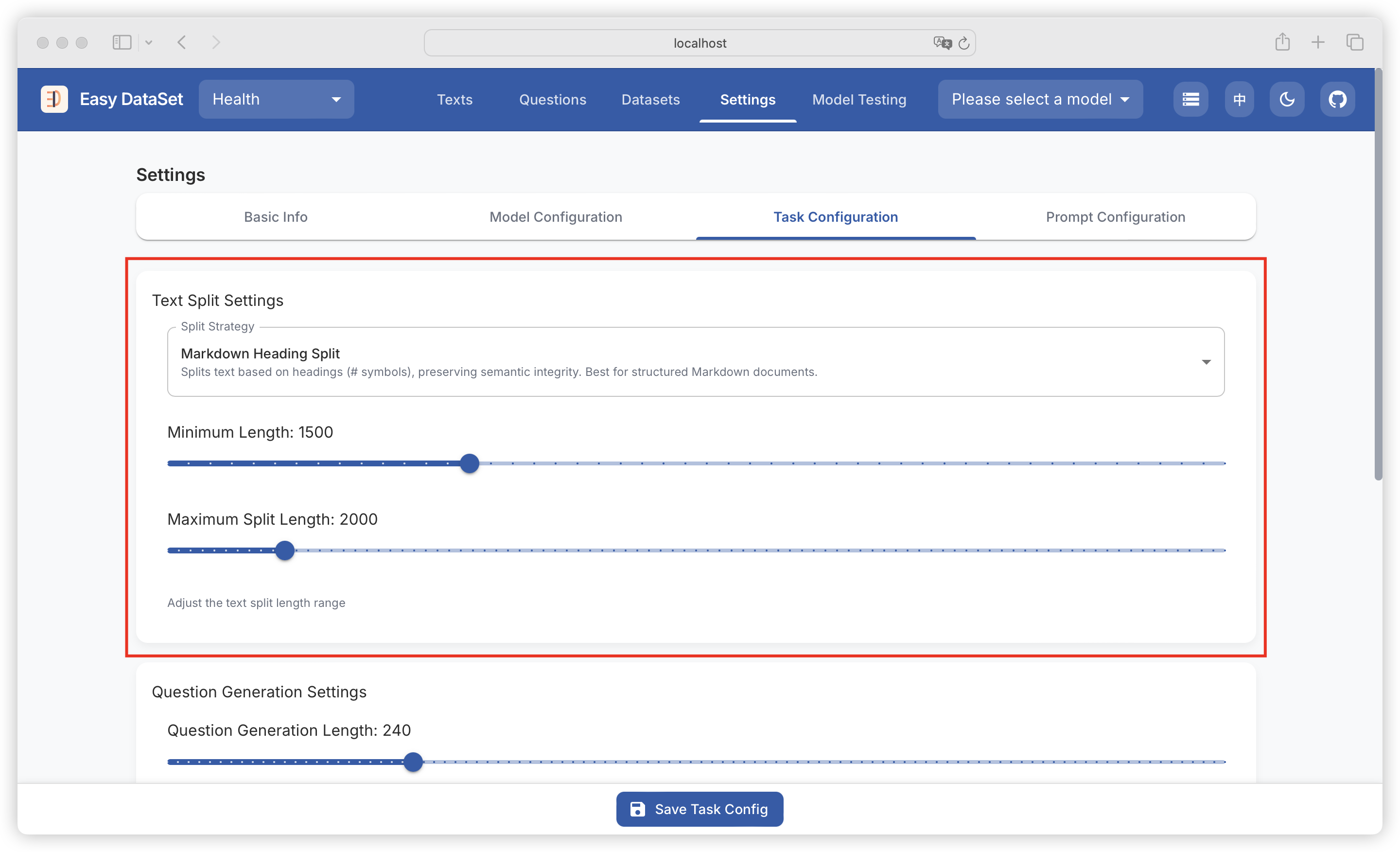
### Text Splitting Settings
#### 1. Split Strategy
Text splitting operates based on the set length range, dividing input text according to rules into appropriate paragraphs for subsequent processing.
#### 2. Minimum Length
* Function: Sets the minimum character length for each text fragment after splitting, with a current default value of 1500. If a text segment is shorter than this value, it will be merged with adjacent text segments until it meets the minimum length requirement.
* Setting method: Enter the desired value (must be a positive integer) in the input box after "Minimum Length".
{% hint style="warning" %}
The value should not be too large, as it may result in too few text fragments, affecting the flexibility of subsequent processing; it should also not be too small, to avoid text fragments being too fragmented.
{% endhint %}
#### 3. Maximum Split Length
* Function: Limits the maximum character length of each text fragment after splitting, with a current default value of 2000. Text exceeding this length will be split into multiple fragments.
* Setting method: Enter an appropriate value (must be a positive integer and greater than the minimum length value) in the input box after "Maximum Split Length".
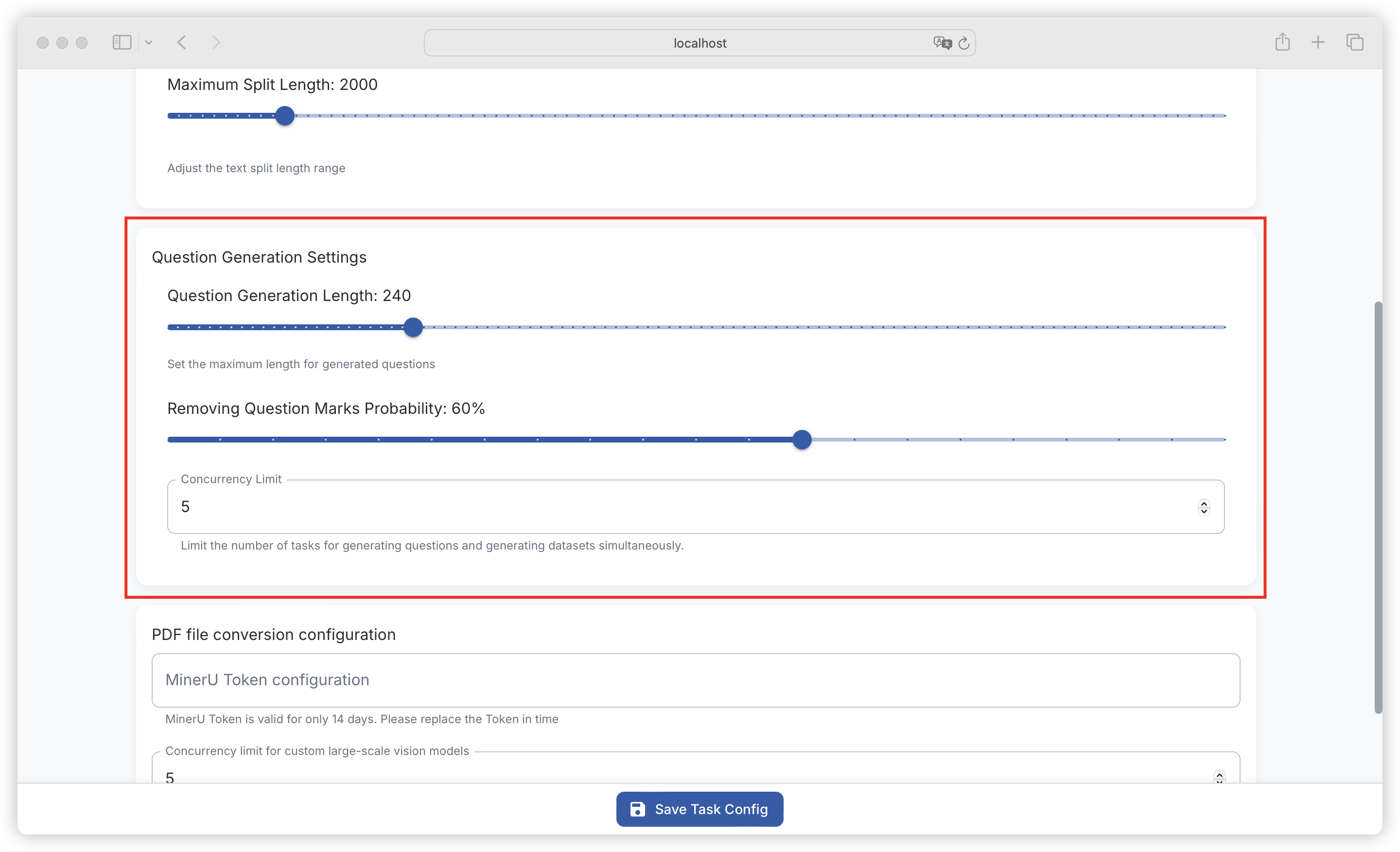
### Question Generation Settings
#### 1. Question Generation Length
* Function: Sets the maximum character length for generated questions, with a current default value of 240. Ensures that generated questions are within a reasonable length range for easy reading and understanding.
* Setting method: Enter the desired value (must be a positive integer) in the input box after "Question Generation Length".
#### 2. Removing Question Marks Probability
* Function: Sets the probability of removing question marks when generating questions, with a current default value of 60%. The question format can be adjusted according to specific needs.
* Setting method: Enter an integer between 0 and 100 (representing percentage probability) in the input box after "Removing Question Marks Probability".
#### 3. Concurrency Limit
* Function: Used to limit the number of simultaneous question generation and dataset generation tasks, avoiding system performance degradation or task failure due to too many tasks occupying too many system resources.
* Setting method: Set an appropriate upper limit for concurrent tasks based on system resource conditions and task requirements. Specific operations may require finding the corresponding input box or slider in the relevant settings interface (if available).
{% hint style="warning" %}
When setting, consider factors such as server hardware performance and network bandwidth. If there are too many concurrent tasks, it may lead to long task queue waiting times or even task timeout failures.
{% endhint %}
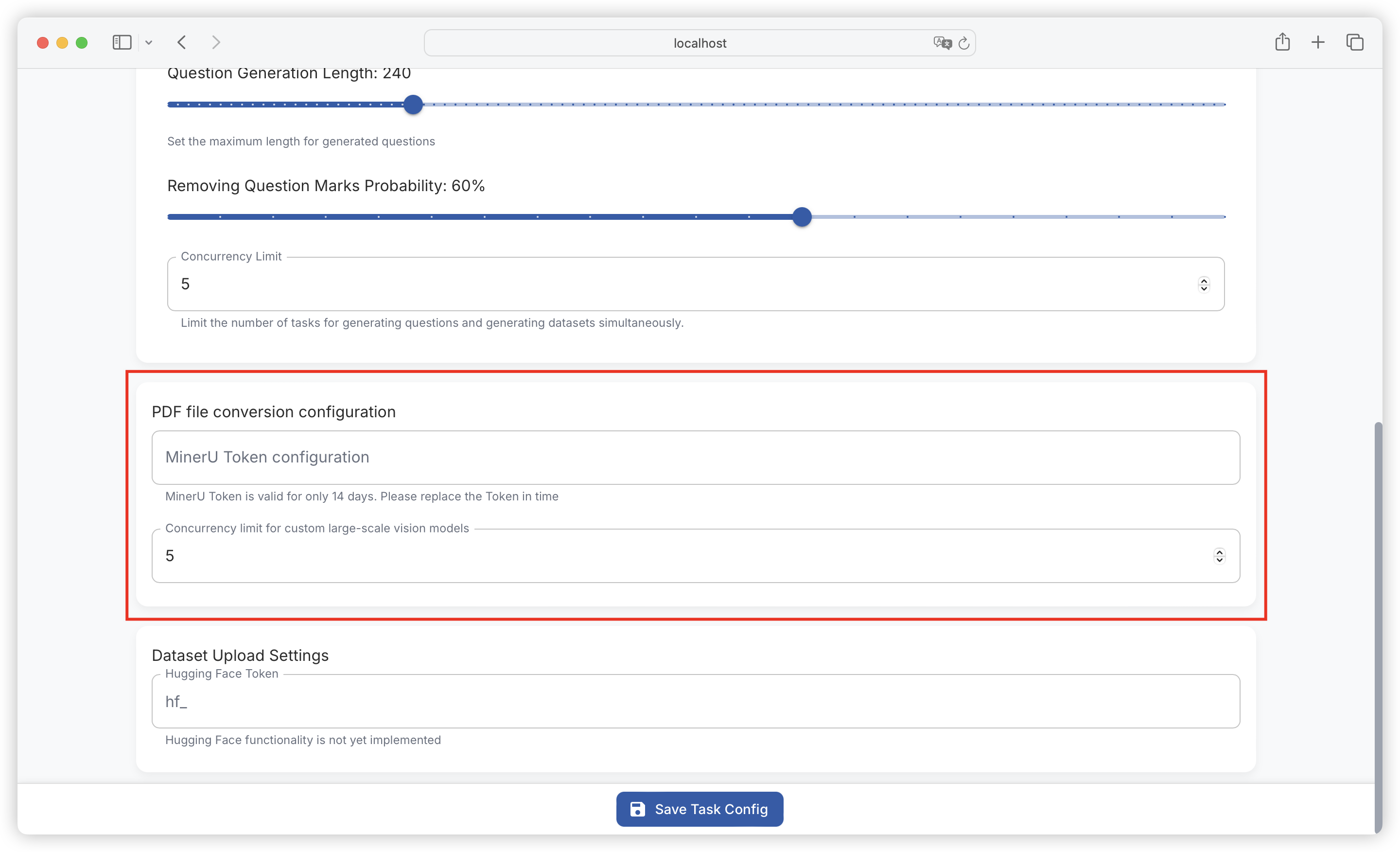
### PDF Conversion Configuration
#### 1. **MinerU Token Configuration**
* Function: MinerU Token is used for authentication and authorization for PDF conversion based on MinerU API.
* Setting method: Enter a valid MinerU Token in the corresponding input box. Note that the MinerU Token is only valid for 14 days, and a new Token needs to be replaced promptly after expiration to ensure normal function use.
#### 2. Custom Large-Scale Vision Model Concurrency Limit
* Function: Limits the number of concurrent tasks related to custom large-scale vision models, reasonably allocates system resources, and ensures the stability and efficiency of model processing tasks.
* Setting method: Carefully set concurrency limits based on the computational complexity of the model and system resource conditions. Too high may lead to excessive system load, while too low may not fully utilize system resources.
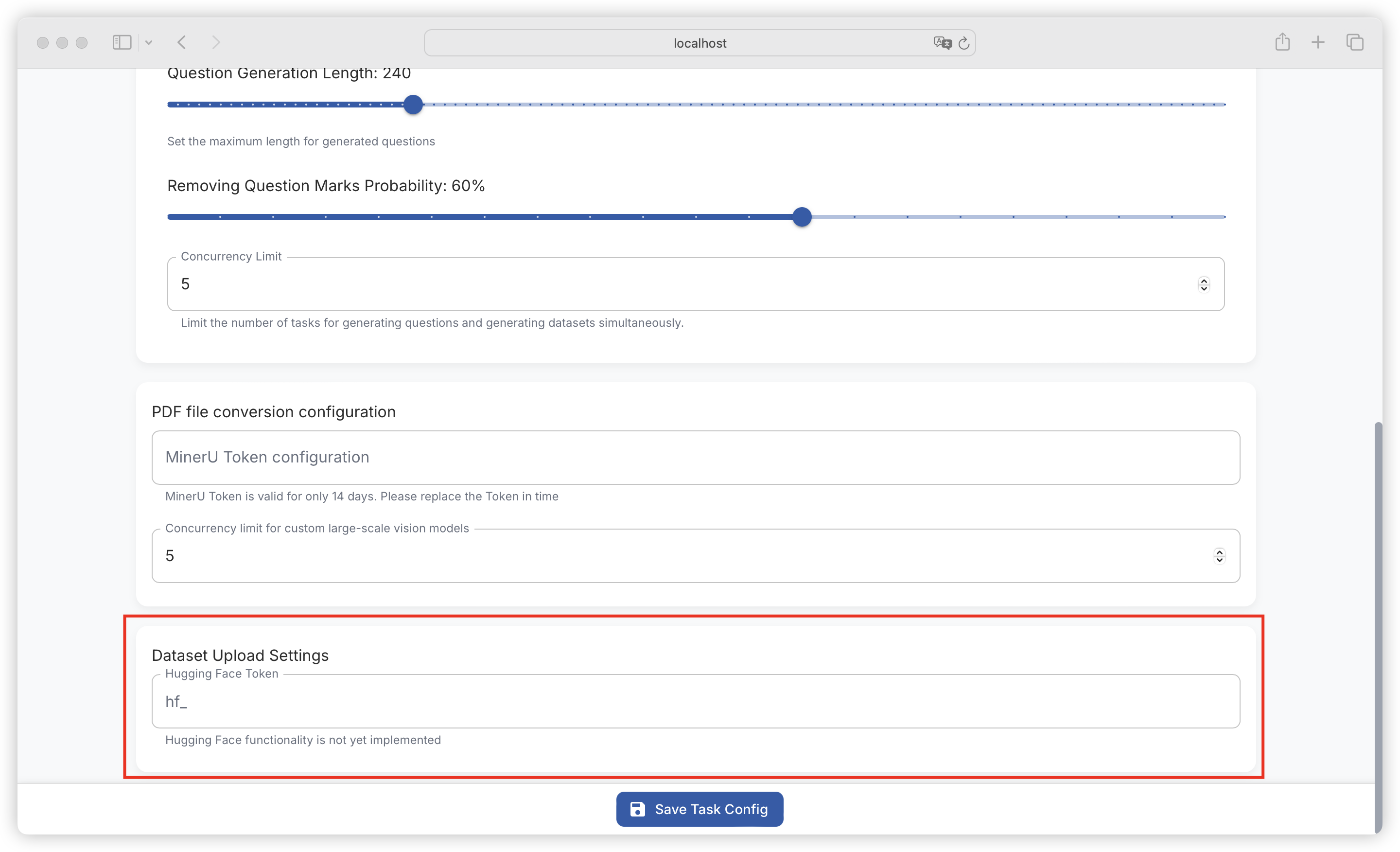
### Dataset Upload Settings
#### 1. Hugging Face Token
* Function: Hugging Face Token is used for authentication when interacting with the Hugging Face platform to implement functions such as dataset uploading (currently the Hugging Face function has not been implemented, this Token setting is temporarily reserved).
* Setting method: Enter the Token generated by the Hugging Face platform in the input box after "hf\_".
---
# Agent Instructions
This documentation is published with GitBook. GitBook is the documentation platform designed so that both humans and AI agents can read, navigate, and reason over technical content effectively. Learn more at gitbook.com.
## Querying This Documentation
If you need additional information that is not directly available in this page, you can query the documentation dynamically by asking a question.
Perform an HTTP GET request on the current page URL with the `ask` query parameter, and the optional `goal` query parameter:
```
GET https://docs.easy-dataset.com/ed/en/basic/quickstart/task-configuration.md?ask=&goal=
```
`ask` is the immediate question: it should be specific, self-contained, and written in natural language.
`goal` is optional and describes the broader end goal you are ultimately trying to accomplish on behalf of the user. GitBook uses it to tailor the answer towards what is most useful for that goal.
The response will contain a direct answer to the question and relevant excerpts and sources from the documentation.
Use this mechanism when the answer is not explicitly present in the current page, you need clarification or additional context, or you want to retrieve related documentation sections.